Macro Camera Pro: Manual Focus
Photography & DSLR Controls
Designed for iPhone
Free · In-app purchases
- Age rating4+
- CategoryPhoto & Video
- DeveloperTedy Development
- LanguagesEnglish+ 28 more
- Size8.3 MB
Links to the official App Store page
Download.org hosts no file of Macro Camera Pro: Manual Focus. The button opens its official App Store page, published by Tedy Development. Listing last checked on Nov 28, 2026.
Screenshots



About
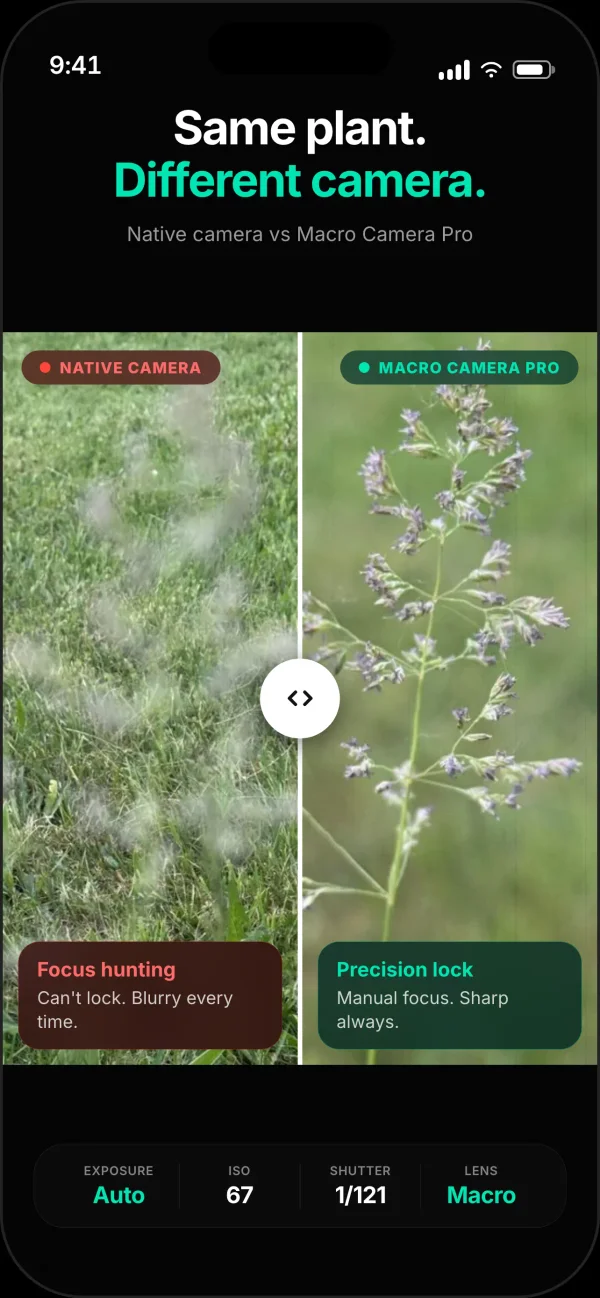
The native camera decides where to focus. This one lets you decide.
Macro Camera Pro gives you manual control over focus, lens and exposure — on every iPhone.
——
WHY THE NATIVE CAMERA FAILS AT MACRO
Get close to a tiny subject and the native camera hunts focus back and forth, jumps between lenses without warning, and resets the moment you move. You fight the automation instead of shooting.
Macro Camera Pro eliminates all three problems.
——
MANUAL FOCUS SLIDER A large vertical slider lets you dial in focus with millimeter precision. Haptic feedback gives you a physical tick for every adjustment — it feels like turning a real lens ring. No more tap-to-focus guessing.
LENS LOCK Lock the lens you want and the app stays on it. No automatic switching, ever. Your composition stays intact.
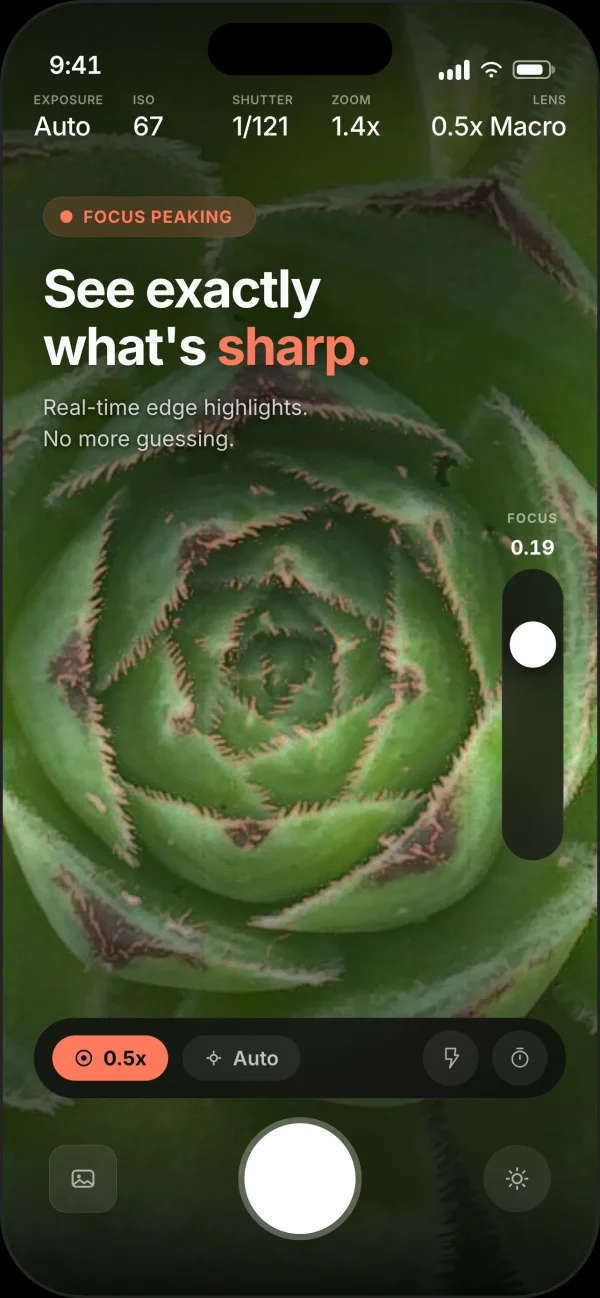
FOCUS PEAKING Real-time edge highlights show you exactly what is in focus before you shoot. See the sharp plane at a glance. Adjust. Shoot with confidence.
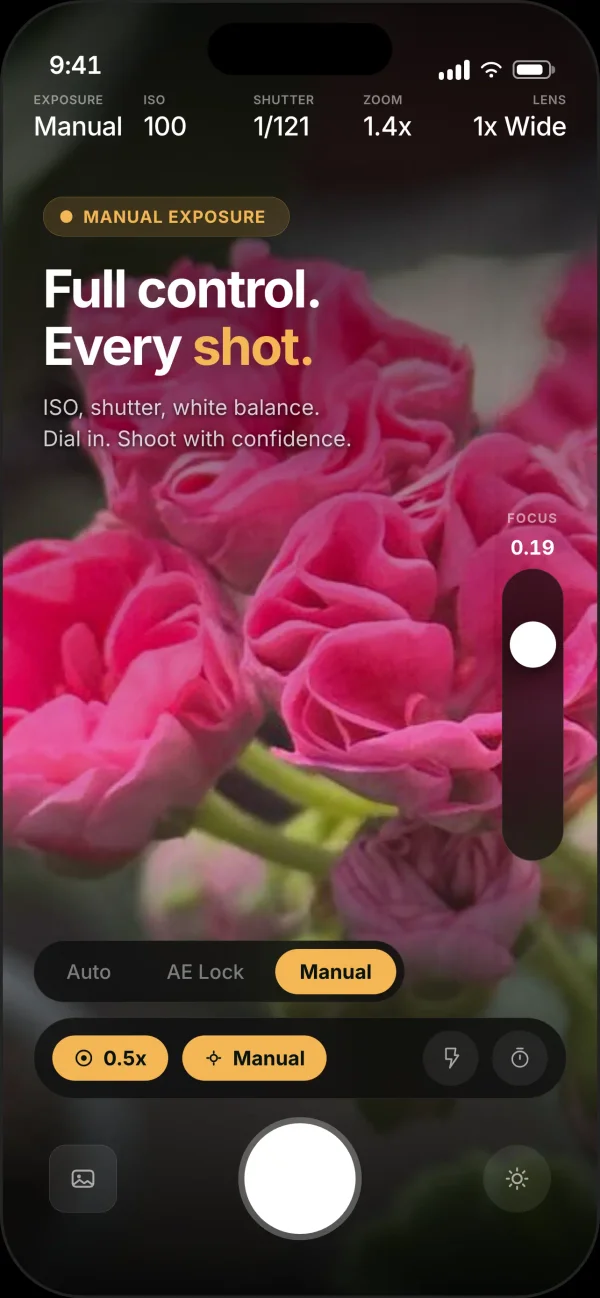
MANUAL EXPOSURE Full control over ISO and shutter speed. Lock exposure independently from focus. Switch between Auto, AE Lock, and Manual in one tap.
VARIABLE TORCH A dimmable LED fill light illuminates your subject without the harshness of flash. Reveal textures and details invisible in ambient light.
HARDWARE SHUTTER Use your iPhone volume button to trigger the shutter — less hand movement means sharper macro shots.
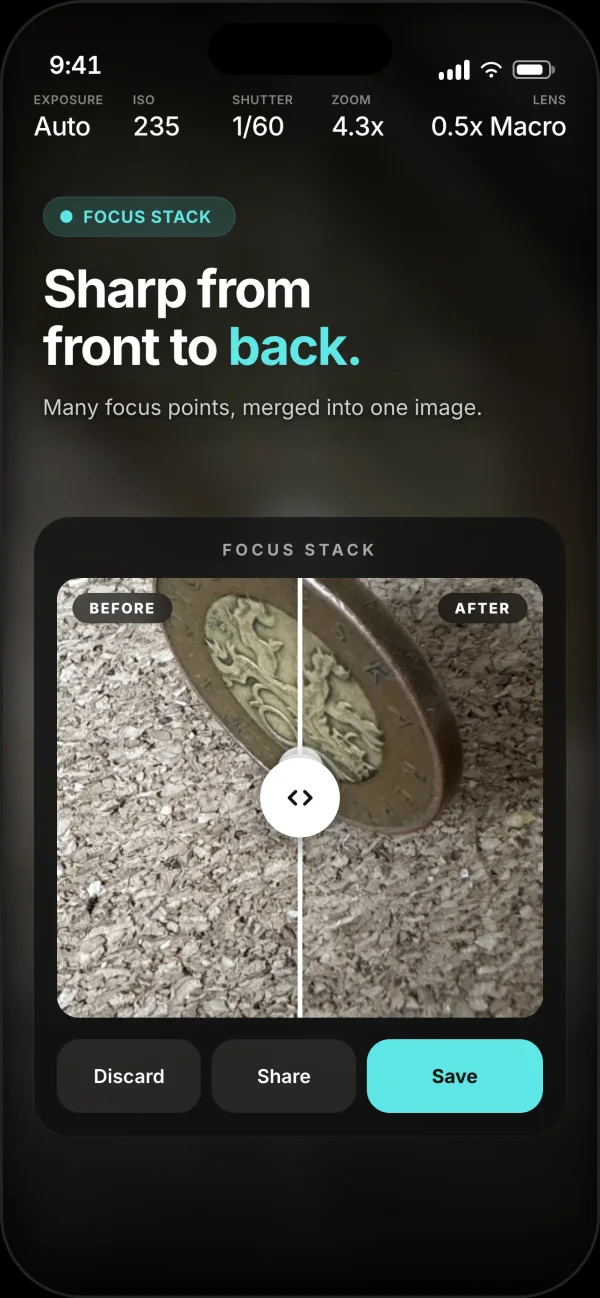
FOCUS STACK Capture several frames at different focus points and merge them into one image with more of your subject sharp. Works best on still subjects with a steady hand — the more depth your subject has, the bigger the difference.
——
WILL IT WORK ON MY IPHONE?
Yes. Manual focus, lens lock, focus peaking, focus stacking, the torch and GPS tagging work on every iPhone that runs iOS 18.
Focusing all the way down to 2 cm needs an Ultra Wide camera with autofocus. Every Pro model since iPhone 13 Pro has one, and so does every standard model from iPhone 16 onward. The e-series and iPhone Air have a single camera and no Ultra Wide at all.
On every other iPhone the main camera focuses to roughly 20 cm — and clip-on macro lenses work beautifully, because a clip-on lens defeats autofocus entirely and manual focus is the only way to use one properly.
Not sure which one you have? The app measures your iPhone's closest focus distance and shows it on first launch, and the 5-day trial costs nothing.
CAPTURE Full-resolution JPEG or HEIF, multiple aspect ratios, and adjustable focus peaking strength (Light, Medium, Bold).
——
HONEST PRICING 5-day free trial — full Pro access, no credit card required. One-time unlock — pay once, own it forever. No subscription. No hidden fees.
——
PRIVACY FIRST No account. No tracking. No analytics. Photos stay on your device. Works fully offline.
What’s new
Version 1.9 · Sep 11, 2026
A calmer first launch.
Macro Camera Pro no longer asks for your location when you open it. Nothing interrupts the camera before you have taken a shot — the geotagging question now waits until after your first photo, and a new indicator in the readout row shows at a glance whether coordinates are actually being written.
The app also tells you what your particular iPhone can do. Closest focus distance is measured on your device and shown on first launch, so you know exactly how close you can get before you frame the shot.
• The location prompt no longer appears at launch
• GPS indicator in the readout row, with a warning when no valid fix is available
• A one-time hint pointing at the focus slider
• Your iPhone's real closest focus distance, measured and shown
• The trial badge waits until you have taken your first photo
Thanks for shooting with Macro Camera Pro.
App privacy
What Tedy Development declares on the App Store about how this app handles data.
-
Data not collected
The developer does not collect any data from this app.
Privacy practices may vary, for example with the features you use or your age.
Information
- Seller
- Tedy Development s.r.o.
- Category
- Photo & Video
- Version
- 1.9
- Updated
- Sep 11, 2026
- Released
- Jan 26, 2026
- Size
- 8.3 MB
- Requires
- iOS 18.0 or later
- Age rating
- 4+
- Price
- Free
- In-app purchases
- Yes
- Languages
- English, Arabic, Czech, Danish, Dutch, Finnish, French, German, Greek, Hebrew, Hungarian, Indonesian + 17 more
- Copyright
- © Tedy Development
You might also like
-
 BlaX Macro CameraLive macro camera
-
 MacroShaderA macro photography app
-
 Bloom: Macro, All in FocusFocus stacking made for iPhone
-
 Macro ModeMacro Photography Camera
-
 Zeus Focus StackingMacro Focus Stacking
-
 TeleMacroMacro camera for tiny things
-
 Macro LensCapture the World in Detail
-
 Lumen CameraPro Manual Cinematic Camera
-
 Camera Zoom 4Manual Lens Selection, Control
-
 Focus Stacking - Macro CameraCapture every detail in focus.