MagicSSH – Server & Terminal
SSH, Docker & Live Monitoring
Designed for iPhone, iPad
Free · In-app purchases
- Age rating4+
- CategoryUtilities
- DeveloperFatih Yesilbas
- LanguagesEnglish
- Size22.8 MB
Links to the official App Store page
Download.org hosts no file of MagicSSH – Server & Terminal. The button opens its official App Store page, published by Fatih Yesilbas. Listing last checked on Nov 14, 2026.
Screenshots





About
YOUR SERVERS. FULL CONTROL. ANYWHERE.
MagicSSH is the professional SSH client for everyone who manages Linux servers — developers, sysadmins, self-hosters. Connect in seconds, see instantly what's going on, and fix things with a tap that would normally make you open your laptop.
WHY MAGICSSH?
Other SSH apps give you a terminal. MagicSSH gives you a complete server cockpit: live dashboard, Docker management, service control, log streaming, and a command library — all in a focused dark interface built for real admin work.
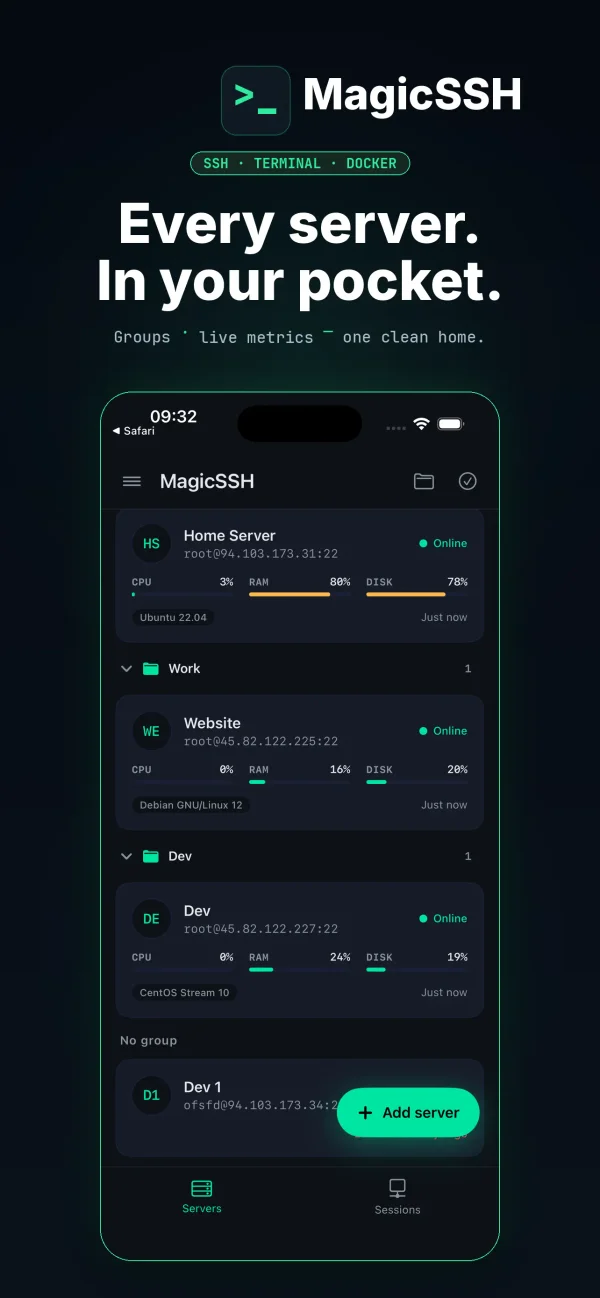
LIVE DASHBOARD
- CPU, RAM, and disk of every server at a glance
- Operating system, uptime, and status in real time
- Organize servers into groups (Work, Home, Clients …)
FULL SSH TERMINAL
- Real terminal with Esc, Tab, Ctrl, and arrow keys
- Authenticate with password or SSH key (ed25519, RSA)
- Multiple parallel sessions — connections stay alive
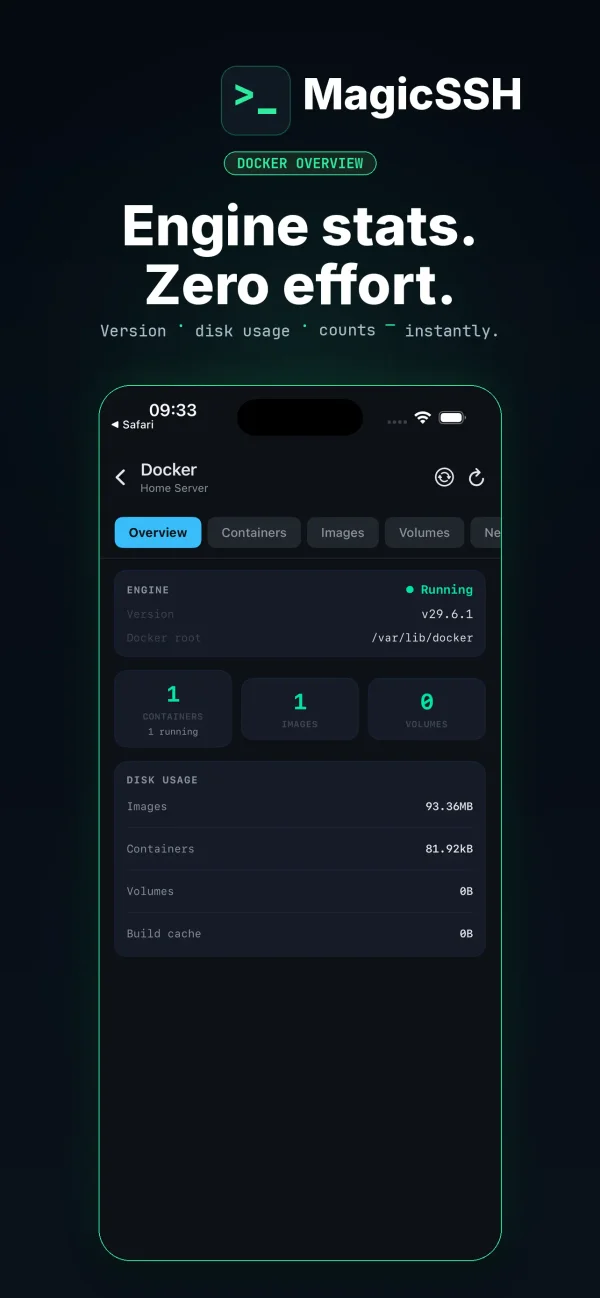
DOCKER, HANDLED
- Start, stop, and recreate containers
- Stream live logs straight from the container
- Manage images, volumes, and networks
- Inspect Compose files, prune the system
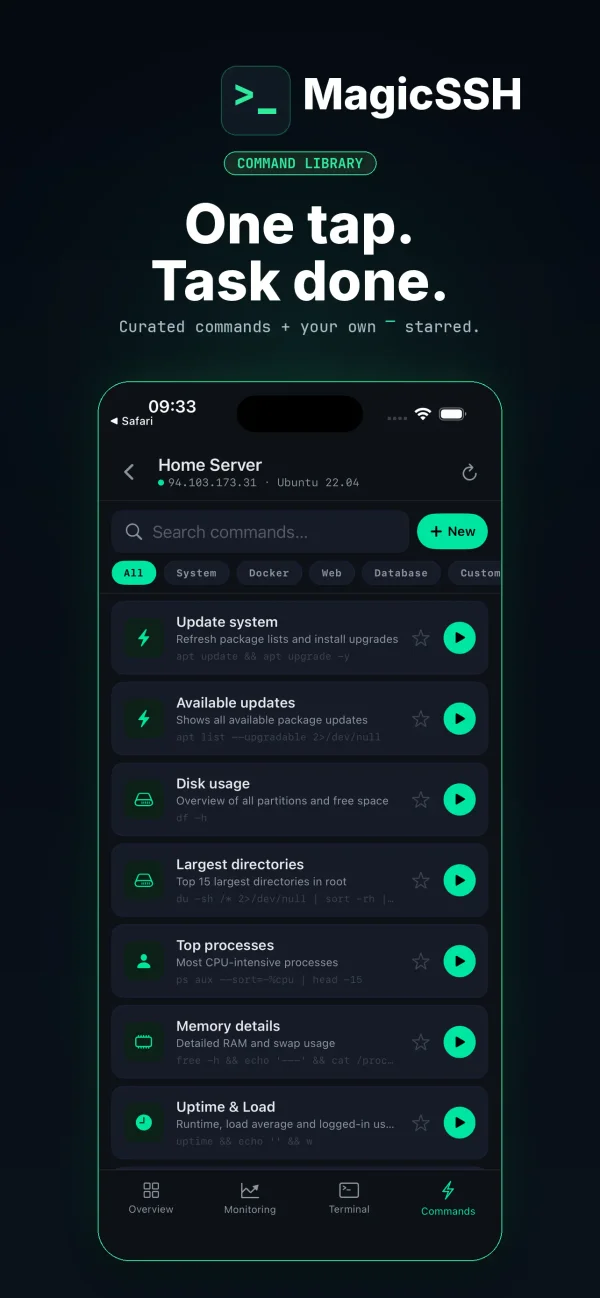
COMMAND LIBRARY
- Built-in commands: updates, disk analysis, processes, open ports, and more
- Create, categorize, and star your own commands
- Results in milliseconds — no terminal session needed
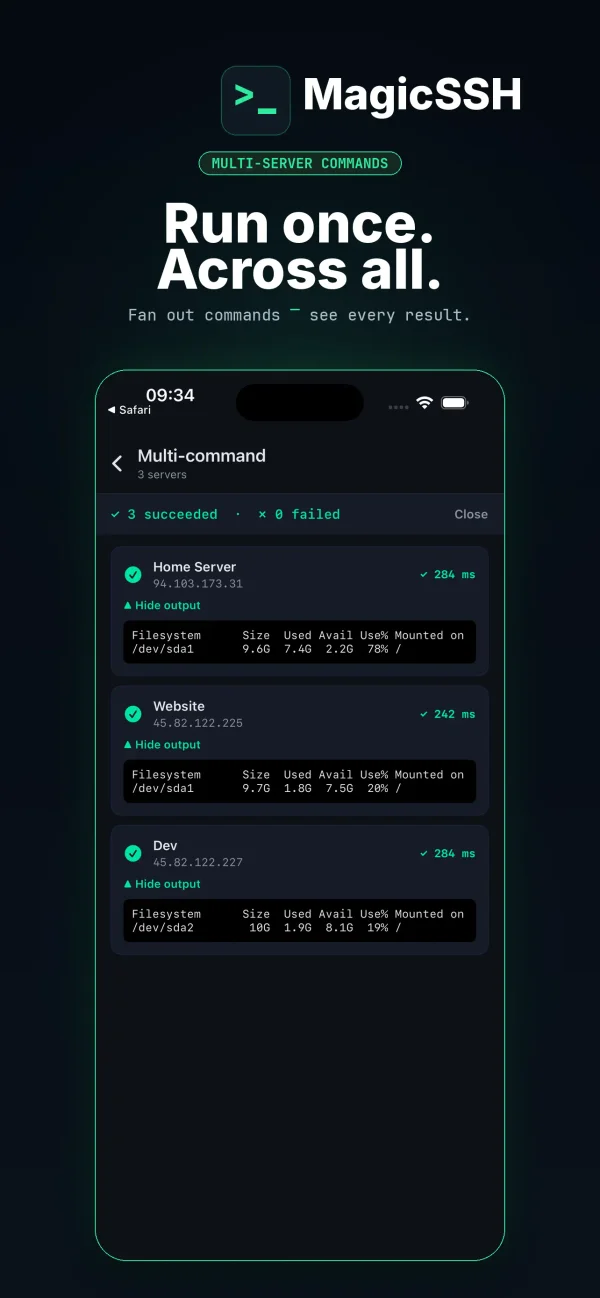
MULTI-COMMAND
- Run one command across multiple servers at once
- Per-server results with runtime and status
- Perfect for updates, checks, and deployments across your whole fleet
MONITORING & LOGS
- Live graphs for CPU, RAM, swap, disk, network, and load
- Historical data for trend analysis
- Stream and filter system, auth, syslog, and kernel logs live
SERVICE CONTROL
- All systemd services at a glance — active, inactive, failed
- Start, stop, and restart services
- View service logs directly
SECURITY
- Credentials never leave your device
- No cloud, no account, no tracking
- Direct, encrypted SSH connection to your servers
PAY ONCE, USE FOREVER
MagicSSH Pro is a one-time purchase — no subscription, no recurring costs. Start free and take your time; Pro removes all limits: unlimited servers, parallel sessions, full Docker control, multi-command, and monitoring history.
BUILT BY ADMINS, FOR ADMINS
MagicSSH is actively developed. Feedback and requests: support@senova.app — personal reply, usually within 24 hours.
Download MagicSSH and manage your servers the way it should feel in 2026.
App privacy
What Fatih Yesilbas declares on the App Store about how this app handles data.
-
Data not collected
The developer does not collect any data from this app.
Privacy practices may vary, for example with the features you use or your age.
Information
- Seller
- Fatih Yesilbas
- Category
- Utilities
- Version
- 1.0.4
- Updated
- Jul 8, 2026
- Released
- Jul 8, 2026
- Size
- 22.8 MB
- Requires
- iOS 26.5 or later
- Age rating
- 4+
- Price
- Free
- In-app purchases
- Yes
- Languages
- English
- Copyright
- © 2026 senova.app
You might also like
-
 liquidSSHNext-gen & Lightweighted SSH
-
 CamarunLive Frigate NVR camera viewer
-
 Plant ConfigConfiguration utility
-
 Gatepeek: Who's on My WiFiSee Who's on Your Wi-Fi
-
 Pulse - System ToolkitSystem Toolkit
-
 DroidRemoteRemote Control & Mirroring
-
 Speed Box AdminUtilities
-
 KDMLinkUtilities
-
 Find My LAN DeviceWi-Fi & IP scanner, SSH client
-
 ZelmuxZellij terminal on the go