Malicious URLs Detector
Scan links phishing & malware
Designed for iPhone, iPad
In-app purchases
- Age rating4+
- CategoryUtilities
- DeveloperHanva,LLC
- LanguagesEnglish
- Size18.8 MB
Links to the official App Store page
Download.org hosts no file of Malicious URLs Detector. The button opens its official App Store page, published by Hanva,LLC. Listing last checked on Nov 12, 2026.
Screenshots
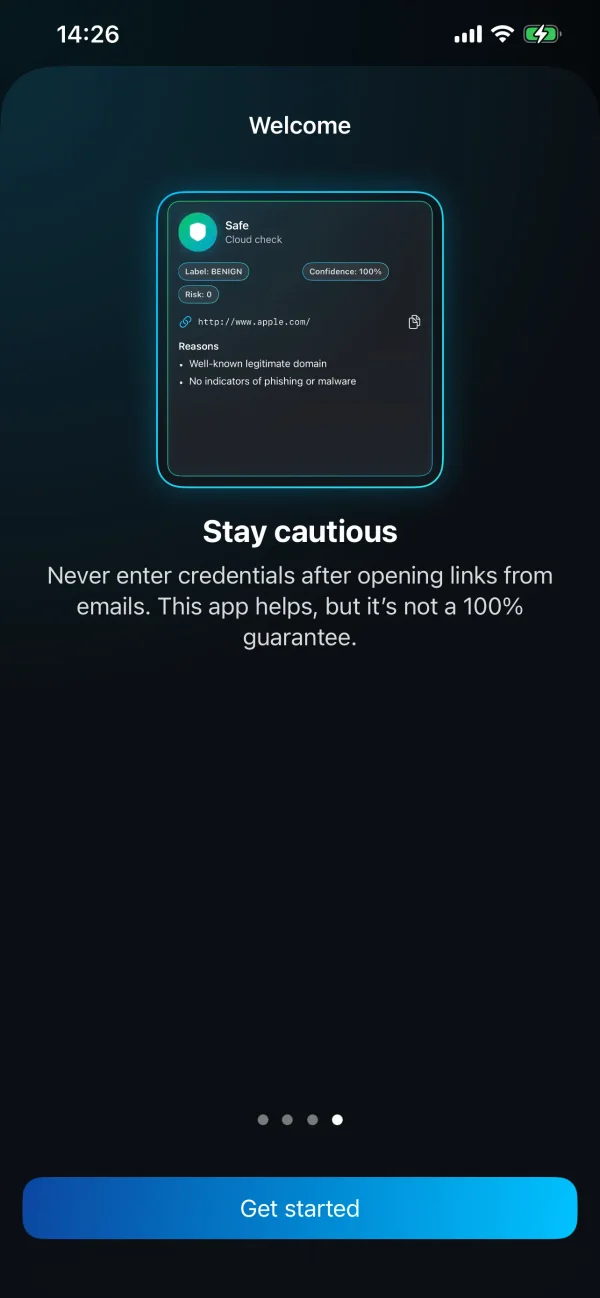
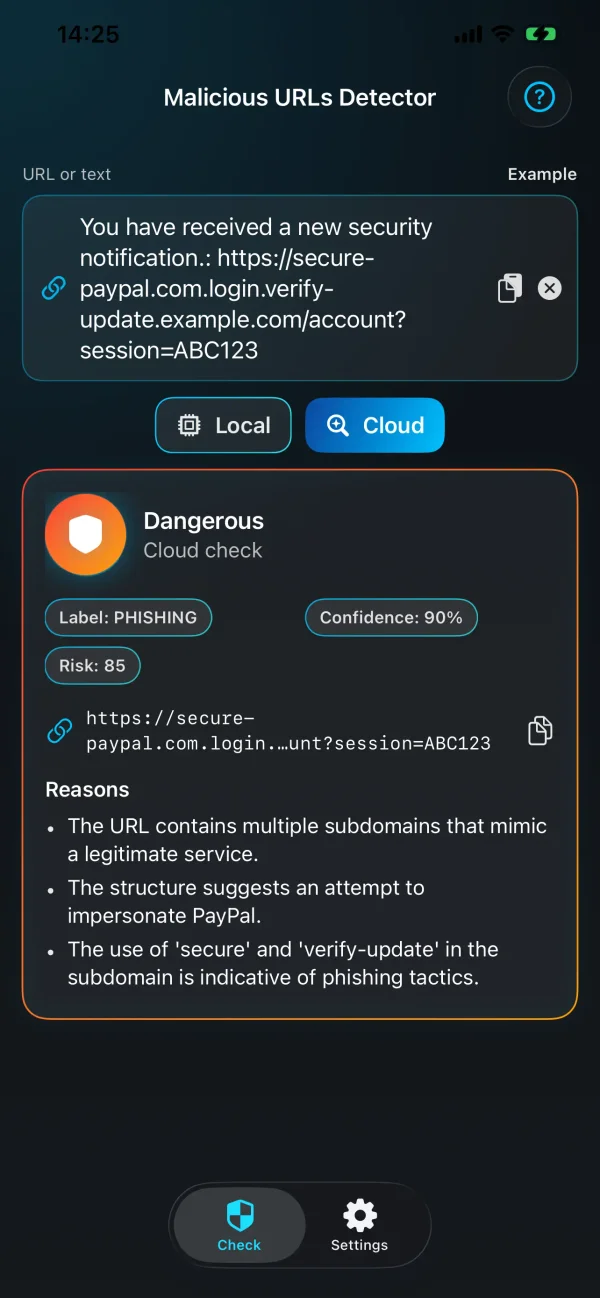
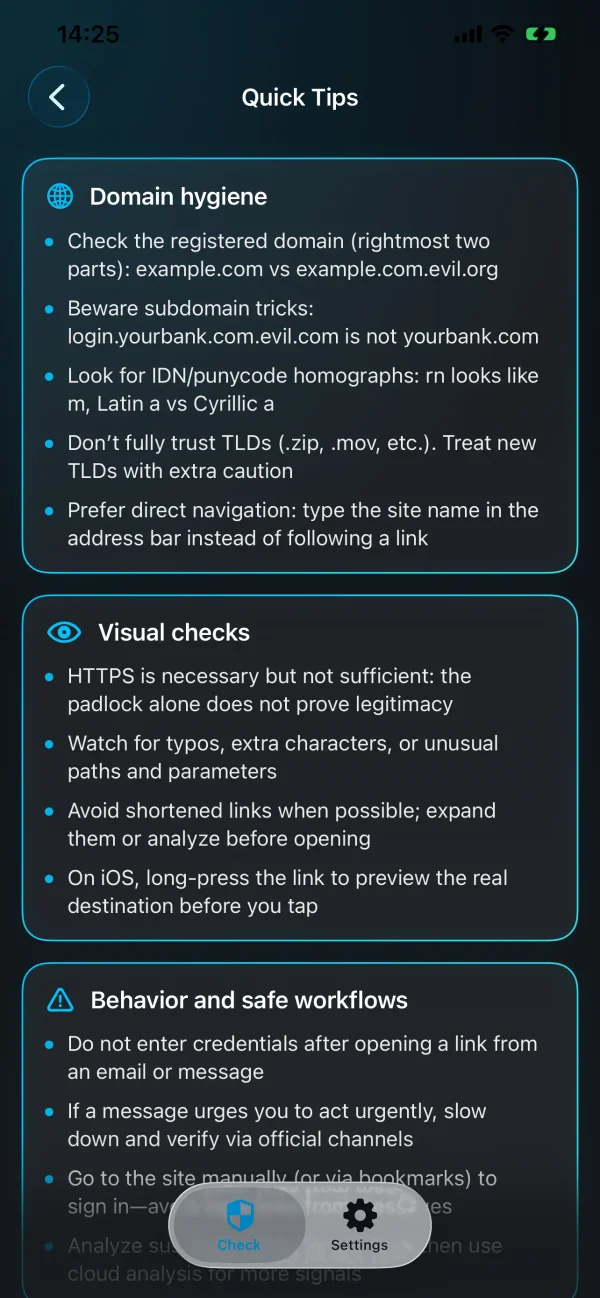
About
Stay safe online with Malicious URLs Detector — a simple and privacy-conscious way to assess the risk of links before you open them.
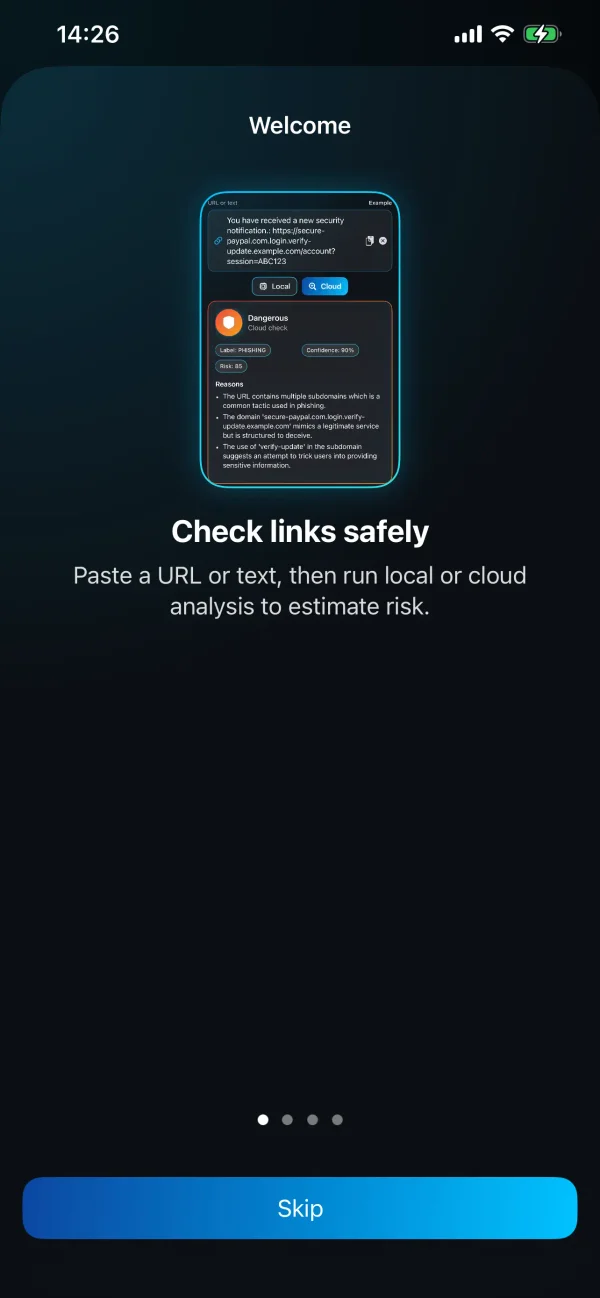
Paste a link (or any text containing one) to analyze it locally on your device using machine learning, or run an optional cloud check for deeper insights. Use the Share Extension from Safari, Mail, or any app to scan links in one tap.
Why it’s different
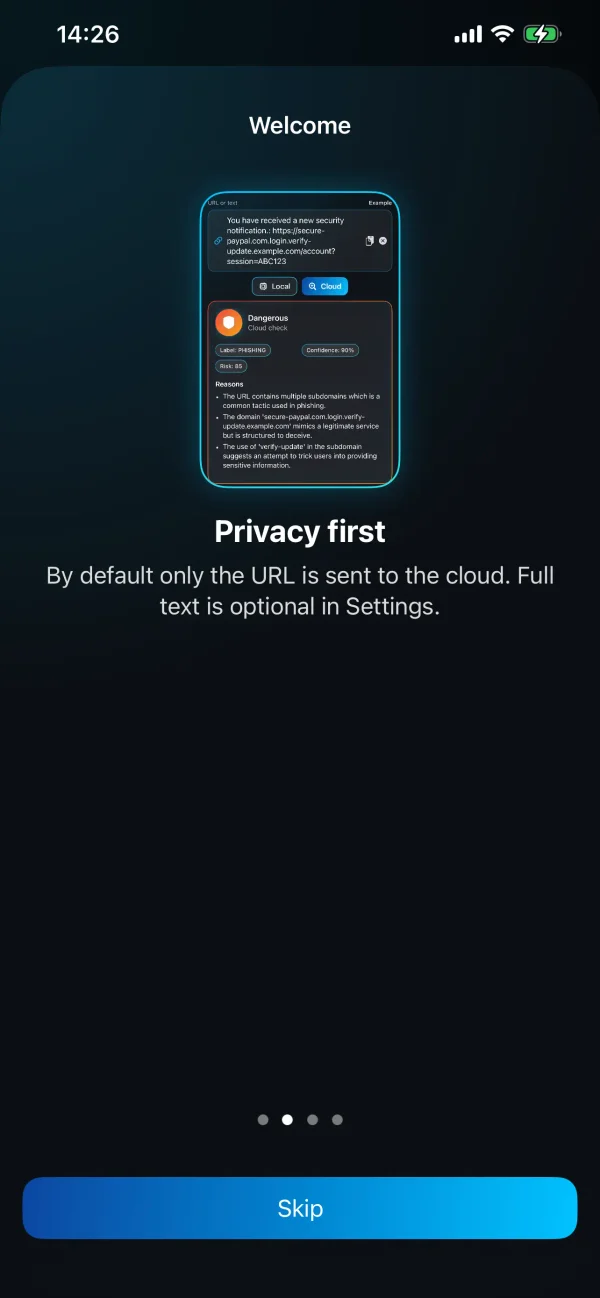
Private by default: Only the URL is sent to the cloud (full text is optional in Settings).
Fast and helpful: On-device checks work offline. Cloud analysis adds verdict, risk score, and reasons.
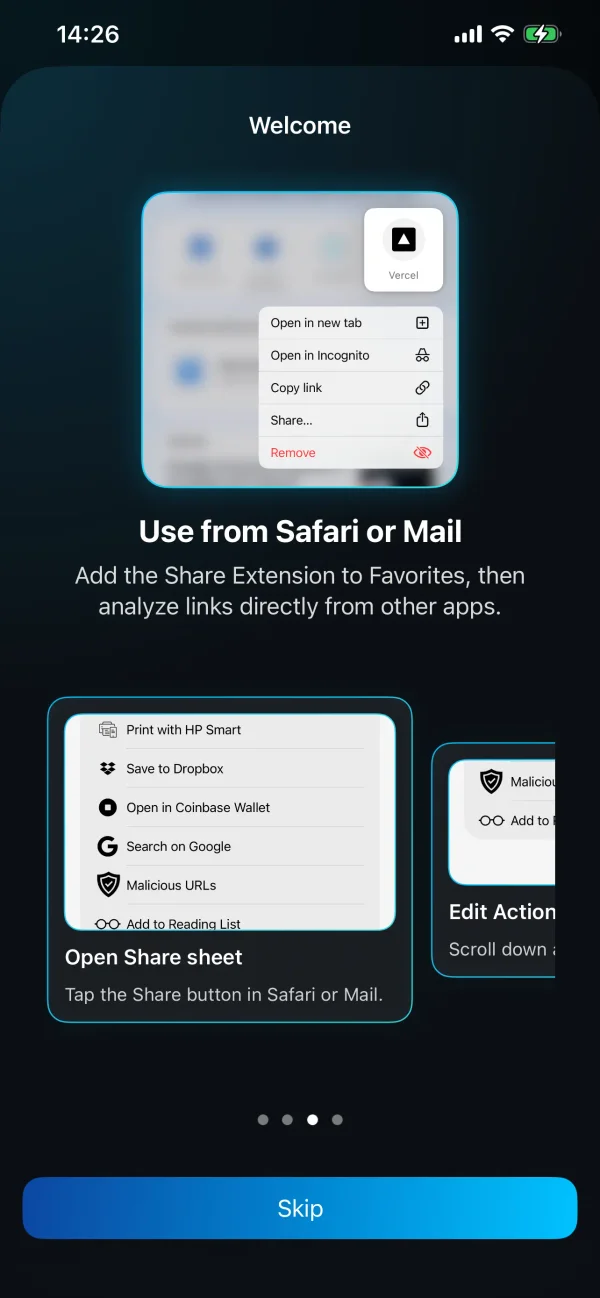
Seamless everywhere: Share Extension integrates with Safari, Mail, and any app that supports Share.
Key features
Local analysis (on-device ML) for instant verdicts
Optional cloud check with detailed reasons and recommended actions
Clear result card with color-coded status and confidence
Share Extension: analyze links from other apps
URL normalization and http/https filtering
Optional auto-check while typing
Built-in tutorial and quick safety tips
Result caching (faster repeated checks)
Accessibility-friendly UI (Dynamic Type, high contrast option)
How it works:
Paste a link or text with a link
Tap "Local" or "Cloud"
Read the verdict, confidence, reasons, and recommended actions
Share Extension:
In Safari or Mail, tap the Share button
Scroll down, tap “Edit Actions…”, add “Malicious URLs Detector” to Favorites
Next time, tap “Malicious URLs Detector” to analyze the current link
Privacy
Local analysis runs entirely on your device.
Cloud analysis sends only the URL by default; full text is optional in Settings.
No tracking. No ads.
Disclaimer:
This app helps identify risky links, but no system can guarantee 100% accuracy. Always stay cautious.
Subscription Plans:
- Payment will be charged to your App Store Account at confirmation of purchase.
- Your subscription will automatically renew unless auto-renew is turned off at least 24 hours before the end of the current subscription period.
- Your account will be charged for renewal within 24 hours prior to the end of the current subscription period. Automatic renewals will cost the same price you were originally charged for the subscription.
- Manage or cancel your subscription from your user settings in the App Store at any time after purchasing.
- Any unused portion of a free trial will be forfeited if you purchase a subscription.
Privacy Policy: https://sunteame.com/privacy-policy/
Terms And Conditions:https://sunteame.com/terms-of-service/
App privacy
What Hanva,LLC declares on the App Store about how this app handles data.
-
Data not collected
The developer does not collect any data from this app.
Privacy practices may vary, for example with the features you use or your age.
Information
- Seller
- Hanva,LLC
- Category
- Utilities
- Version
- 1.0
- Updated
- Nov 20, 2025
- Released
- Nov 20, 2025
- Size
- 18.8 MB
- Requires
- iOS 17.0 or later
- Age rating
- 4+
- In-app purchases
- Yes
- Languages
- English
- Copyright
- © 2025@Sun Teame Pte Ltd
You might also like
-
 CleanLink: URL CleanerRemove tracking & unshorten
-
 Link Check LiteWebpage Scanner
-
 LinkDive: Clean LinksClean Social Media Links
-
 URL UnravelerSee Where Every Link Leads
-
 TrustLensSpot Scam Links Before You Tap
-
 SafeQR Reader • Block ScamsScan Smart, Stay Safe
-
 ShareCleaner- Anonymous LinksShare links. Not your info.
-
 Bluetooth SleuthLet's see that BLE
-
 RayStatus | Phone DiagnosticsBattery, Network & Hardware
-
 Fraudly – Scam DetectorWebsite & Shop Trust Platform