- Age rating4+
- CategoryProductivity
- Developerle4studio
- LanguagesEnglish+ 1 more
- Size6.7 MB
Links to the official App Store page
Download.org hosts no file of Many+. The button opens its official App Store page, published by le4studio. Listing last checked on Nov 12, 2026.
Screenshots

About
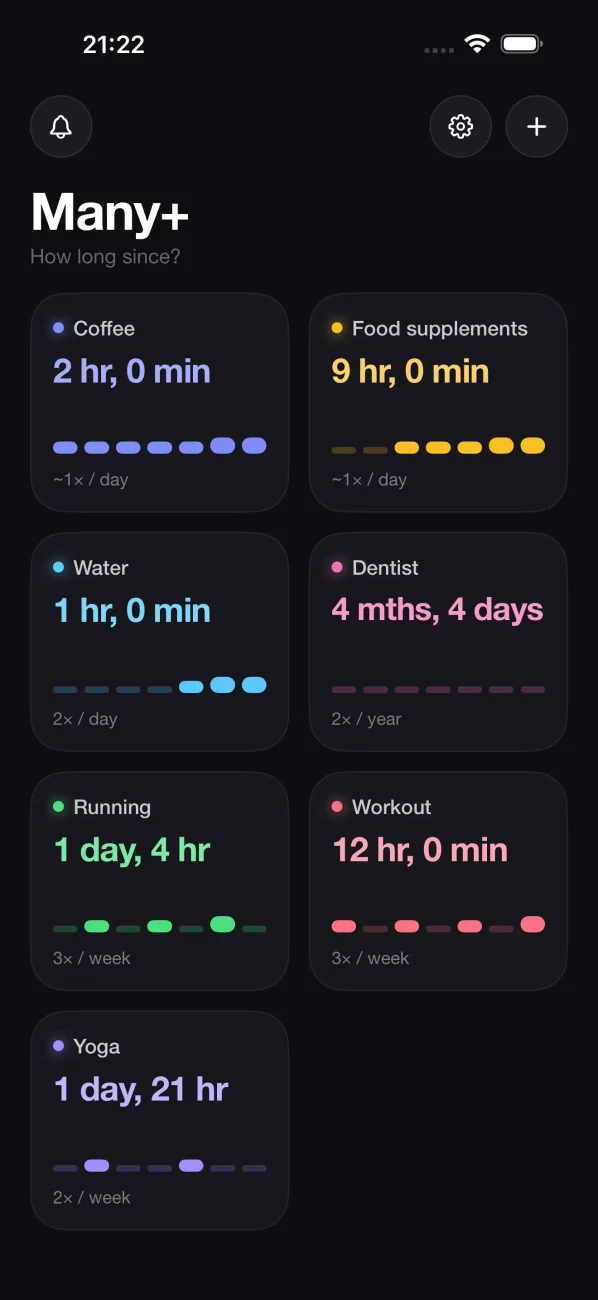
Coffee, runs, watering the plants, dentist visits… Many+ answers two simple questions: how many times, and how long since?
ONE TAP AND IT'S LOGGED
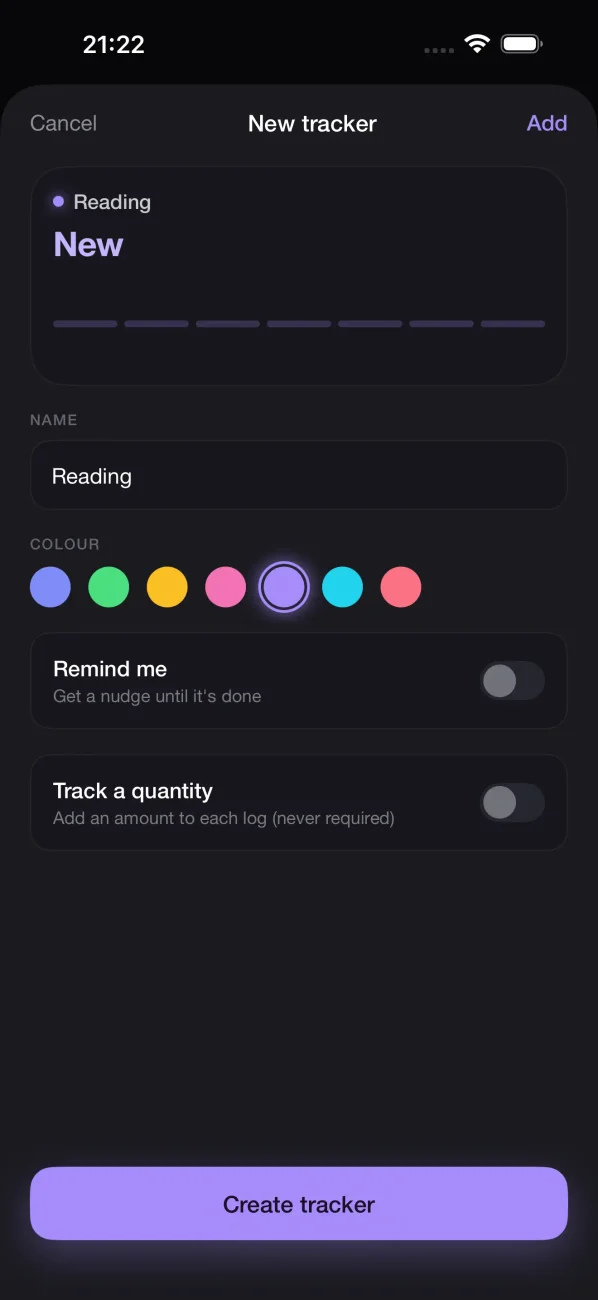
Tap a tile and it's recorded. Add a quantity (5 km, 2 coffees…) or a note when you want — never required.
YOUR LIFE IN COLOR
Every tracker gets its own pastel tile: elapsed time front and center, last 7 days of activity, your usual frequency.
REMINDERS THAT (GENTLY) INSIST
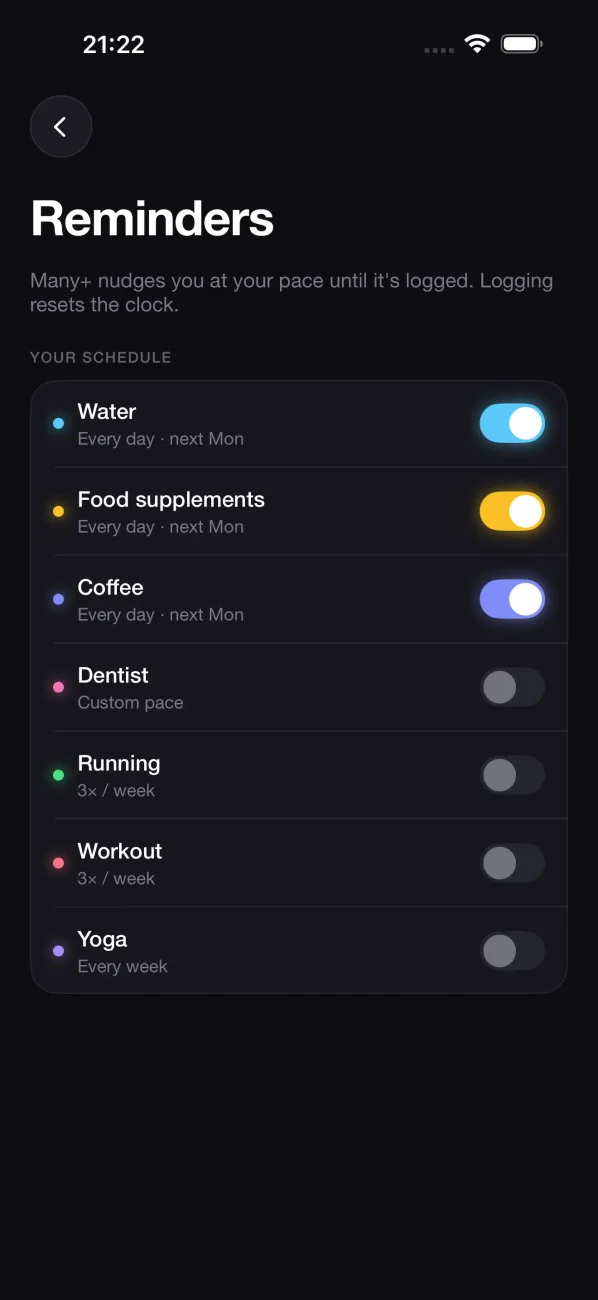
"Every week" means every week: Many+ reminds you at your chosen pace until it's done. Logging resets the clock.
YOUR STATS, NO EFFORT
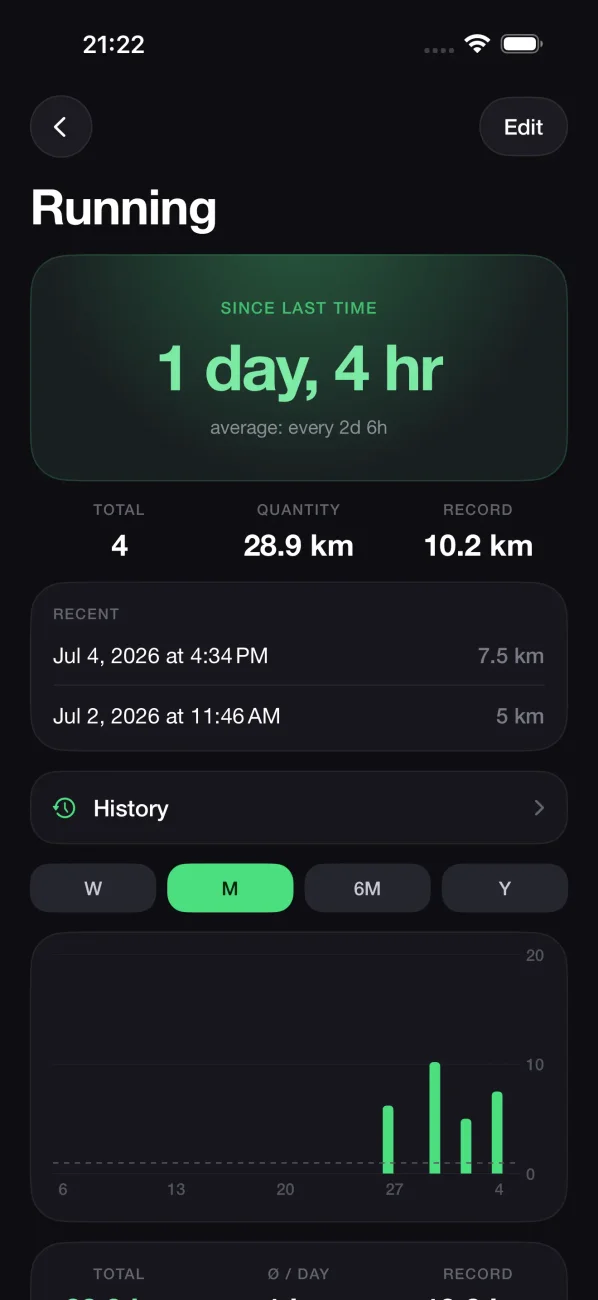
Totals, averages, records, weekly chart: open any tracker and it's all there.
YOUR WORKOUTS, AUTOMATICALLY
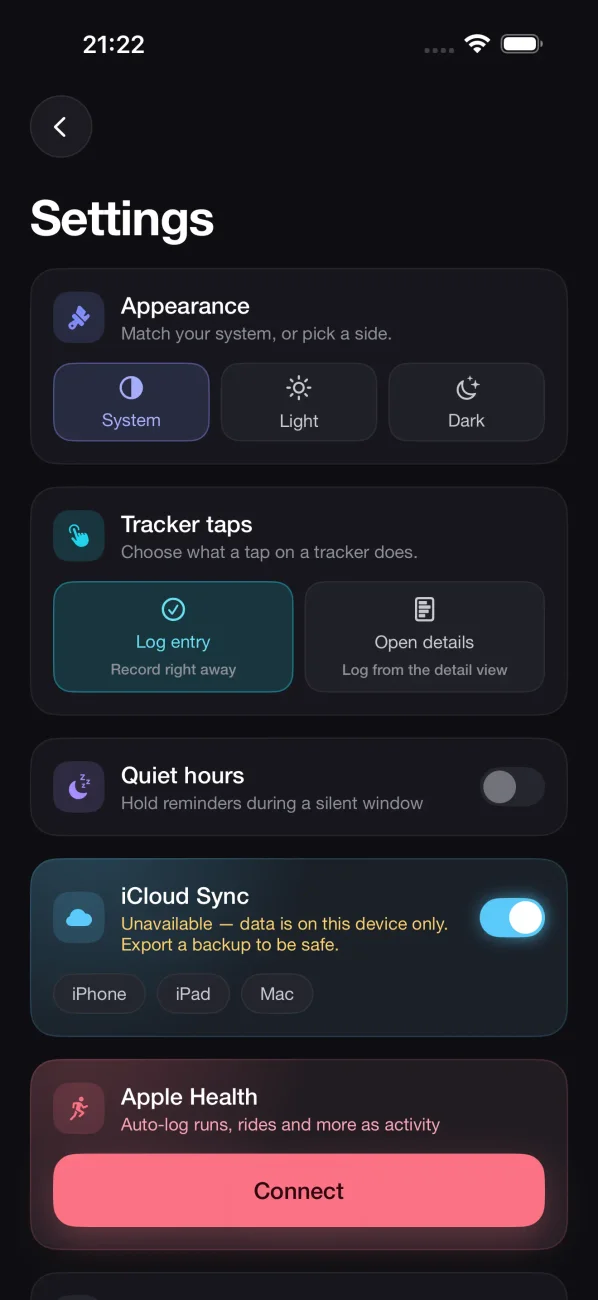
Connect Apple Health and your runs, rides, and workouts log themselves — with distance or duration. You pick which types to import, and edits in Health follow along.
ON YOUR HOME SCREEN AND WRIST
Widgets with one-tap logging on the Home Screen and Lock Screen, no need to open the app. An Apple Watch app to log from your wrist. Works with Siri too: "Log coffee in Many+".
YOUR DATA IS YOURS
Private iCloud sync across iPhone, iPad, and Apple Watch. One-tap backup to Files, plus full export and import: your trackers and notes never leave your account.
What’s new
Version 2.0.1 · Jul 8, 2026
What's New
• Per-tracker insights — every tracker now shows analytics tailored to its nature: streaks and a heatmap for frequent habits, trend charts and averages for quantities (km, min…), and typical pace with a projected next occurrence for rare events.
• Redesigned detail screen — insights now appear right on the tracker's page, with a preview of your latest entries and the full log just a tap away.
• Smarter reminders — custom durations across two units (e.g. "1 day 12 hours", "1h30"), plus a global Quiet hours window: a reminder that would fire during quiet hours is pushed to the moment the window ends — nothing is lost.
• Choose what a tap does — tapping a tracker can now either log it instantly or open its detail page (new setting in Settings).
• More reliable Apple Watch sync — your watch now syncs directly with your iPhone. Entries made on the watch no longer get stuck and arrive reliably, even offline.
• Swipe-back gesture throughout the app.
• Apple Health — a clear message and a shortcut to Settings when access to your workout data has been denied.
Bug fixes and translation improvements.
App privacy
What le4studio declares on the App Store about how this app handles data.
-
Data not linked to you
May be collected but is not linked to your identity.
- Usage data
- Diagnostics
Privacy practices may vary, for example with the features you use or your age.
Information
- Seller
- Olivier Ripoll
- Category
- Productivity
- Version
- 2.0.1
- Updated
- Jul 8, 2026
- Released
- Jan 21, 2012
- Size
- 6.7 MB
- Requires
- iOS 18.0 or later
- Age rating
- 4+
- Price
- Free
- Languages
- English, French
- Copyright
- © olirip 2026
You might also like
-
 PureMarkdownPrivate Markdown Notes Editor
-
 MemofyAIOn-Device AI Note Structuring
-
 Steno NotesStunning, Simple Notes
-
 Vault Notes by HanssonProductivity
-
 Notily – Daily Planner & To-doTo-do, Habits & Day Planner
-
 screenshatFull-page web screenshots
-
 Klippy - Clipboard ManagerClipboard history, synced
-
 ADHD Notes: AI Brain DumpVoice To Do List, Task Planner
-
 Canvo: AI Mind MapsBrainstorm, Learn and Create
-
 Token: Local AI & Code StudioLocal AI, code, chat & images