
- Age rating4+
- CategoryGraphics & Design
- DeveloperMarcel Petersen
- LanguagesEnglish
- Size15.4 MB
Links to the official App Store page
Download.org hosts no file of MapToPoster. The button opens its official App Store page, published by Marcel Petersen. Listing last checked on Nov 17, 2026.
Screenshots
About
Turn any city, place, or route into a print-ready custom map poster — right from your iPhone or iPad.
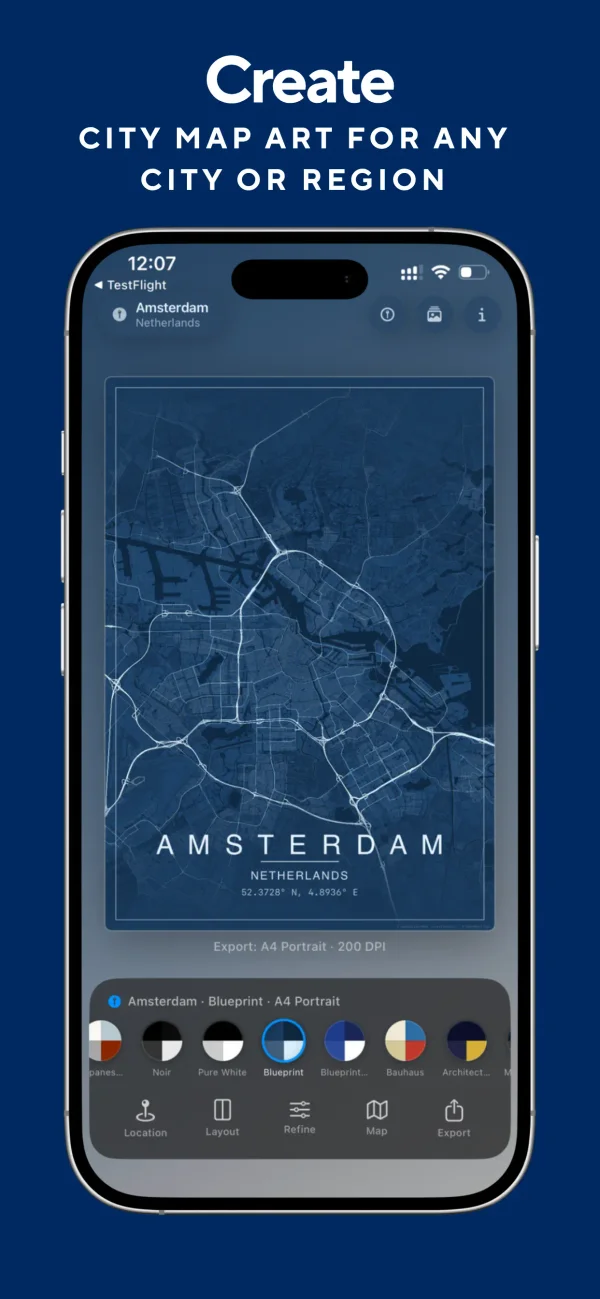
MapToPoster helps you create minimalist city map art in seconds. Search for any location, choose a visual style, adjust the map, and export a high-resolution poster for home printing, professional printing, framing, or sharing.
No design skills needed.
— CREATE CUSTOM MAP POSTERS —
Search any city, neighborhood, address, or special place. Zoom in for detailed street maps or zoom out for a clean city overview. Rotate the map to find the perfect composition.
Create posters for:
- your hometown
- favorite travel memories
- wedding locations
- marathon routes
- road trips
- city breaks
- meaningful places
- gifts and wall art
— BEAUTIFUL MAP STYLES —
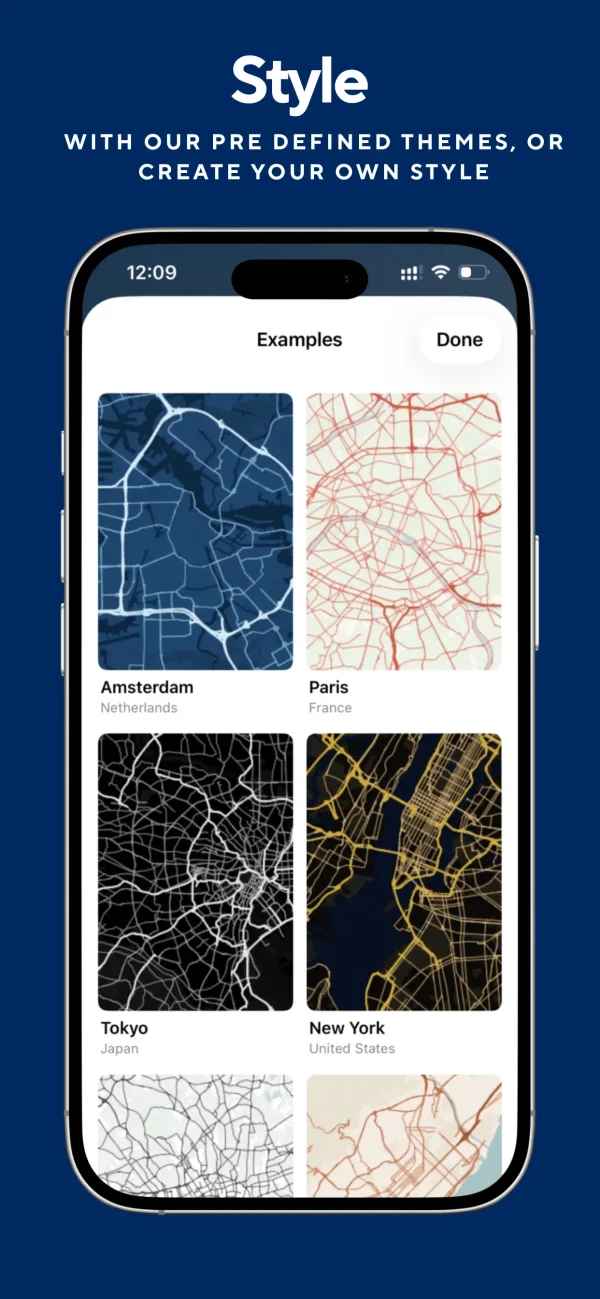
Choose from 20+ carefully designed map poster themes, including Blueprint, Terracotta, Midnight Blue, Neon, Paper Heritage, Bauhaus, Coral Buenos, and more.
Each theme gives your map a distinct look, from minimal black and white to warm vintage tones and bold modern poster styles.
— PRINT-READY EXPORT —
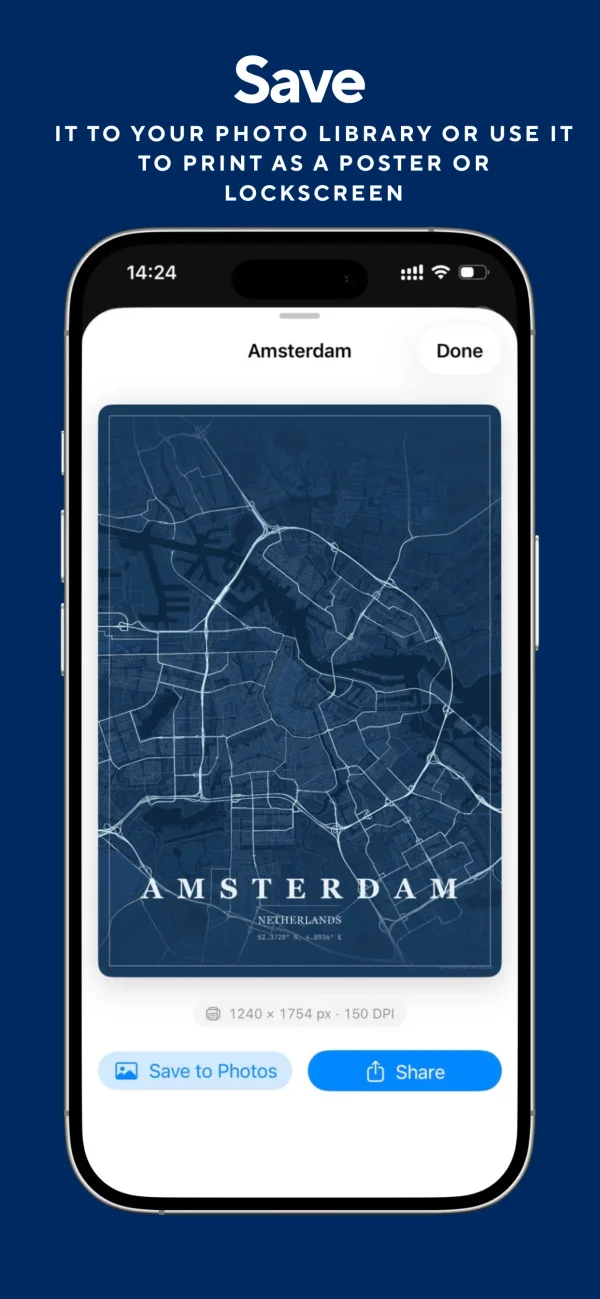
Export your map poster in high resolution, with print-ready settings up to 300 DPI.
Supported export options include:
- PNG
- PDF
- SVG
standard print sizes such as A5, A4, A3, and A2
Your poster is designed for home printing, local print shops, online print services, and wall art.
— SVG EXPORT FOR SCALABLE MAP ART —
Export scalable SVG files for clean, sharp map artwork. Perfect for large prints, design workflows, editing, and professional output.
— ADD GPX ROUTES —
Import custom GPX routes and turn them into poster art. Create route posters for running, cycling, hiking, road trips, city walks, marathons, and travel memories.
— PERSONALIZE EVERY DETAIL —
Customize your poster with:
- city name, country, and coordinates
- classic serif and modern fonts
- roads, buildings, parks, water, railways, and map layers
- borders, gradients, and refined poster details
- map zoom, rotation, and composition
— CLIP TO CITY BOUNDARY —
Create cleaner city-shaped posters with optional Clip to Boundary. Focus your design on the selected city or region and make the final poster feel more intentional.
— PRIVATE BY DESIGN —
No account required. Your poster designs stay on your device. Create, export, save, and share without a complicated setup.
— MADE FOR TRAVELERS, MAKERS, AND MAP LOVERS —
MapToPoster is ideal for custom city posters, travel wall art, route posters, personalized gifts, minimalist map prints, and printable home decor.
Create a map of the place that matters to you — and turn it into art.
What’s new
Version 1.0.106 · Jun 5, 2026
Big fix in this update: Fixed a UI freeze that could happen after deleting images
App privacy
What Marcel Petersen declares on the App Store about how this app handles data.
-
Data not linked to you
May be collected but is not linked to your identity.
- Location
- User content
Privacy practices may vary, for example with the features you use or your age.
Information
- Seller
- Marcel Petersen
- Category
- Graphics & Design
- Version
- 1.0.106
- Updated
- Jun 5, 2026
- Released
- Apr 3, 2026
- Size
- 15.4 MB
- Requires
- iOS 18.0 or later
- Age rating
- 4+
- Price
- Free
- Languages
- English
- Copyright
- © Equilibrium Press
You might also like
-
 CartoCraft - Map PostersPremium Map Posters & Memory
-
 MapCrafterCustomize Beautiful Map Poster
-
 Map Poster – City Map MakerCustom town prints & wall art
-
 TerraInkMap posters of any city
-
 ColorCrafter: Paint by NumbersTurn Photos to Paint-by-Number
-
 Pixel Art Photo Editor: DoticaPhoto Effects & Dithering
-
 KolorHub: Color Palette StudioColor Palettes & Sets, Harmony
-
 InCosmos Art: WallpapersOriginal Wallpapers by Artists
-
 Digit 3D CADCAD & 3D Modeling Anywhere
-
 Mapper-Map WallpaperMap Art Maker