
Mapview Sales Route Planner
Plan & map field rep’s trips
Designed for iPhone, iPad
Free · In-app purchases
- Age rating4+
- CategoryProductivity
- DeveloperThe Casey Group
- LanguagesEnglish+ 16 more
- Size107.1 MB
Links to the official App Store page
Download.org hosts no file of Mapview Sales Route Planner. The button opens its official App Store page, published by The Casey Group. Listing last checked on Nov 25, 2026.
Screenshots


About
Field sales and service reps use Mapview to visualize their data geographically and to plan the best route for their customer visits.
Mapview enables you to efficiently manage your territory with easy-to-use mapping and planning tools. Improve trip planning by viewing your appointments and drop-in visits as a route, while easily visualizing other contacts along the way.
Once downloaded, enjoy a free 30 day trial. Our individual use Pro Plan includes unlimited contact mapping and your choice of payment frequency: Monthly ($11.99/mo), Quarterly ($29.99/quarter), or Annually ($95.99/year).
Mapview’s contact mapping software helps outside sales and service reps perfect their scheduling, route planning, and sales call process.
- Seamlessly integrates with Contacts, Calendar & Map apps
- Easily import spreadsheets of data creating automatic groups from custom field columns.
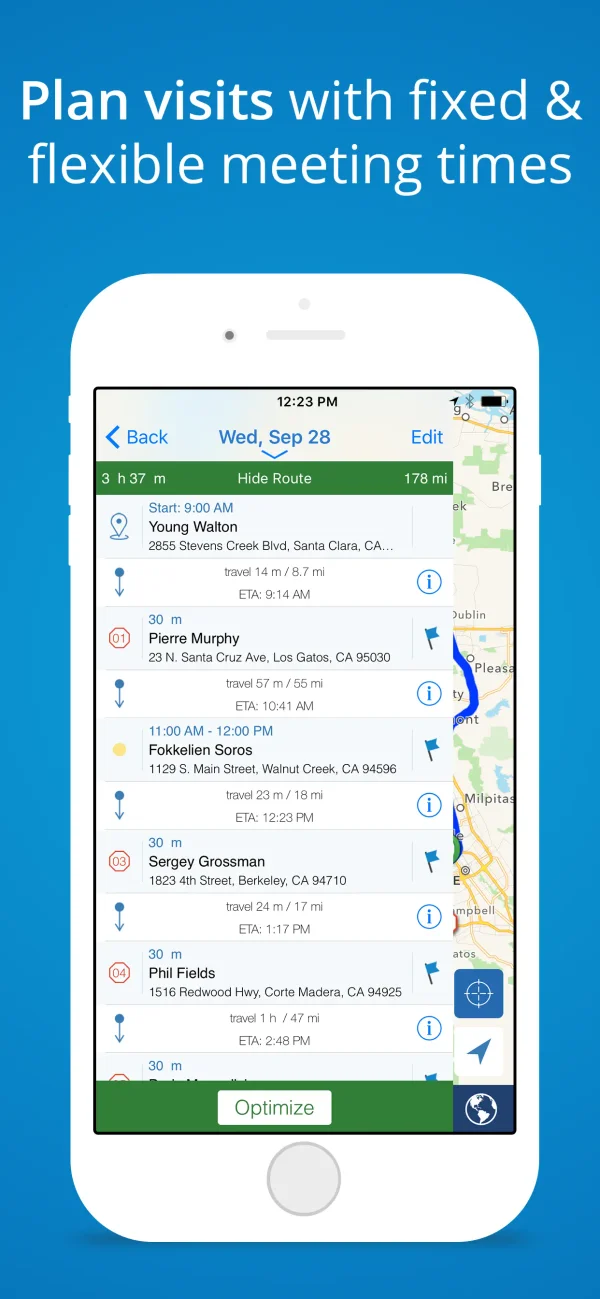
- Plan daily routes with drop-in visits and calendar appointments. Easily respond to schedule changes on the go.
- Use route optimization to organize trips by time or distance.
- Visualize your territory and travel routes to help locate opportunities along the way.
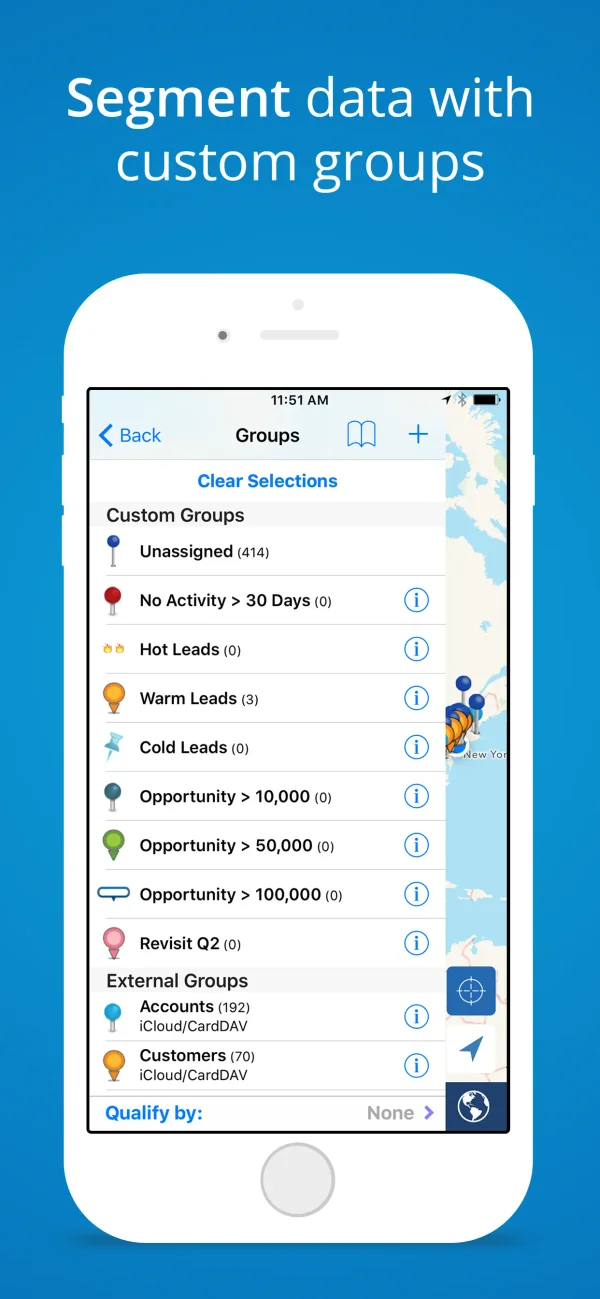
- Use different pin styles to prioritize and organize accounts into groups. Target specific customers and prospects by filtering groups on the map.
- Manage sales or service territory by sending emails, taking notes and setting up meetings in Mapview.
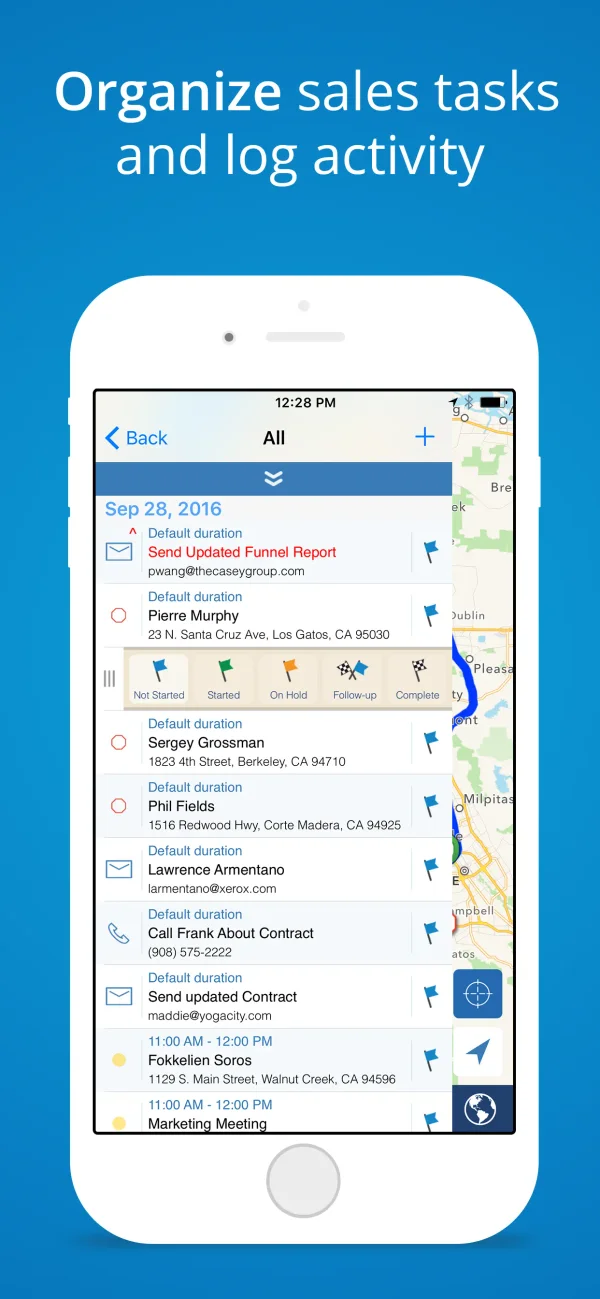
- Log activities such as contact notes, phone calls, emails, and events - most logged automatically for you so you can spend more time selling or servicing.
- Utilize Mapview offline by accessing saved info, routes, directions & target map area.
- Individual users can export contact data, groups, and activities to a CSV file for easy reporting.
Features:
- Excel spreadsheet import easily adds contacts or any location-specific data (CSV file)
- Selectively import external contact groups (Exchange, iCloud, etc.) from your device's address book
- Tap and hold on map to create a contact, appointment, or task
- Pick from over 100 unique pins or create your own
- Create custom groups to organize/prioritize data
- Use multi-criteria group filtering to include or exclude data from the map
- Utilize Advanced Search to select records based on a field value
- Set follow up tasks with priority and status
- Schedule appointments
- View multiple calendars and up to 3 months of appointments at a time on the map.
- Appointments sync to external calendars (ex. iCloud, Gmail, Exchange) linked to your device
- Use addresses or lat/long coordinates for mapping
- View ETA, distance, travel time & directions en-route
- Color-coded routes show on-time or late status
- Use radial search to filter contacts by proximity to a location and sort contacts by distance
- Log notes using speech to text capabilities
Manage your territory’s funnel and exceed your quota with this easy to use sales mapping and productivity tool.
Automatic Renewal Feature: Your payment will be charged to your iTunes Account at confirmation of purchase. Your subscription automatically renews unless you turn off auto-renew at least 24 hours before the end of the current period. Your account will be charged for renewal within 24 hours prior to the end of the current period with the cost listed. You can manage your subscription and you may turn your auto-renewal off by logging into your iTunes Account Settings after purchase. No cancellation of the current subscription is allowed during the active subscription period. Privacy Policy: www.mapview.com/privacy-policy/
Terms of Use: www.mapview.com/terms-conditions/
What’s new
Version 8.5.1 · Nov 24, 2026
We’ve made a few improvements to the Choose Plan screen, along with general bug fixes and refinements across Mapview.
App privacy
What The Casey Group declares on the App Store about how this app handles data.
-
Data used to track you
May be used to track you across apps and websites owned by other companies.
- Contact info
-
Data linked to you
May be collected and linked to your identity.
- Contact info
- User content
- Identifiers
-
Data not linked to you
May be collected but is not linked to your identity.
- Usage data
- Diagnostics
Privacy practices may vary, for example with the features you use or your age.
Information
- Seller
- The Casey Group
- Category
- Productivity
- Version
- 8.5.1
- Updated
- Nov 24, 2026
- Released
- Mar 25, 2011
- Size
- 107.1 MB
- Requires
- iOS 18.6 or later
- Age rating
- 4+
- Price
- Free
- In-app purchases
- Yes
- Languages
- English, Danish, Dutch, Finnish, French, German, Italian, Japanese, Korean, Portuguese, Russian, Simplified Chinese + 5 more
- Copyright
- © 2026 The Casey Group
You might also like
-
 Remote KeyboardType Faster From Desktop
-
 Ryve D2DCRM, Canvassing and Sales Tool
-
 Broker360CRM for Insurance Agents
-
 Canvass: Sales ToolProductivity
-
 Engage - Sales EnablementProductivity
-
 D2D CRM#1 D2D Sales Tool
-
 RealtyBuddy - DoorKnocking CRMDoor knocking app for realtors
-
 飞项-目标及任务协作管理Productivity
-
 Agent CRMProductivity
-
 宠日常-科学记录宠物铲屎官的日常Productivity