
Remote Keyboard
Type Faster From Desktop
Designed for iPhone, iPad
Free · In-app purchases
- Age rating4+
- CategoryProductivity
- Developer峰 朱
- LanguagesEnglish+ 10 more
- Size11.5 MB
Links to the official App Store page
Download.org hosts no file of Remote Keyboard. The button opens its official App Store page, published by 峰 朱. Listing last checked on Nov 24, 2026.
Screenshots


About
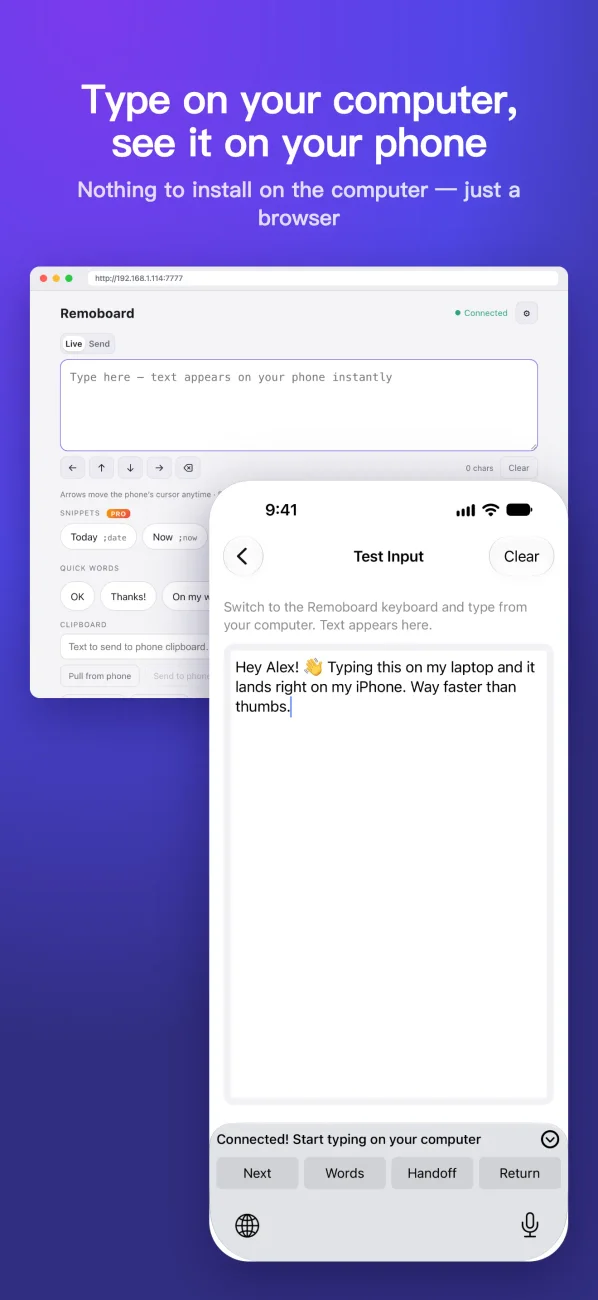
Remoboard turns your computer browser into a keyboard for your iPhone or iPad. Type in a text field on your device from a Mac, Windows, or Linux computer on the same Wi-Fi network. No desktop app or account is required.
Getting started
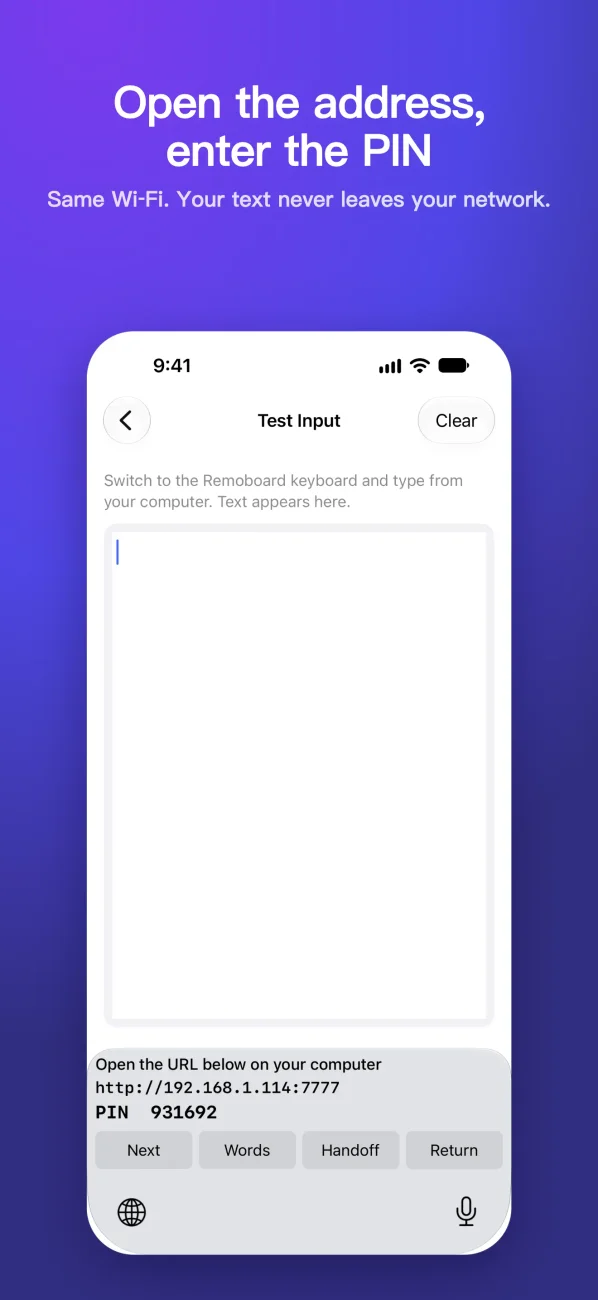
1. Add the Remoboard keyboard in iOS or iPadOS Settings and allow Full Access for local network access.
2. Switch to the Remoboard keyboard in any text field. Open the URL shown on the keyboard in your computer browser.
3. If PIN pairing is enabled (on by default), enter the six-digit code shown on the keyboard, then start typing.
Features
• Smoother Chinese and other composed text input.
• Automatic reconnection and clear connection status.
• Reusable phrases for text you type often.
• Browser controls for text entry and clipboard actions.
• Light and dark appearance, with support for 10 languages.
Both devices must be on the same local network. Full Access lets the keyboard serve its local page.
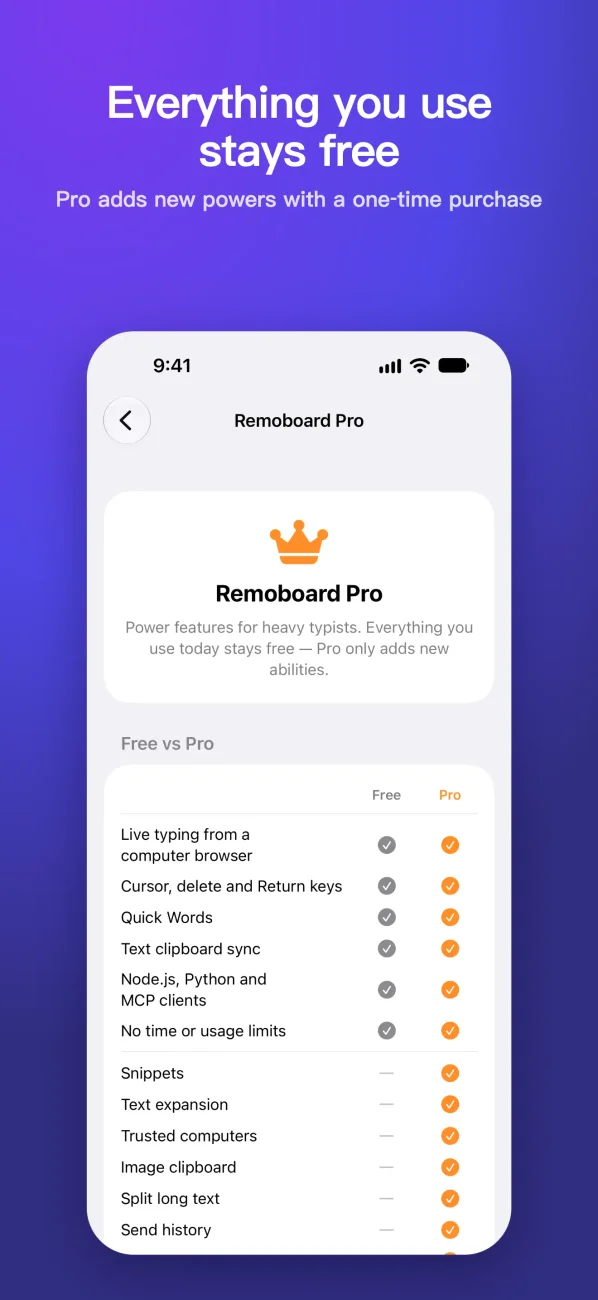
Remoboard Pro (optional one-time purchase) adds snippets, text expansion, trusted computers, image clipboard, split sending, send history and themes. Everything else is free.
What’s new
Version 8.3 · Nov 22, 2026
New in Remoboard Pro: Bluetooth.
• Type from your Mac to your iPhone without a shared Wi-Fi network. Install the free Remoboard app on your Mac, pick your phone, enter the PIN.
• A setup guide in the app walks you through installing the Mac app.
• Wi-Fi mode is unchanged and still needs nothing installed on the computer.
App privacy
What 峰 朱 declares on the App Store about how this app handles data.
-
Data not linked to you
May be collected but is not linked to your identity.
- Purchases
Privacy practices may vary, for example with the features you use or your age.
Information
- Seller
- 峰 朱
- Category
- Productivity
- Version
- 8.3
- Updated
- Nov 22, 2026
- Released
- Sep 2, 2019
- Size
- 11.5 MB
- Requires
- iOS 17.0 or later
- Age rating
- 4+
- Price
- Free
- In-app purchases
- Yes
- Languages
- English, French, German, Italian, Japanese, Korean, Portuguese, Russian, Simplified Chinese, Spanish, Vietnamese
- Copyright
- © 2026 AtomSprout
You might also like
-
 飞项-目标及任务协作管理Productivity
-
 宠日常-科学记录宠物铲屎官的日常Productivity
-
 Forms: Spreadsheet IntegrationSync with Google Sheet & Excel
-
 Dictation Speech to TextLive Transcribe Audio Notes
-
 HabitGrid - Goal trackerDaily habit completion checker
-
 Textrans – AI Text to ImageAI Text, Markdown & Mind Maps
-
 IDPouch: ID Scanner & StoragePassport, License & PDF Copies
-
 Goal Tracker: Track ProgressGoal Planner Achieve Habits
-
 Super To-Do'sSimplicity is its superpower
-
 Remote Print: Wireless PrinterPrint & Scan PDFs, Photos