
Margin: Plan in Plain Words
Your day, hour by hour
Designed for iPhone, iPad
$2.99
- Age rating4+
- CategoryProductivity
- DeveloperAbdulmohsen Al Tulaihi
- LanguagesEnglish
- Size12.8 MB
Links to the official App Store page
Download.org hosts no file of Margin: Plan in Plain Words. The button opens its official App Store page, published by Abdulmohsen Al Tulaihi. Listing last checked on Nov 23, 2026.
Screenshots
About
Margin is a calm, beautiful planner for people who think in sentences, not forms.
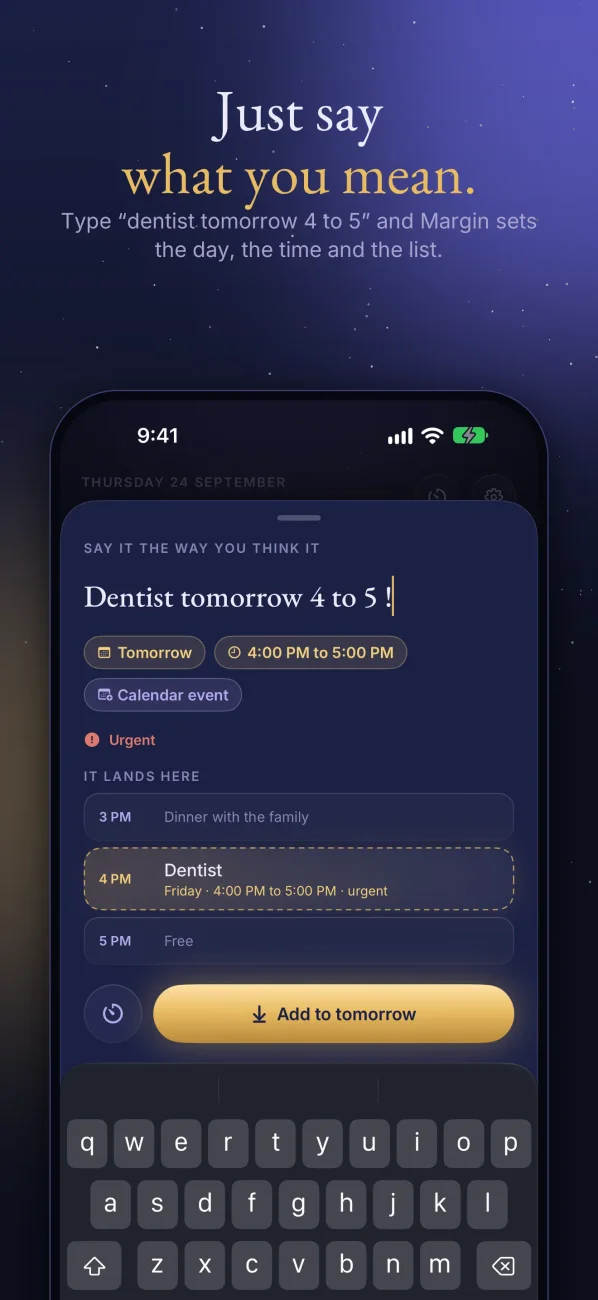
Type or say “dentist tomorrow 4 to 5” or “lunch with Sara Friday at 1” and Margin reads the day, the time, the list and even the repeat, then saves it to Apple Calendar or Reminders. It reads Arabic too, so you can write your day in either language.
YOUR DAY, HOUR BY HOUR
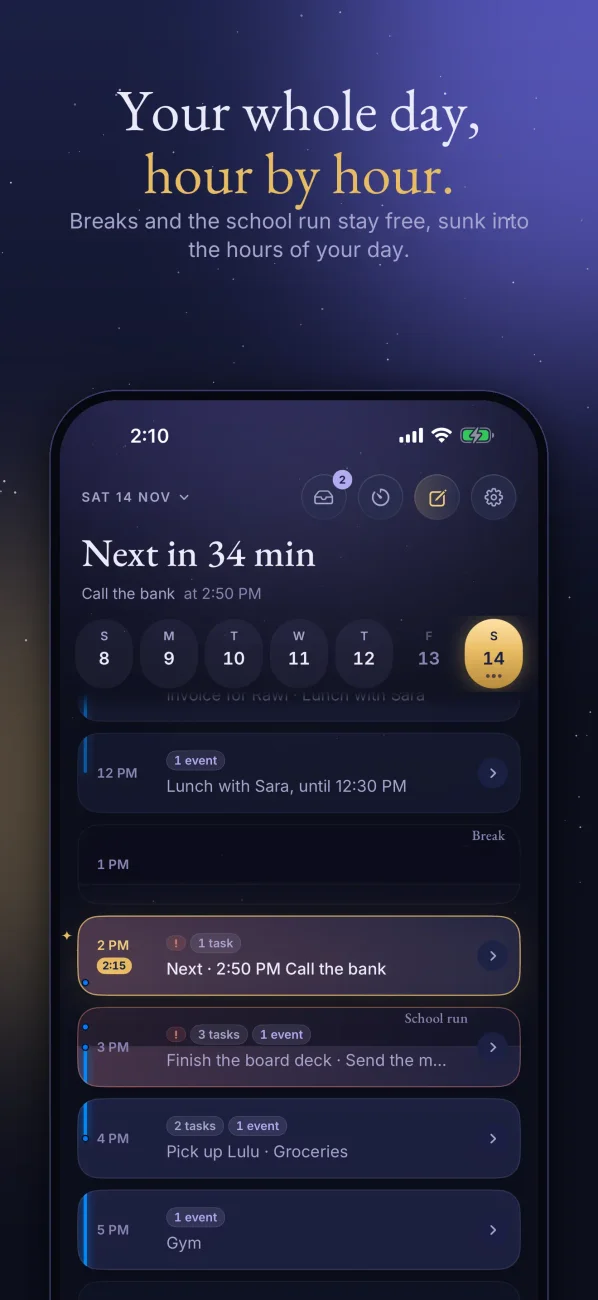
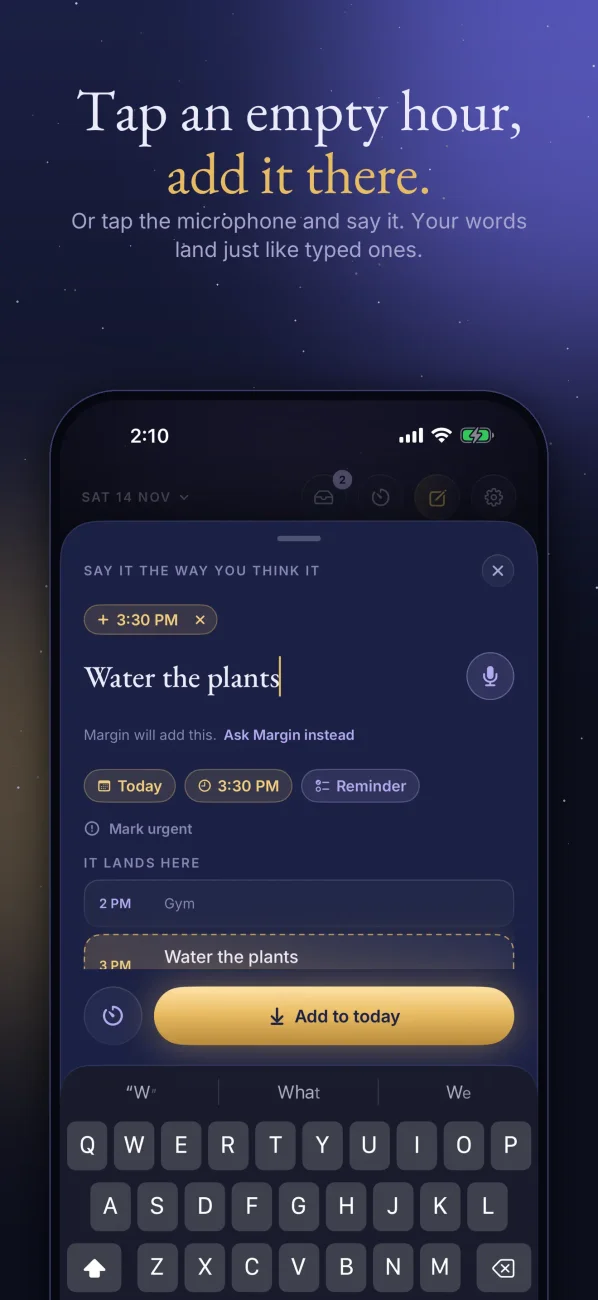
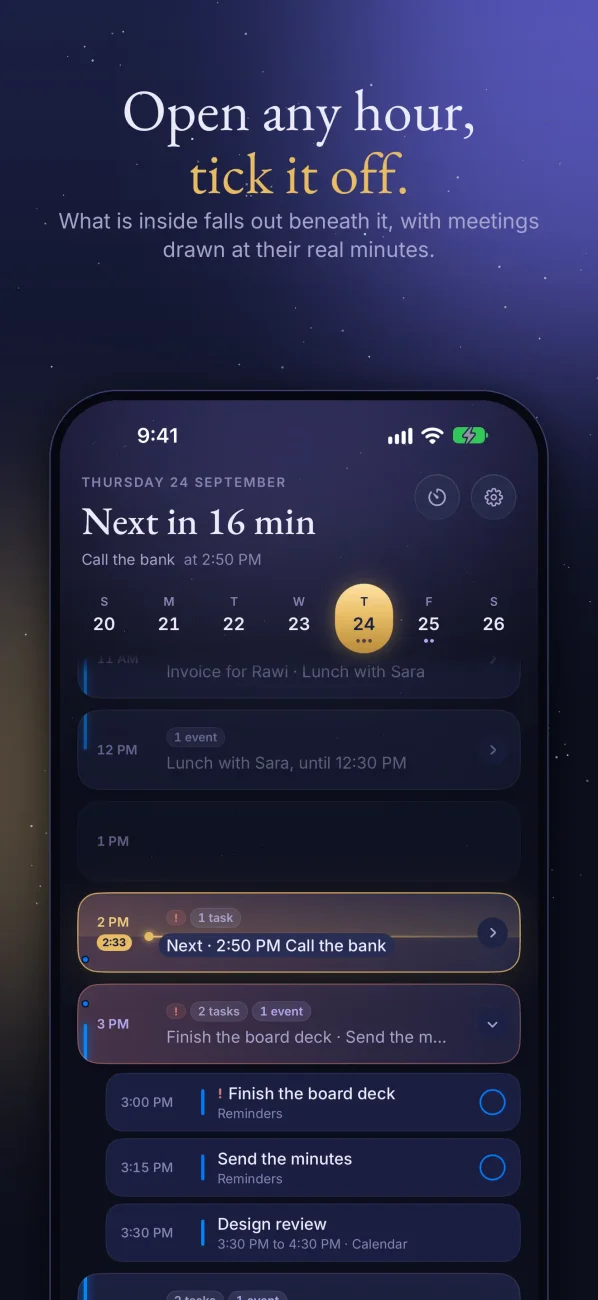
Every hour gets the same space, so you see where the time goes at a glance. Each hour tells you what is inside, meetings are drawn at their real minutes, and the current hour carries a live line through it. Tap an hour to open it and tick things off, tap an empty hour to add something there, or drag a task to another hour.
ASK MARGIN
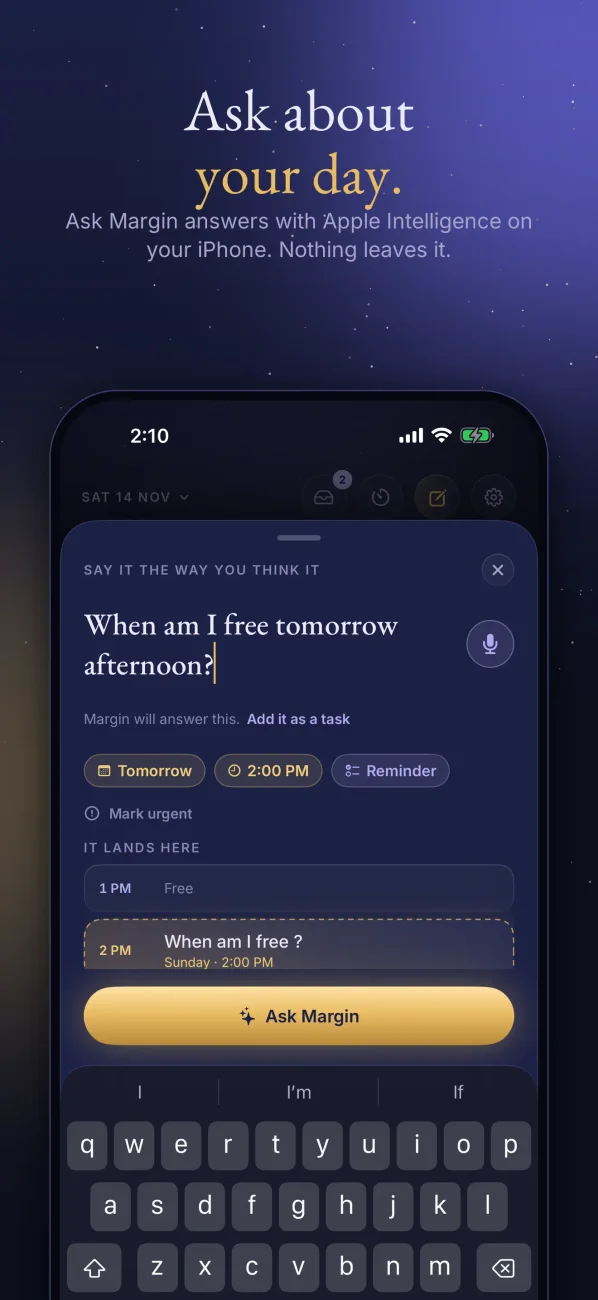
Ask about your day, typed or said: “what’s my Friday like”, “when am I free tomorrow”, “move the dentist to Monday”. Apple Intelligence answers on your iPhone or iPad, and nothing leaves it. Anything it adds comes with Undo, and moves and deletes wait for your OK.
BLOCKED TIME
Keep breaks, the school run or any hours free, and add prayer times for where you are. They show sunk into your hours, and Margin never offers them as free time.
FOCUS THAT FOLLOWS YOU
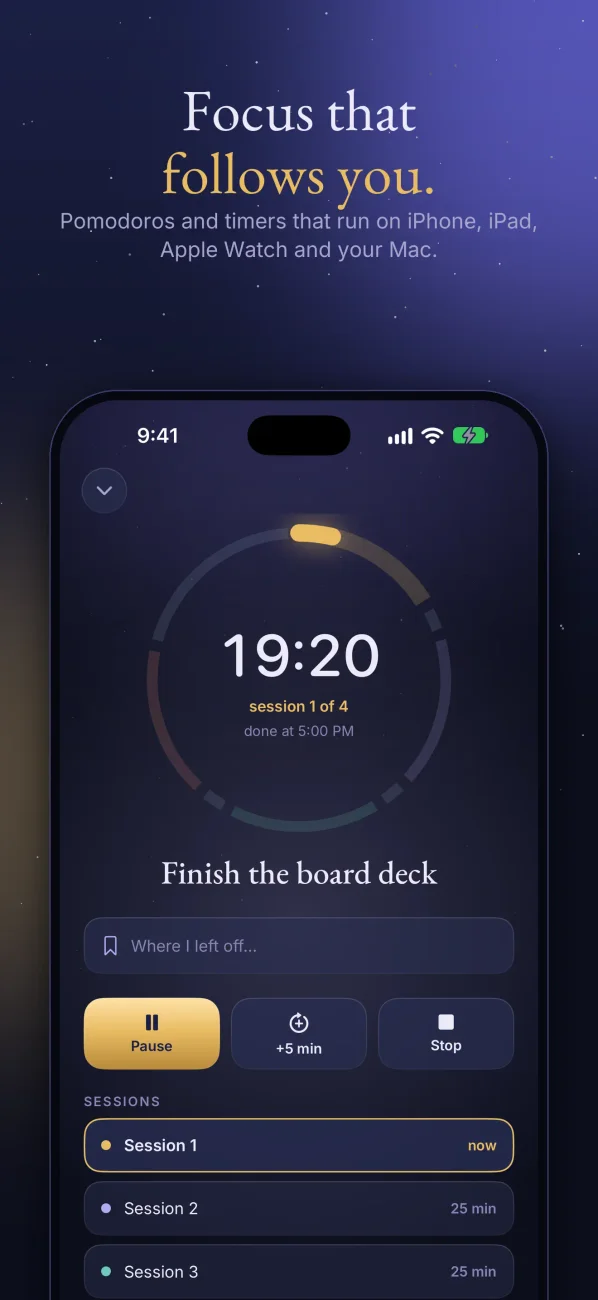
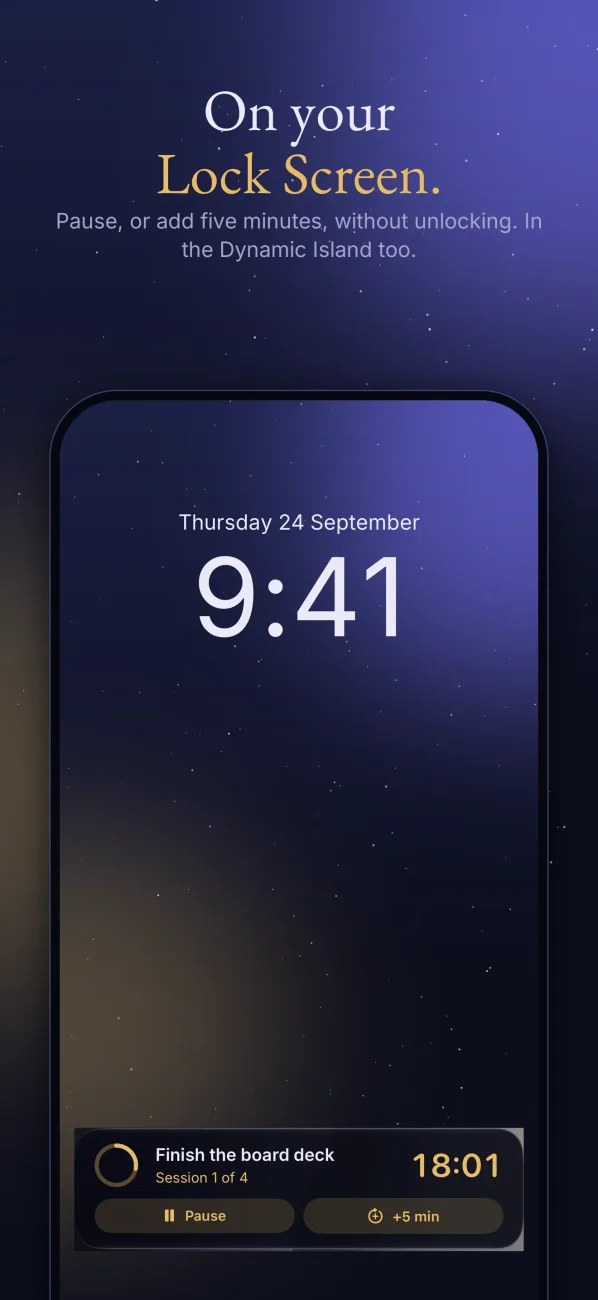
Start a pomodoro or a simple timer and give it a name. It runs on your Lock Screen and in the Dynamic Island, where you can pause it or add five minutes without unlocking. Your timers stay in step between iPhone, iPad and Margin for Mac through your own iCloud: start on one, pause on another.
MORE ROOM ON IPAD
On iPad your day sits beside the month, the next few things and your undated tasks, with a week view and keyboard shortcuts.
ON YOUR WRIST
The Apple Watch app shows the hour you are in and what comes next, with your running timer on top. Say a task and it lands on your iPhone.
WIDGETS AND SHORTCUTS
Home Screen and Lock Screen widgets show now and next, your coming hours and your focus timer. Add to Margin with Siri, the Action button or a Control Center control.
PRIVATE BY DESIGN
No account, no ads and no tracking. Your plans live in your own Apple Calendar and Reminders, and timers sync through your own iCloud.
One purchase. No subscription.
What’s new
Version 1.4.0 · Nov 14, 2026
Ask Margin, on your iPhone and iPad. Ask about your day in the capture sheet, typed or said: “what’s my Friday like”, “when am I free tomorrow afternoon”, “move the dentist to Monday”. Apple Intelligence answers on your device, so nothing leaves it. What it adds comes with Undo; moves and deletes wait for your OK on one card.
Say it instead of typing it. Tap the microphone and your words appear as you speak, then land like typed ones: a task goes on your day, a question goes to Ask Margin.
Blocked time. Keep your breaks, the school run or any hours free, and turn on prayer times for where you are. They show sunk into the hours of your day, and Margin never offers them as free time.
Tap an empty hour to add something right there.
Tasks said on your Apple Watch while your iPhone is away now land at the time you meant, and are never lost.
On iPad, a task’s actions always fit the screen, in any size, orientation or Split View.
App privacy
What Abdulmohsen Al Tulaihi declares on the App Store about how this app handles data.
-
Data not collected
The developer does not collect any data from this app.
Privacy practices may vary, for example with the features you use or your age.
Information
- Seller
- Abdulmohsen Al Tulaihi
- Category
- Productivity
- Version
- 1.4.0
- Updated
- Nov 14, 2026
- Released
- Sep 27, 2026
- Size
- 12.8 MB
- Requires
- iOS 17.0 or later
- Age rating
- 4+
- Price
- $2.99
- Languages
- English
- Copyright
- © 2026 Abdulmohsen Al Tulaihi
You might also like
-
 Photo Gear DatabasePhoto Gear Db
-
 cyberWriter - Markdown StudioMarkdown file and vault editor
-
 NeoTODO.txtProductivity
-
 The Clock by seenseThe Best World Clock
-
 Savor: intentions & remindersVoice capture for busy minds
-
 Life and Ministry ChairmanMidweek meeting timer
-
 NotesHub: Notes, Kanban BoardsYour second brain in Markdown
-
 Leaf Note: Markdown NotesProductivity
-
 Classycal – Calendar & TasksAgenda, reminders, with style
-
 MobilityControlTake control of your system.