
- Age rating4+
- CategoryProductivity
- DeveloperRobert Corbin
- LanguagesEnglish
- Size1.5 MB
Links to the official App Store page
Download.org hosts no file of Marginalias. The button opens its official App Store page, published by Robert Corbin. Listing last checked on Nov 23, 2026.
Screenshots
About
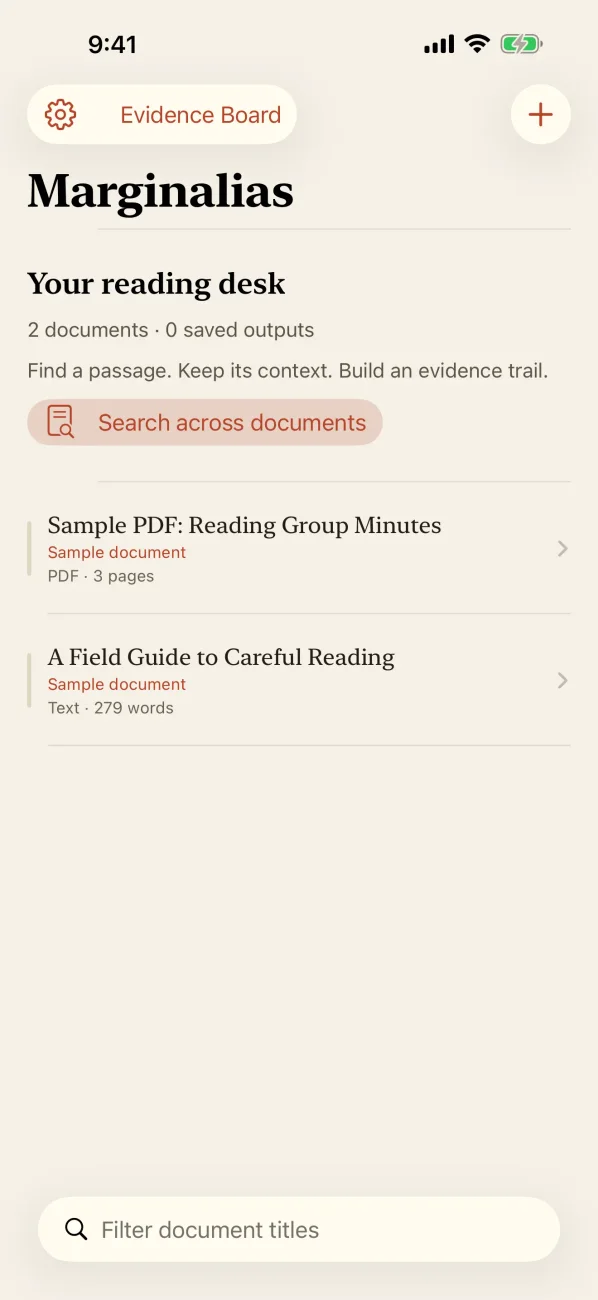
Keep the quotation with its source. Marginalias is a private reading desk for text-based PDFs, plain text and Markdown, with exact evidence clips, local search and optional on-device AI.
NEW IN 5.0
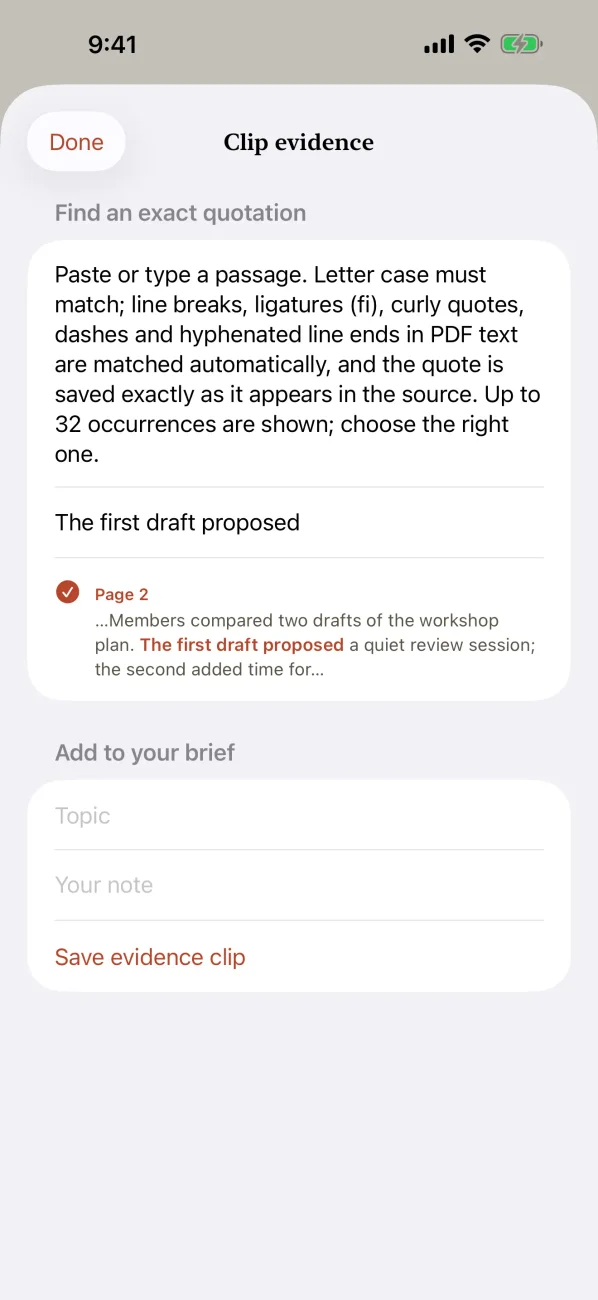
• Select text in the reader and choose Clip Evidence to save exactly that passage.
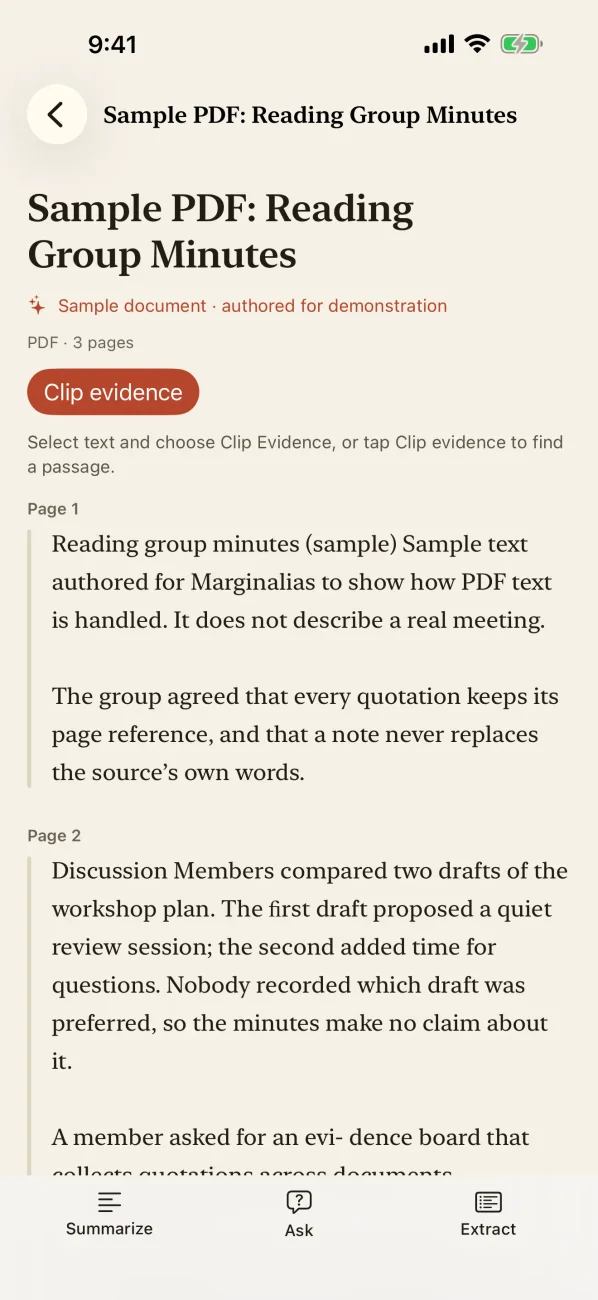
• The reader shows PDF page headings, opens long documents quickly and can jump to a search result or a saved clip, with the passage highlighted.
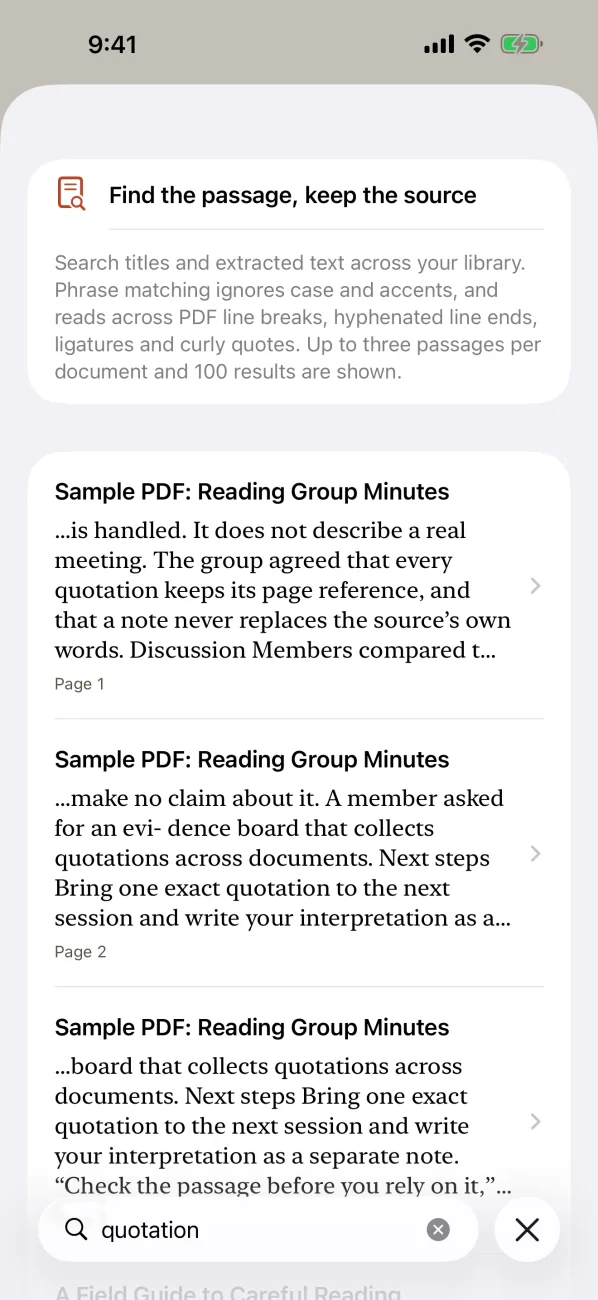
• Typed passages and searches now match PDF text across line breaks, hyphenated line ends, ligatures and curly quotes. Each occurrence shows its page and surrounding words so you can pick the right one.
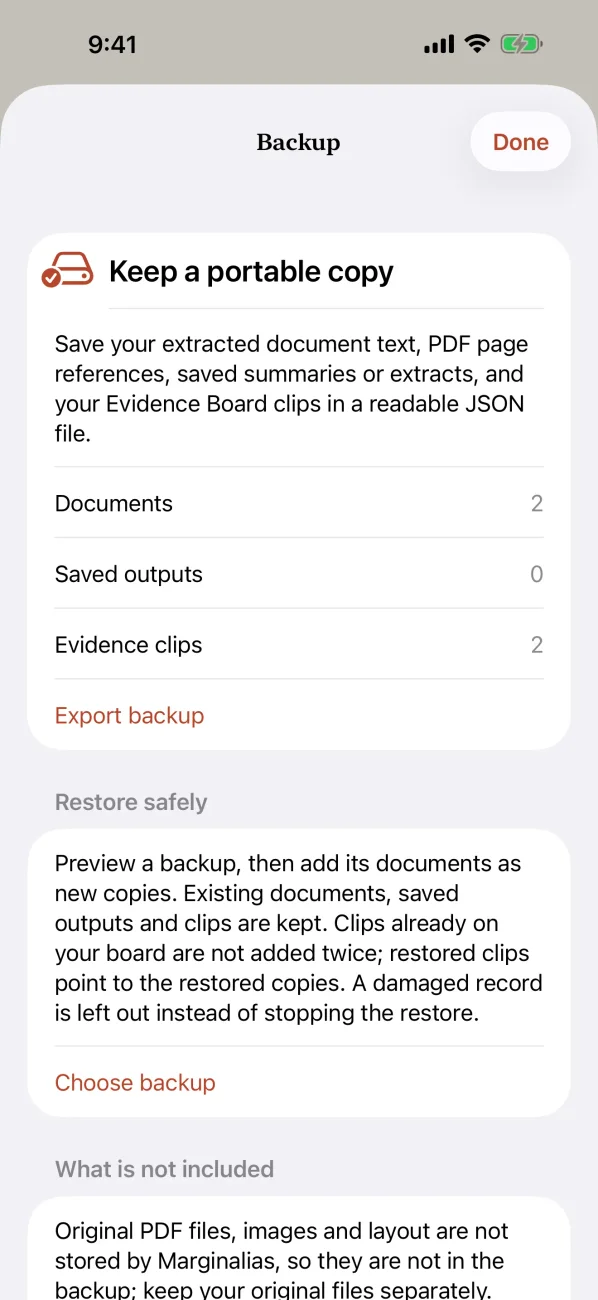
• Backups now include your Evidence Board clips. A damaged record is left out instead of stopping a restore, and one unreadable document no longer blocks a backup.
• Extract works through long documents part by part and says which pages each result covers.
• Delete now asks first. AI output is labelled as generated, also when copied or shared.
READ AND FIND
Import your own files or paste text. Filter document titles or search a phrase across extracted text. Full-text search ignores case and accents and shows up to three passages per document and 100 results. Sources that cannot be read are reported separately. Search and reading do not require Apple Intelligence.
BUILD AN EVIDENCE BOARD
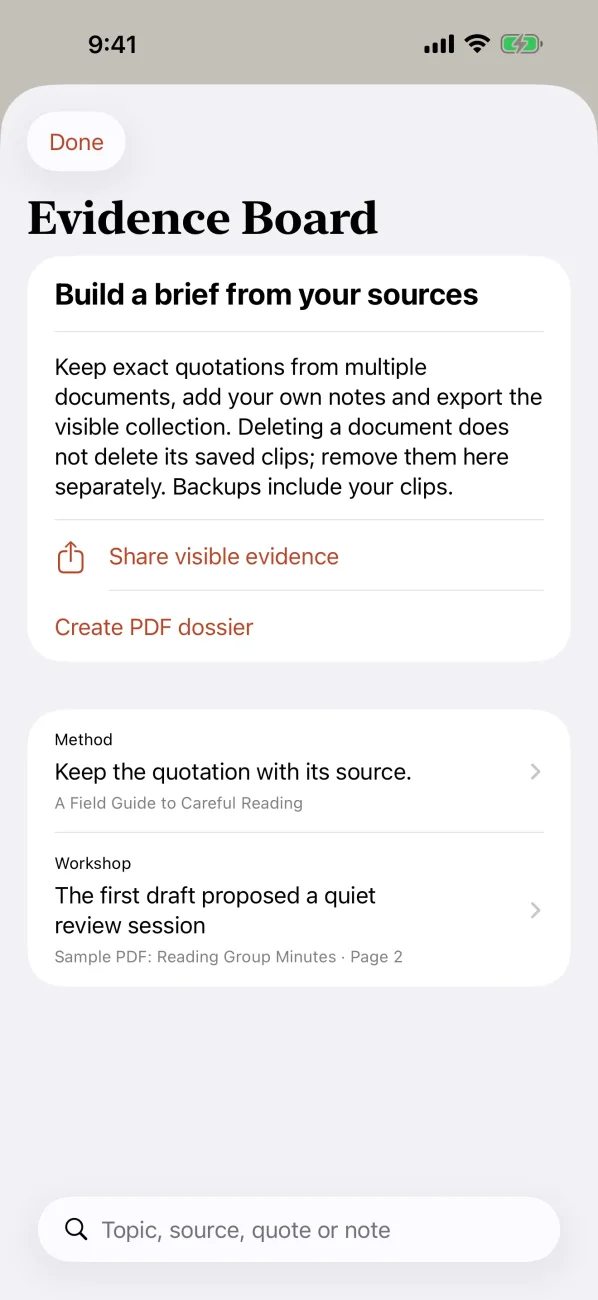
Select a passage or type it (letter case must match), add a topic and note, and collect quotations across documents. Verify a clip against the library's extracted text, open it in its document, and share the visible board as Markdown or a paginated PDF dossier. Up to 32 occurrences per search, 256 saved clips and 1 MiB of board data. Deleting a source document keeps its clips until you remove them.
Each clip records a SHA-256 of the document's extracted text in Marginalias, not of the original file. A matching quote and hash show that this text is unchanged since you clipped it; they do not prove truth, authorship, publication history or reuse rights.
BACK UP AND RESTORE
Save extracted text, PDF page references, document details, saved summaries or extracts, and Evidence Board clips in readable JSON. Restore previews the file and adds documents as new copies without replacing anything; restored clips point to the restored copies and are not added twice. Backups made by version 4.0 still restore. Limits: 1,000 documents, 5,000 saved outputs, 256 clips, 16 million text characters and 64 MiB per backup. Original PDFs, images and layout are not stored, so keep your original files separately.
ON-DEVICE AI WHEN AVAILABLE
Generate summaries, ask questions using up to four retrieved excerpts, and extract key points, action items, outlines or glossary terms from one part of a document at a time. Review the cited excerpts and pages, then copy or share the labelled output. AI can make mistakes and may miss parts of a document; verify important conclusions against the source. A supported device, language and available Apple Intelligence model are required. The app explains unavailable AI without preventing reading, search, clipping or backup.
YOUR WORK, YOUR DESTINATIONS
One purchase, no subscription or separate in-app purchase. No account, developer analytics or advertising SDKs. Marginalias does not upload documents or AI output to a developer server. Exports and shared files go where you choose; device backups and Files providers may copy data to cloud storage. Backups are readable, not encrypted by the app.
Designed for iPhone and iPad, with light, dark and system appearance. Imported PDFs must contain extractable text; scanned pages without text are not shown, and original page graphics and layout are not retained.
What’s new
Version 5.0 · Nov 22, 2026
Select text and choose Clip Evidence. PDF page headings, faster long documents, and jump to a search result or clip. Typed passages and search match PDF line breaks, hyphens, ligatures and curly quotes, with page and context for each occurrence. Backups include Evidence Board clips; a damaged record no longer stops a restore or backup. Extract covers long documents part by part. Delete asks first; AI output is labelled when shared.
App privacy
What Robert Corbin declares on the App Store about how this app handles data.
-
Data not collected
The developer does not collect any data from this app.
Privacy practices may vary, for example with the features you use or your age.
Information
- Seller
- Robert Corbin
- Category
- Productivity
- Version
- 5.0
- Updated
- Nov 22, 2026
- Released
- Jul 3, 2026
- Size
- 1.5 MB
- Requires
- iOS 26.0 or later
- Age rating
- 4+
- Price
- $3.99
- Languages
- English
- Copyright
- © 2026 Robert Corbin
You might also like
-
 Perspective TasksProductivity
-
 Done Daily - Task TrackerProductivity
-
 Noteline - Markdown NotesLocal-first .md note editor
-
 Familienkreis: Family PlannerPrivate · No ads · No sign-up
-
 PureMarkdownPrivate Markdown Notes Editor
-
 Document Voice ReaderText to Speech PDF
-
 CheckSnapCheck once. Relax always.
-
 mChatAImChatAI is a mobile Chat AI
-
 Task BatchSmart Task Management
-
 Text to Speech: ListenAloudTTS,Reader,Natural Read Aloud