Markdown YOYU
Markdown notes, with math
Designed for iPhone, iPad, Mac
Free · In-app purchases
- Age rating4+
- CategoryProductivity
- DeveloperYuki Otsue
- LanguagesEnglish+ 3 more
- Size13.8 MB
Links to the official App Store page
Download.org hosts no file of Markdown YOYU. The button opens its official App Store page, published by Yuki Otsue. Listing last checked on Nov 17, 2026.
Screenshots



About
Markdown YOYU is a Markdown note app that handles math, too. Write lecture and seminar notes, notes on papers, and drafts as easily as in the built-in Notes app. Your notes are always plain Markdown text. The name “YOYU” comes from the Japanese word yoyū, “room to spare.”
FOR RESEARCH
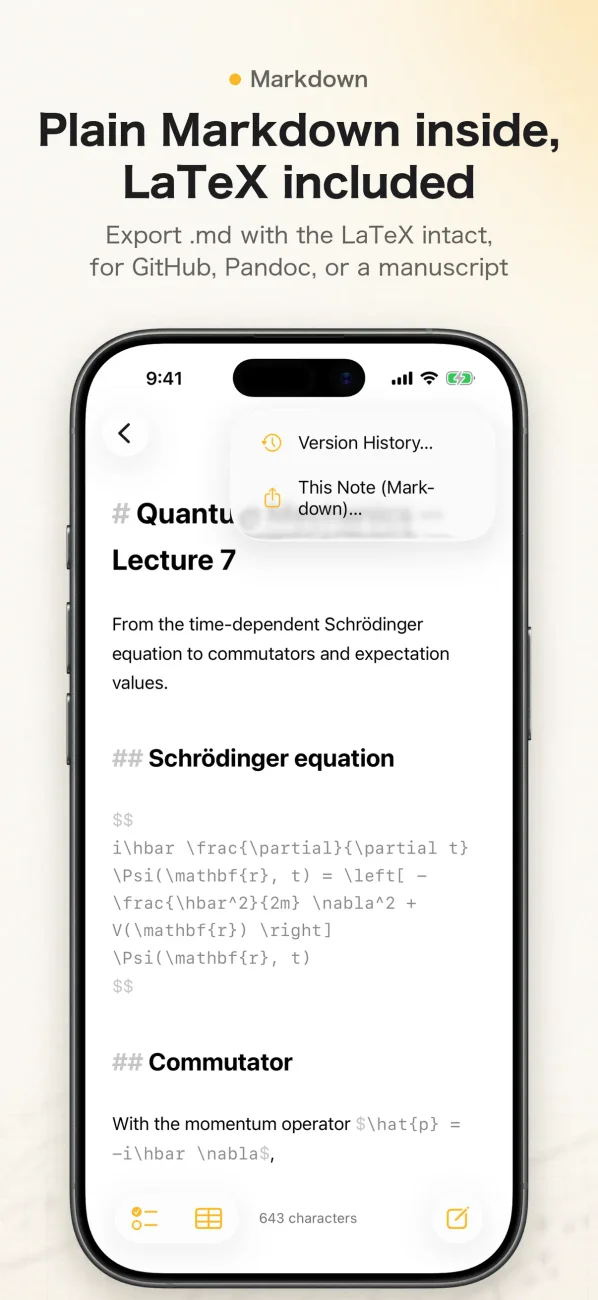
• Lecture and seminar notes: LaTeX written with $…$ or $$ is typeset as math in the M↓ view
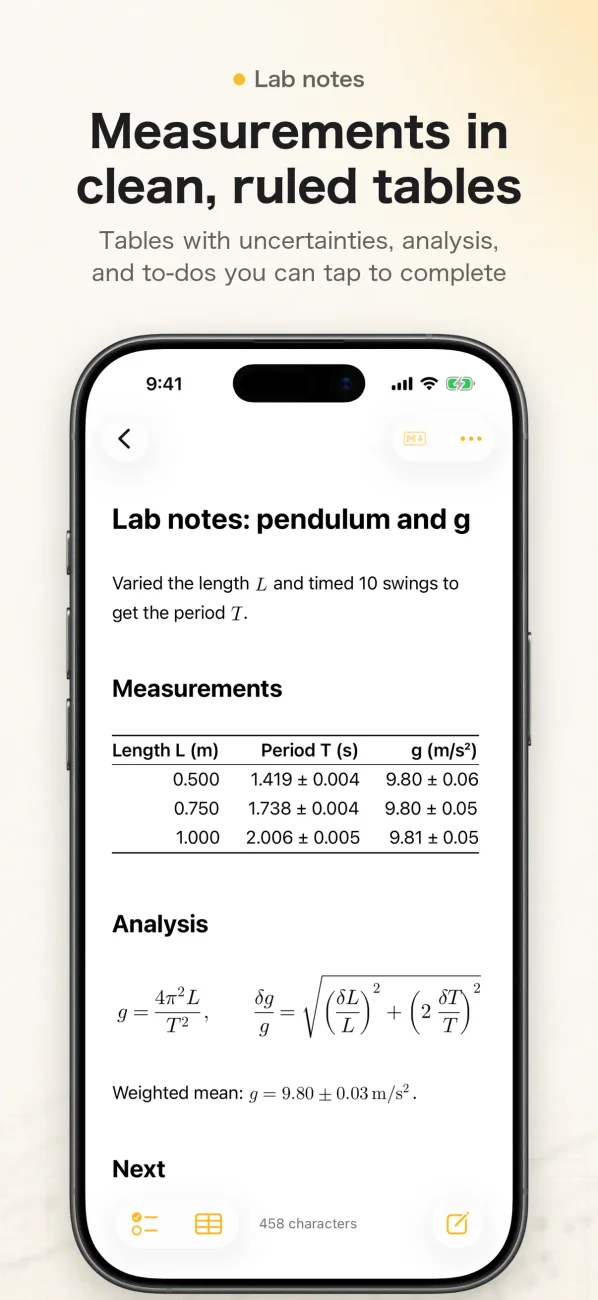
• Notes on papers: results become ruled tables, and things to check become checklists you can tap
• Drafts with a length limit: count the text without Markdown symbols and spaces, and set a goal to see how far you are
• Plain .md files: exported notes show the same math on GitHub and work with tools like Pandoc. The math is plain LaTeX, so you can paste it into a LaTeX manuscript
• Claude on Mac: with the bundled MCP server, Claude Desktop and Claude Code can summarize and organize your notes (only when you allow it in Settings)
MATH
• Write LaTeX math the same way as on GitHub: $…$ inline, or between $$ lines for a block (```math works too)
• It's plain Markdown, so exported .md files show the same math on GitHub and elsewhere
WRITING
• Headings, bold, lists, checklists, tables, and code are styled while the syntax stays in place
• Tap the M↓ button to hide the syntax for a clean reading view, with ruled tables and checklists you can tap to complete
• Press Return on a list item and the list continues
• On Mac, switch line formats with menus and keyboard shortcuts
• Version history keeps up to 20 earlier versions of each note, so you can always go back
CHARACTER COUNT
• Counts the text without Markdown symbols and spaces
• Lines, to-dos, and Japanese manuscript-sheet pages
• Set a goal and watch your progress
SYNC AND PRIVACY
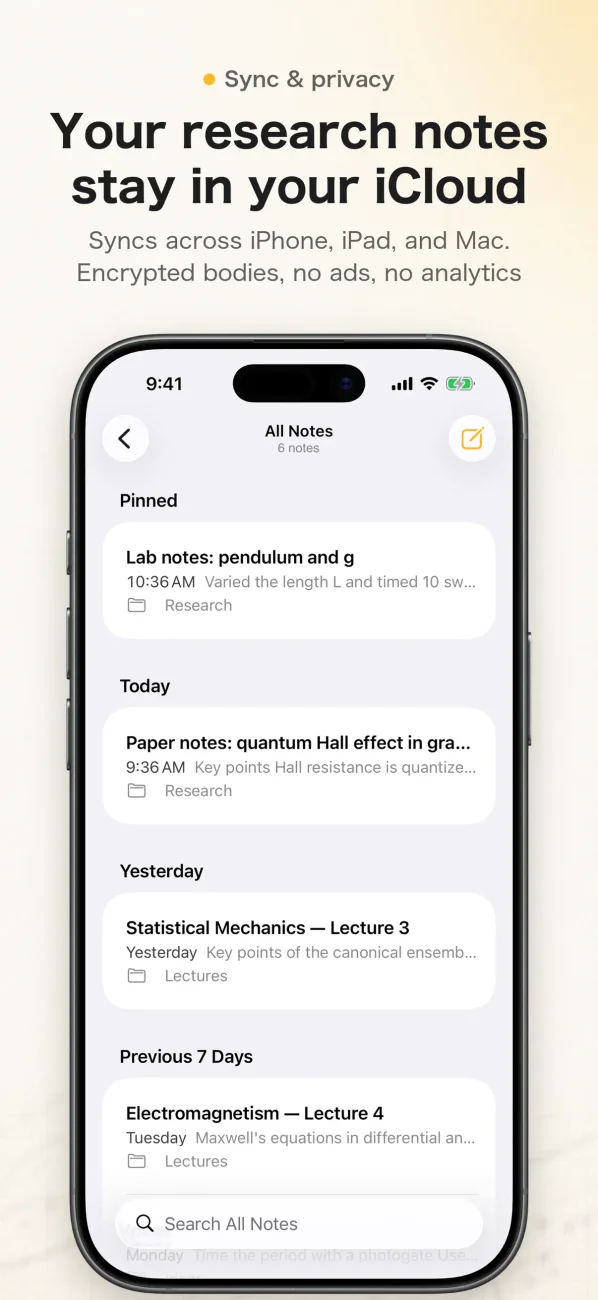
• Syncs across iPhone, iPad, and Mac with iCloud
• Notes are stored only in your own iCloud, with note bodies encrypted. The developer can't read them
• No ads, no analytics, no tracking
FILES
• Open .md files to import them as notes
• Export a note as .md, or a folder or all notes as .zip
MAC ONLY
• Includes an MCP server so Claude Desktop and Claude Code can read and write your notes (only when you allow it in Settings)
FREE AND PRO
The free version lets you create up to 5 notes. YOYU Pro, a one-time purchase, unlocks unlimited notes on all your devices with the same Apple Account.
What’s new
Version 1.6 · Nov 12, 2026
• You can now underline text. Use ⌘U or the format menu to add or remove it.
• Move list items and lines up or down with ⌃⌘↑ and ⌃⌘↓, just like in Notes.
• Completed checklist items are now dimmed instead of crossed out.
• Horizontal rules (---) no longer draw a line over the symbols when Markdown symbols are shown.
• On Mac, the New Folder button now sits next to the Folders heading, and the sync status is no longer cut off.
• On iPhone and iPad, the Delete swipe action is now red.
App privacy
What Yuki Otsue declares on the App Store about how this app handles data.
-
Data not collected
The developer does not collect any data from this app.
Privacy practices may vary, for example with the features you use or your age.
Information
- Seller
- Yuki Otsue
- Category
- Productivity
- Version
- 1.6
- Updated
- Nov 12, 2026
- Released
- Oct 19, 2026
- Size
- 13.8 MB
- Requires
- iOS 26.0 or later
- Age rating
- 4+
- Price
- Free
- In-app purchases
- Yes
- Languages
- English, Japanese, Korean, Traditional Chinese
- Copyright
- © 2026 Yuki Otsue
You might also like
-
 ZEdit: Find and ReplaceSearch and Edit Text in Safari
-
 Markdown Editor & NotesMemo, To-Do, Journal & Viewer
-
 Copy Paste Keyboard - copipiClipboard & Text Snippets
-
 DeeBee - Database-style notesText, Image, Checklist, etc.
-
 Nanonote ProProductivity
-
 Right PDF ReaderAnnotate, Share, Manage
-
 # Type - Markdown EditorNotes, drafts and plain text
-
 FirstSeed NotesMarkdown + AI Transcription
-
 GitSync.Background sync for git repos
-
 iDesignProductivity