
- Age rating4+
- CategoryProductivity
- DeveloperTouchAware Limited
- LanguagesEnglish+ 7 more
- Size86.1 MB
Links to the official App Store page
Download.org hosts no file of iDesign. The button opens its official App Store page, published by TouchAware Limited. Listing last checked on Nov 13, 2026.
Screenshots


About
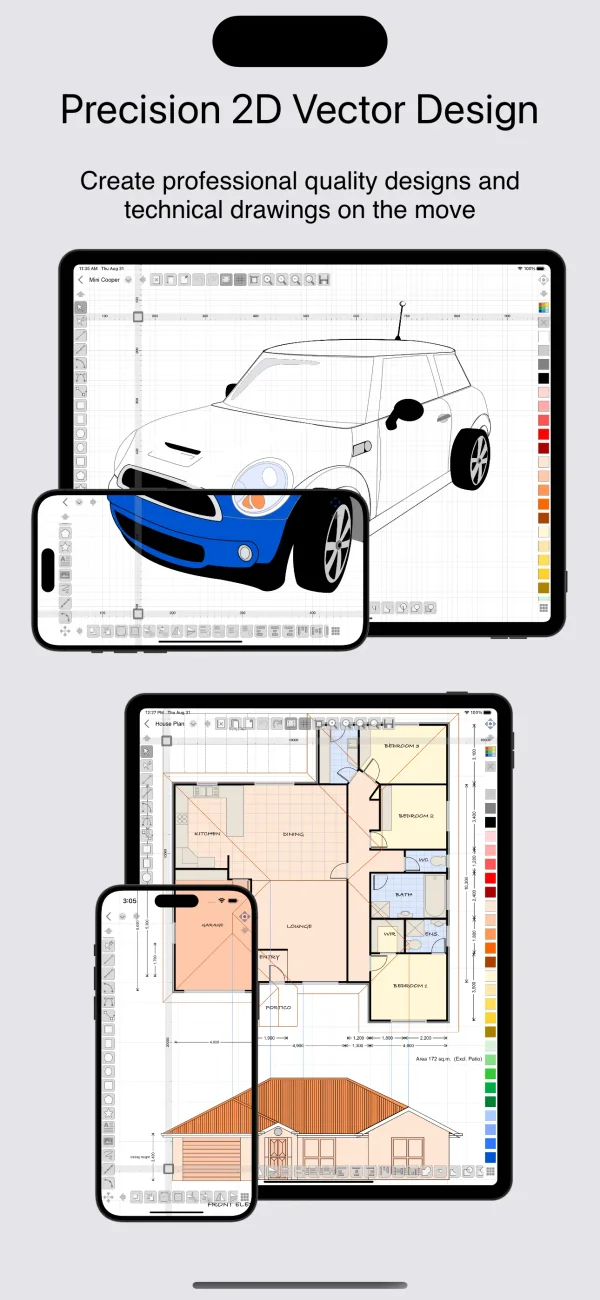
Precision 2D vector drawing and design on the iPad & iPhone.
Make professional quality designs, illustrations and technical drawings on the move using your fingers at last! iDesign has unique features and offset controls which allows you to draw accurately with your finger not getting in the way or blocking your view.
Full feature compatibility and automatic sync of designs via iCloud with XDesign (Mac version).
User Guide (PDF) available at www.touchaware.com/apps/idesign/userguide
FEATURES
- A universal app for both iPad and iPhone which adapts to the native screen size of the device.
- An unobtrusive icon based visual and context driven user interface with a full screen board view
- Toolbars and panels with easy access to frequently used functions for a fast work flow
Standard Tools & Functions
- Line, polyline, square, rectangle, circle, arc, ellipse, polygons, stars & path tools
- Copy and paste selected shapes and groups
- Group and ungroup shapes hierarchically to create complex designs
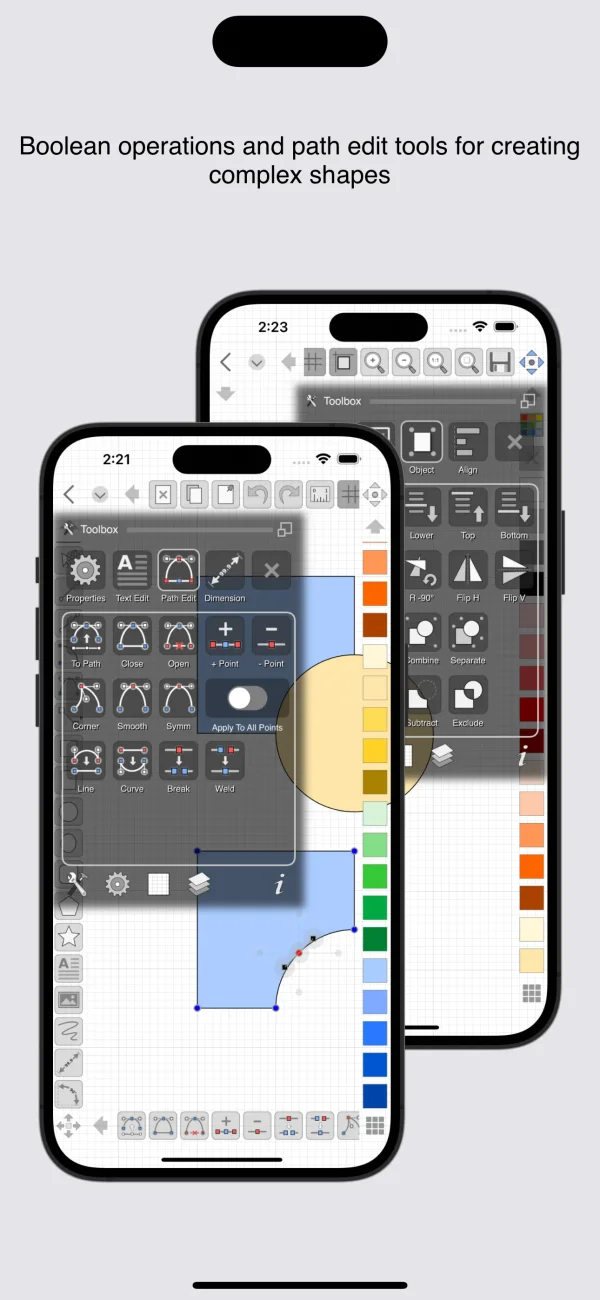
- Edit points, convert shapes to path, close shapes, add and remove points, break, weld, explode and join
- Precise rotation with ability to rotate at user defined center
- Object alignment tools
- Fill color and pen color swatches with opacity controls, custom RGB mixer
- Stroke width, line style, line caps and corner join styles, arrow ends and dash patters
- Text insertion with fonts, styles, sizes, paragraph alignments, multilingual, rotate/resize
- Set a background image for tracing/marking over it
- Insert images, copy, paste, move, resize and position them accordingly
- Multilevel Undo/Redo for all edit operations
- Create multiple layers to organize & separate design components
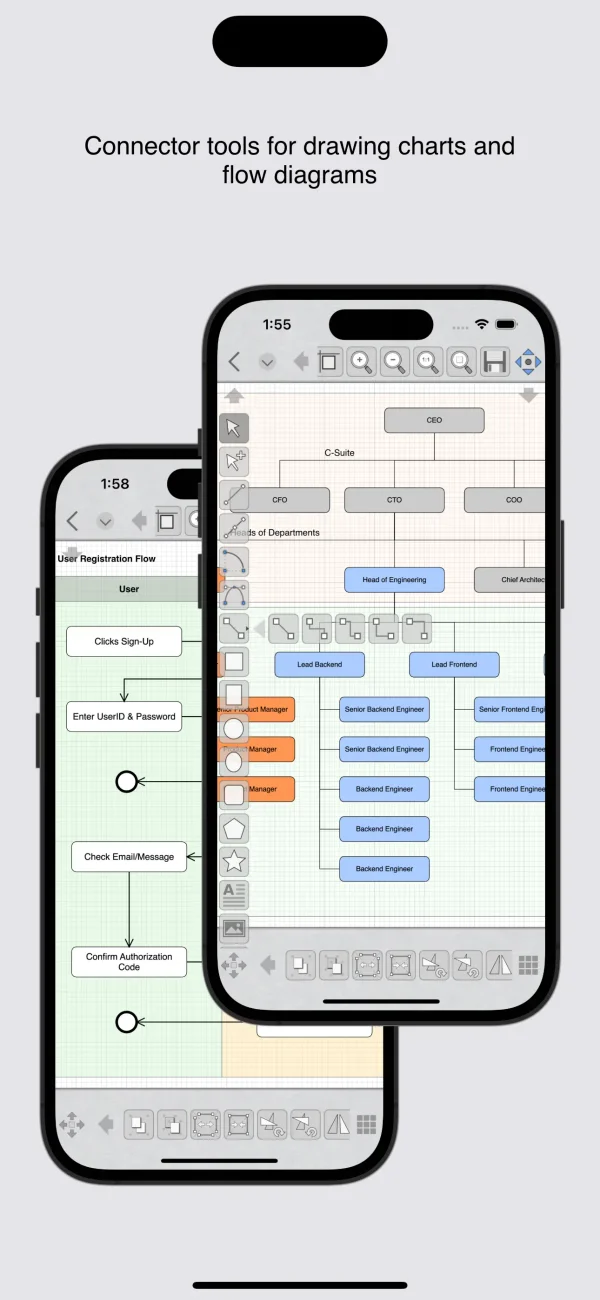
- Connector tools for drawing charts and flow diagrams
Unique Features for Touch Based Editing
- Offset handles for moving and positioning without your finger blocking the view
- Nudge controls, allows precise movement of selected shapes or selected points
- Delta transformations to apply incremental values by keyboard
Advanced Tools for Graphics Design
- Advanced path editing options for corner, smooth and symmetric control points, straighten and curve segments
- Text to path conversion
- Boolean operations on shapes, unite, intersect, subtract, exclude
- Freehand drawing, auto smoothened paths
- Gradients / color blends
Advanced Tools for Technical Drawing
- Circle and Arc tool based on center, start/end point, radius and angle of arc
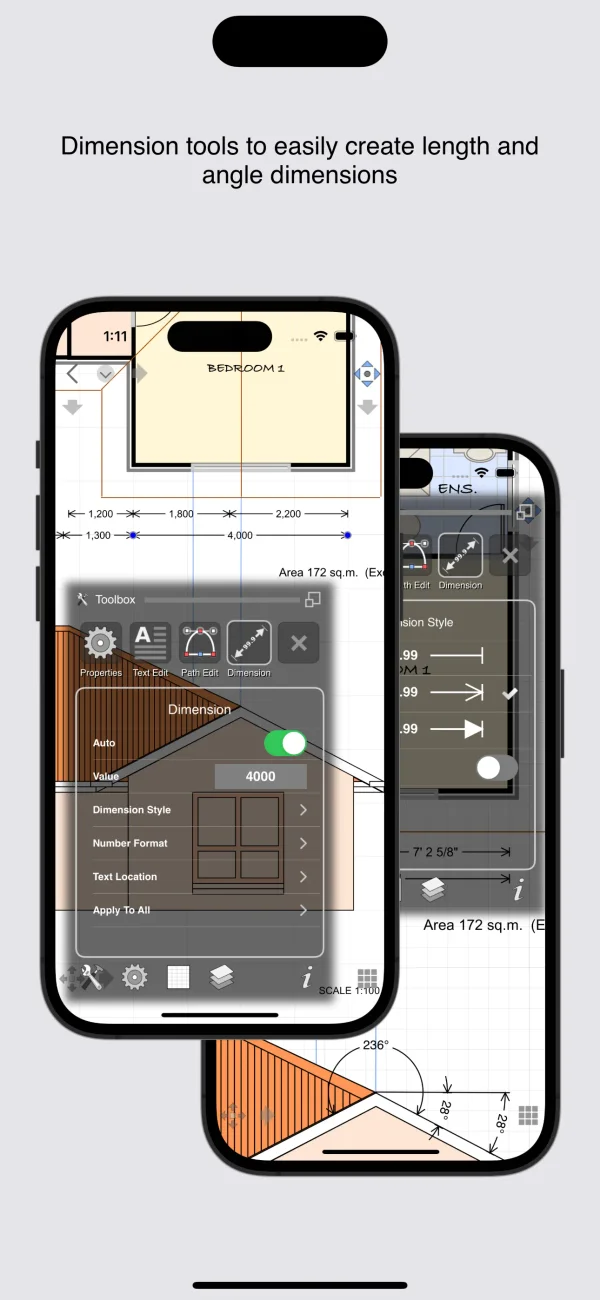
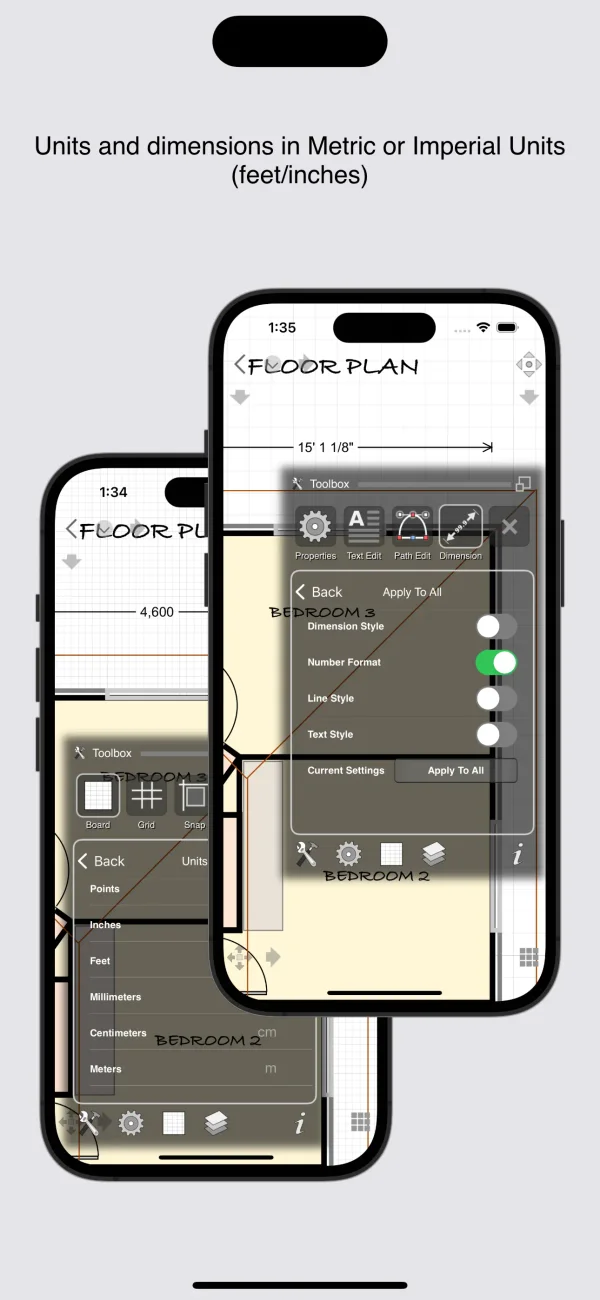
- Dimensioning tools, length as well as angular with customisable settings
- Support for Feet+Inches+Fractions (U.S & older unit system)
- Architectural formatting option for Dimensions
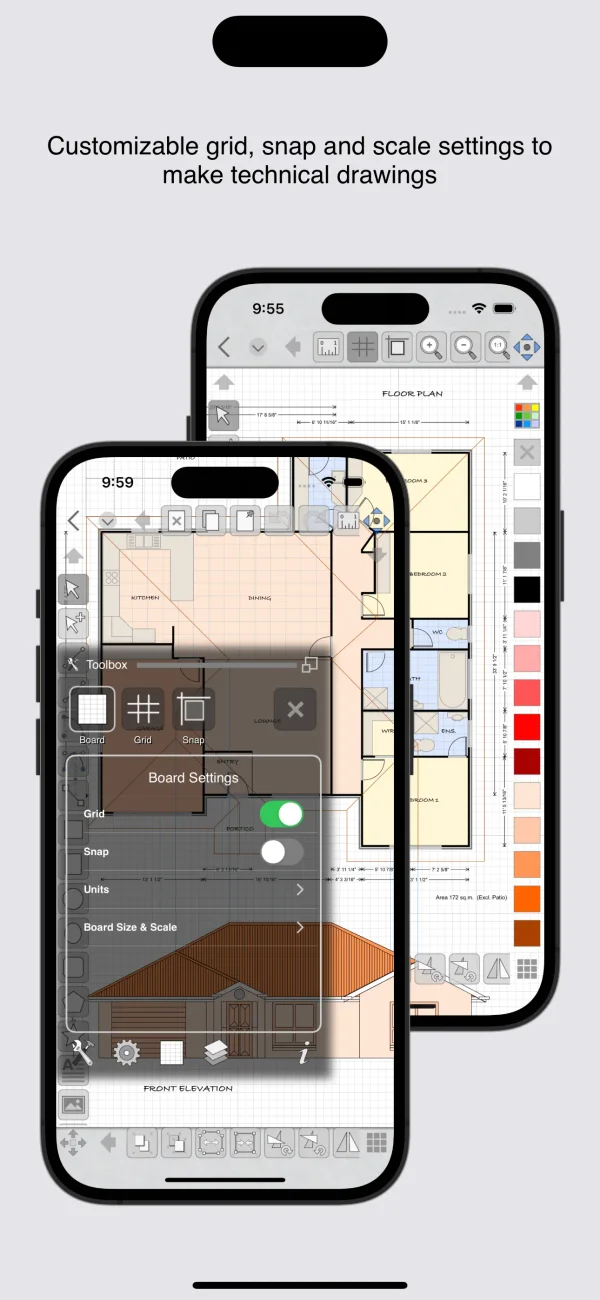
- Dynamic grid supporting feet, inches and inch fractions at different zoom levels
Units & Board Setup
- Support for standard and custom board sizes.
- Set a drawing scale
- Full set of standard unit systems.
- Unit aware Grid with customisable settings
- Snap to grid, snap to object and points
- Unit aware rulers
Shape libraries to organise and reuse shapes
- Add, remove and organise shapes in your own libraries
- A set of standard shapes for creating floor plans included
Export/Import & Print
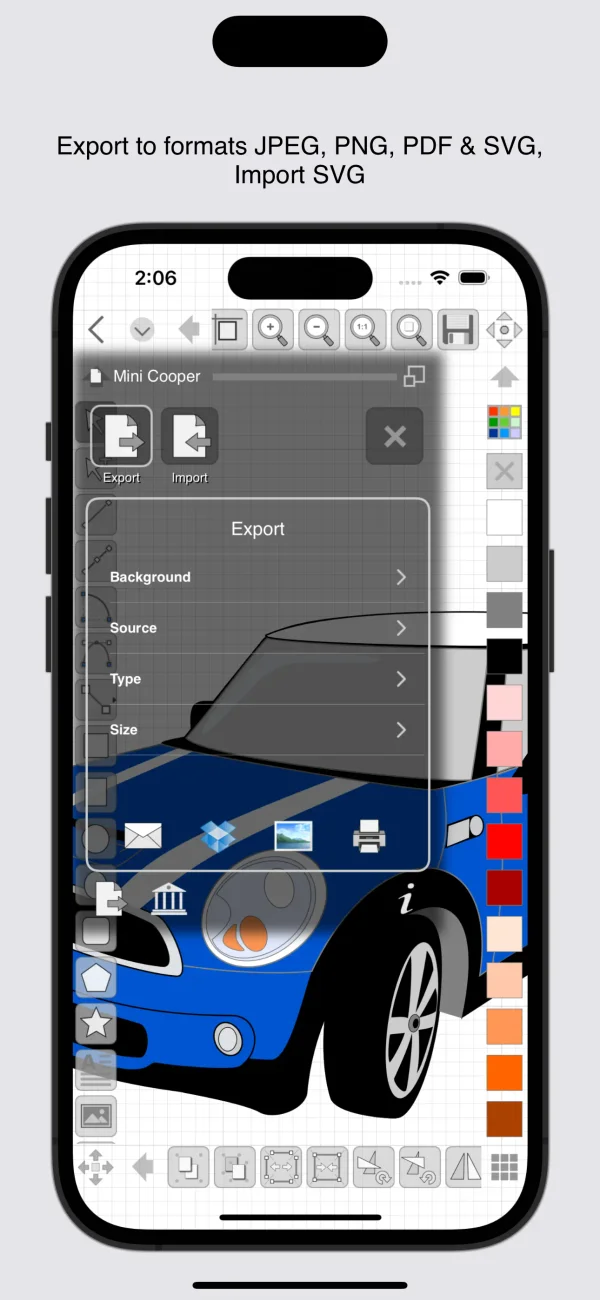
- Export designs to JPEG, PNG, PDF & SVG formats
- Import SVG files
- Share your designs with other iDesign users via Email
- Dropbox support for Export, Import
- AirPrint Support
iDesign is available as a monthly or yearly subscription and includes a free trial period that begins once your purchase has been confirmed with your Apple ID account. At the end of the trial your subscription will start and renew automatically. Your Apple ID account will be charged for the upcoming period unless you disable auto-renew or cancel your subscription in your Account Settings at least 24-hours prior to the end of the current period.
Terms of Use: http://www.touchaware.com/apps/termsofuse
Privacy policy: http://www.touchaware.com/apps/privacy
What’s new
Version 4.4.2 · Oct 17, 2026
- Fixed import of SVG files created in Visio.
- Updated legacy user support for iOS/iPadOS version 15 to 17.
App privacy
What TouchAware Limited declares on the App Store about how this app handles data.
-
Data not collected
The developer does not collect any data from this app.
Privacy practices may vary, for example with the features you use or your age.
Information
- Seller
- TouchAware Limited
- Category
- Productivity
- Version
- 4.4.2
- Updated
- Oct 17, 2026
- Released
- Apr 23, 2010
- Size
- 86.1 MB
- Requires
- iOS 15.5 or later
- Age rating
- 4+
- Price
- Free
- In-app purchases
- Yes
- Languages
- English, French, German, Italian, Japanese, Simplified Chinese, Spanish, Welsh
- Copyright
- © 2010-2026 TouchAware Limited
You might also like
-
 iPocket Draw LiteProductivity
-
 CADrawCAD Drawing tools
-
 TouchDraw 2Vector Drawing and Diagramming
-
 EazyDrawDrawings that communicate.
-
 HomeCAD — Design your homeHouse plans, drawings & PDF
-
 Arrette Sketch drafting toolsHand drawn designs at scale
-
 OrthoGraph – Floor PlanFloor Plan Creation, Easily.
-
 ArchiTouch 3D - Home DesignHouse plan + Architecture CAD
-
 ARES Touch: DWG Viewer & CADRead, Modify & Annotate in DWG
-
 Morpholio Journal – SketchbookDesign, Note, Sketch, Collect.