markSend: Read it on eInk
Web pages on your reMarkable
Designed for iPhone, iPad, Mac
Free · In-app purchases
- Age rating4+
- CategoryUtilities
- DeveloperBeyondSimulations GmbH
- LanguagesEnglish+ 1 more
- Size52.5 MB
Links to the official App Store page
Download.org hosts no file of markSend: Read it on eInk. The button opens its official App Store page, published by BeyondSimulations GmbH. Listing last checked on Nov 24, 2026.
Screenshots
About
Read it on paper. markSend turns a web page into a clean EPUB and sends it to your reMarkable. Share the page to markSend, or on the Mac click its button in Safari's toolbar, pick a folder if you want another one, and the article is on your tablet. markSend is a one-time purchase with no subscription.
FROM SAFARI OR ANY APP
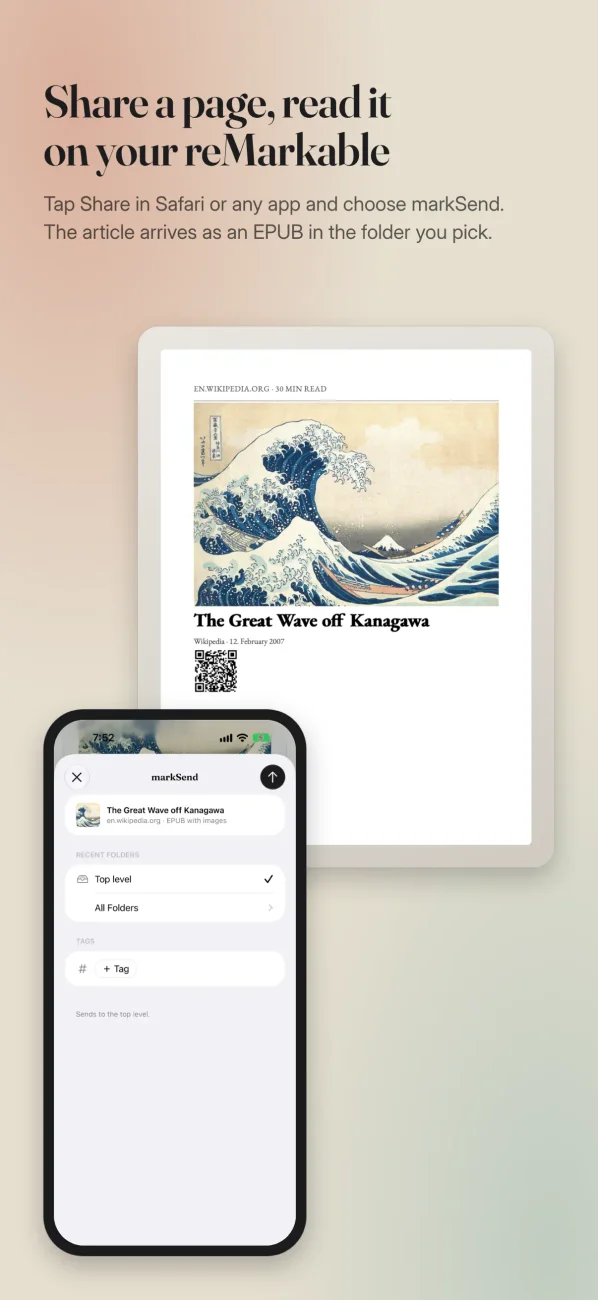
• On iPhone and iPad, tap Share in Safari and choose markSend. On the Mac, click the markSend button in Safari's toolbar. Press Send, and the page you're reading is converted and sent.
• A page you're signed in to in Safari arrives as you see it, because markSend reads the open page instead of downloading it again.
• Share a link from another app, such as an RSS reader or Mail, and markSend loads the page itself before sending it.
• A PDF opened in Safari, or a link to one, goes over unchanged.
EVERY LANGUAGE
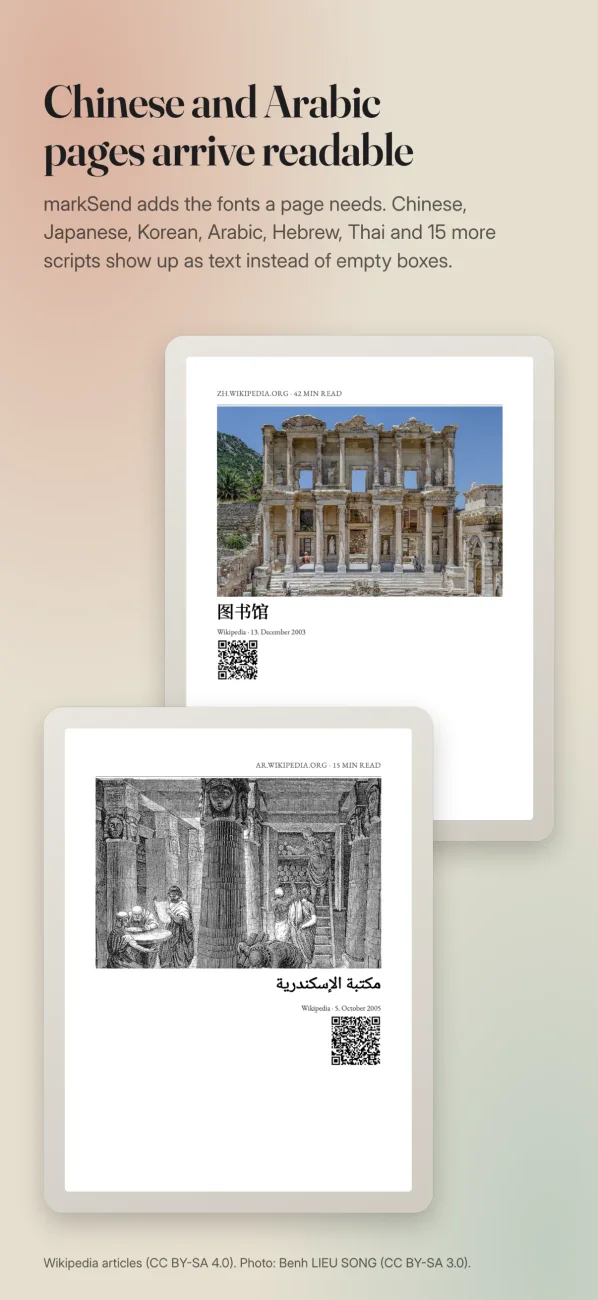
• Pages in Chinese, Japanese, Korean, Arabic, Hebrew, Thai and 15 more scripts arrive as text you can read. markSend adds the fonts each page needs.
MADE TO BE READ
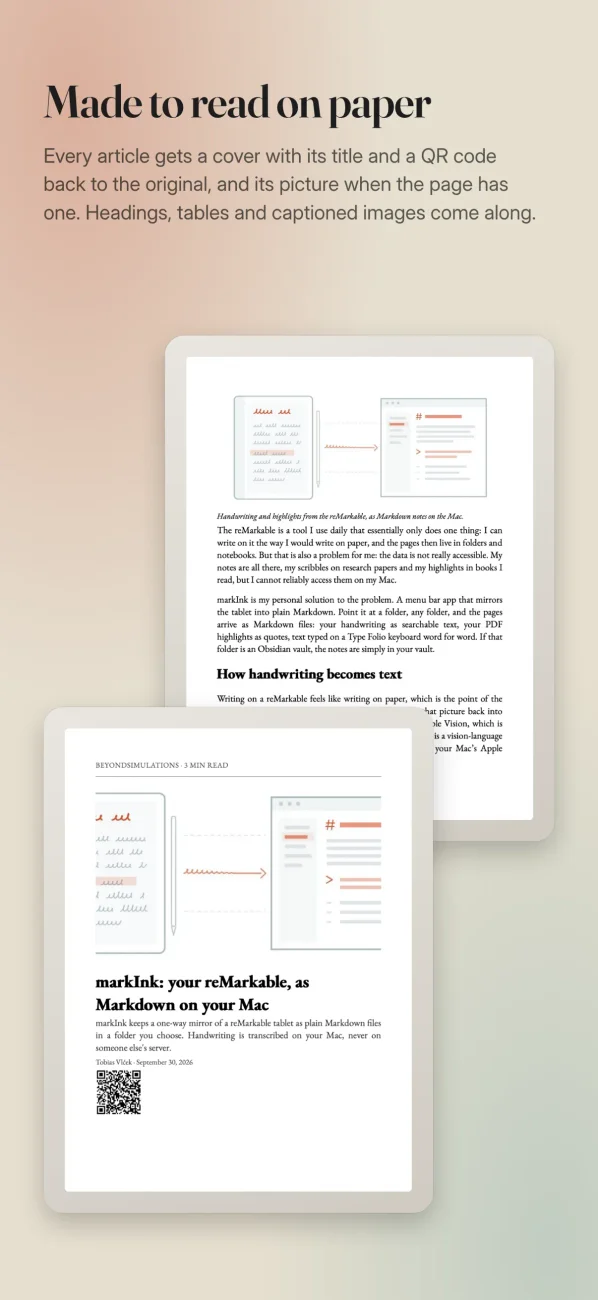
• Articles arrive as EPUBs set for e-ink, with real headings, code blocks, footnotes, tables and image captions.
• Every article gets a cover page with the title, site, author, date, reading time and a QR code back to the original. If the page has a picture, the cover shows it too.
• Images come along, sized for the tablet and in color on Paper Pro.
• Comment sections, follow buttons and cookie banners stay behind.
RIGHT FOLDER, RIGHT TAGS
• Every folder in your account is in the picker, listed by path. Until you choose one, sends land at your tablet's top level.
• Pick another folder for a single send in two taps.
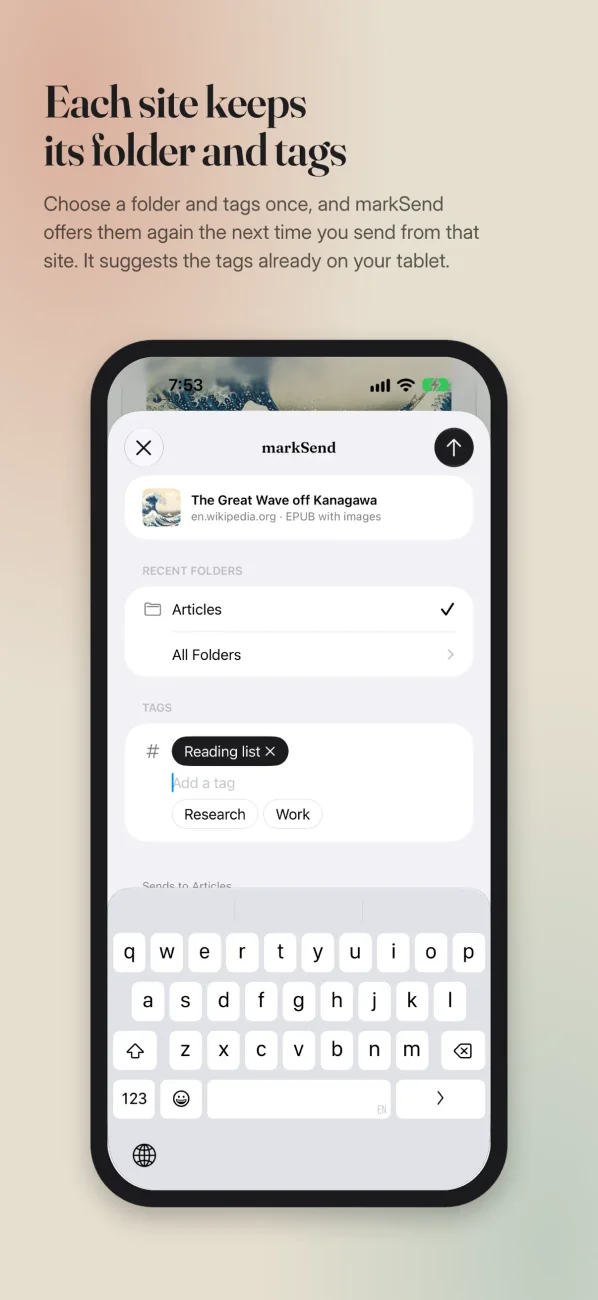
• markSend remembers the folder you chose for each site, and otherwise offers the one your last send used.
• Add tags as you send, and find the page through your tablet's tag filter. markSend suggests the tags you already use, remembers the ones you chose for each site, and can mark every send with one automatic tag.
WORKS OFFLINE
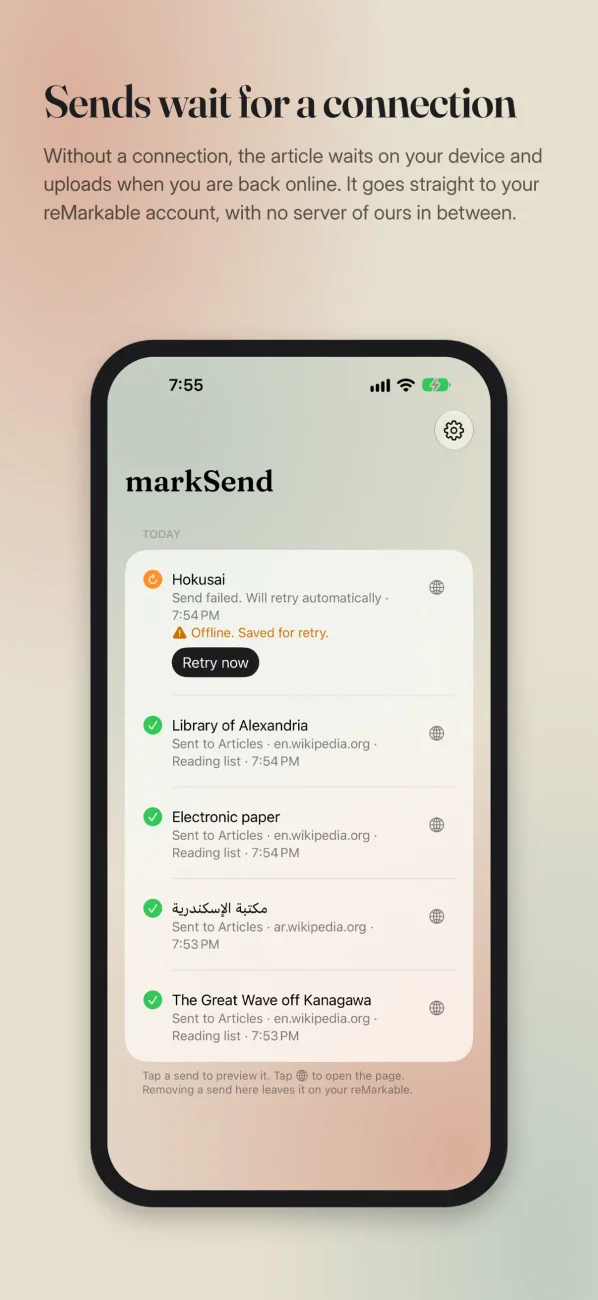
• Without a connection, articles wait on your device and upload when you're back online.
• The app lists every send and whether it has arrived.
WORKS WITH MARKINK
• Highlight an article on your tablet, and markInk, our Mac app, copies your highlights into your notes as Markdown quotes.
PRIVATE BY DESIGN
• Pages are converted on your device and uploaded straight to your reMarkable account. No server of ours sits in between.
• You pair once with reMarkable's one-time code, and the token stays in your Keychain.
• There is no account with us, no analytics and no advertising.
• markSend reads only the page you open it on. As it opens, it loads the page's preview image, or else the site's icon, to show what you're sending, even if you cancel. The image often comes from another server the site uses, and is not saved.
TRY EVERYTHING FREE
All features are included for 7 days, counted from the moment you first open markSend. After that, unlock markSend for good with a one-time purchase, with no subscription. Family Sharing is included.
markSend needs iOS 26, iPadOS 26, or macOS 26 or later, a reMarkable account, and a reMarkable device.
markSend is not affiliated with, endorsed by, or sponsored by reMarkable AS. reMarkable is a trademark of reMarkable AS.
Questions or ideas? We read every message: feedback@beyondsimulations.com
What’s new
Version 1.1 · Nov 23, 2026
Pages in Chinese, Japanese, Korean, Arabic, Hebrew, Thai and 15 more scripts now arrive as text instead of empty boxes. Add tags as you send: markSend suggests the tags already on your tablet and can add one automatic tag to every send. On iPhone and iPad you send from the Share button; the Safari extension is now on the Mac only. markSend remembers the folder and tags you chose for each site, and on the Mac, Write a Review opens the App Store app. Articles now get a cover with their picture. Photo credits sit on their own line under the caption, and markSend leaves out pull quotes that only repeat the article's text.
App privacy
What BeyondSimulations GmbH declares on the App Store about how this app handles data.
-
Data not collected
The developer does not collect any data from this app.
Privacy practices may vary, for example with the features you use or your age.
Information
- Seller
- BeyondSimulations GmbH
- Category
- Utilities
- Version
- 1.1
- Updated
- Nov 23, 2026
- Released
- Oct 20, 2026
- Size
- 52.5 MB
- Requires
- iOS 26.0 or later
- Age rating
- 4+
- Price
- Free
- In-app purchases
- Yes
- Languages
- English, German
- Copyright
- © BeyondSimulations GmbH
You might also like
-
 reManagerMod manager for reMarkable
-
 Aviary for reMarkableSend documents to reMarkable
-
 Lock Pdf & Unlock PDF OfflineAdd & Remove Password From PDF
-
 Simply Customize It!Templates & Custom Screens
-
 Convert Case: Text ConverterChange Uppercase to Lowercase
-
 GLASERUtilities
-
 Ultrasonic RepellerPower of ultrasound technology
-
 Wuzhi LinkWuzhi link
-
 xDTU ConnectUtilities
-
 Sandflow: Screen Time ControlLimit phone, Track app usage