
MarkSheet: answer sheet
Easy-to-grade Bubble Sheet App
Designed for iPhone, iPad, iPod touch
Free · In-app purchases
- Age rating4+
- CategoryEducation
- Developerenoiu
- LanguagesEnglish+ 9 more
- Size40.1 MB
Links to the official App Store page
Download.org hosts no file of MarkSheet: answer sheet. The button opens its official App Store page, published by enoiu. Listing last checked on Nov 20, 2026.
Screenshots
About
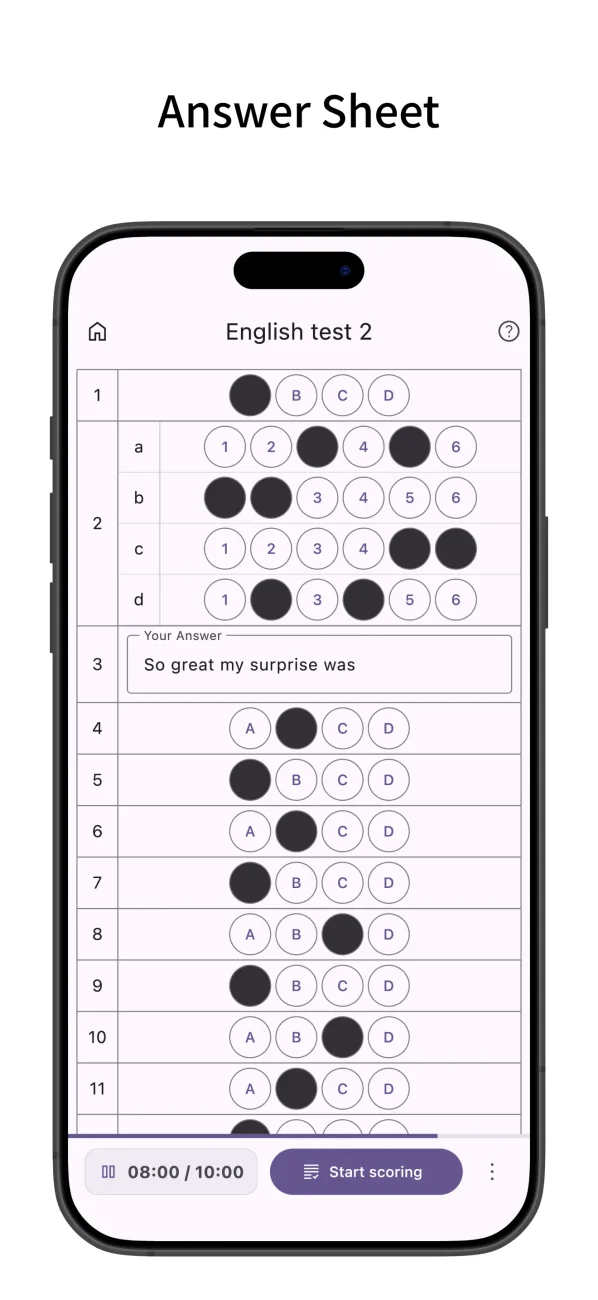
Answer sheet app for bubble sheet (OMR) exams.
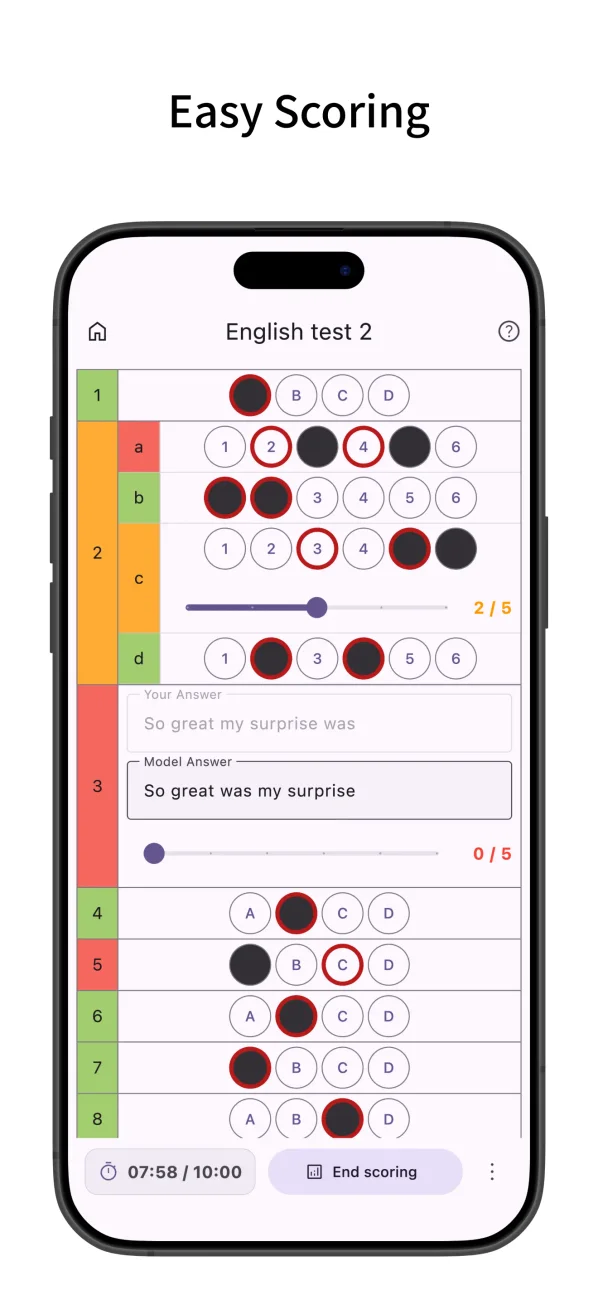
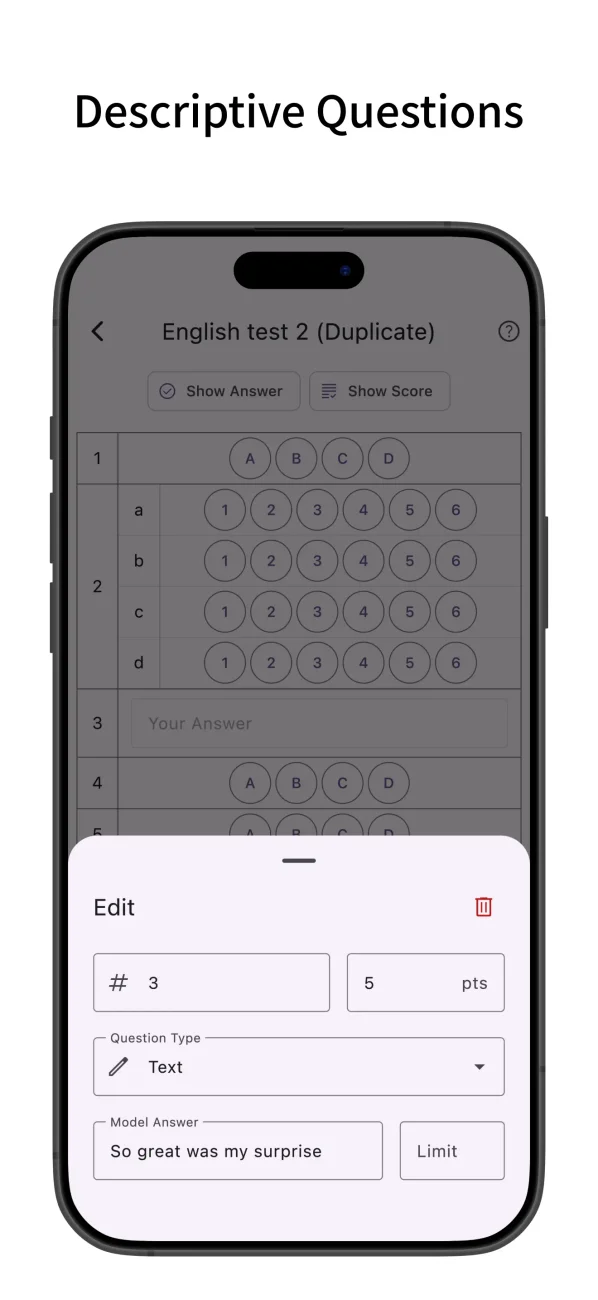
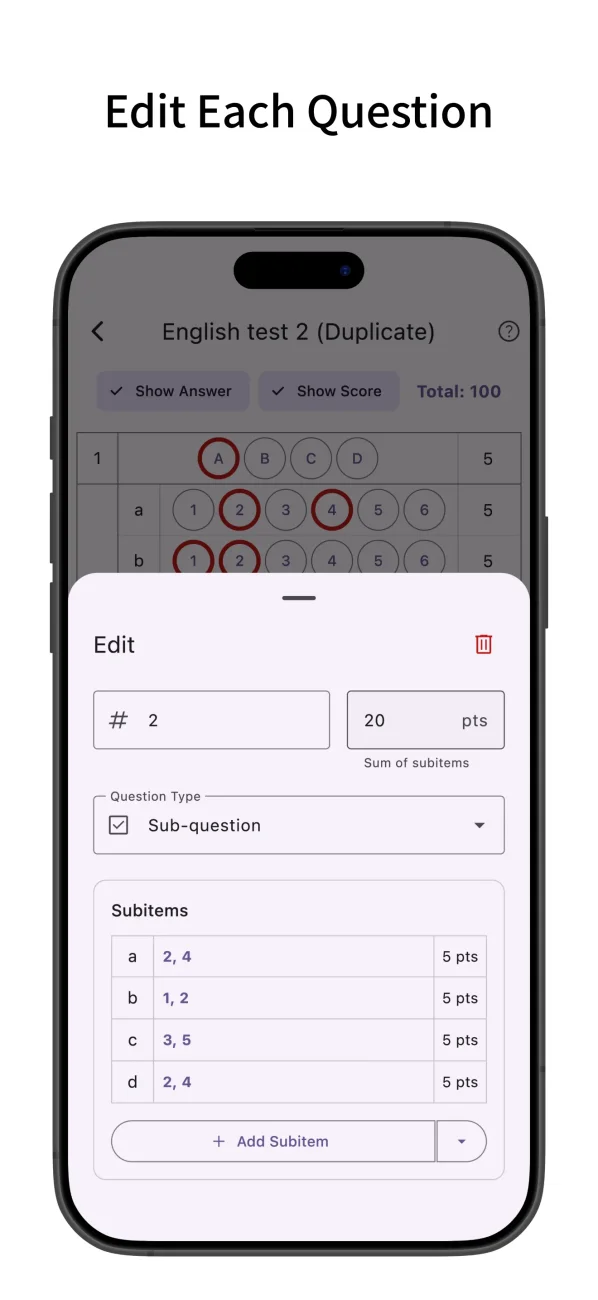
Easy scoring, supports multiple answers, sub-questions, and descriptive questions.
Since you can freely customize the number of questions and choices, you can create tailor-made answer sheets for any test format, from daily school quizzes and midterms to major exams like the SAT, ACT, AP Exams, GRE, GMAT, LSAT, MCAT, TOEFL, TOEIC, and IELTS, as well as professional licensing exams like the Bar Exam, NCLEX, CPA, and civil service exams.
Furthermore, once an answer sheet is created, you can use the "Duplicate" feature to reuse it as a template endlessly, making it perfect for practicing past papers by year or doing multiple passes of the same workbook or exam for repetitive learning.
Creating Answer Sheets
- Create bubble sheet style answer sheets.
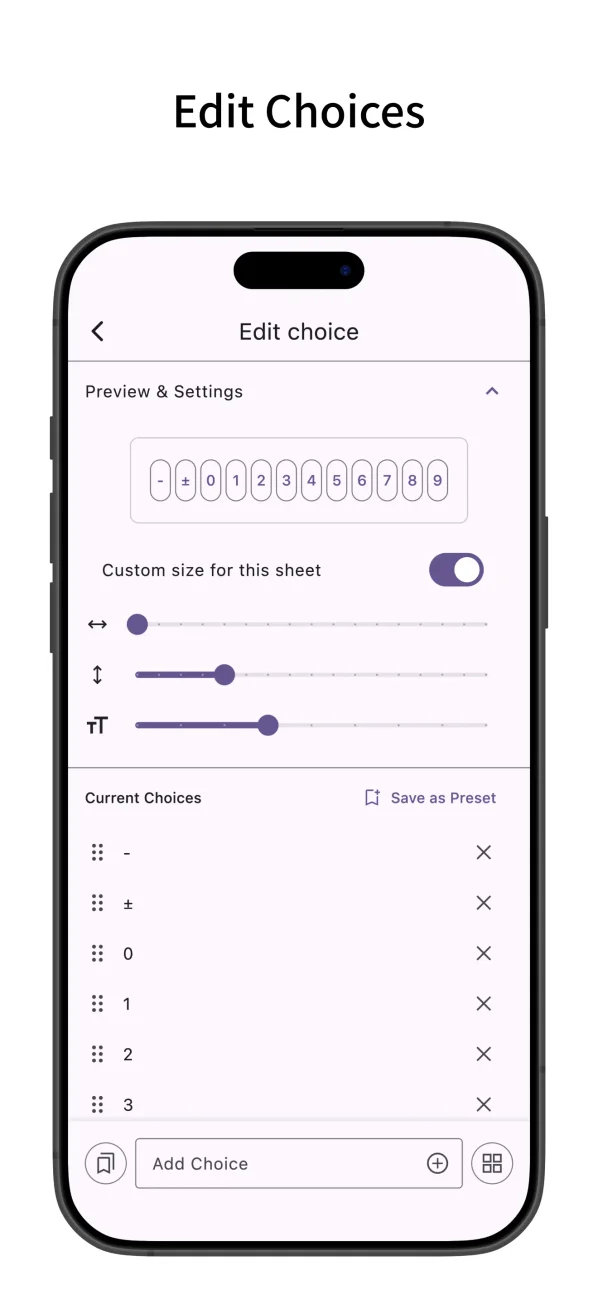
- Configure the number of questions and choices. Choices are customizable, and bubble size (width, height, font size) can be adjusted. You can also save configured choices as presets.
- Supports multiple answers, sub-questions, and descriptive questions. For descriptive questions, you can set character limits and model answers.
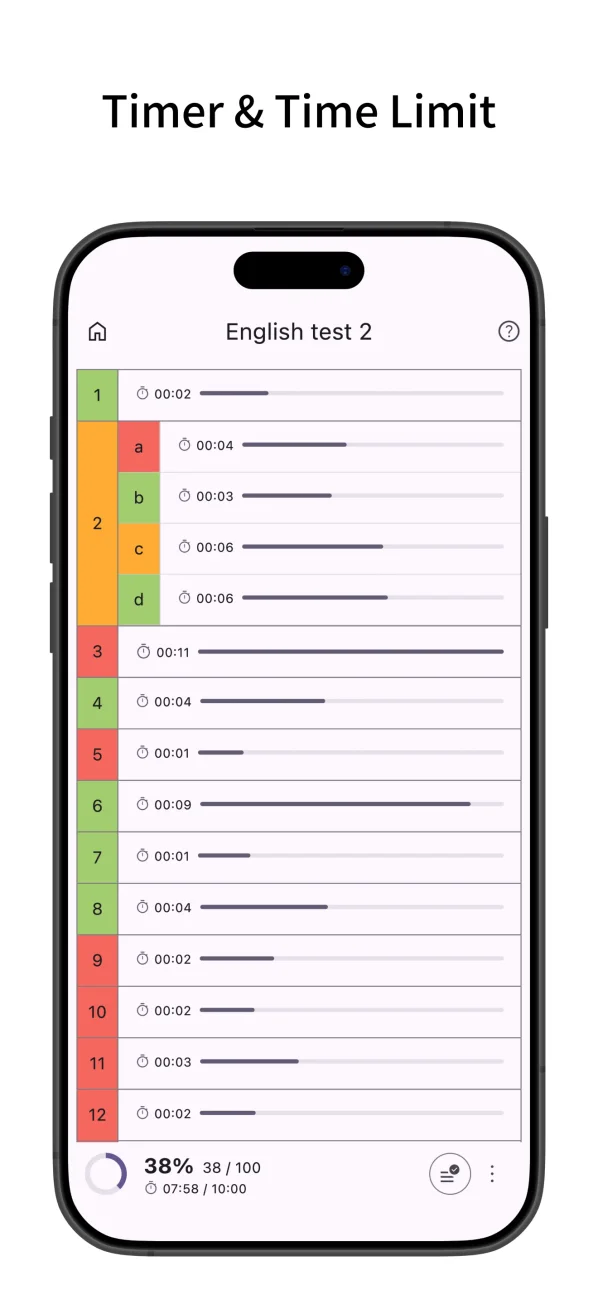
- Set timers and time limits.
- Pre-enter correct answers (you can also enter correct answers during scoring after answering).
- Set point allocation. You can input the total score and distribute points evenly across questions.
- Configure question numbers. You can renumber all questions based on the first question number.
Answering
- When using a timer, the time taken for each question is recorded and can be viewed in a graph after scoring.
- After finishing the test, it enters scoring mode where you can easily grade by just tapping the correct answer choices.
- Supports partial credit for multiple-choice and descriptive questions.
- After scoring, view percentage, score, and number of correct answers.
- Tap a main question number to see the total score and total time for sub-questions within that main question.
- Highlight rows (long press or checkbox).
Sharing Answer Sheets
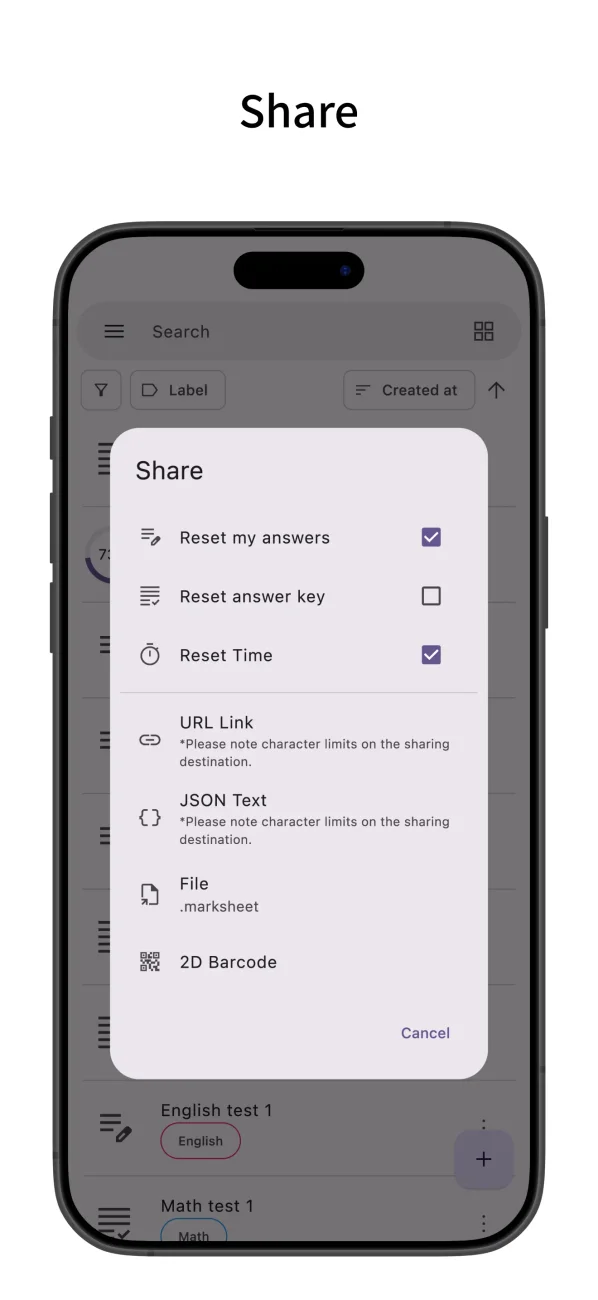
- Share answer sheets to other devices using URL links, JSON text, dedicated files (.marksheet), and 2D barcodes.
- Simply open a shared URL link to automatically launch the app and import the data.
- Scan a 2D barcode with your device's standard camera app to quickly launch the app and import the data.
- We also publish the specifications of the data structure used for this sharing feature. By utilizing this, you can even use generative AI to automatically create custom answer sheets based on your study materials.
Mark Sheet Management
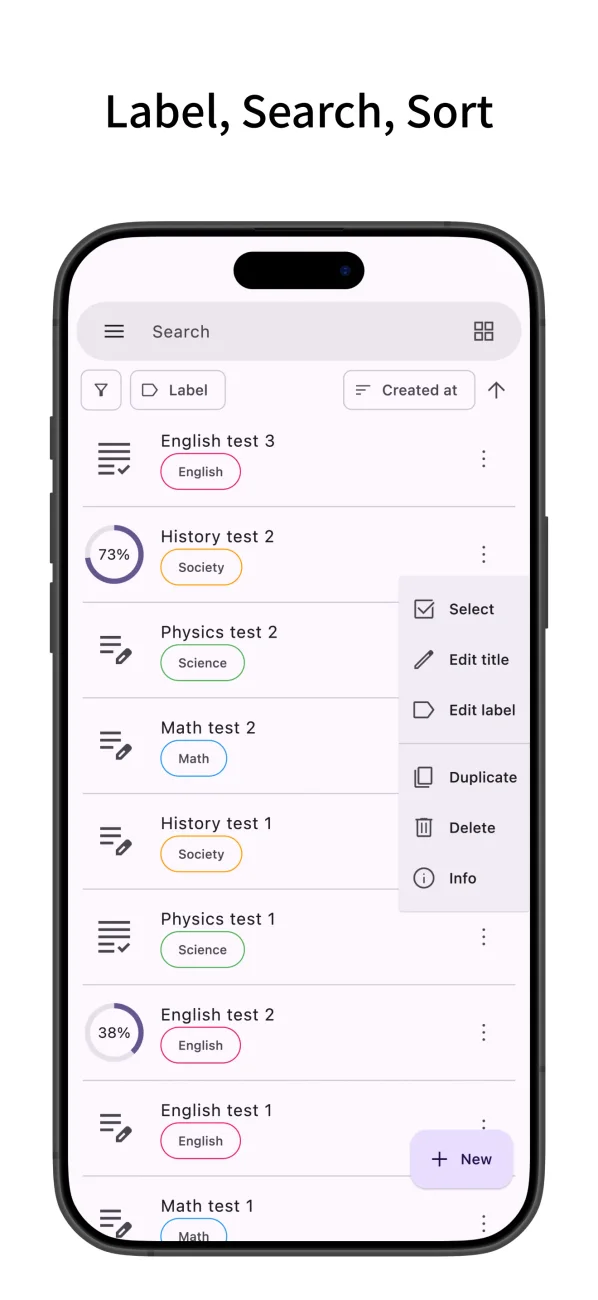
- Add labels to sheets for easy filtering. You can filter by multiple labels.
- Filter by status: answering, scoring, or scoring completed.
- Tap the search bar to search sheets by title.
- Sort sheets by title, creation date, or last viewed.
- Edit labels or duplicate sheets from the menu on the right of each sheet.
- Long press to select multiple sheets for bulk deletion or labeling.
- Supports backup and restore of app data via ZIP files.
Mark Sheet Settings
- Manage choice presets. You can also save bubble sizes.
- Set the default number of questions, choices, and timer for new sheets. Defaults to the previously used settings.
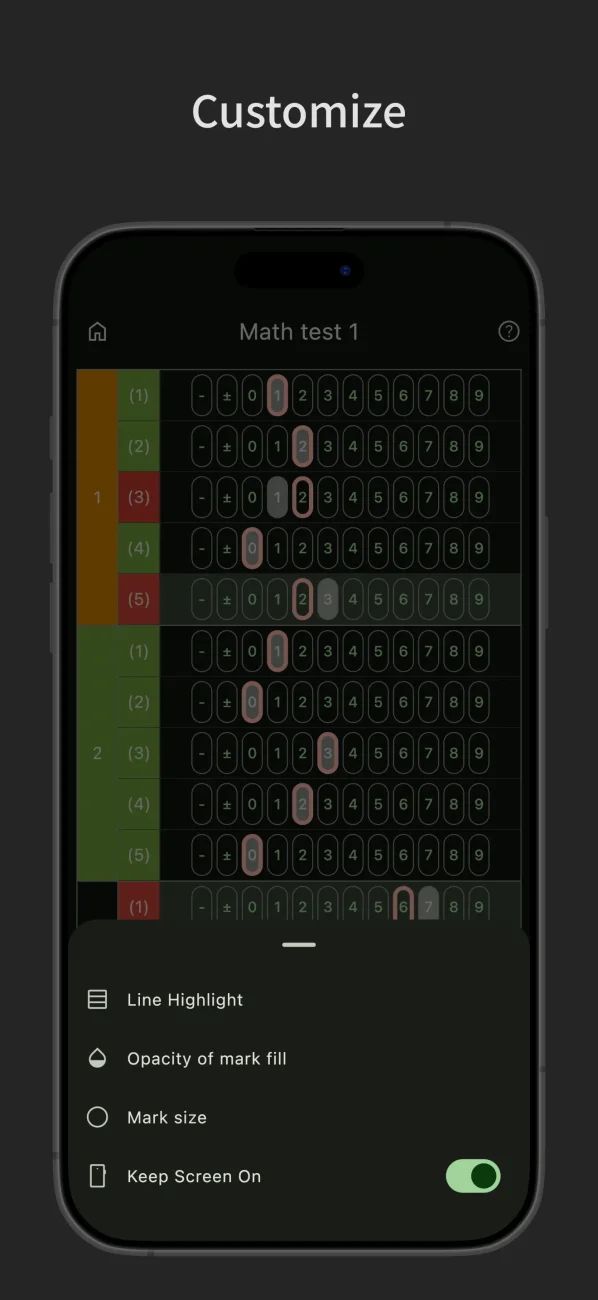
- Configure row highlighting behavior: long press, checkbox, or off. Opacity of the highlight can be changed.
- Change the opacity of the mark fill.
- Change the default bubble size (width, height, font size).
- Keep the screen on while answering.
Customization
- Supports Dark Mode.
- Change theme colors.
- Simple design compliant with Material Design.
What’s new
Version 5.1.1 · Aug 20, 2026
- Fixed an issue in multiple-choice questions where selecting marks in a different order resulted in an incorrect answer.
- Improved the stability of the backup restoration process.
- Adjusted the ad display timing.
App privacy
What enoiu declares on the App Store about how this app handles data.
-
Data used to track you
May be used to track you across apps and websites owned by other companies.
- Location
- Identifiers
- Usage data
- Diagnostics
-
Data linked to you
May be collected and linked to your identity.
- Location
- Identifiers
- Usage data
- Diagnostics
-
Data not linked to you
May be collected but is not linked to your identity.
- Diagnostics
Privacy practices may vary, for example with the features you use or your age.
Information
- Seller
- enoiu
- Category
- Education
- Version
- 5.1.1
- Updated
- Aug 20, 2026
- Released
- Dec 18, 2022
- Size
- 40.1 MB
- Requires
- iOS 15.0 or later
- Age rating
- 4+
- Price
- Free
- In-app purchases
- Yes
- Languages
- English, French, German, Italian, Japanese, Korean, Portuguese, Simplified Chinese, Spanish, Traditional Chinese
- Copyright
- © 2023 enoiu
You might also like
-
 Answer Sheet with OverviewMark sheet, Bubble sheet
-
 Quick Key: Paper GradingBubble Sheet Scanner for Tests
-
 Examica for TeachersTests creator and scanner
-
 Exam Reader-Optical Test GradeGrade Tests with Camera
-
 PaperScorer ScannerSmart Bubble Sheet Scanner
-
 Mark Sheet App "Smart Mark"Mark sheet app for your study
-
 sheetMaker -create MarkSheet-MarkSheet for exams and study
-
 OMR Sheet ScannerScan & Grade Bubble Sheets
-
 ScanGraderAutomated grading
-
 Right for TeacherOMR grader