
MarkUp Pro
Photo Markup & Annotation
Designed for iPhone, iPad
Free · In-app purchases
- Age rating9+
- CategoryUtilities
- Developer贺 周
- LanguagesEnglish
- Size1.9 MB
Links to the official App Store page
Download.org hosts no file of MarkUp Pro. The button opens its official App Store page, published by 贺 周. Listing last checked on Nov 17, 2026.
Screenshots
About
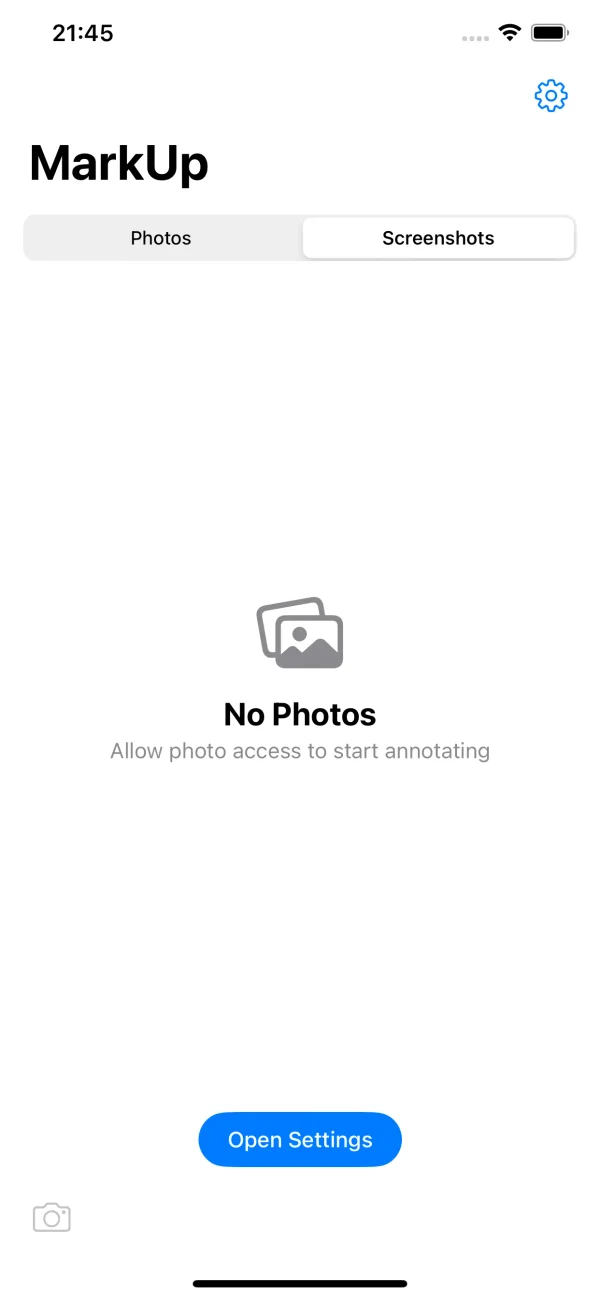
MarkUp brings back the photo annotation features that disappeared in iOS 17 and 18. If you miss the Magnifier tool, hollow shape outlines, free-angle arrows, and a color picker that just works -- this app is for you.
NOW WITH SELECT & MOVE
- Select & Move: Tap any annotation to select it, then drag to reposition. Works with all annotation types -- shapes, arrows, text, drawings, highlights, and more. Full undo/redo support for every move.
- Adjustable Font Size: Choose from 12pt to 120pt for text annotations. Your last font size is remembered between sessions.
CORE FEATURES
- Select & Move: Tap to select any annotation, drag to reposition. Visual selection feedback with dashed border and corner handles.
- Loupe / Magnifier: Zoom into any detail with adjustable magnification. The tool Apple removed, brought back better than ever.
- Hollow Shapes: Draw circles, rectangles, triangles, stars, and chat bubbles with clean outlines -- not filled blocks. Toggle between outline and filled mode.
- Free-Angle Arrows: Point precisely where you want with arrows at any angle, not just preset directions.
- Drawing Tools: Pen, marker, and pencil with adjustable width and opacity for every situation.
- Highlight: Semi-transparent overlay that emphasizes without obscuring, perfect for screenshots and documents.
- Blur and Pixelate: Obscure sensitive information like faces, license plates, and personal data with gaussian blur or pixelation.
- Text Annotations: Add labels, notes, and callouts with customizable font size (12-120pt) and color. Font size is remembered between sessions.
- Color Picker: A reliable, full-featured color picker with presets and custom colors -- no more fighting with the system picker.
- Undo and Redo: Full history support so you never lose your work.
- Eraser: Tap any annotation to remove it instantly.
DESIGNED FOR iOS
- Native SwiftUI interface that feels right at home
- Full iPhone and iPad support with optimized layouts
- Camera integration for instant photo capture and annotation
- Photo library access with screenshot album filtering
- Tool memory that remembers your last settings between sessions, including font size
MARKUP PRO
- Template System: Save your favorite annotation setups and reuse them across multiple images.
- Batch Editing: Apply the same annotations to multiple images at once for consistent documentation.
- PDF Export: Save annotated images as PDF documents for professional sharing.
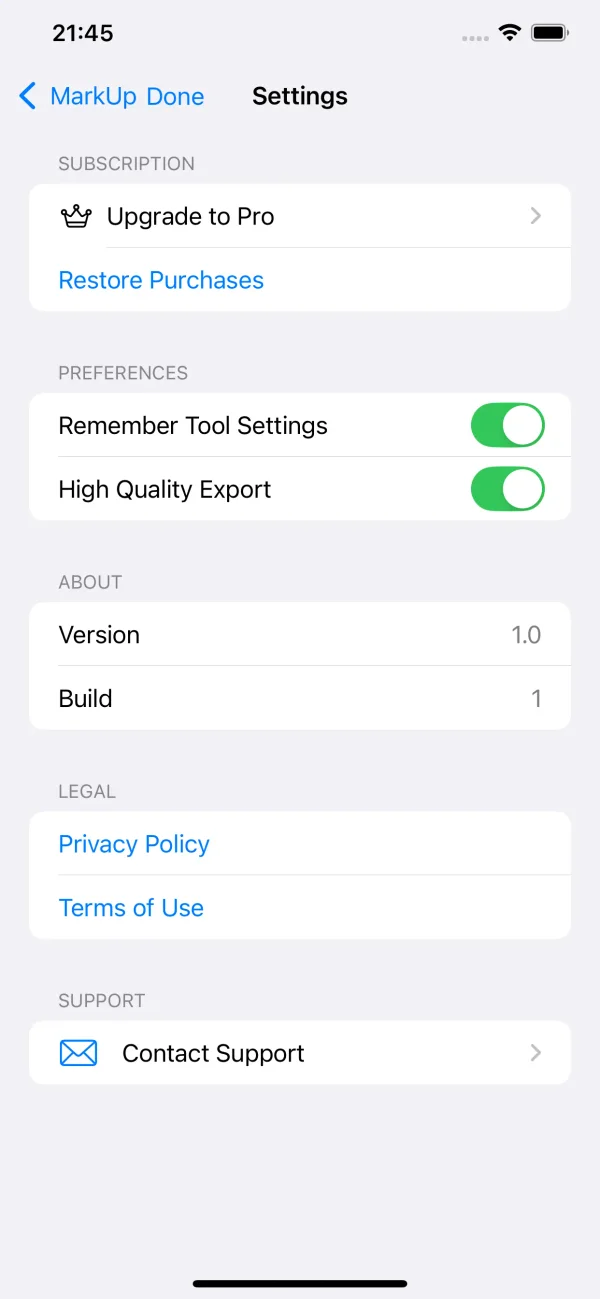
- Export Options: Save as PNG, JPEG, or PDF. Share directly to Photos, Messages, Mail, or any app via Share Sheet.
PERFECT FOR
- Developers annotating bug reports and screenshots
- Designers providing visual feedback
- Educators highlighting key information in images
- Professionals creating annotated documentation
- Anyone who wants the markup tools Apple took away
SUBSCRIPTION INFORMATION:
MarkUp offers three purchase options:
- Monthly Subscription: $2.99/month with 7-day free trial
- Yearly Subscription: $14.99/year with 7-day free trial (58% savings)
- Lifetime Purchase: $29.99 one-time, no recurring charges
- Payment will be charged to your Apple ID account at confirmation of purchase.
- Subscriptions automatically renew unless canceled at least 24 hours before the end of the current period.
- You can manage and cancel your subscriptions by going to your account settings on the App Store after purchase.
- Any unused portion of a free trial period will be forfeited when you purchase a subscription.
What’s new
Version 1.2 · Jul 30, 2026
- Select & Move Tool: Tap any annotation to select it, then drag to reposition. Move shapes, arrows, text, drawings, highlights, and more with full undo/redo support.
- Adjustable Font Size: Text annotations now support 12pt to 120pt font size. A dedicated Font Size slider appears when using the Text tool or when a text annotation is selected.
- Font Size Memory: Your last font size is automatically saved and restored between editing sessions.
- Visual Selection Feedback: Selected annotations show a blue dashed border with corner handles for clear visual feedback.
- Improved Text Rendering: Text annotations now display at the correct size across all image resolutions.
App privacy
What 贺 周 declares on the App Store about how this app handles data.
-
Data not collected
The developer does not collect any data from this app.
Privacy practices may vary, for example with the features you use or your age.
Information
- Seller
- 贺 周
- Category
- Utilities
- Version
- 1.2
- Updated
- Jul 30, 2026
- Released
- May 26, 2026
- Size
- 1.9 MB
- Requires
- iOS 17 or later
- Age rating
- 9+
- Price
- Free
- In-app purchases
- Yes
- Languages
- English
- Copyright
- © 202605252135
You might also like
-
 MapshiftTuning box maps from CarPlay
-
 Canister Gauge: Fuel TrackerWeigh fuel. Know burn time.
-
 WiFi Devices QuickSee supported local services
-
 Markki Photo Inspection ReportDamage, punch list & HOA PDFs
-
 SnaggingUtilities
-
 Date Calculator ±Calculate dates and durations
-
 SnapGLB3D Scanner & GLB Converter
-
 AllyClockFullscreen clock, world time
-
 Date Calculator - DateMathDays and time between dates
-
 edEdit – Markdown & NotesMarkdown, Code, and Notes