Mask Shot: Redact & Censor
Hide Text & Private Info
Designed for iPhone, iPad, iPod touch
Free · In-app purchases
- Age rating4+
- CategoryProductivity
- DeveloperChuong Le
- LanguagesEnglish
- Size134.3 MB
Links to the official App Store page
Download.org hosts no file of Mask Shot: Redact & Censor. The button opens its official App Store page, published by Chuong Le. Listing last checked on Nov 18, 2026.
Screenshots
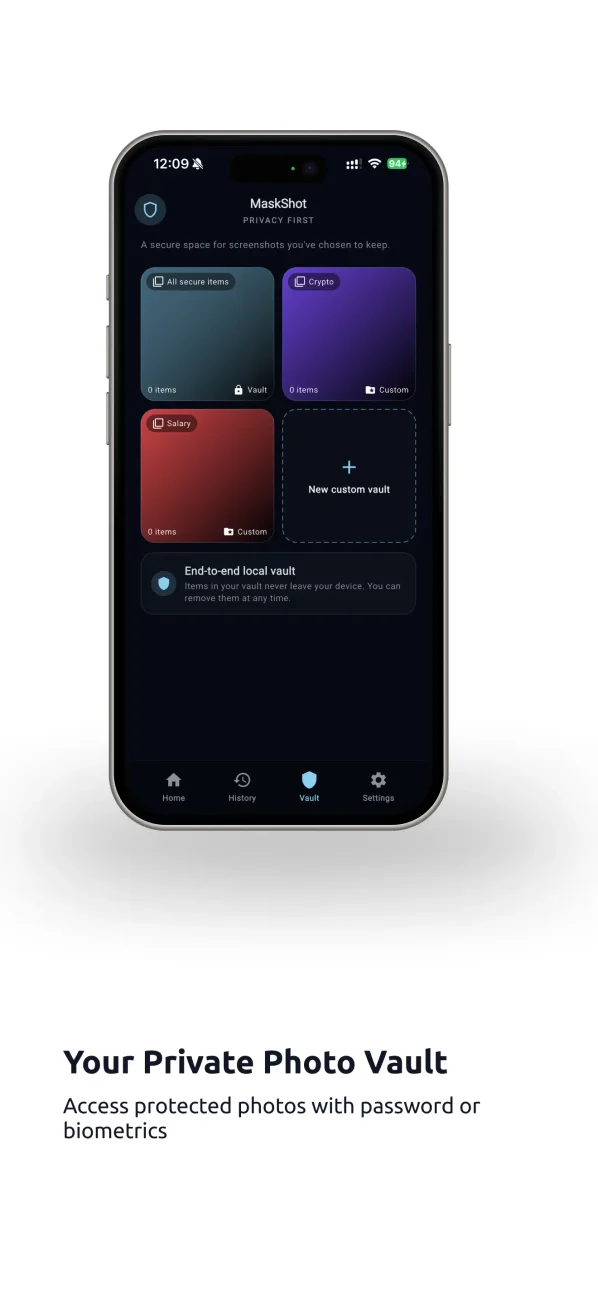
About
Clean screenshots before you share.
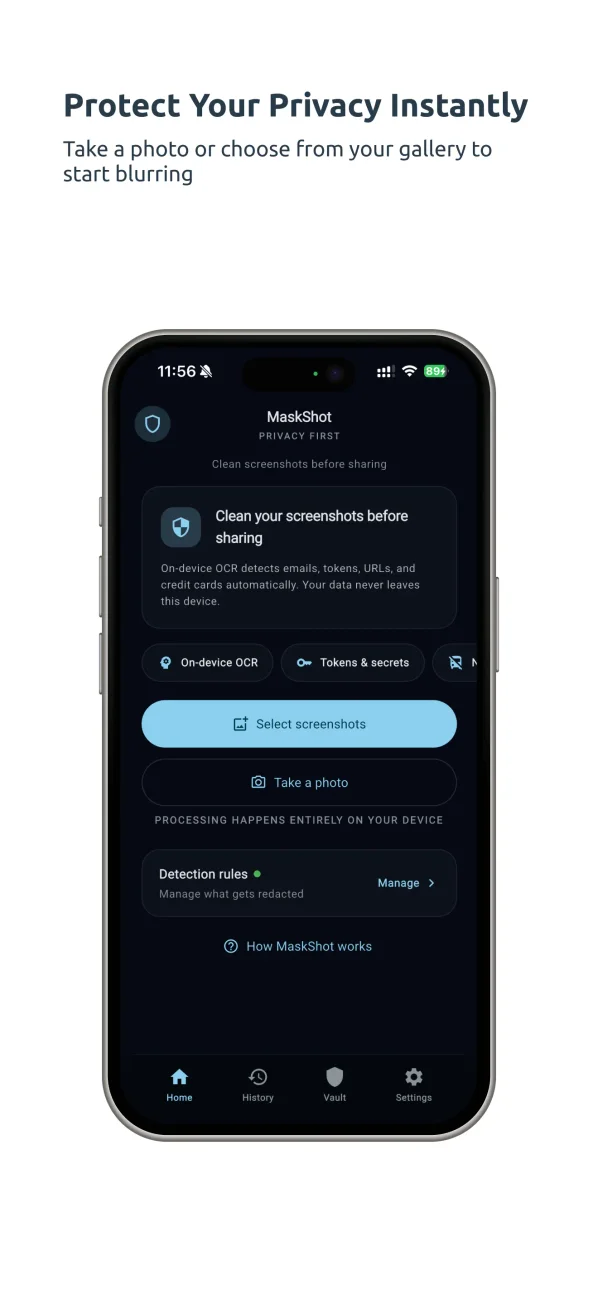
MaskShot helps you share screenshots safely by automatically detecting and redacting sensitive text—tokens, emails, URLs, API keys, and more. Everything happens on your device. Nothing is sent to the cloud.
WHY MASKSHOT
• Screenshots often contain secrets: API keys, tokens, emails, connection strings. Sharing them as-is can leak sensitive data.
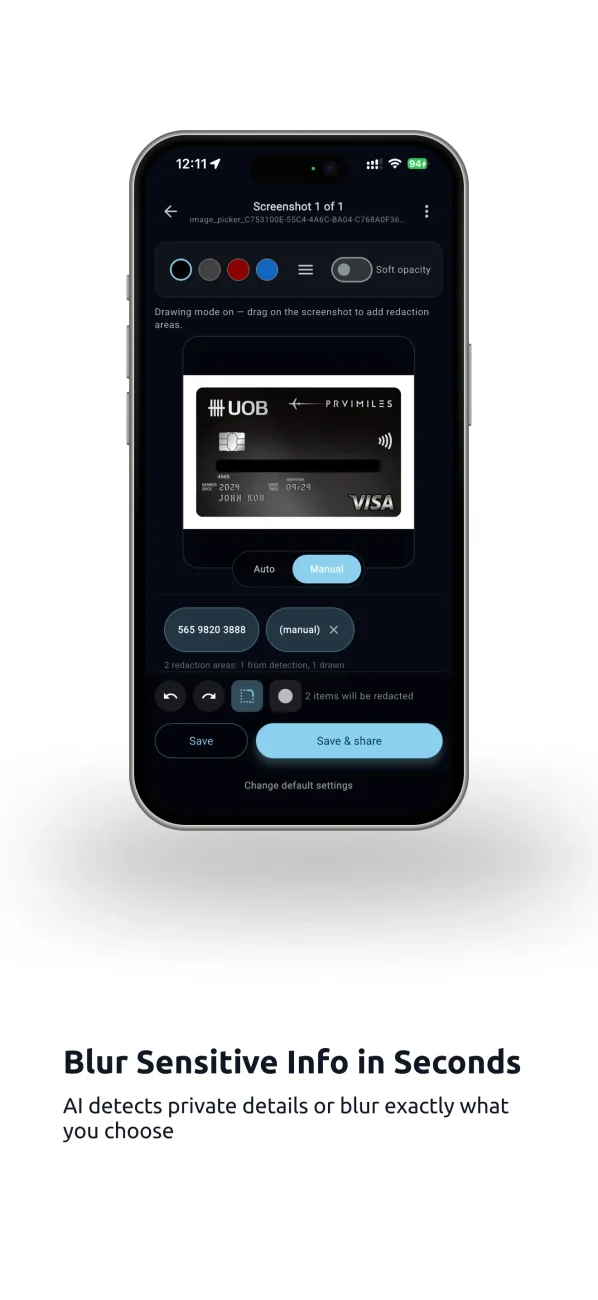
• MaskShot analyzes your screenshot on-device, detects sensitive text, and lets you add redaction areas so you can save or share with confidence.
HOW IT WORKS
1. Pick or capture — Choose screenshots from your gallery or take a new one.
2. Review & edit — See what’s detected; add manual redaction areas, change colors, zoom to inspect.
3. Save or share — Save to gallery, share only, or both. Your choice.
KEY FEATURES
• Privacy first — All detection and redaction happens on your device. Your images and text never leave your phone.
• On-device OCR — Detects emails, tokens, URLs, credit cards, and many common secret patterns automatically.
• Built-in patterns — Tokens, API keys, Bearer tokens, JWTs, AWS keys, GitHub/Google/Stripe/Slack tokens, private keys, and more. Premium adds custom regex patterns.
• Editor — Rectangle and oval redaction; move, resize, undo. Multiple colors including black, grey, red, blue, green, or custom.
• Secure vault — Keep sensitive screenshots in a PIN- or biometric-protected space. Free: up to 5 images; Premium: unlimited and custom vaults.
• Export — Save to gallery, share only, or save and share. Set your default in Settings.
FREE VS PREMIUM
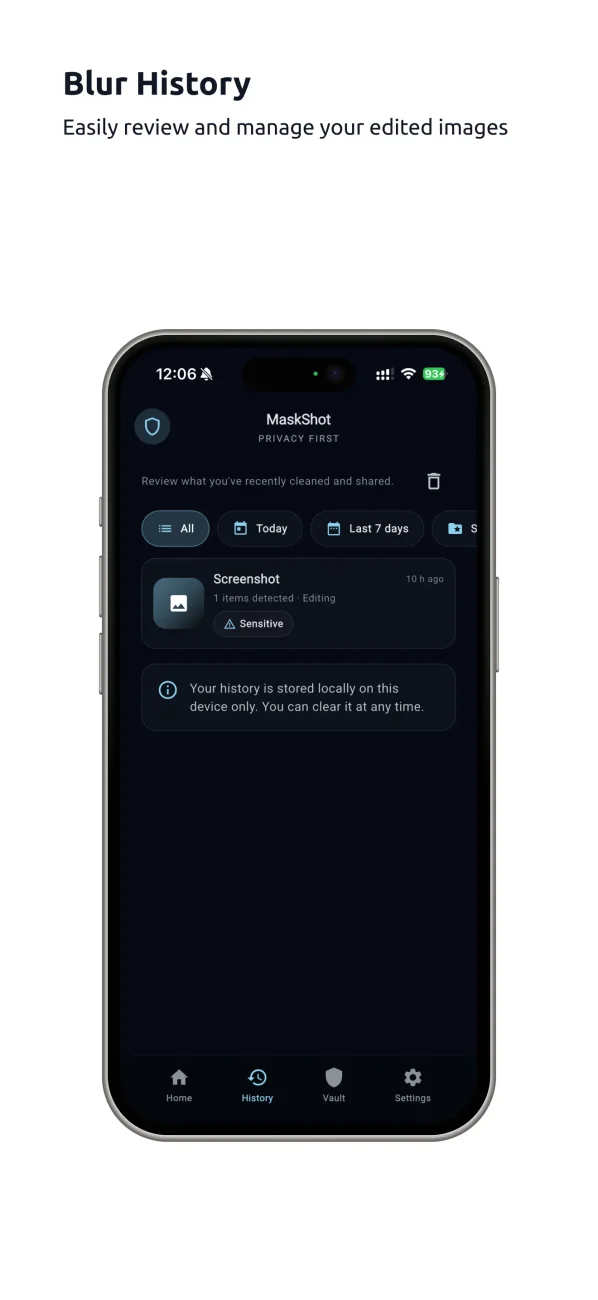
• Free: Core redaction, built-in patterns, secure vault (up to 5 images), history.
• Premium: Custom detection patterns, unlimited vault images, custom vaults, batch (multi-image) editing.
MaskShot does not use AI to process your data. Processing is entirely on-device. For full details, see our Privacy Policy and Terms in the app or at maskshot.chuongle.dev.
What’s new
Version 1.4.1 · Nov 13, 2026
- Save image with correct ratio with origin
App privacy
What Chuong Le declares on the App Store about how this app handles data.
-
Data not linked to you
May be collected but is not linked to your identity.
- Identifiers
- Diagnostics
Privacy practices may vary, for example with the features you use or your age.
Information
- Seller
- Chuong Le
- Category
- Productivity
- Version
- 1.4.1
- Updated
- Nov 13, 2026
- Released
- Mar 16, 2026
- Size
- 134.3 MB
- Requires
- iOS 15.5 or later
- Age rating
- 4+
- Price
- Free
- In-app purchases
- Yes
- Languages
- English
- Copyright
- © 2026 @ CDev
You might also like
-
 saved – the smartest bookmarkRecipes, location, everything
-
 Plainsight - Private NotesMinimal notes, hidden & shared
-
 Daily Planner : Ai MatrixFocus Timer & Task Matrix
-
 CopyStack: Clipboard ManagerCopy, Paste & Sync History
-
 InsideSync: AI Life PlannerBalance life. Optimise daily.
-
 Productivitism - Life RPGPixel RPG for Habits & Focus
-
 Notestream: Fast Notes to SelfPrivate chat-style notebook
-
 ScanBatch: Batch QR & BarcodeInventory Scanner, Scan to CSV
-
 Journal: LogLogPhoto & Video Scrapbook
-
 Pulse HabitYour daily habit tracker