
Max Read - Read Faster
Read faster, word by word
Designed for iPhone, iPad
Free · In-app purchases
- Age rating4+
- CategoryProductivity
- DeveloperSensonet
- LanguagesEnglish+ 13 more
- Size2.2 MB
Links to the official App Store page
Download.org hosts no file of Max Read - Read Faster. The button opens its official App Store page, published by Sensonet. Listing last checked on Nov 17, 2026.
Screenshots


About
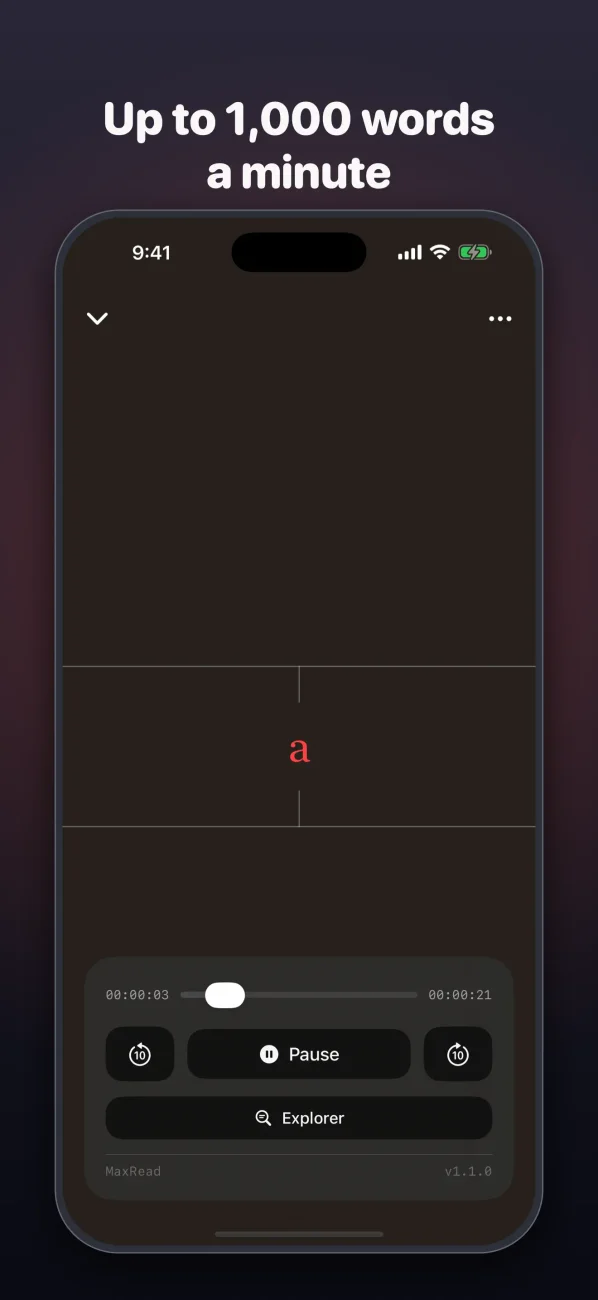
Max Read shows you one word at a time, right where your eyes are already looking. No lines to follow, no jumping back — just words arriving at the pace you choose.
WHY IT WORKS
When you read normally, your eyes spend most of their time moving between words instead of taking them in. Max Read removes those jumps: every word appears in the same spot, aligned to a highlighted anchor letter. Your eyes rest, your focus sharpens, and your pace climbs.
READ ANYTHING
• Import EPUB and PDF files
• Open web articles from a link
• Paste any text from your clipboard
• Scan printed pages with your camera — OCR turns photos into readable text
YOUR PACE, YOUR RULES
• Set your speed from 100 to 1,000 words per minute
• Add a natural pause at the end of each sentence
• Feel the rhythm with subtle haptic feedback
MAKE IT YOURS
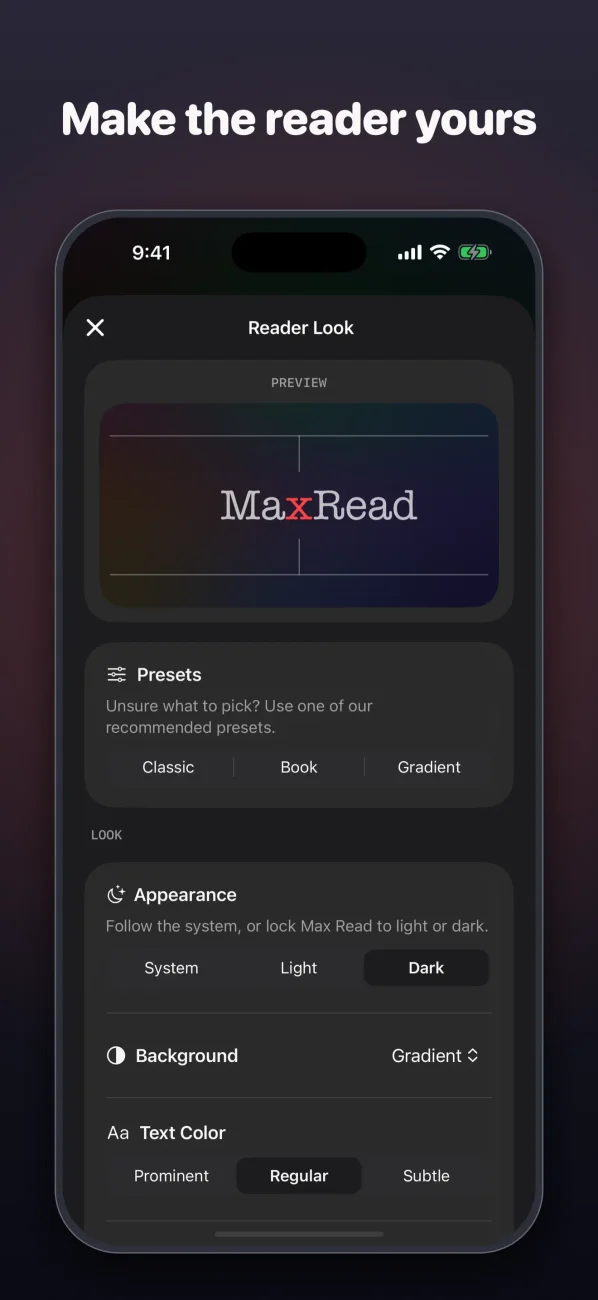
• Four backgrounds, including a calm animated gradient
• Serif, sans-serif and typewriter fonts in three sizes
• Eight anchor colors and adjustable guide lines
PICK UP WHERE YOU LEFT OFF
• Your Library keeps every document with reading progress and time left
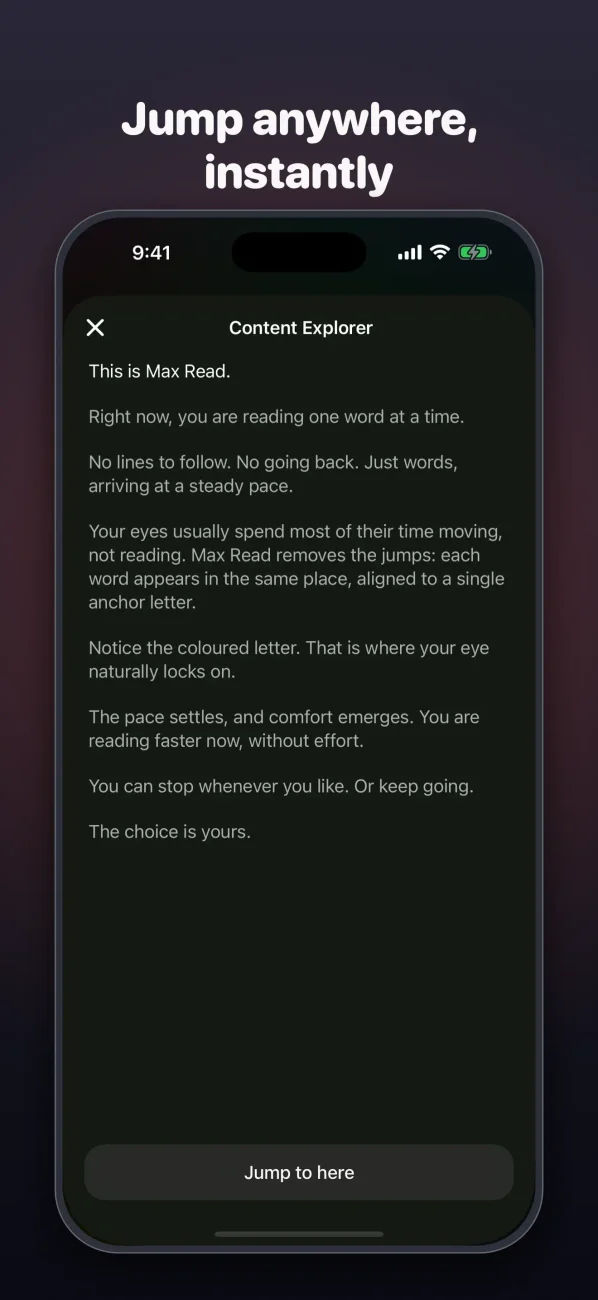
• The Content Explorer shows the full text so you can jump anywhere
Max Read speaks your language: English, Danish, German, Spanish, Arabic, Turkish, Swedish, Chinese, Japanese, Greek, French, Dutch, Italian and Russian.
Questions or ideas? Write to info@sebaexhibits.com — feedback goes straight to the developer.
Terms of Use (EULA): https://www.apple.com/legal/internet-services/itunes/dev/stdeula/
What’s new
Version 1.3 · Oct 23, 2026
Max Read is ready for iPhone Duo.
• Adaptive layouts keep reading and playback controls comfortable as you open, close, and fold your phone.
• Improved landscape and smaller-window layouts, with scrollable controls when space is limited.
• More flexible onboarding, import, and reader settings screens.
• Improved Arabic text rendering and correct Latin word order in right-to-left interfaces.
App privacy
What Sensonet declares on the App Store about how this app handles data.
-
Data not collected
The developer does not collect any data from this app.
Privacy practices may vary, for example with the features you use or your age.
Information
- Seller
- SENSONET BILISIM TEKNOLOJILERI ELEKTRONIK YAZILIM SANAYI VE TICARET LTD STI
- Category
- Productivity
- Version
- 1.3
- Updated
- Oct 23, 2026
- Released
- Jul 24, 2026
- Size
- 2.2 MB
- Requires
- iOS 18.0 or later
- Age rating
- 4+
- Price
- Free
- In-app purchases
- Yes
- Languages
- English, Arabic, Danish, Dutch, French, German, Greek, Italian, Japanese, Russian, Simplified Chinese, Spanish + 2 more
- Copyright
- © Sensonet Bilisim Ltd. Sti.
You might also like
-
 Read Forge: Speed ReaderBooks & articles, word by word
-
 Glyphi: Speed ReaderRead Books, PDFs & Articles
-
 内定ノート-転職・就活の選考管理と面接対策Productivity
-
 Rivo: Speed Reading & PDFRSVP reader: read books faster
-
 DocIQUnderstand Before You Sign
-
 iReadr — Speed ReaderRead Faster: Books, PDF & Web
-
 AI Crypto Portfolio: Koin PROCrypto tracker AI & Portfolio
-
 Rapid Reader: Word by WordRSVP Speed Reading Trainer
-
 Qualiex Auditorias | ForLogicProductivity
-
 clipboood - Auto ClipboardCopy Paste History in Any App