
MDflow - Mobile Markdown
Space for humans and AI agents
Designed for iPhone, iPad
Free
- Age rating4+
- CategoryProductivity
- DeveloperDataOps, s.r.o.
- LanguagesEnglish
- Size6.4 MB
Links to the official App Store page
Download.org hosts no file of MDflow - Mobile Markdown. The button opens its official App Store page, published by DataOps, s.r.o. Listing last checked on Nov 24, 2026.
Screenshots
About
MDflow is an online markdown workspace for writing in a clean, portable format and keeping your knowledge organized. This is the official iOS companion — your whole workspace, ready on iPhone and iPad.
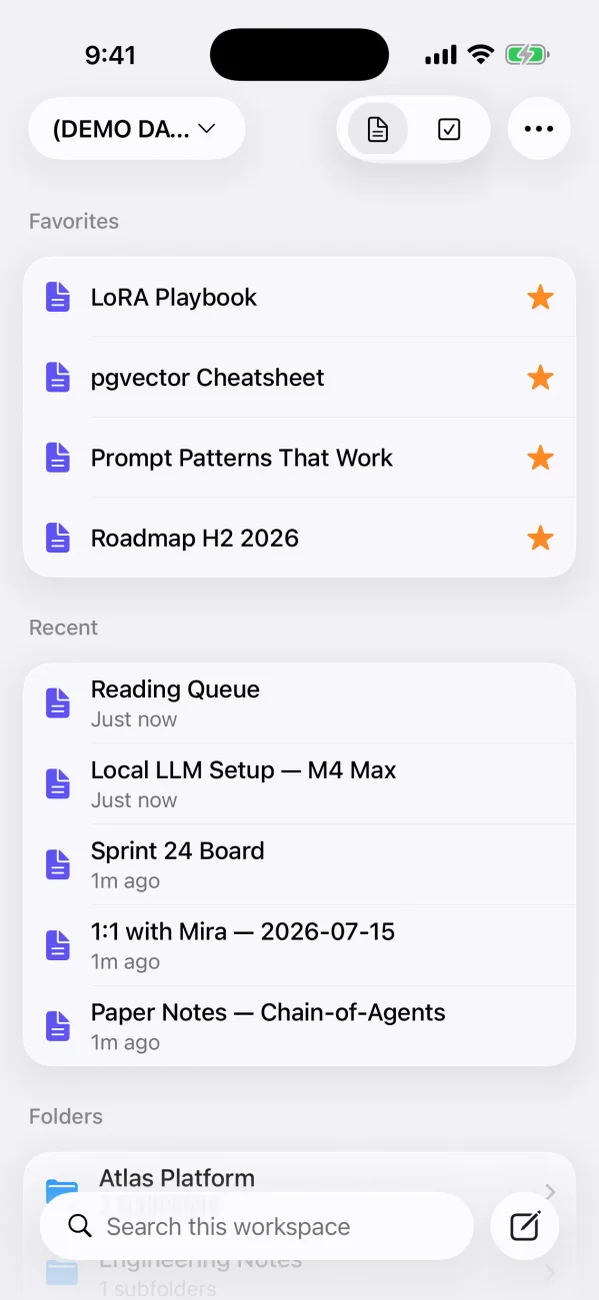
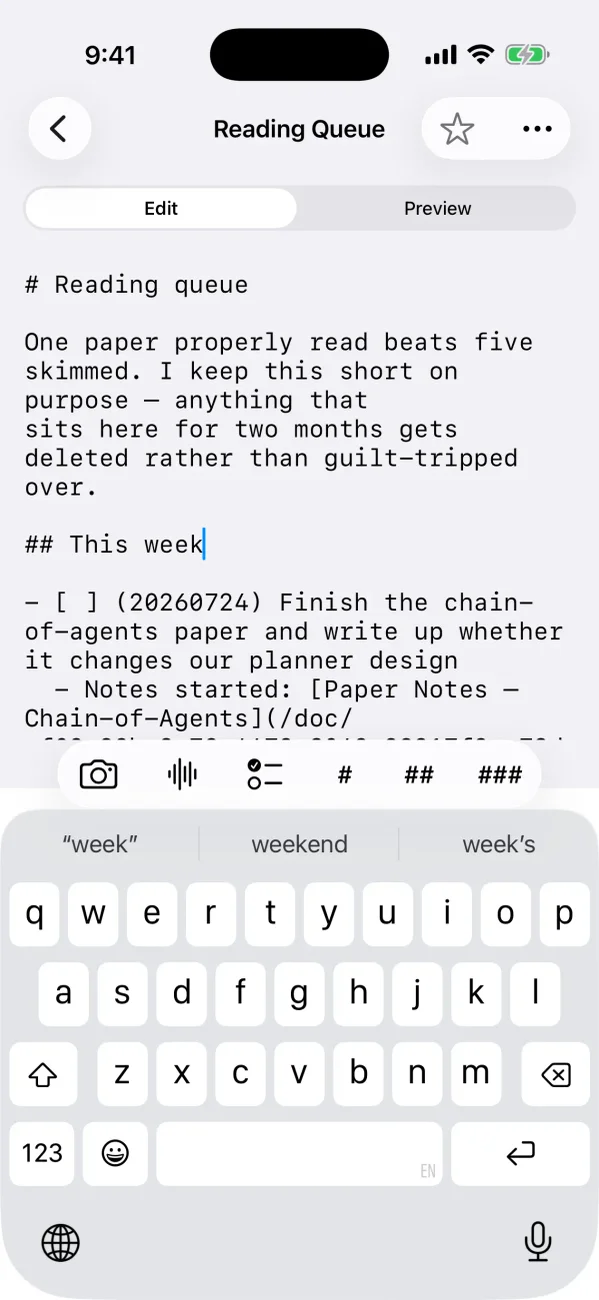
Sign in and pick up exactly where you left off on the web. Browse your folders and favorites, search across your entire workspace, and edit any document with autosave so your work is always kept.
WHAT YOU CAN DO
• Sign in securely with Apple, Google, GitHub, or Microsoft
• Browse folders, subfolders, and your favorite documents
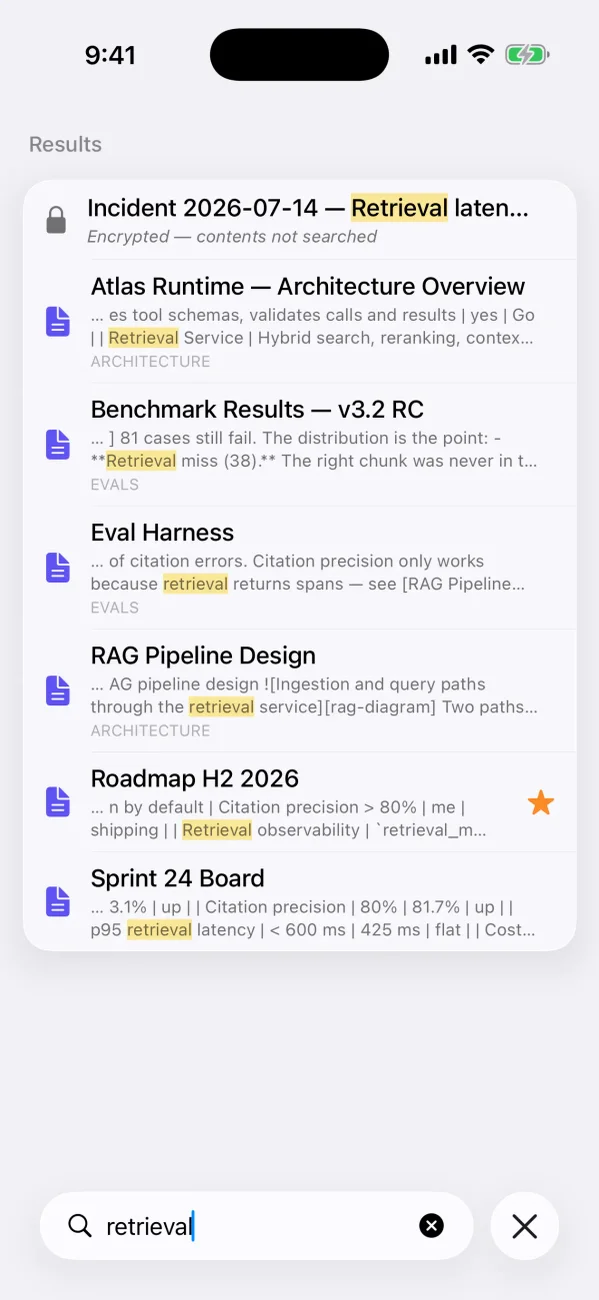
• Search across your whole workspace and jump straight to a match
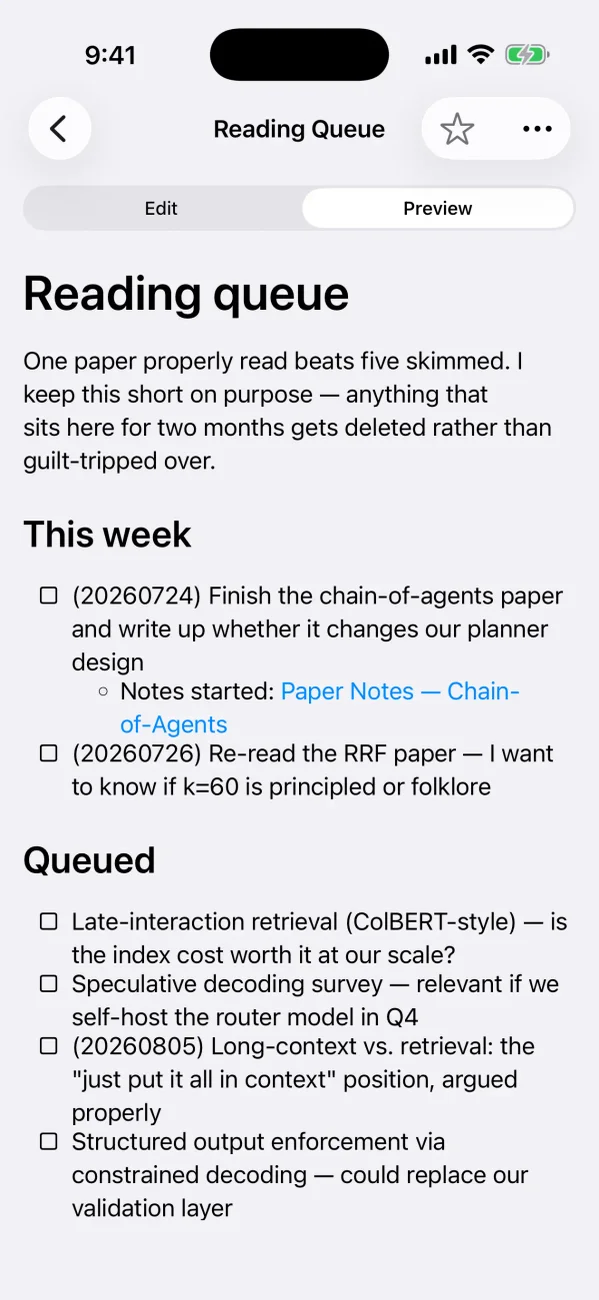
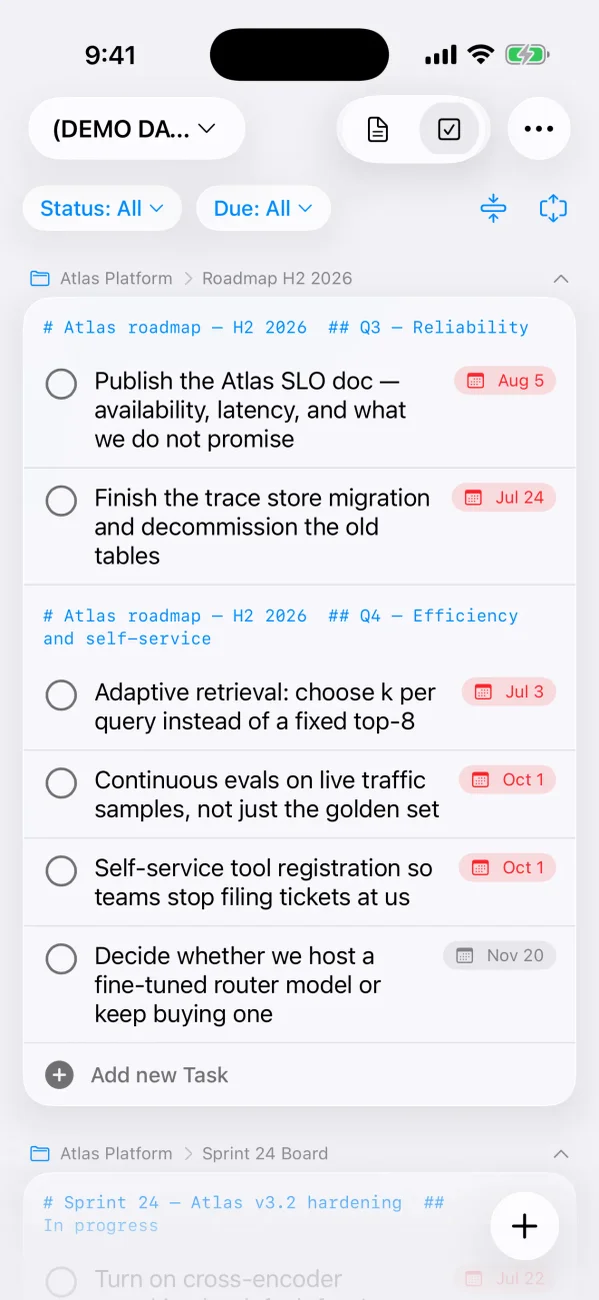
• Write and edit in clean Markdown with a live rendered preview
• Autosave keeps your changes without a manual save
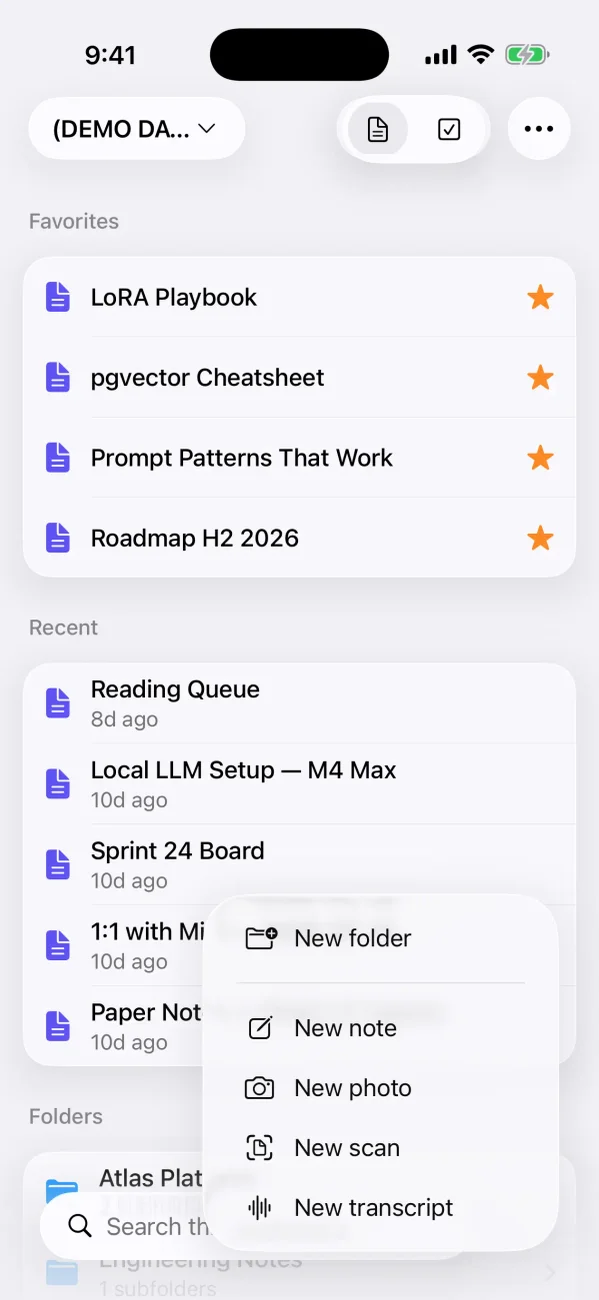
• Create new documents and folders on the go
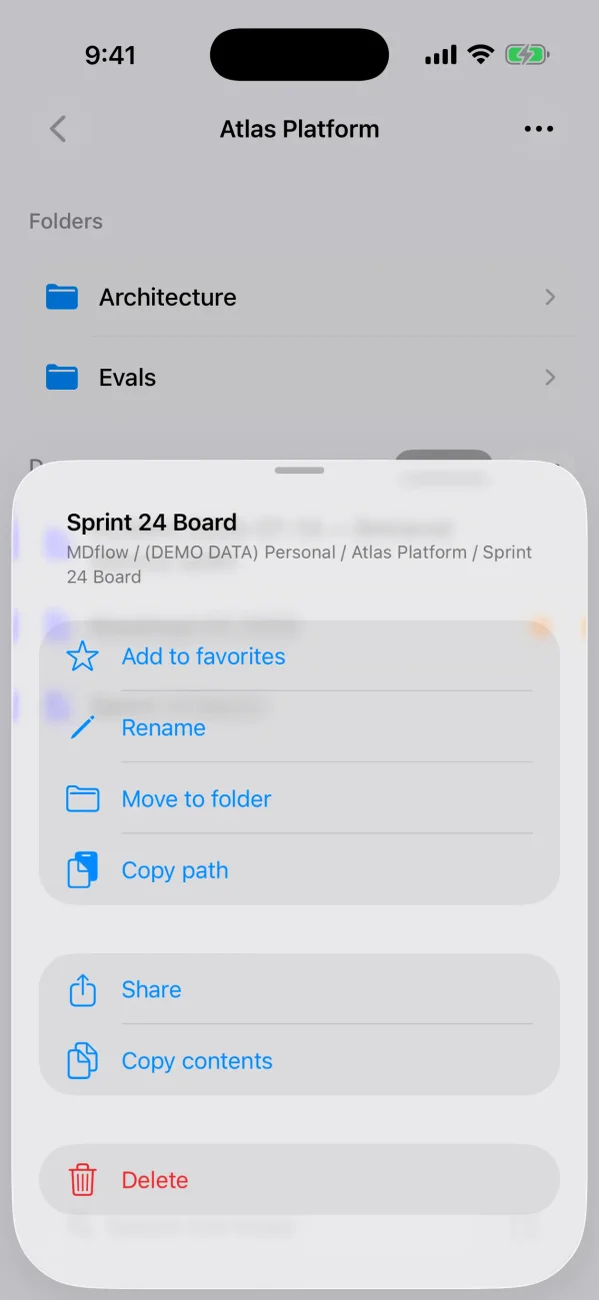
• Rename, move, favorite, and delete documents
• Unlock password-protected documents, encrypted on your device with Face ID
• Adjust text size for comfortable reading and writing
• Pull to refresh to sync the latest changes
YOUR CONTENT, YOUR FORMAT
Everything you write stays as plain Markdown — portable, future-proof, and never locked into a proprietary format. Sensitive documents are encrypted with a password directly on your device, so their contents are never visible to the server.
EVEN MORE ON THE WEB
MDflow on the web adds side-by-side editing and preview, version history, collections, public and private sharing, import and export, and a full API and MCP server for scripts and AI agents. The iOS app keeps that same workspace in your pocket.
Learn more at mdflow.cz
Terms of Use (EULA): https://www.apple.com/legal/internet-services/itunes/dev/stdeula
What’s new
Version 1.20 · Nov 24, 2026
• Quick actions on the app icon: touch and hold MDflow on the Home Screen to start a new note, photo, scan or transcript without opening the app first. It's saved in your first (default) workspace.
• New photo: the New button next to search can now start a note with a photo. The camera opens right away and the photo goes into the new note.
• Tidier new notes: notes, photos, scans and transcripts made from the home screen are named after their kind and the date and time, like "Note - 2026-11-23 14:54:07", and filed in their own folder under iOS: Notes, Photos, Scans or Transcripts.
App privacy
What DataOps, s.r.o. declares on the App Store about how this app handles data.
-
Data linked to you
May be collected and linked to your identity.
- Contact info
- User content
- Identifiers
Privacy practices may vary, for example with the features you use or your age.
Information
- Seller
- DataOps, s.r.o.
- Category
- Productivity
- Version
- 1.20
- Updated
- Nov 24, 2026
- Released
- Jul 8, 2026
- Size
- 6.4 MB
- Requires
- iOS 26.5 or later
- Age rating
- 4+
- Price
- Free
- Languages
- English
- Copyright
- © 2026 DataOps s.r.o.
You might also like
-
 Steady Tasks: Breakdown AIBreak Tasks, Beat Overwhelm
-
 Jotaid - Your Note EngineNotes, Graph, Canvas & AI
-
 JotifiedTransform your ideas and tasks
-
 Speed Read AnythingRead Your Everything, Faster
-
 openote: Markdown Notes & SyncPlain .md files. No account.
-
 MobiFolders 4File Manager and PDF Reader
-
 OrbNote: Chat-Style NotesCapture first. Organize later.
-
 Zutext - Private Notesprivate, e2ee, folder
-
 QingMo - Markdown EditorLive preview, flash publish
-
 smalltype – Markdown NotesPlain .md files, real folders