
MDflow - Mobile Markdown
Space for humans and AI agents
Được thiết kế cho iPhone, iPad
- Độ tuổi4+
- Danh mụcHiệu Suất
- Nhà phát triểnDataOps, s.r.o.
- Ngôn ngữTiếng Anh
- Kích thước6,4 MB
MDflow - Mobile Markdown hiện có thể không có trên App Store
Ở lần kiểm tra gần nhất, chúng tôi không truy cập được trang trên cửa hàng. Liên kết vẫn dẫn đến trang App Store chính thức.
Ảnh chụp màn hình
Giới thiệu
Nhà phát triển chưa cung cấp nội dung này bằng ngôn ngữ của bạn.
MDflow is an online markdown workspace for writing in a clean, portable format and keeping your knowledge organized. This is the official iOS companion — your whole workspace, ready on iPhone and iPad.
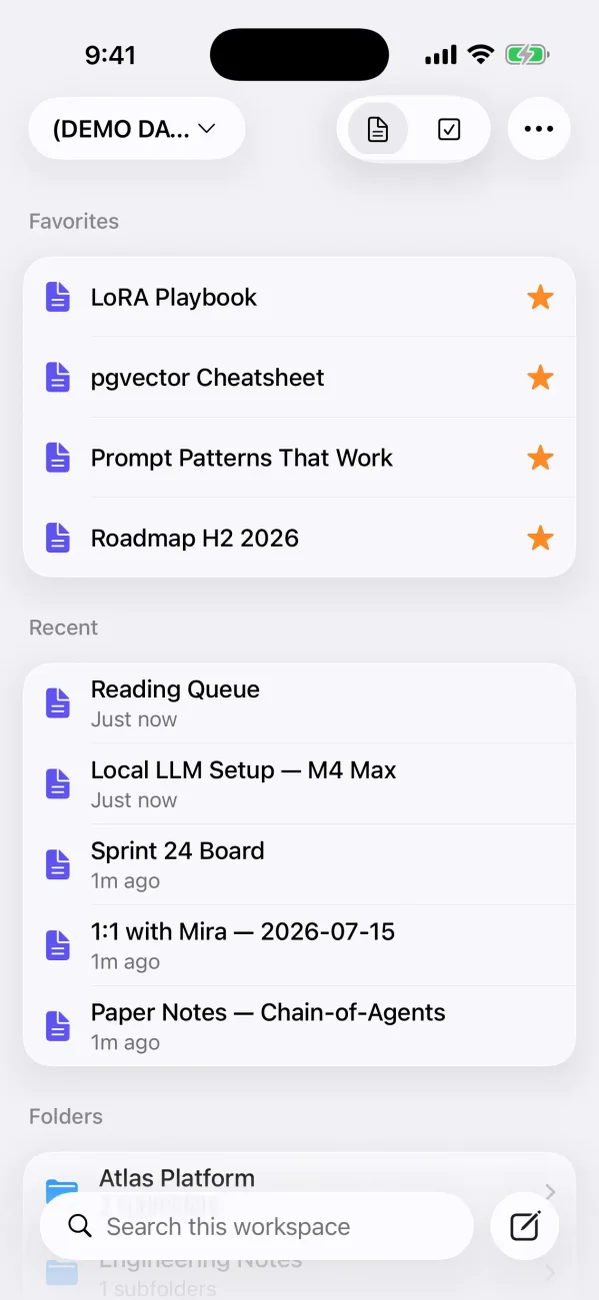
Sign in and pick up exactly where you left off on the web. Browse your folders and favorites, search across your entire workspace, and edit any document with autosave so your work is always kept.
WHAT YOU CAN DO
• Sign in securely with Apple, Google, GitHub, or Microsoft
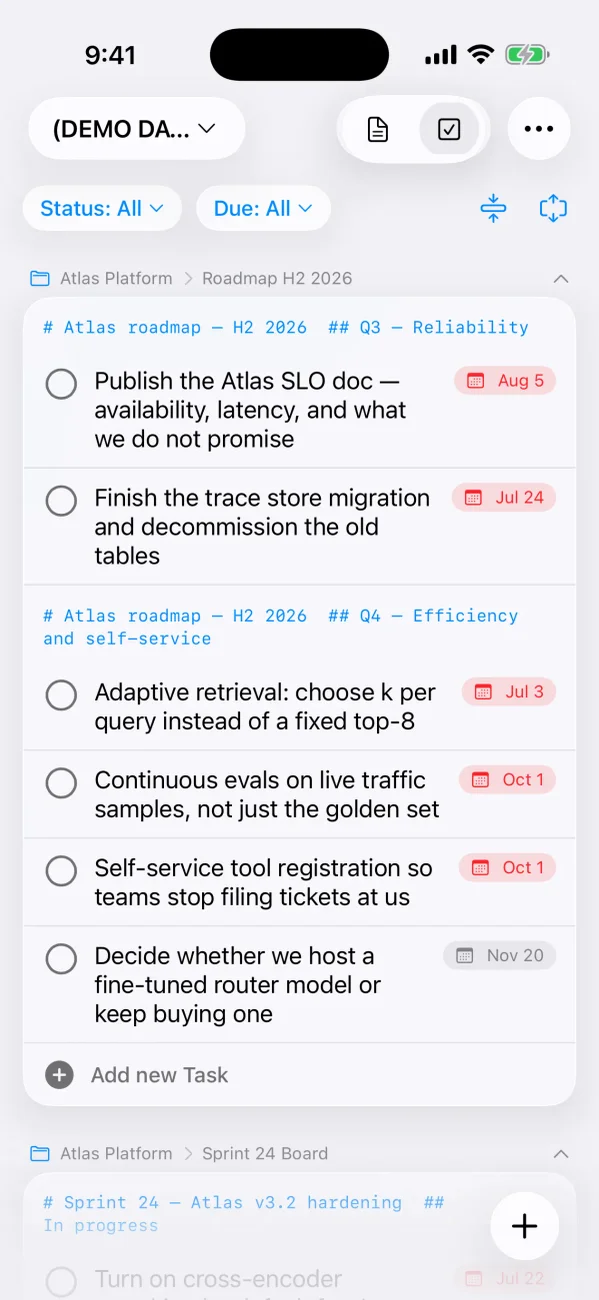
• Browse folders, subfolders, and your favorite documents
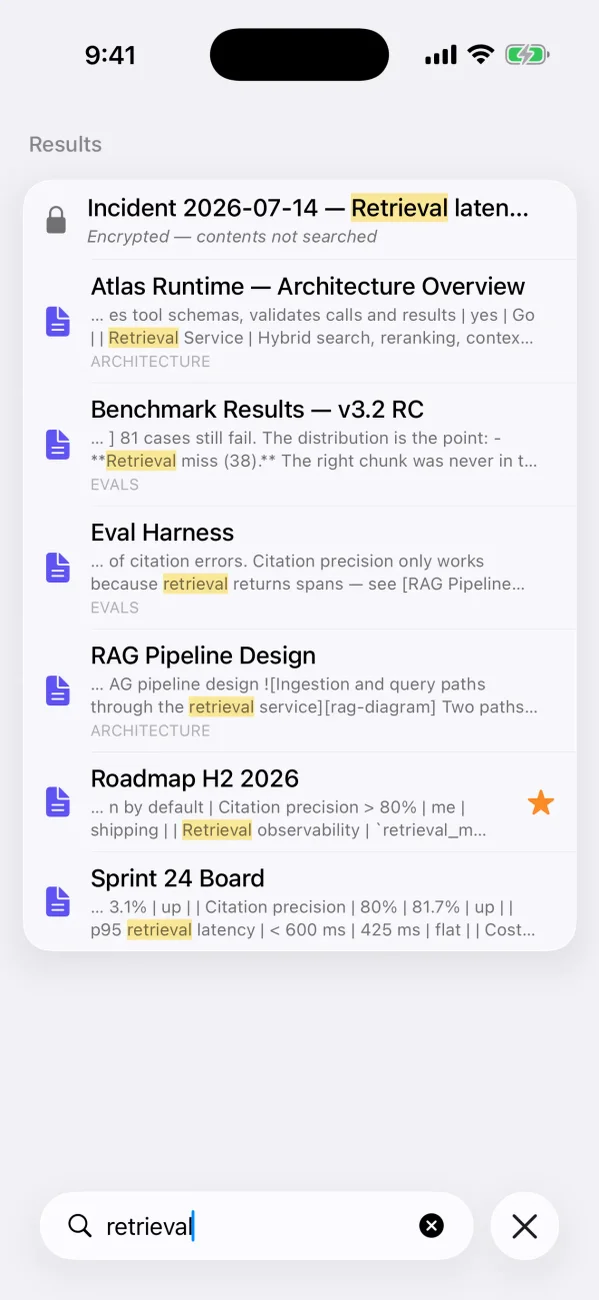
• Search across your whole workspace and jump straight to a match
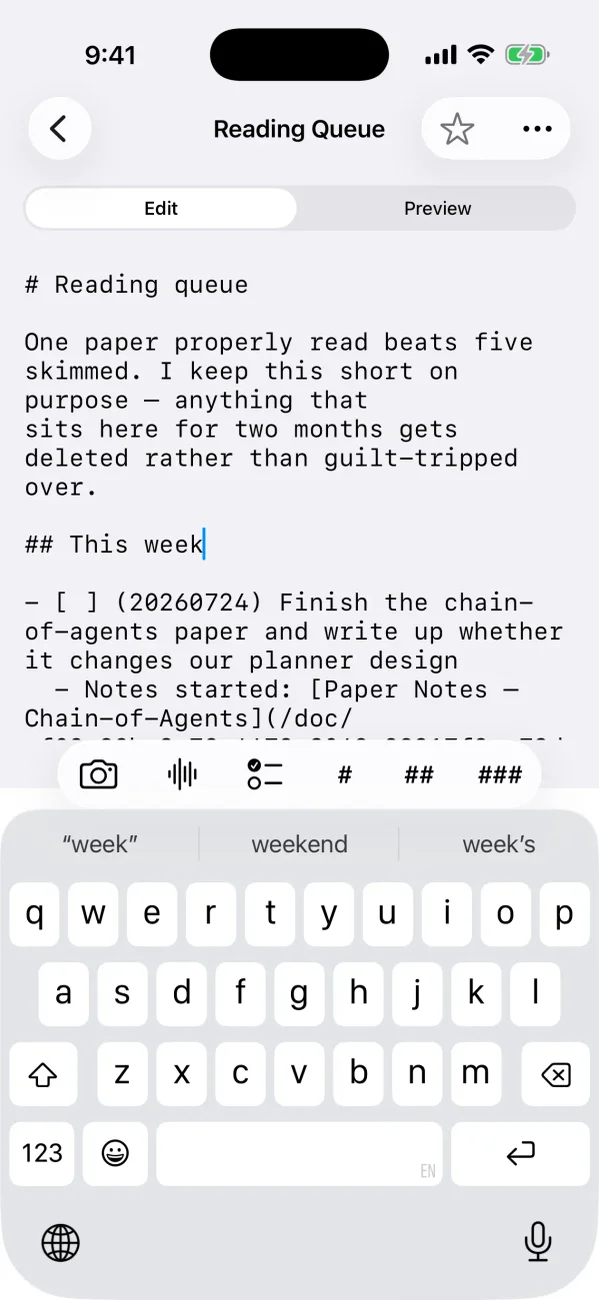
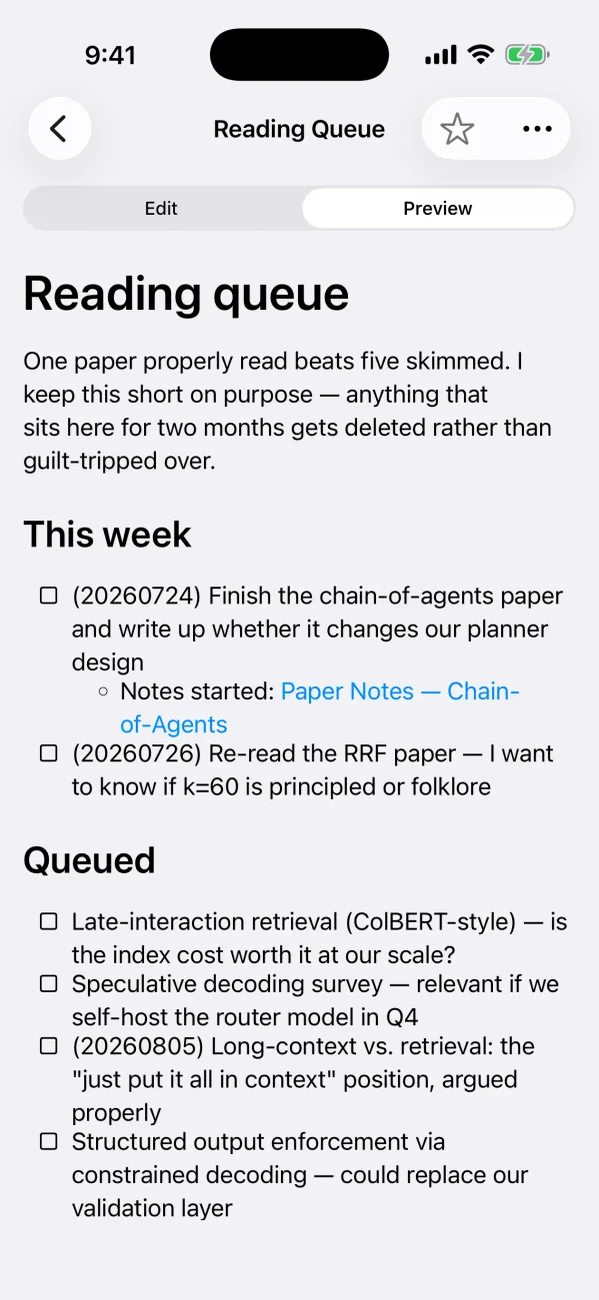
• Write and edit in clean Markdown with a live rendered preview
• Autosave keeps your changes without a manual save
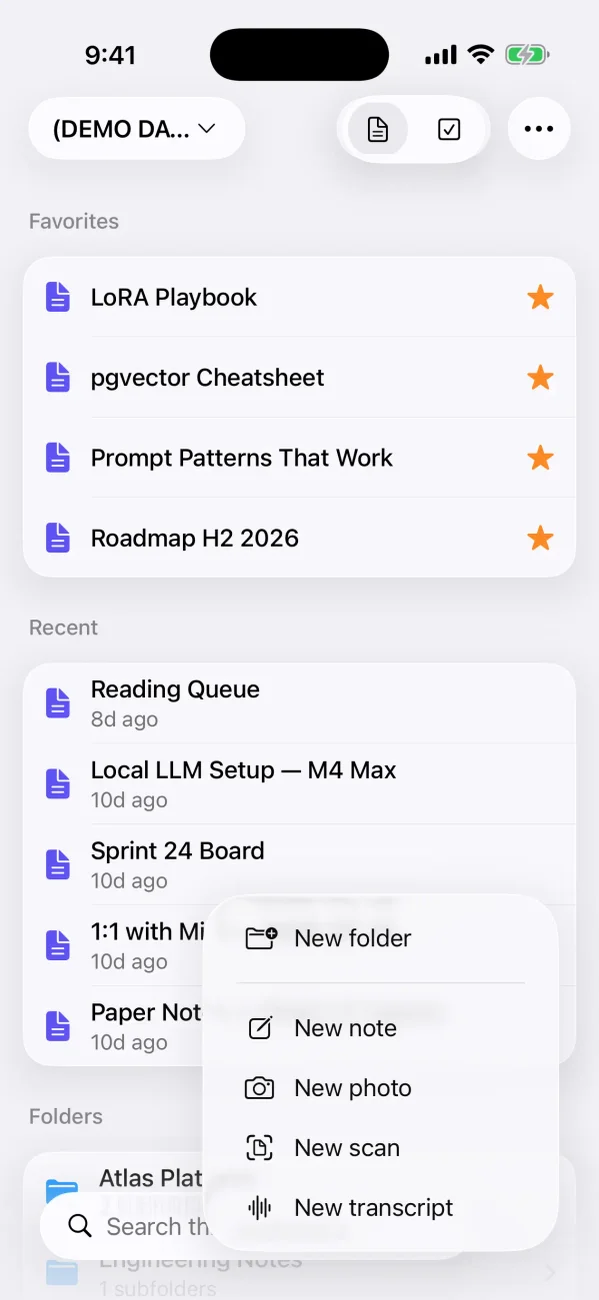
• Create new documents and folders on the go
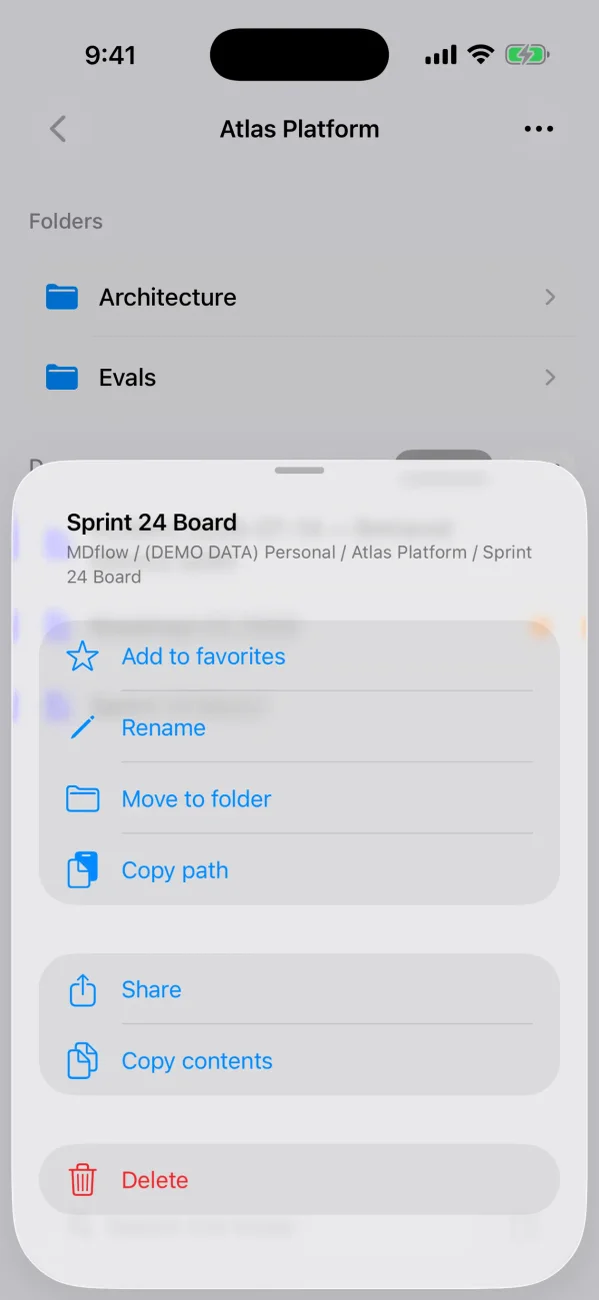
• Rename, move, favorite, and delete documents
• Unlock password-protected documents, encrypted on your device with Face ID
• Adjust text size for comfortable reading and writing
• Pull to refresh to sync the latest changes
YOUR CONTENT, YOUR FORMAT
Everything you write stays as plain Markdown — portable, future-proof, and never locked into a proprietary format. Sensitive documents are encrypted with a password directly on your device, so their contents are never visible to the server.
EVEN MORE ON THE WEB
MDflow on the web adds side-by-side editing and preview, version history, collections, public and private sharing, import and export, and a full API and MCP server for scripts and AI agents. The iOS app keeps that same workspace in your pocket.
Learn more at mdflow.cz
Terms of Use (EULA): https://www.apple.com/legal/internet-services/itunes/dev/stdeula
Có gì mới
Phiên bản 1.20 · 24/11/2026
• Quick actions on the app icon: touch and hold MDflow on the Home Screen to start a new note, photo, scan or transcript without opening the app first. It's saved in your first (default) workspace.
• New photo: the New button next to search can now start a note with a photo. The camera opens right away and the photo goes into the new note.
• Tidier new notes: notes, photos, scans and transcripts made from the home screen are named after their kind and the date and time, like "Note - 2026-11-23 14:54:07", and filed in their own folder under iOS: Notes, Photos, Scans or Transcripts.
Quyền riêng tư của ứng dụng
Những gì DataOps, s.r.o. khai báo trên App Store về cách ứng dụng này xử lý dữ liệu.
-
Dữ liệu liên kết với bạn
Có thể được thu thập và liên kết với danh tính của bạn.
- Thông tin liên hệ
- Nội dung của người dùng
- Mã định danh
Phương thức đảm bảo quyền riêng tư có thể khác nhau, chẳng hạn như tuỳ theo các tính năng bạn sử dụng hoặc độ tuổi của bạn.
Thông tin
- Người bán
- DataOps, s.r.o.
- Danh mục
- Hiệu Suất
- Phiên bản
- 1.20
- Cập nhật
- 24/11/2026
- Phát hành
- 08/07/2026
- Kích thước
- 6,4 MB
- Yêu cầu
- iOS 26.5 trở lên
- Độ tuổi
- 4+
- Ngôn ngữ
- Tiếng Anh
- Bản quyền
- © 2026 DataOps s.r.o.
Có thể bạn cũng thích
-
 Việc Đều: Chia AIChia nhỏ việc, giảm áp lực
-
 Jotaid - Your Note EngineHiệu Suất
-
 JotifiedHiệu Suất
-
 Speed Read AnythingHiệu Suất
-
 openote: Markdown Notes & SyncHiệu Suất
-
 MobiFolders 4Hiệu Suất
-
 OrbNote: Chat-Style NotesHiệu Suất
-
 Zutext - Private NotesHiệu Suất
-
 QingMo - Markdown EditorHiệu Suất
-
 smalltype – Markdown NotesHiệu Suất