
Melodician
Turn notes into an instrument
Designed for iPhone, iPad
In-app purchases
- Age rating4+
- CategoryMusic
- DeveloperYuichi Sato
- LanguagesJapanese+ 1 more
- Size151.7 MB
Links to the official App Store page
Download.org hosts no file of Melodician. The button opens its official App Store page, published by Yuichi Sato. Listing last checked on Nov 12, 2026.
Screenshots
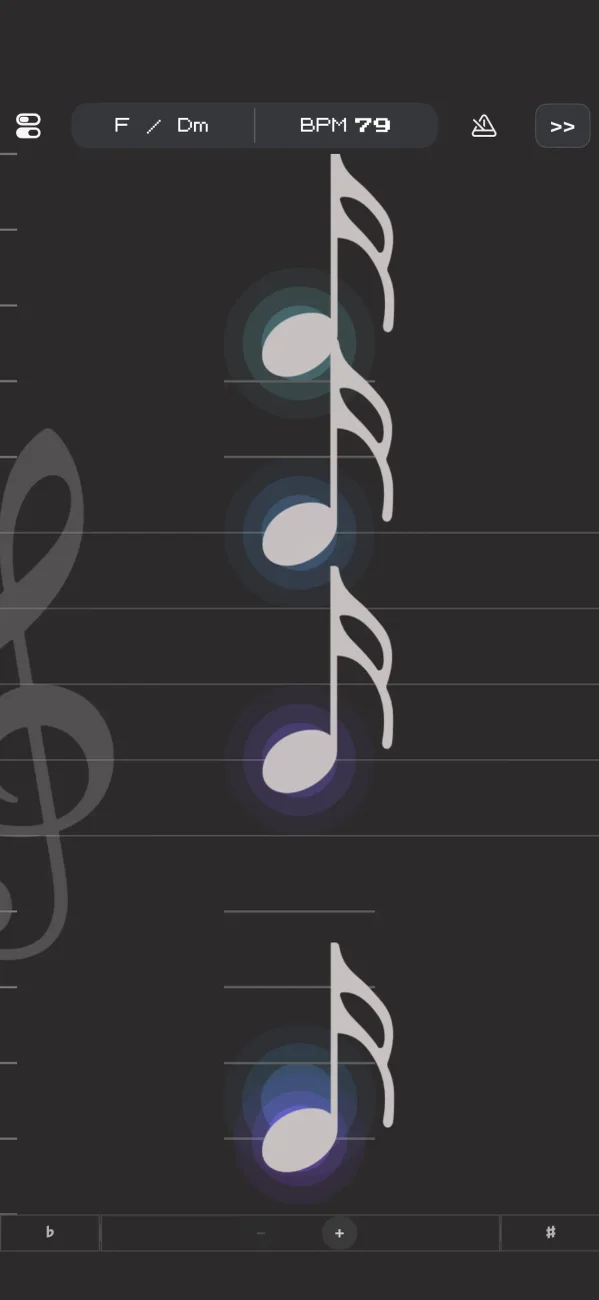
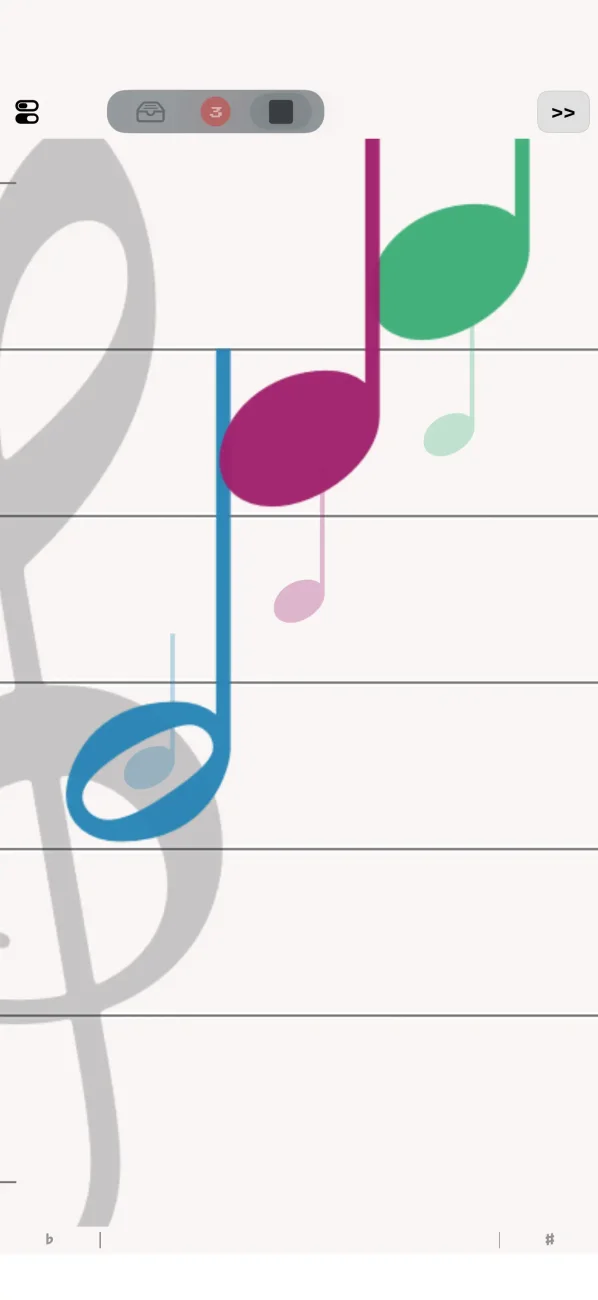
About
For everyone who plays an instrument.
Turn your sheet music into an instrument.
Tap notes directly to perform. Enjoy rhythm practice, sight-reading, ear training, and simple song ideas with ease.
• Play single notes and chords, with # / b by tapping the left or right edges
• Tap length roughly changes note duration
• Transpose
• Metronome
• Recording & Playback
• Add takes to layer your performance
• Change the key and tempo during playback
• Performance data syncs with the companion app “Kalimbar”
• Effects
• Zoom in and out of the score
• Zooming out enables a wider playable note range.
【FAQ】
Q. I’m concerned about the response time (latency) between tapping and hearing the sound.
A. We recommend using the device’s built-in speaker or a wired connection (earphones/headphones via USB-C/Lightning).
Note: Bluetooth (wireless) audio is more likely to introduce delay by design.
Q. When I use 3-finger (or more) multitouch, the sound or behavior becomes unstable.
A. If Settings > Accessibility > Zoom is ON, iOS/iPadOS prioritizes its built-in three-finger gestures, which can interfere with this app’s controls.
If needed, please temporarily turn Zoom OFF.
What’s new
Version 2.2.0 · Aug 11, 2026
- v2.2.0 — Aug 10, 2026
- New: Adjustable playback volume for each tone
- You can now adjust the playback volume of each tone individually from the tone selection screen.
- v2.1.1 — Aug 5, 2026
- Fixed: An issue where the app could become unresponsive when opening Settings from the free-version prompt after changing the display scale
- v2.1.0 — Jul 31, 2026
- New: Added 10 more tones
- New: Settings now remembers your scroll position while the app is running
- New: Added “Credits & Thanks” under Settings > Other
- v2.0.0 — Jul 11, 2026
- New: Added 10 new tones
- New: You can now select tones from the performance screen
- New: Added a sustain pedal
- New: You can now adjust how much the treble clef moves with the rhythm
- New: You can now choose when playback notes begin to shrink
- Improved: Made zooming and other performance controls easier to use
- Improved: Updated pedal and playback note visuals to better show note length
- Improved: Improved performance screen rendering and stability
App privacy
What Yuichi Sato declares on the App Store about how this app handles data.
-
Data used to track you
May be used to track you across apps and websites owned by other companies.
- Usage data
-
Data not linked to you
May be collected but is not linked to your identity.
- Usage data
Privacy practices may vary, for example with the features you use or your age.
Information
- Seller
- Yuichi Sato
- Category
- Music
- Version
- 2.2.0
- Updated
- Aug 11, 2026
- Released
- Jan 6, 2026
- Size
- 151.7 MB
- Requires
- iOS 26.0 or later
- Age rating
- 4+
- In-app purchases
- Yes
- Languages
- Japanese, English
- Copyright
- © 2026 Y.Sato & White Mokko
You might also like
-
 BeatMapperTap, loop and layer sounds
-
 Setlist Diary - Concert LogFestival, Spending & Distance
-
 OFFBEAT — Rhythm TrainerSka & jazz rhythm trainer
-
 KYAS Ukulele TunerMusic
-
 Kasane: Music Practice TrackerDaily music practice log
-
 Toka Metronome & DrumsPractice with real drum feels
-
 Jazz Time TrainerMusic
-
 NSM Groove MetronomeSee it. Count it. Lock it in.
-
 OTOPOPMusic
-
 GalaMelo - SMAF着メロ再生Music