- Age rating4+
- CategoryProductivity
- DeveloperQOOQ inc.
- LanguagesEnglish+ 4 more
- Size51.4 MB
Links to the official App Store page
Download.org hosts no file of Memoriter. The button opens its official App Store page, published by QOOQ inc. Listing last checked on Nov 12, 2026.
Screenshots
About
Save what you want to remember, then review it before it slips away.
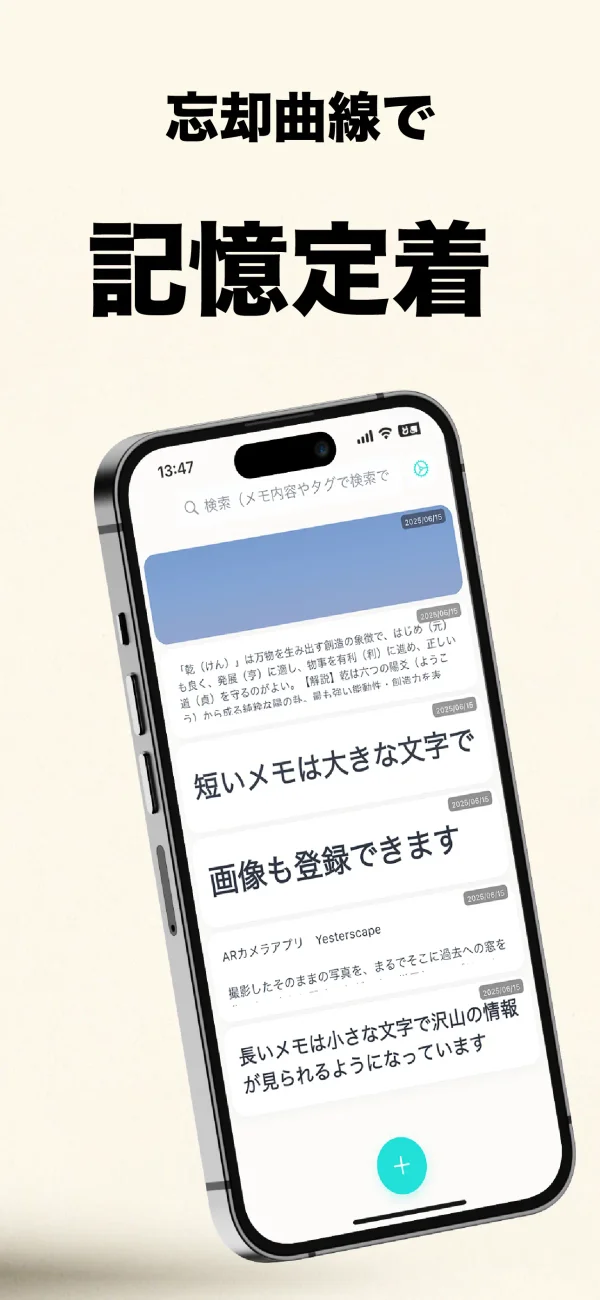
Memoriter is a lightweight study reminder and memo app for notes, photos, tags, and review notifications.
Use it for exam prep, vocabulary, reading notes, work checklists, and everyday ideas. Write a memo, attach an image or screenshot, organize it with tags, and search by text or tag when you need it again.
Key features
- Create, edit, and archive memos
- Add photos and screenshots to notes
- Organize study topics with tags
- Search memo text and tags together
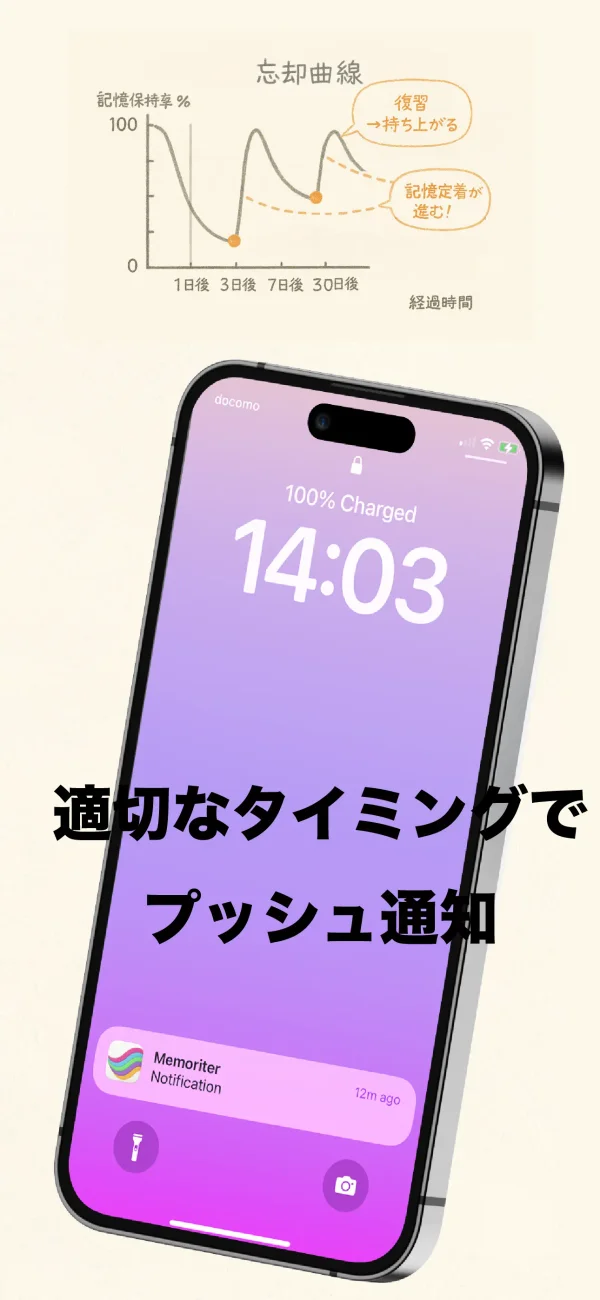
- Set notification time ranges for review
- Back up and restore your data
Good for
- Memorizing vocabulary and key terms
- Reviewing class or lecture notes
- Keeping reading notes and work reminders
- Saving ideas you want to revisit later
Memoriter is not a complex learning platform. It is a fast, focused notebook for capturing what matters and turning it into a review habit.
What’s new
Version 5.0.8 · May 13, 2026
Added support for Korean, Simplified Chinese, and Traditional Chinese.
App privacy
What QOOQ inc. declares on the App Store about how this app handles data.
-
Data not collected
The developer does not collect any data from this app.
Privacy practices may vary, for example with the features you use or your age.
Information
- Seller
- QOOQ inc.
- Category
- Productivity
- Version
- 5.0.8
- Updated
- May 13, 2026
- Released
- Jan 16, 2015
- Size
- 51.4 MB
- Requires
- iOS 16.6 or later
- Age rating
- 4+
- Price
- Free
- In-app purchases
- Yes
- Languages
- English, Japanese, Korean, Simplified Chinese, Traditional Chinese
- Copyright
- © QOOQ inc
You might also like
-
 Memorizer: Learning AssistantLearn faster with flashcards
-
 メモリマProductivity
-
 Memoreasy - memorize easilySpaced repetition
-
 ヌケスト:沼脱出タイマーProductivity
-
 DevTrack - Notes & TasksAll-in-One Productivity App
-
 Anchor App BlockerBlock Apps. Stay Focused.
-
 JOT - Just One ThingDaily focus. One task a day.
-
 Focus Mirror: Study TimerStay on task with your camera
-
 Kanso - Zen FocusProductivity
-
 NoteTrack - 자유도 높은 트래커 메모앱Productivity