
Menu Bar Maker - MenuBarTools
Keyboard Shortcut & List Maker
Designed for iPad
Free · In-app purchases
- Age rating4+
- CategoryUtilities
- DeveloperTiger Ng
- LanguagesEnglish+ 12 more
- Size6.2 MB
Links to the official App Store page
Download.org hosts no file of Menu Bar Maker - MenuBarTools. The button opens its official App Store page, published by Tiger Ng. Listing last checked on Nov 17, 2026.
Screenshots

About
MenuBarTools — Make your iPad feel like a Mac
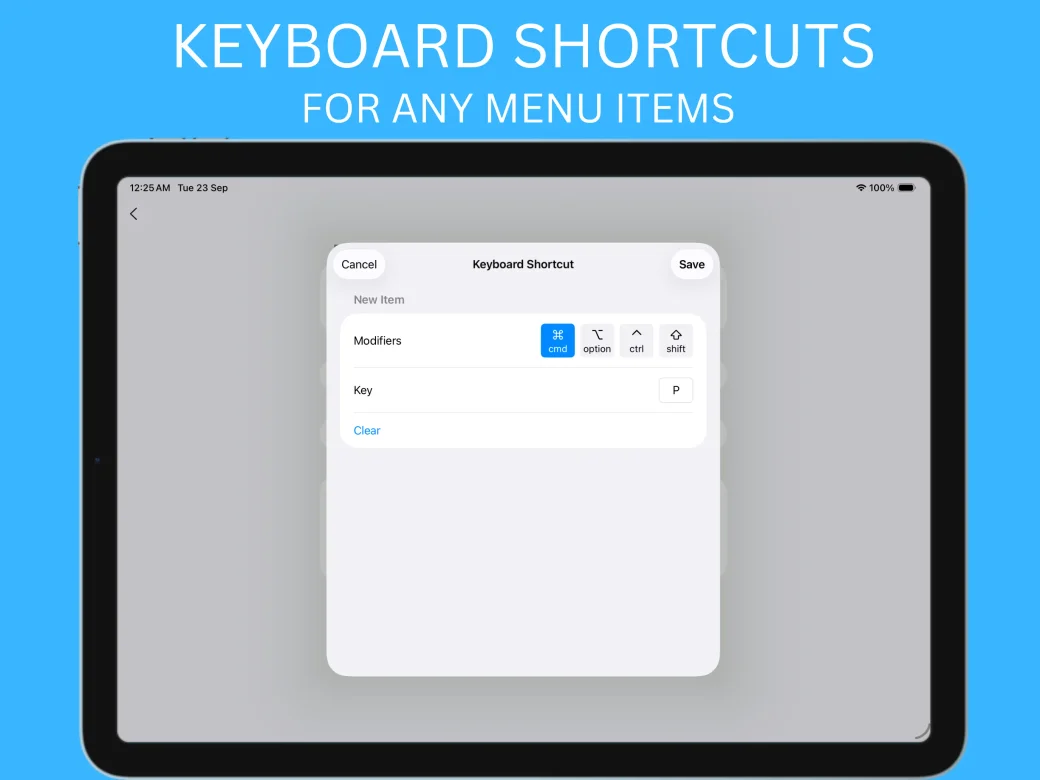
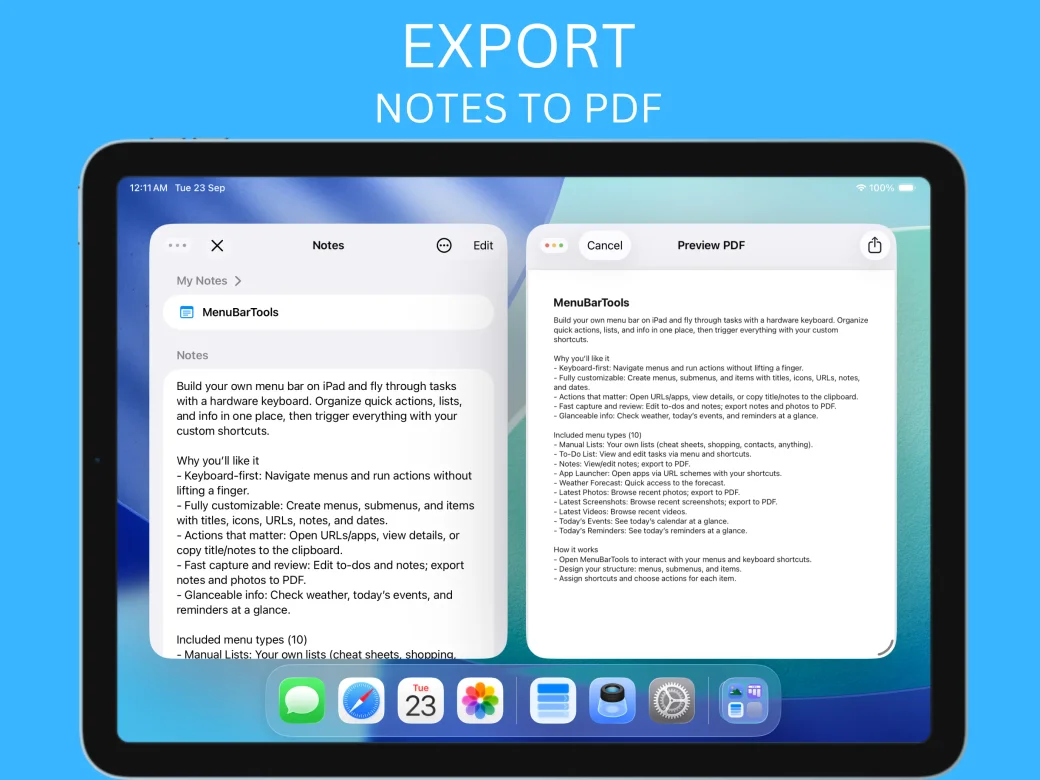
Build your own menu bar on iPad and fly through tasks with a hardware keyboard. Organize quick actions, lists, and info in one place, then trigger everything with your custom shortcuts.
Why you’ll like it
- Keyboard-first: Navigate menus and run actions without lifting a finger.
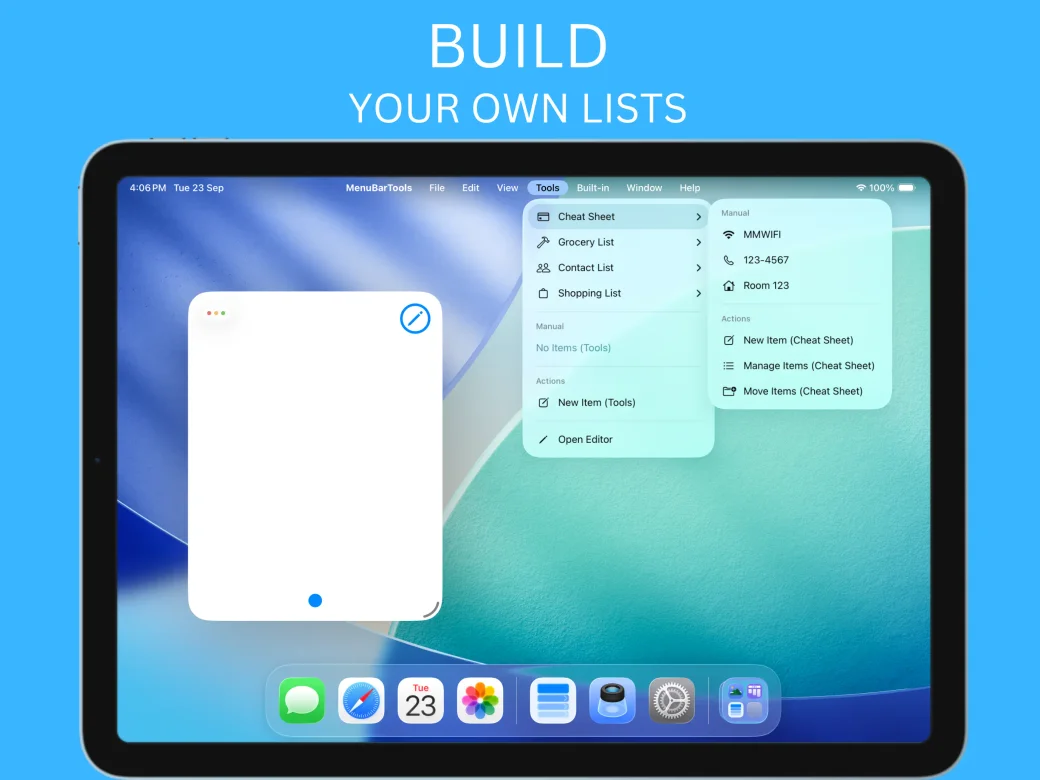
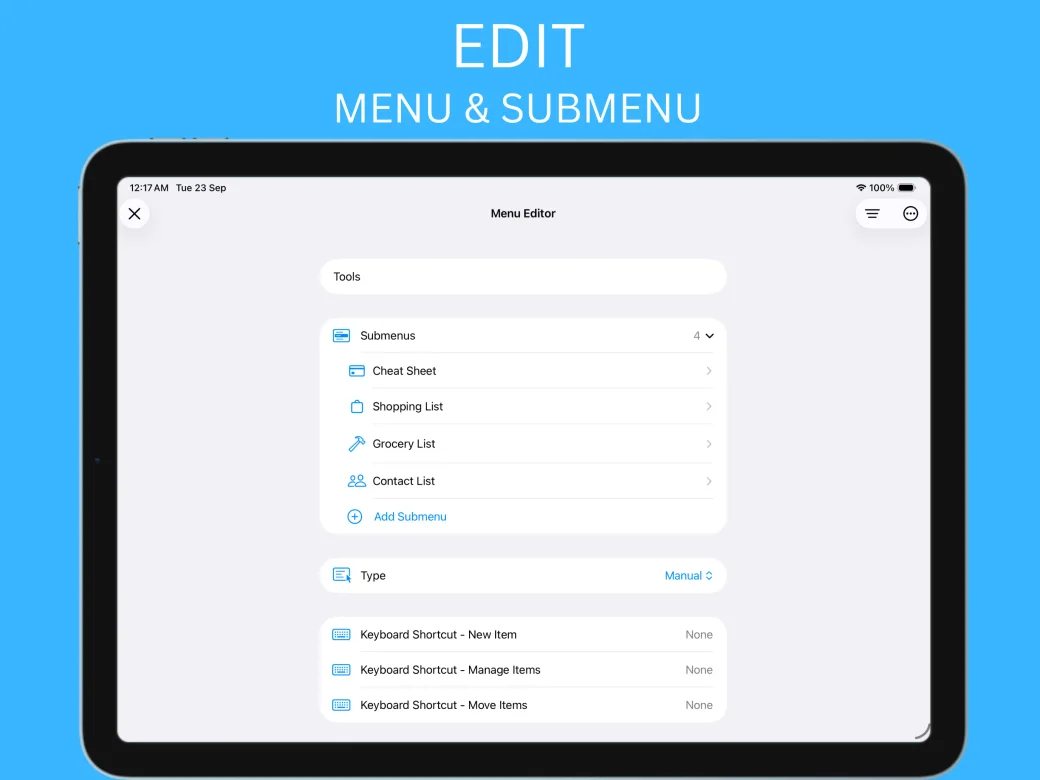
- Fully customizable: Create menus, submenus, and items with titles, icons, URLs, notes, and dates.
- Actions that matter: Open URLs/apps, view details, or copy title/notes to the clipboard.
- Fast capture and review: Edit to-dos and notes; export notes and photos to PDF.
- Glanceable info: Check weather, today’s events, and reminders at a glance.
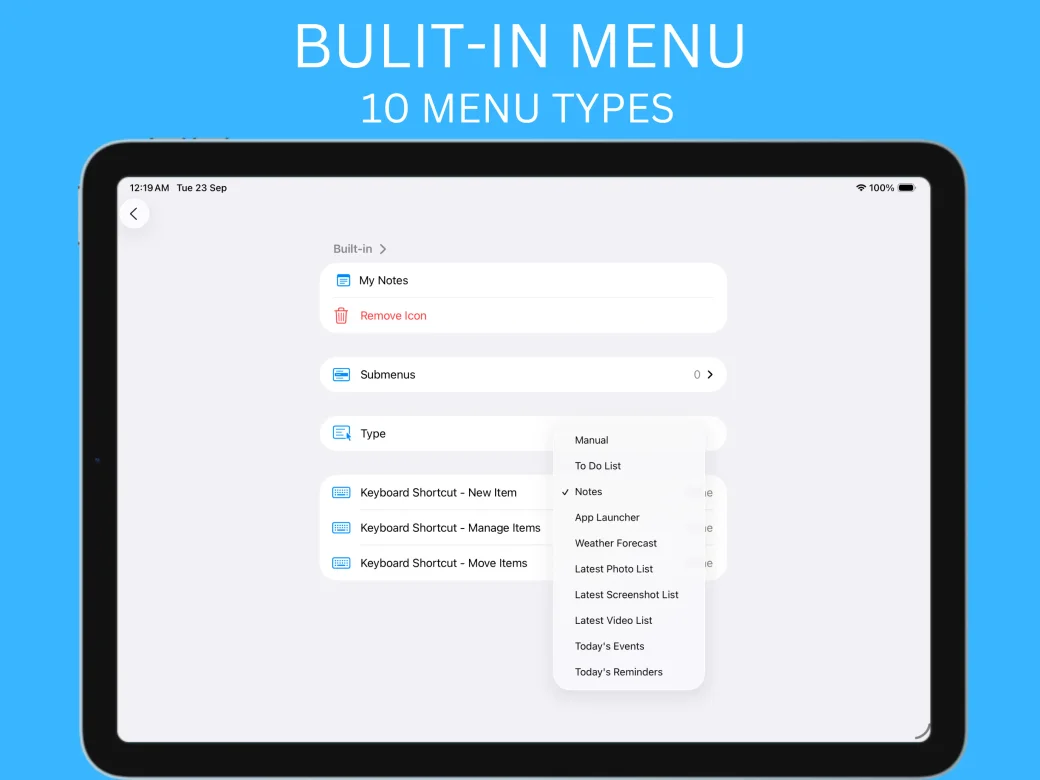
Included menu types (10)
- Manual Lists: Your own lists (cheat sheets, shopping, contacts, anything).
- To‑Do List: View and edit tasks via menu and shortcuts.
- Notes: View/edit notes; export to PDF.
- App Launcher: Open apps via URL schemes with your shortcuts.
- Weather Forecast: Quick access to the forecast.
- Latest Photos: Browse recent photos; export to PDF.
- Latest Screenshots: Browse recent screenshots; export to PDF.
- Latest Videos: Browse recent videos.
- Today’s Events: See today’s calendar at a glance.
- Today’s Reminders: See today’s reminders at a glance.
How it works
- Open MenuBarTools to interact with your menus and keyboard shortcuts.
- Design your structure: menus, submenus, and items.
- Assign shortcuts and choose actions for each item.
Notes
- Menus and shortcuts are app-level; keep the app in the Dock and tap it before using them.
- A small dot at the bottom of the window indicates the focused window.
Works best with an iPad and hardware keyboard.
Terms of Use (EULA)
https://www.apple.com/legal/internet-services/itunes/dev/stdeula/
What’s new
Version 1.1 · Sep 25, 2025
Support multiple languages for interface
App privacy
What Tiger Ng declares on the App Store about how this app handles data.
-
Data linked to you
May be collected and linked to your identity.
- Location
- User content
-
Data not linked to you
May be collected but is not linked to your identity.
- Usage data
- Diagnostics
Privacy practices may vary, for example with the features you use or your age.
Information
- Seller
- Tiger Ng
- Category
- Utilities
- Version
- 1.1
- Updated
- Sep 25, 2025
- Released
- Sep 23, 2025
- Size
- 6.2 MB
- Requires
- iOS 26.0 or later
- Age rating
- 4+
- Price
- Free
- In-app purchases
- Yes
- Languages
- English, French, German, Hindi, Japanese, Korean, Portuguese, Russian, Simplified Chinese, Spanish, Swedish, Traditional Chinese + 1 more
- Copyright
- © 2025 Tiger Ng
You might also like
-
 Moonstone – AI Diary & JournalAI Notes, To-dos & Life Log
-
 Readable VoiceTranscribe audio and video
-
 PartyKeys HubUtilities
-
 GEDexplorerUtilities
-
 Handwriting Font Maker: TTFExport your own custom font
-
 Mic To Speaker - Live AudioWireless mic for any speaker
-
 System GuardBattery, Storage & Device Info
-
 Network Speed WindowUtilities
-
 BrowserMask for SafariSimulate Another Browser
-
 Directory ViewerView files & folders on disk