- Age rating4+
- CategoryUtilities
- DeveloperDaniel Witt
- LanguagesEnglish+ 9 more
- Size1.1 GB
Links to the official App Store page
Download.org hosts no file of Readable Voice. The button opens its official App Store page, published by Daniel Witt. Listing last checked on Nov 12, 2026.
Screenshots



About
Turn spoken words into something you can use.
Find a quote in an interview. Revisit a lecture. Create subtitles for a video. Readable Voice turns audio and video into editable, searchable text on your Mac, iPhone, and iPad—with transcription performed entirely on your device.
Your recordings stay yours. Transcribe offline, without uploading your audio to a transcription service. Buy once on the App Store and enjoy Readable Voice on all three platforms. No subscription. No per-minute fees.
• From recording to readable text
Import audio or video, or record directly in the app. Transcribe in nearly 100 languages, with automatic language detection to help you get started. Supports popular formats including MP3, AAC, WAV, AIFF, MOV, and MP4.
• Follow the conversation
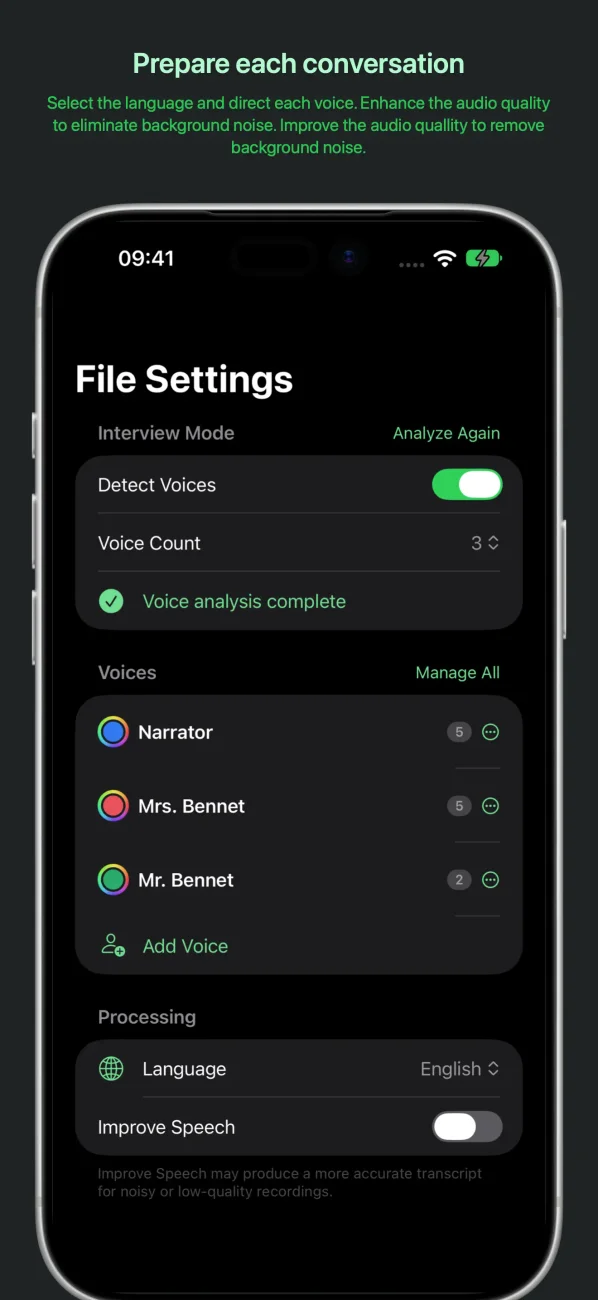
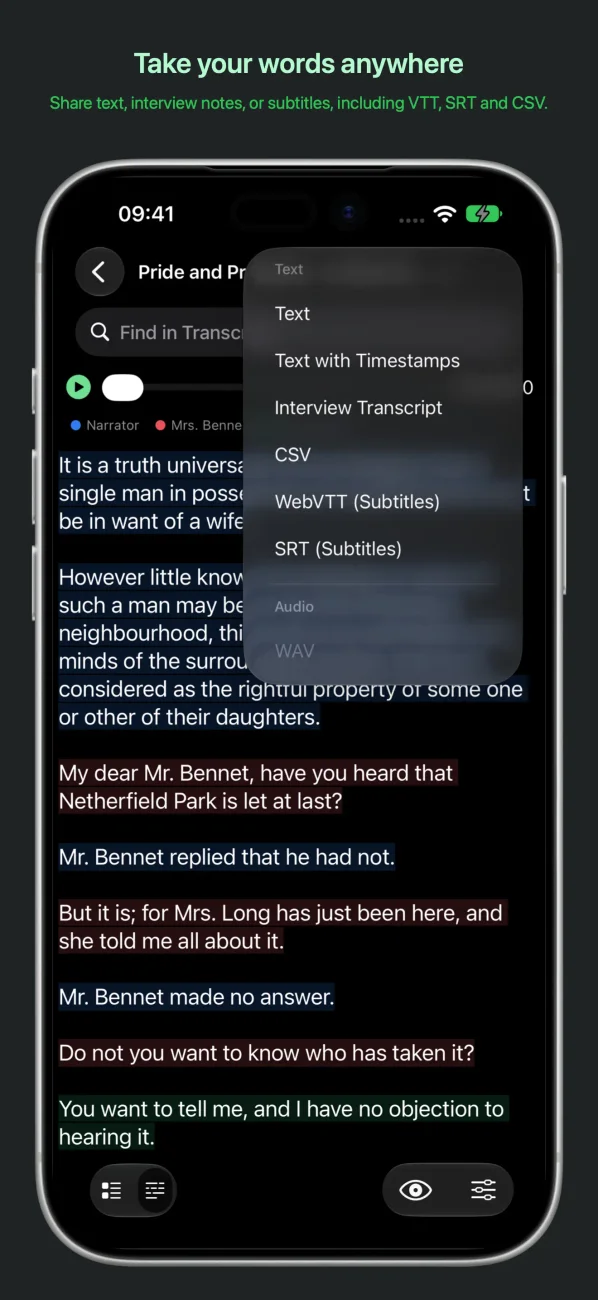
Interview Mode detects different voices and labels their passages. Give speakers names and colors, correct assignments, and let Readable Voice suggest familiar voices from other recordings. Ideal for interviews, meetings, podcasts, and research conversations.
• Find the moment that matters
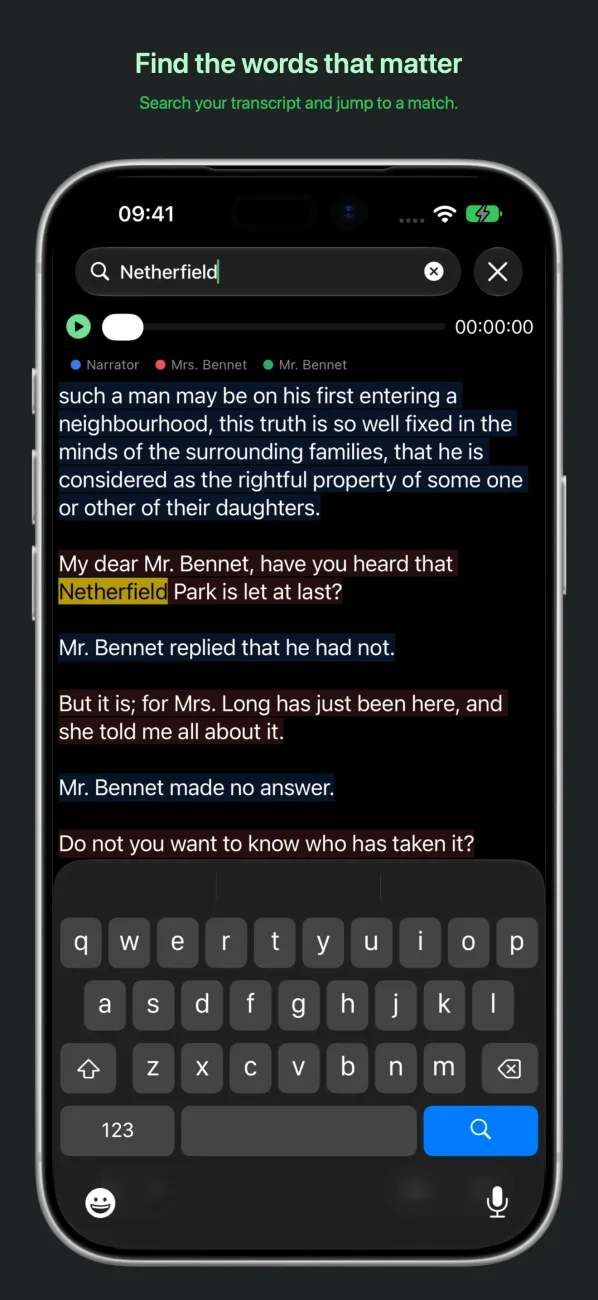
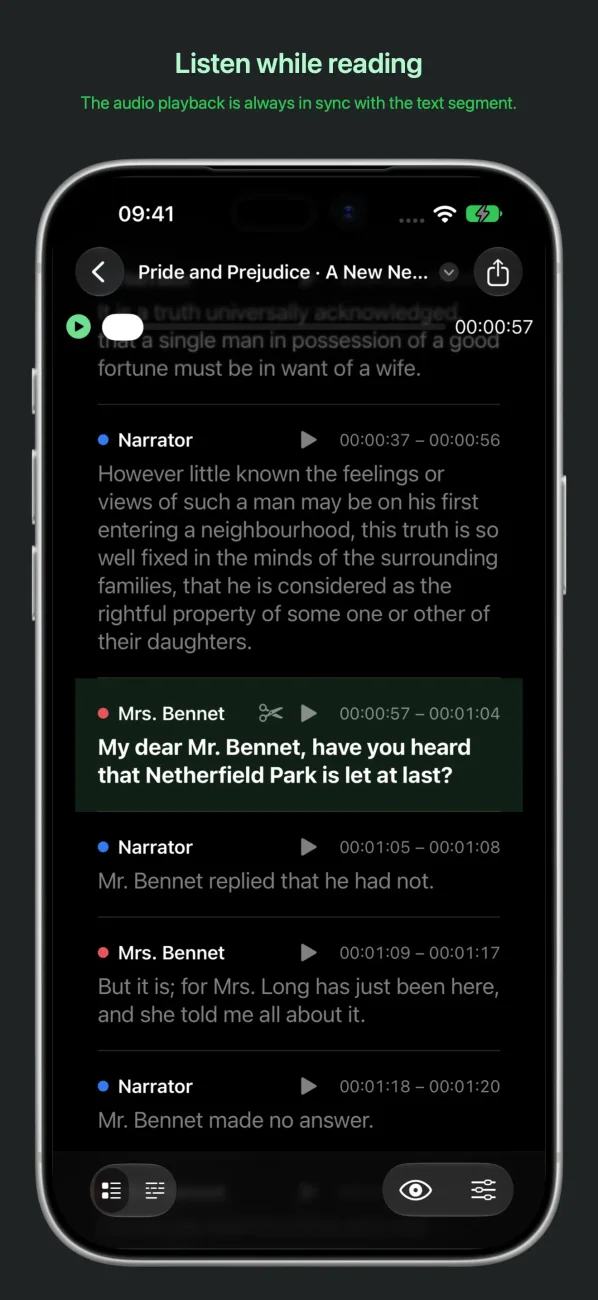
Search your transcript, play individual passages, and follow highlighted text as you listen. Check a quote or revisit an explanation without replaying the entire recording.
• Make it your own
Correct words directly in the app. Work with continuous text or timestamped segments, split and merge passages, and adjust speaker labels to prepare a transcript that is ready to share.
• Get more from difficult recordings
Optional speech enhancement reduces background noise before transcription and may improve results from noisy or lower-quality audio.
• See the key points
Use Apple Intelligence to generate an overview, chapter summaries, and action items from your transcript. Jump back to the source passages to review the details, then share the summary.*
• Share words. Create subtitles.
Export plain text, text with timestamps, speaker-labeled interview transcripts, or CSV files. Create SRT and WebVTT subtitle files for your videos, or export audio as WAV or MOV that already contains all the subtitles oder Film der schon alle Untertitel enthält.
• Handle a whole collection
Add multiple files or entire folders, including subfolders, and let Readable Voice work through them. Automatically start transcription when files are imported and receive a notification when processing finishes. On iPhone and iPad, you can also import videos directly from Photos.
• Make transcription part of your workflow
Use Shortcuts to import, transcribe, retrieve, export, and open transcripts. Optional Siri and Spotlight integration helps you find saved transcripts through system search.*
Made for the things you want to remember.
Students can turn recorded lectures into text to review before an exam. Journalists and researchers can find and check interview quotes. Teams can revisit discussions and extract stated follow-up tasks. Video creators can prepare subtitles. And anyone can turn voice memos, personal reflections, or family stories into words to keep and share.
Record it. Read it. Put it to work.
*Summaries and Siri/Spotlight transcript search require iOS 27, iPadOS 27, or macOS 27 or later. Summaries also require a supported device with Apple Intelligence enabled and its model ready, and a supported transcript language.
Transcription accuracy varies with the language and recording quality. For best results, use clear speech and minimize background noise.
What’s new
Version 2.0.2 · Oct 27, 2026
NEW: Improved handling when switching between foreground and background transcription.
FIX: Fixed an issue that could make short recordings take unexpectedly long to transcribe while the app was open.
App privacy
What Daniel Witt declares on the App Store about how this app handles data.
-
Data not collected
The developer does not collect any data from this app.
Privacy practices may vary, for example with the features you use or your age.
Information
- Seller
- Daniel Witt
- Category
- Utilities
- Version
- 2.0.2
- Updated
- Oct 27, 2026
- Released
- Aug 26, 2023
- Size
- 1.1 GB
- Requires
- iOS 17.6 or later
- Age rating
- 4+
- Price
- $4.99
- Languages
- English, Dutch, French, German, Italian, Japanese, Korean, Portuguese, Simplified Chinese, Spanish
- Copyright
- © 2023 - 2026 Daniel Witt
You might also like
-
 mDNS-BrowserBrowse local network services
-
 TextSound Saverconvert text into speech
-
 Menu Bar Maker - MenuBarToolsKeyboard Shortcut & List Maker
-
 WAV Audio File Generator PROGenerate And Download Audio
-
 Coil Inductance CalculatorAir-Core & Solenoid Calc
-
 VoiceExpress: Audio to TextVoice Messages Transcriber
-
 BatchConvertAudio Video Image eBook PDF
-
 Nombri (Tally Counter)Utilities
-
 Text ConverterTransform,Clean & Analyze Text
-
 Voiced - Speech to Text VideoConvert your voice to video