
Meowshift: Shift Work Calendar
Schedule, overtime pay, payday
Designed for iPhone, iPad
Free · In-app purchases
- Age rating4+
- CategoryProductivity
- Developerwang pei syuan
- LanguagesEnglish+ 18 more
- Size75.2 MB
Links to the official App Store page
Download.org hosts no file of Meowshift: Shift Work Calendar. The button opens its official App Store page, published by wang pei syuan. Listing last checked on Nov 23, 2026.
Screenshots
About
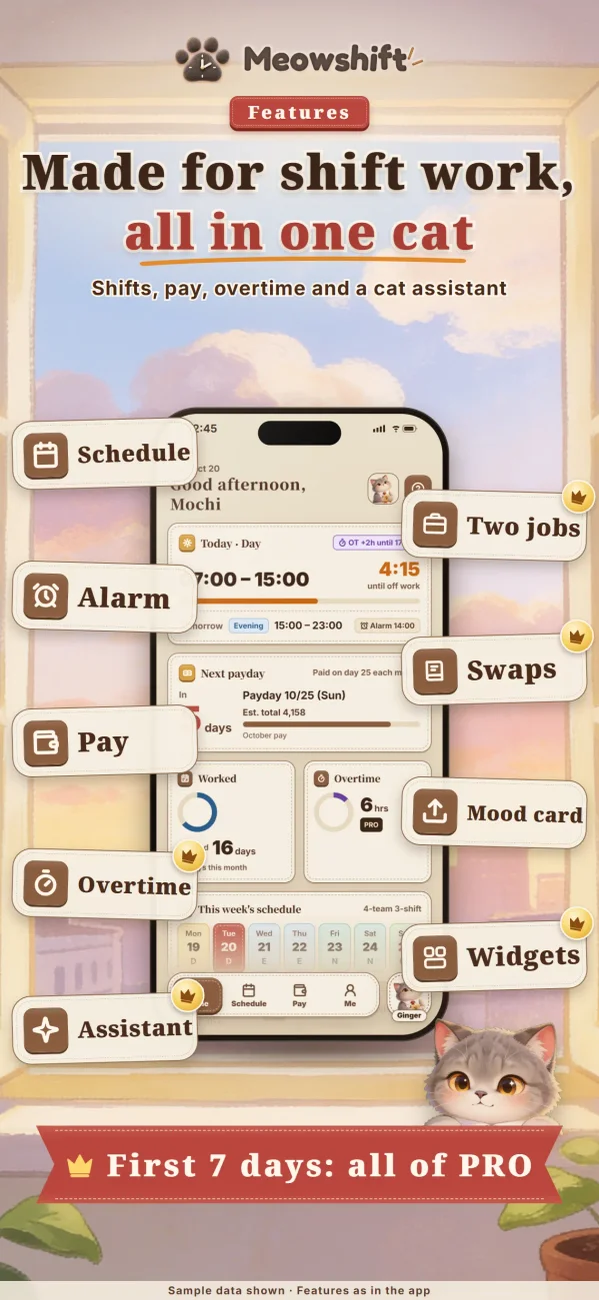
Work is tiring enough, so let Meow handle the schedule! Meowshift is made for people who work shifts: nurses, caregivers, factory, retail, security and hospitality staff, and part-timers. Add your shifts to see which days you work, when you finish and roughly what you'll earn this month.
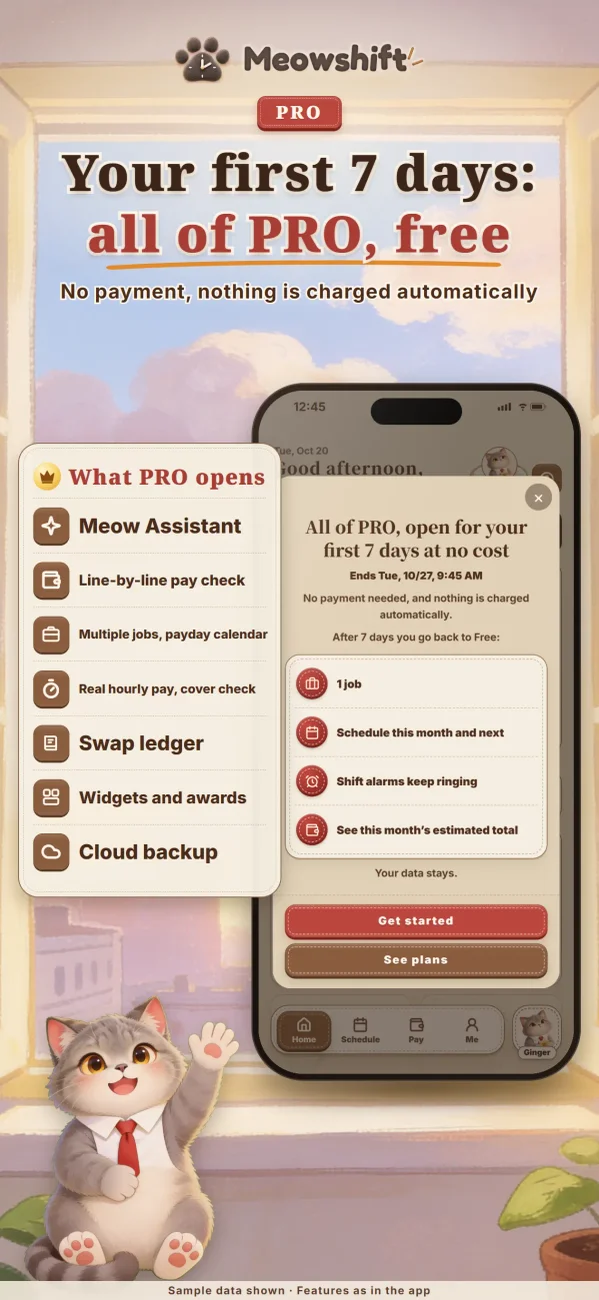
Full PRO for your first 7 days: every PRO feature is yours for the first 7 days after you download, with no payment and no automatic charge. After that, keep the basics for free or subscribe to Meowshift PRO.
SHIFT CALENDAR
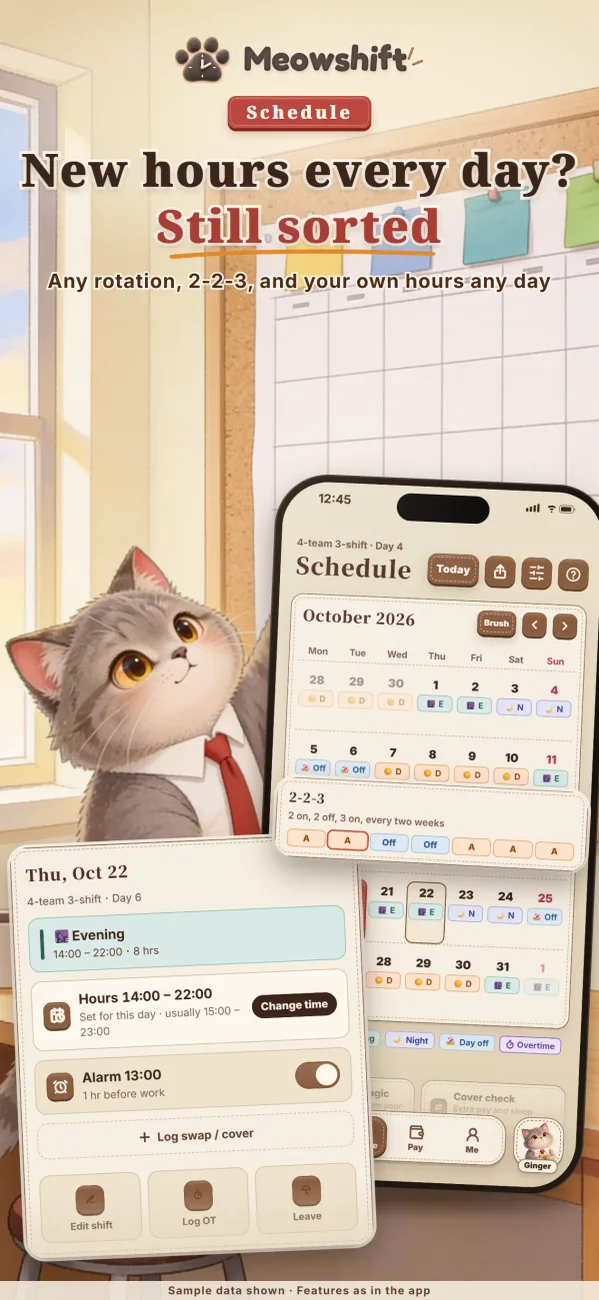
• Day, evening, night and off shifts on one calendar; use 2 on 2 off, 2-2-3 or the 5-day week as they are, or set up your company's own rotation
• Different hours each day: change any single day's times, and log half-day and hourly leave too
• Select several days and fill them in one go, with undo
• Your own name, color and emoji for each shift
• Sync to the iPhone Calendar, including calendars in your Google account
PAY
• Monthly, hourly and part-time pay, with hours added up from your schedule
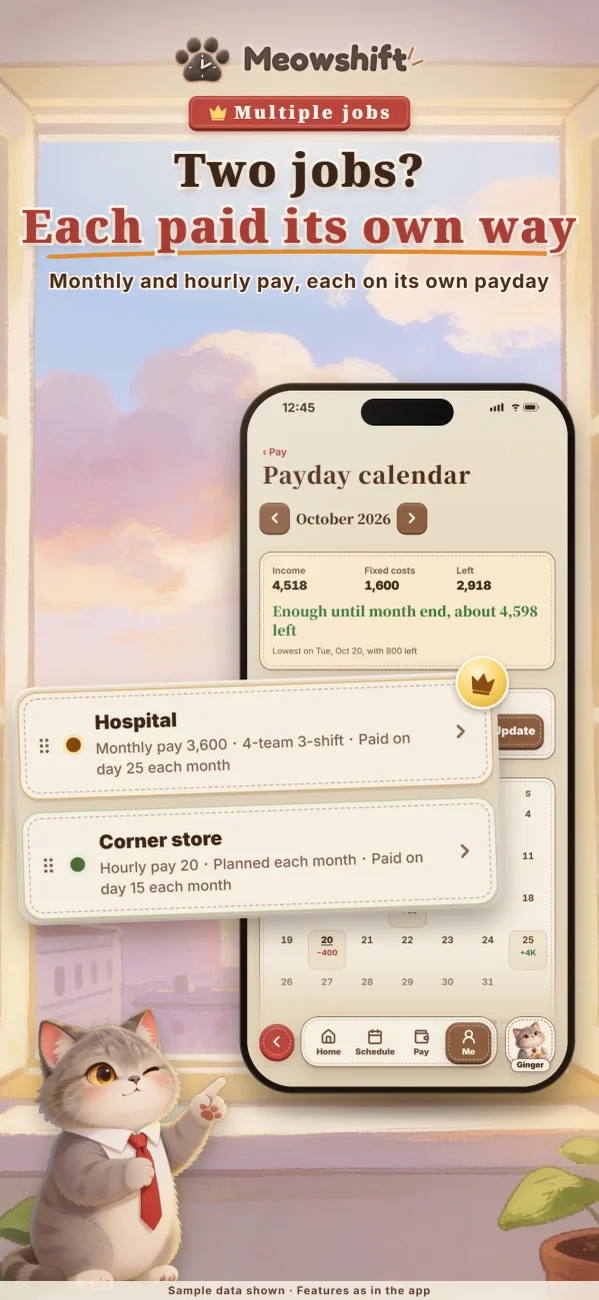
• Several jobs, each with its own pay and payday, on one payday calendar
• Overtime at your company's own rates
• Base pay, allowances and deductions for an estimated take-home pay; payday countdown and a reminder the day before
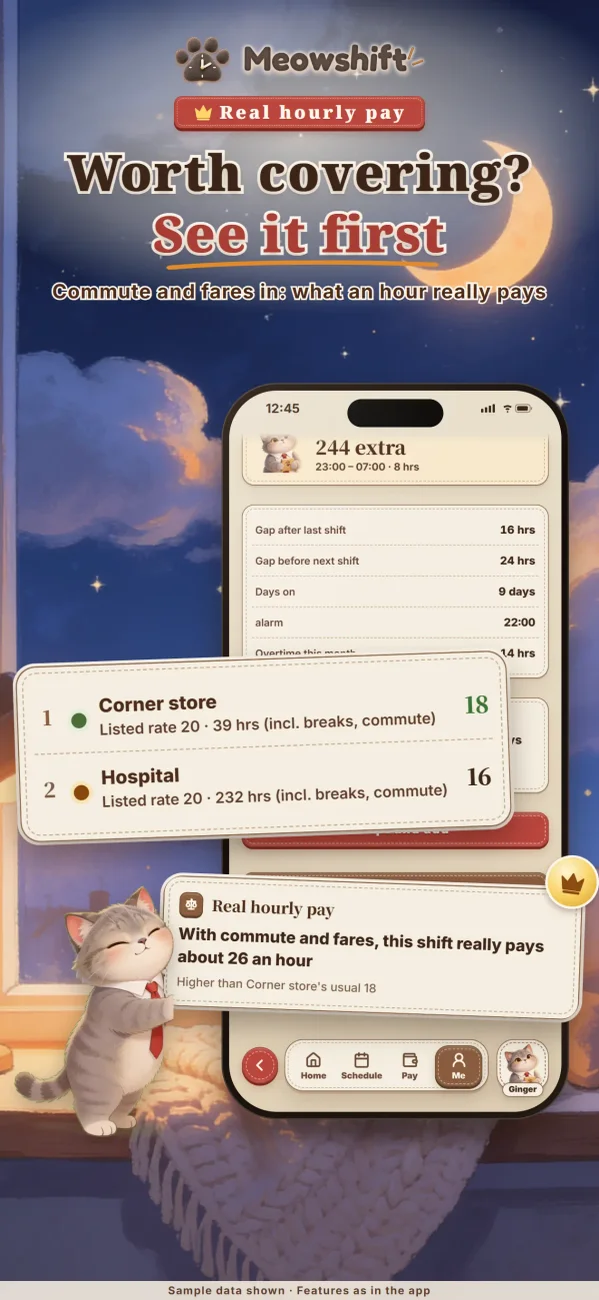
• Real hourly pay: what you really earn per hour once your commute counts
LEAVE
• Your company's annual, sick and personal leave; balances update as you book time off, with a reminder before leave expires
EVERY DAY
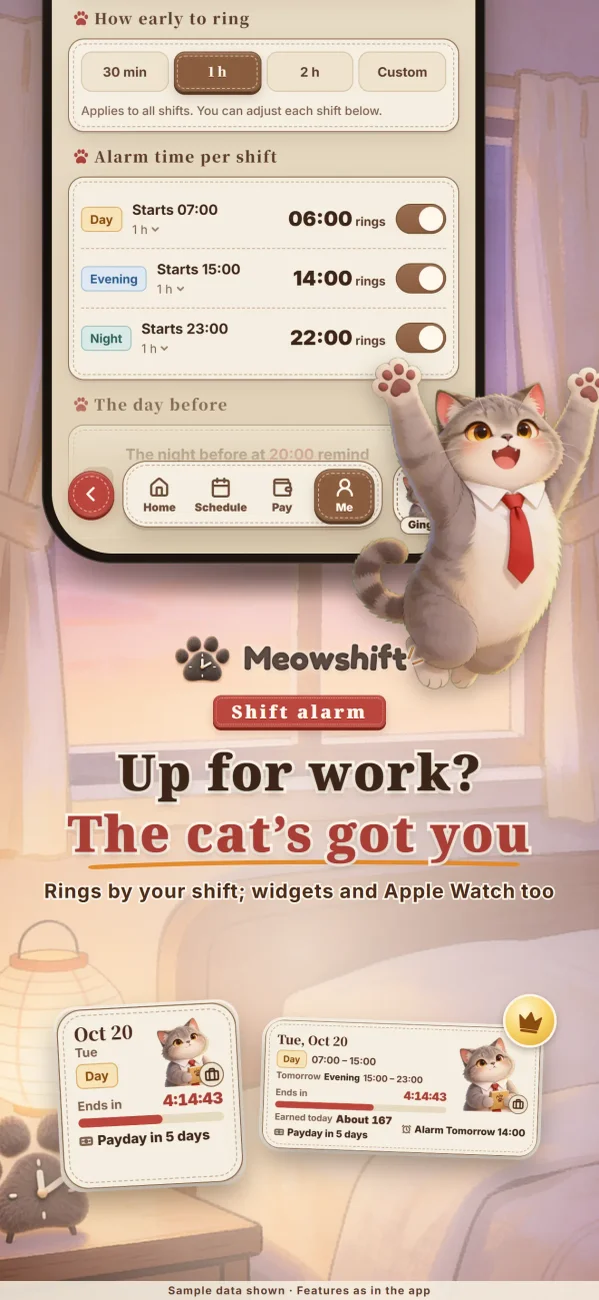
• Shift alarms for day, evening and night shifts, skipped on days off
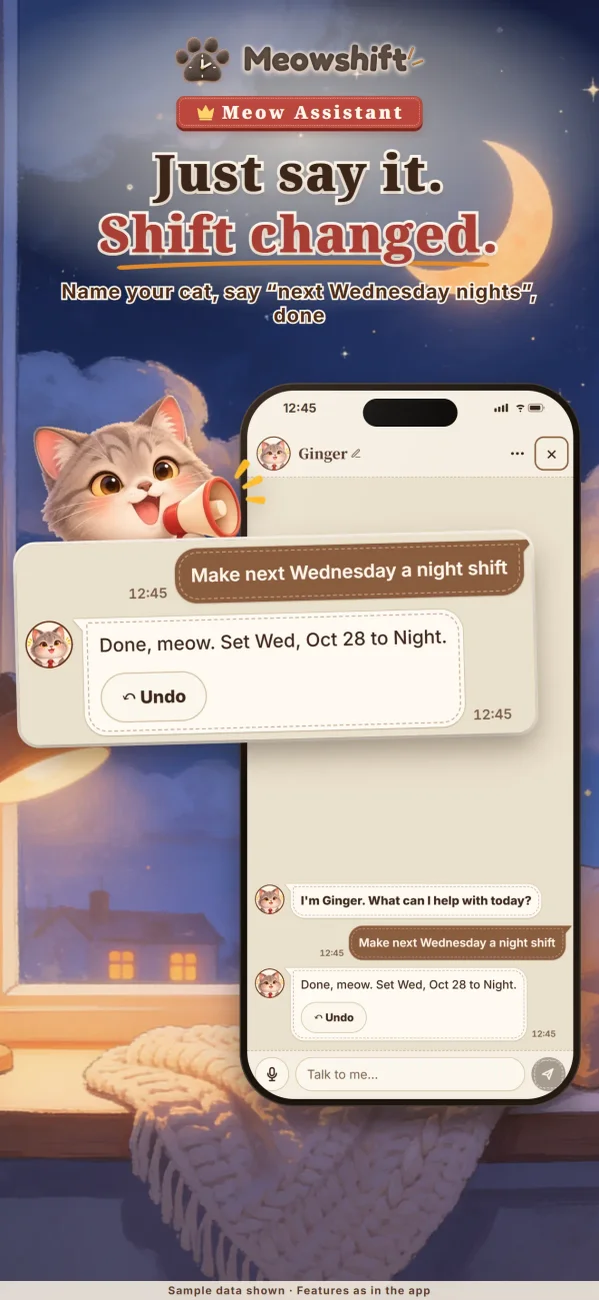
• Your own Meow Assistant: give it a name, then talk or type one sentence to plan shifts, book leave, log overtime or change your hours; it also chats with you about work and how you feel
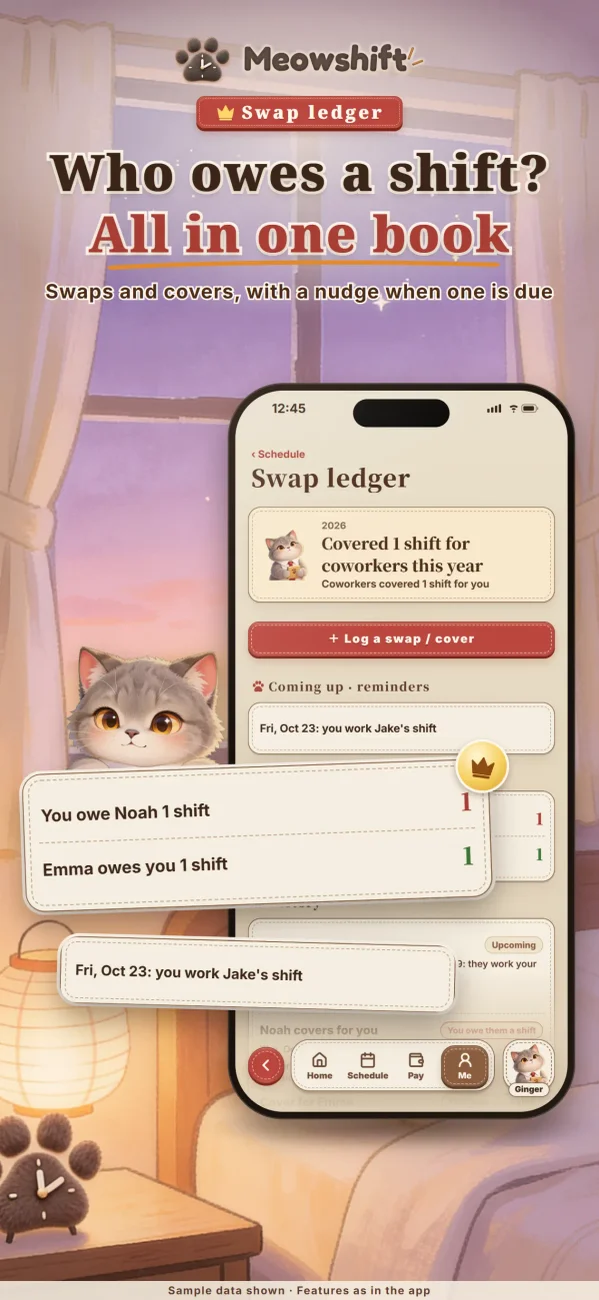
• Swap ledger: which day you swapped and who owes whom a shift
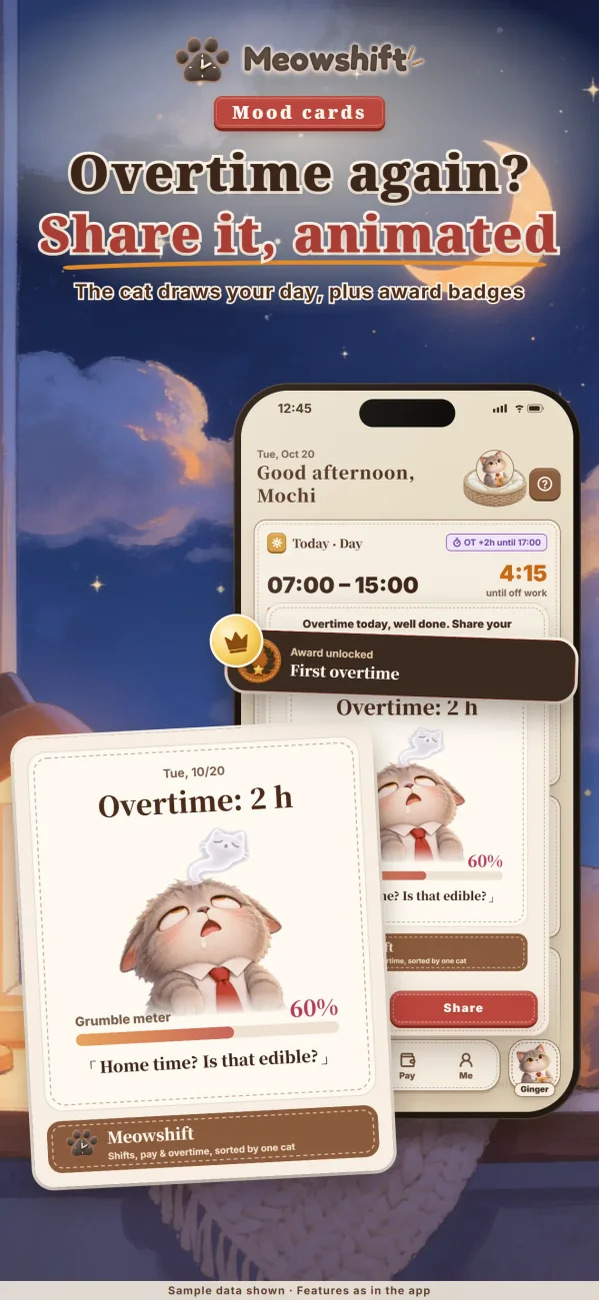
• Animated mood cards: on overtime days Meow draws your card, ready to share to Facebook, Threads and more in one tap
• Cat nest: play a round of Snack Catch after work; catch the fish and cans, dodge the alarm clocks
• Home Screen and Lock Screen widgets, Apple Watch and a live Dynamic Island countdown
• Meow walks you through it: tap ? at the top right and Meow shows you how on the real screen
• iPad layout, Dark Mode and 19 languages
FREE
• 1 job, this month's and next month's schedule, shift alarms, this month's estimated total and a payday reminder the day before, plus overtime mood cards
• Your data stays and carries over when you upgrade to PRO
MEOWSHIFT PRO (SUBSCRIPTION)
• PRO Duo (2 people) and PRO Family (4 people): one subscription, shared with family or friends through seat codes
• Meow Assistant
• A second job and more; schedules for any month
• Overtime details, deductions, take-home pay and what you earn each day
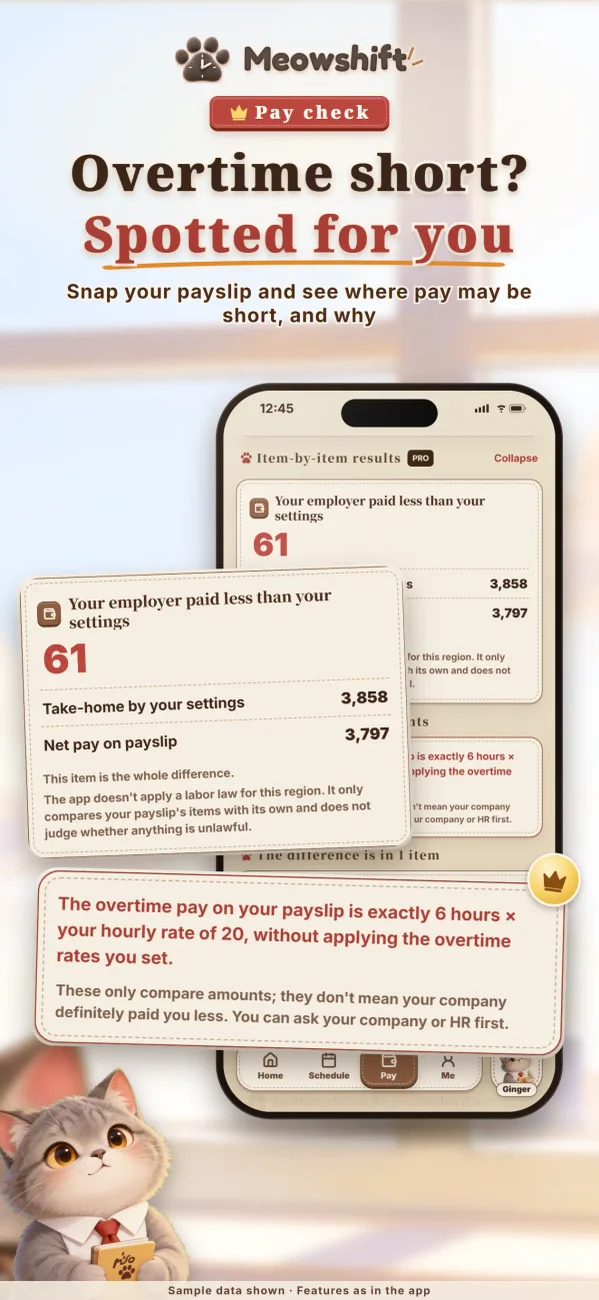
• Payslip reading from a photo or file, checked line by line for underpayment and extra deductions; past pay checks and month-by-month comparison
• The check says where your pay may be short; payslip lines it didn't match can be added by you and stay in History and exports
• Leave balances and expiry reminders
• Widgets, Apple Watch, and a live countdown in the Dynamic Island and on the Lock Screen
• Awards (from your shifts, leave and overtime), Savings goal, Meow's Year in Review
• Yearly pay chart, Long break magic, Cover check
• Share your schedule as an image or PDF; PDF and Excel pay reports
• Cloud sync and automatic backup
Payment is charged to your Apple ID account at confirmation of purchase. Subscriptions renew automatically unless canceled at least 24 hours before the end of the current period. Manage or cancel in your App Store account settings.
Estimates are for reference only; your employer's payslip is the final word.
Terms of Use (EULA): https://www.apple.com/legal/internet-services/itunes/dev/stdeula/
Privacy Policy: https://meowshift.pocketjoystudio.com/privacy-en.html
What’s new
Version 3.0.7 · Nov 22, 2026
Meowshift: the shift calendar, pay and alarm app for shift workers, in 19 languages.
WHAT'S NEW
• PRO Duo and PRO Family: one person subscribes, and 2 or 4 people use PRO; the others join with a seat code
• Two shifts or two leaves in a day: a morning shift then an evening one, half a day of annual leave and half of sick leave; record it all, and it all goes into your pay
• Shared schedules: invite family or coworkers and see who works and who’s off each day
• Import schedule from a photo: take a photo of your work schedule, and Meow fills in the whole month
• All-new Home Screen widgets: Meow’s Today, Schedule and Payday, in Planner or Big type, your choice; tap the cat for a new pose
• The + in the middle: record overtime, leave, swaps, bonuses and allowances in one go
• Raises count from this month on; earlier months stay as they were
• Allowances by shift: day, evening and night shifts can each have their own shift allowance, and side jobs can have allowances too
• Clear a day’s records one by one: tick the overtime, the leave or each job’s record
• Overtime on a day off: the calendar shows the day off and the overtime together
• The bottom bar tucks away as you scroll down, for more room
FREE TO USE
• Schedule: shift names, times, colors and emoji are all yours; set a rotation once and it fills in this month and next by itself
• Shift alarms that follow your shifts and skip your days off
• This month's estimated total, payday countdown and a reminder the day before
• Overtime mood cards: share with friends in one tap
• iPad layout and Dark Mode
MEOWSHIFT PRO
• Meow Assistant, several jobs, schedules for any month
• Overtime details, deductions and take-home pay, payslip photo checks line by line
• Leave balances and expiry reminders
• Home Screen and Lock Screen widgets, Apple Watch, live Dynamic Island countdown
• Awards, Savings goal, Year in Review
• Yearly pay chart, Long break magic, Cover check, schedule sharing as an image or PDF
• Cloud sync and automatic backup, PDF and Excel pay reports
Work is tiring enough, so let Meow handle the schedule!
App privacy
What wang pei syuan declares on the App Store about how this app handles data.
-
Data linked to you
May be collected and linked to your identity.
- Health and fitness
- Purchases
- Financial info
- Contact info
- User content
- Identifiers
-
Data not linked to you
May be collected but is not linked to your identity.
- Identifiers
- Usage data
- Diagnostics
Privacy practices may vary, for example with the features you use or your age.
Information
- Seller
- wang pei syuan
- Category
- Productivity
- Version
- 3.0.7
- Updated
- Nov 22, 2026
- Released
- Oct 26, 2026
- Size
- 75.2 MB
- Requires
- iOS 16.4 or later
- Age rating
- 4+
- Price
- Free
- In-app purchases
- Yes
- Languages
- English, Danish, Dutch, French, German, Hindi, Indonesian, Italian, Japanese, Korean, Polish, Portuguese + 7 more
- Copyright
- © 2026 wang pei syuan
You might also like
-
 ClockIN: Work Hours&SchedulesTime Clock, Shifts & Pay
-
 OmyShift: Shift Work CalendarLabor Act ready, share shifts
-
 薪水算算 - 工時記錄、勞基法加班費、薪資計算Productivity
-
 Hourly - Hours & Pay TrackerShift work log & timesheet
-
 Plantri: Time Block PlannerDaily Schedule, Goals & Habits
-
 TapHoursProductivity
-
 HourLedger: Timesheet & HoursShift Tracker, Time Clock, Pay
-
 TC Scheduling TableProductivity
-
 CAREWOKX - Team Shift CalendarDesigned for Clinicians Shift
-
 HourStamp: Work Hours & PayLog hours, estimate overtime