
OmyShift: Shift Work Calendar
Labor Act ready, share shifts
Designed for iPhone
Free · In-app purchases
- Age rating4+
- CategoryProductivity
- DeveloperMeng Yuan Lu
- LanguagesEnglish+ 6 more
- Size54.8 MB
Links to the official App Store page
Download.org hosts no file of OmyShift: Shift Work Calendar. The button opens its official App Store page, published by Meng Yuan Lu. Listing last checked on Nov 24, 2026.
Screenshots

About
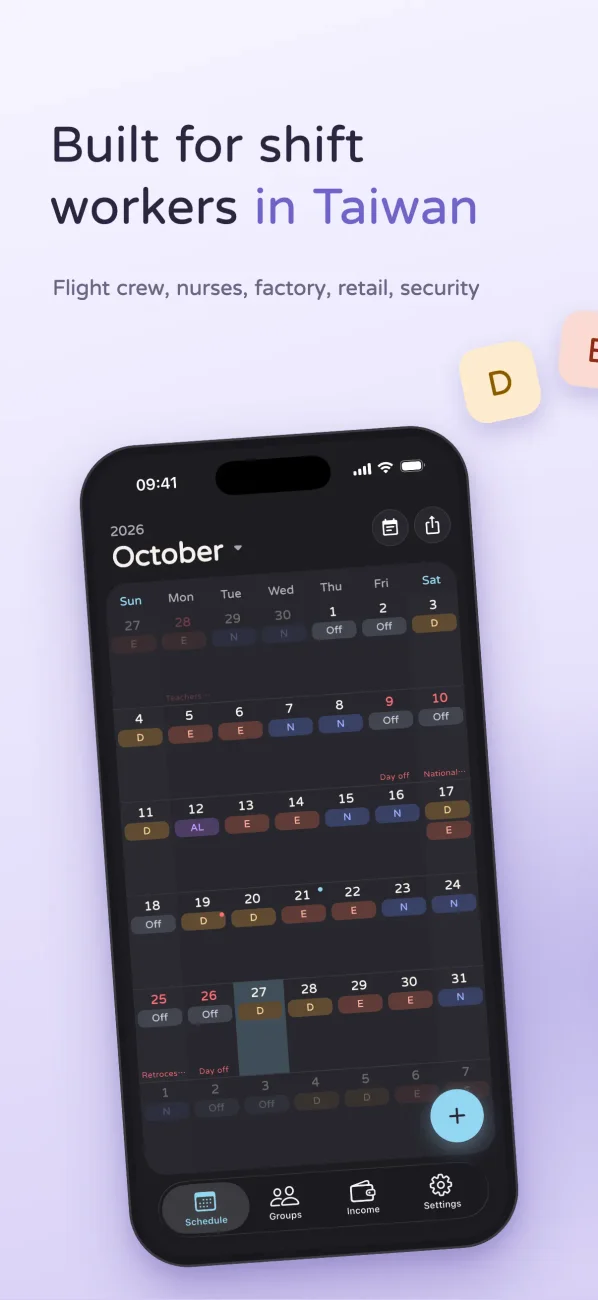
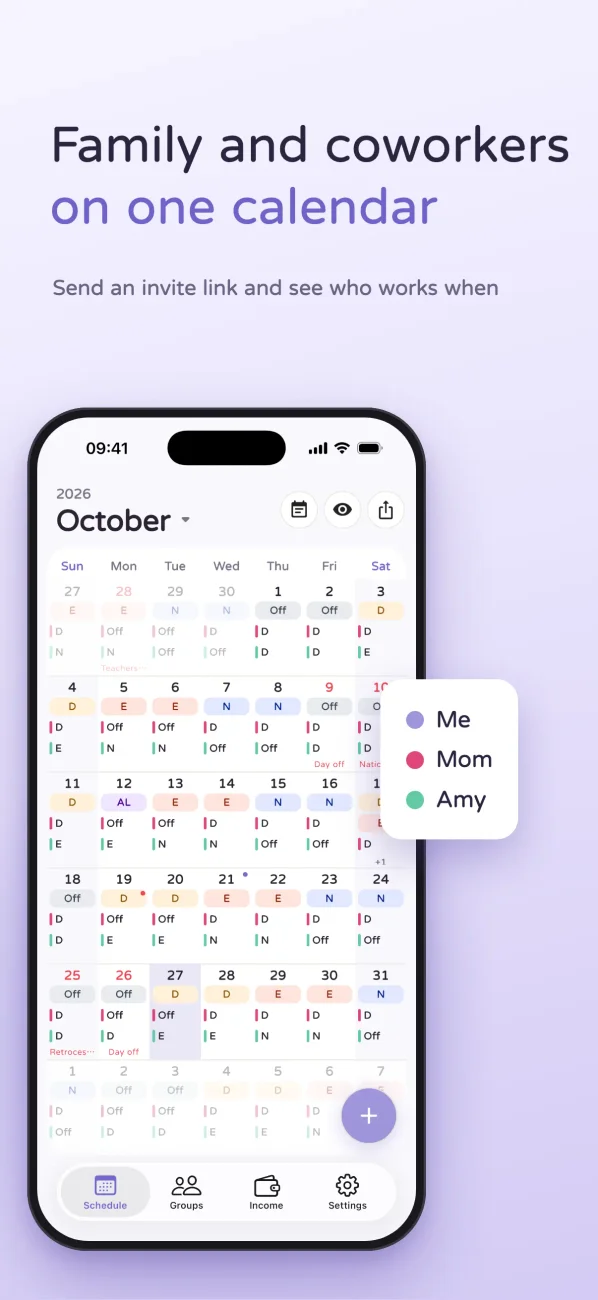
OmyShift is a shift calendar for shift workers in Taiwan: flight crew, nurses and healthcare staff, factory, restaurant, retail, security and call center workers. Swipe across days to fill in a whole month of shifts, see Taiwan's public holidays and make-up days at a glance, mark typhoon days yourself in one tap, and get overtime pay and annual leave calculated under Taiwan's Labor Standards Act. Form groups with coworkers and family to see each other's shifts on one calendar and find the days you're all off.
No sign-in needed. Your schedule stays on your phone.
SCHEDULING
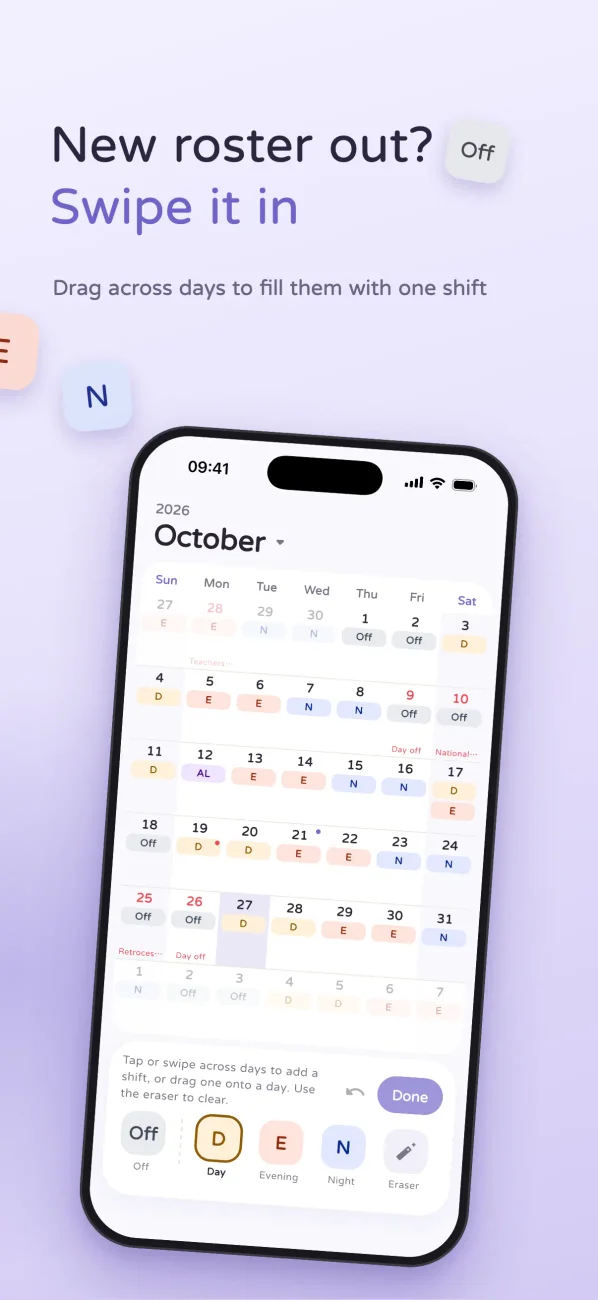
- Paint shifts: pick a shift, then tap or swipe across days. Eraser and undo included
- Rotations: set up a pattern like 2 days, 2 evenings, 2 nights, 2 off once, and it fills in the future for you
- More than one shift per day, plus custom times, overtime, move and copy
- Custom shift names, abbreviations, times and colors
EVENTS
- Put plans beyond your shifts on the calendar, like dinners, appointments or classes
- Get asked to confirm when an event overlaps a shift, and set reminders
- Choose for each group whether it sees your events, or keep an event to yourself
GROUPS
- Invite coworkers, family or a partner by link and see everyone's shifts on the group calendar
- Days off together: pick a few members and see the days nobody is working
- Tap a day to see who in your groups is off
- Board: post notices and to-do lists, and assign items to members
- Overlay one group's shifts on your own calendar
- Group covers, profile photos and member colors. Export the group calendar as an image
- Share only the current month, or the current month and beyond
TAIWAN HOLIDAYS
- Built-in public holidays and make-up days, based on the official government calendar
- Mark typhoon days and other emergency days off yourself in one tap
INCOME AND OVERTIME
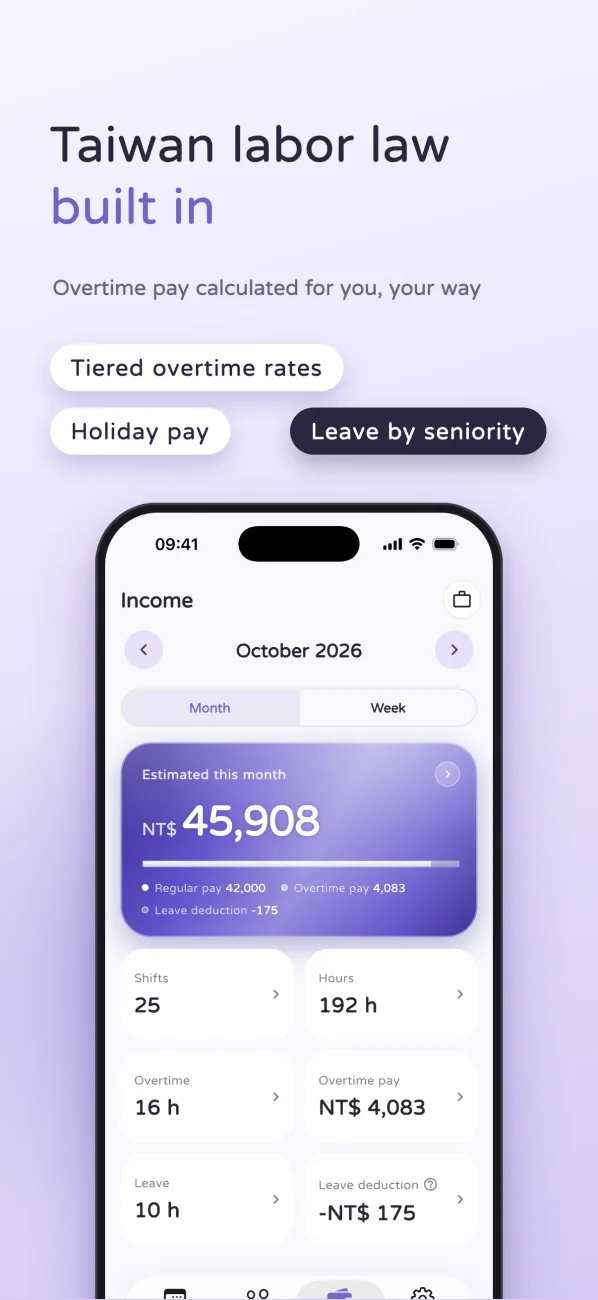
- Labor Standards Act overtime rates built in: tiered rates on weekdays and rest days, double pay on public holidays
- Monthly or hourly pay, overtime rates and holiday pay can all be adjusted to match your employer
- Month and week views of shifts, hours, overtime and leave
- Hourly leave tracking. Annual leave is calculated from your seniority, with rules you can customize
MORE
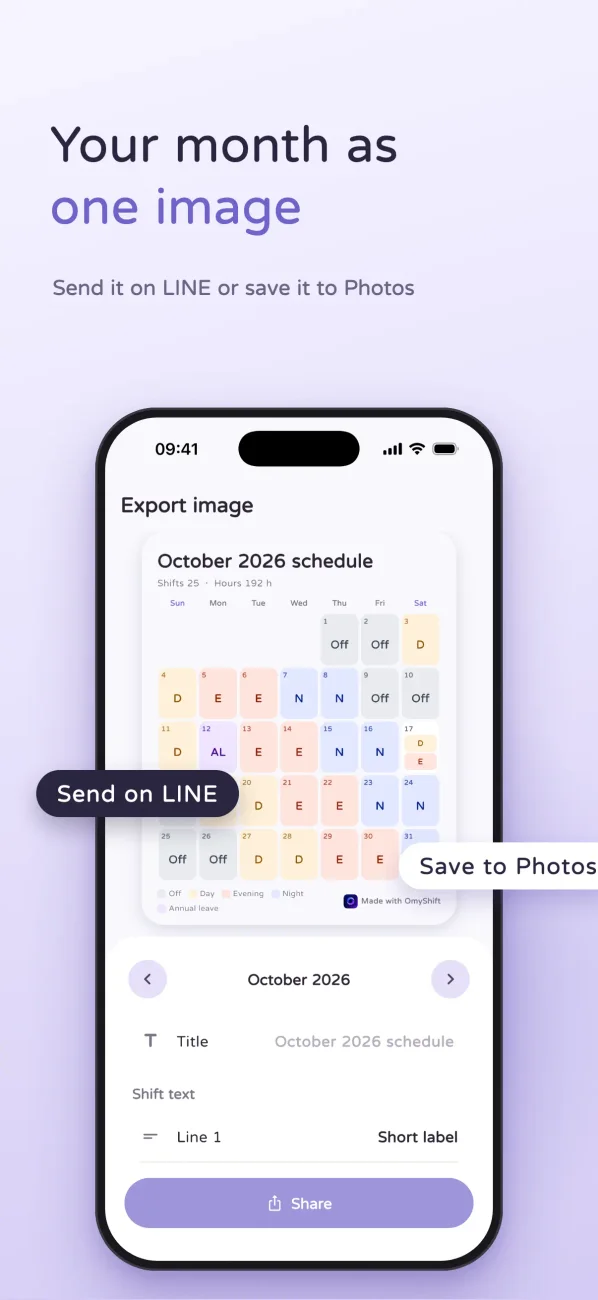
- Export your month as an image, send it on LINE or save it to Photos
- Reminders before work
- Home Screen and Lock Screen widgets: see your next shift, your week or your month without opening the app
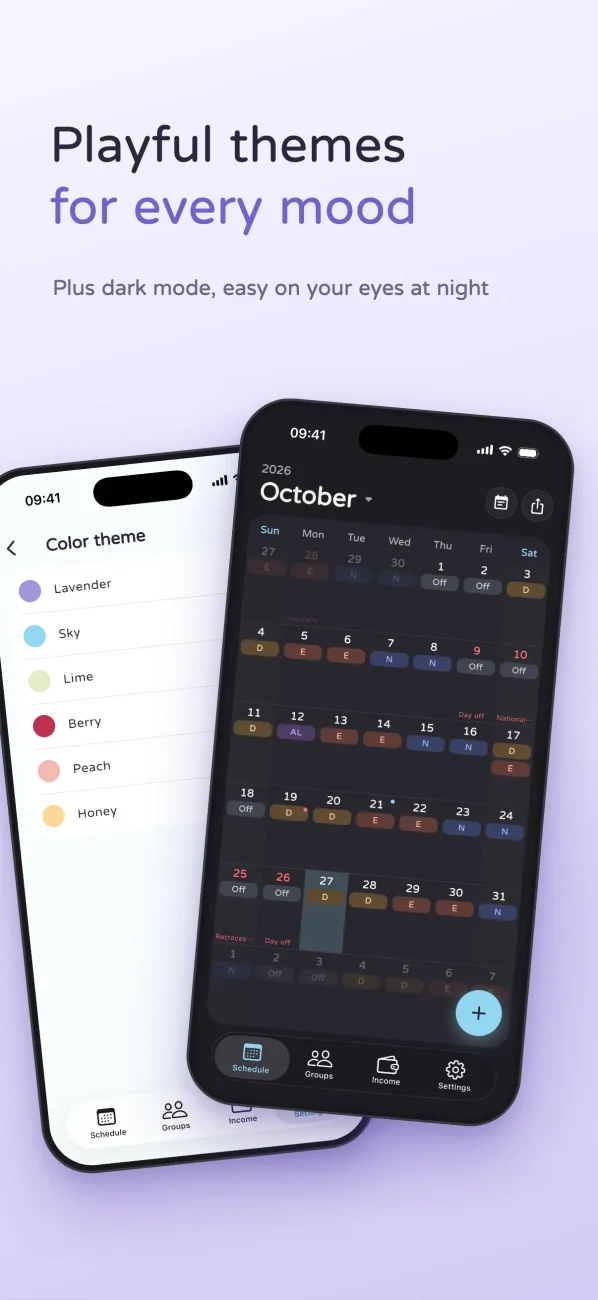
- Color themes and dark mode
- Sign in with Apple or Google to sync across phones, or export a backup file without signing in
Privacy Policy: https://omyshift.com/en/privacy
Terms of Service: https://omyshift.com/en/terms
Feedback: support@omyshift.com
What’s new
Version 2026.1122.1 · Nov 23, 2026
Now you can:
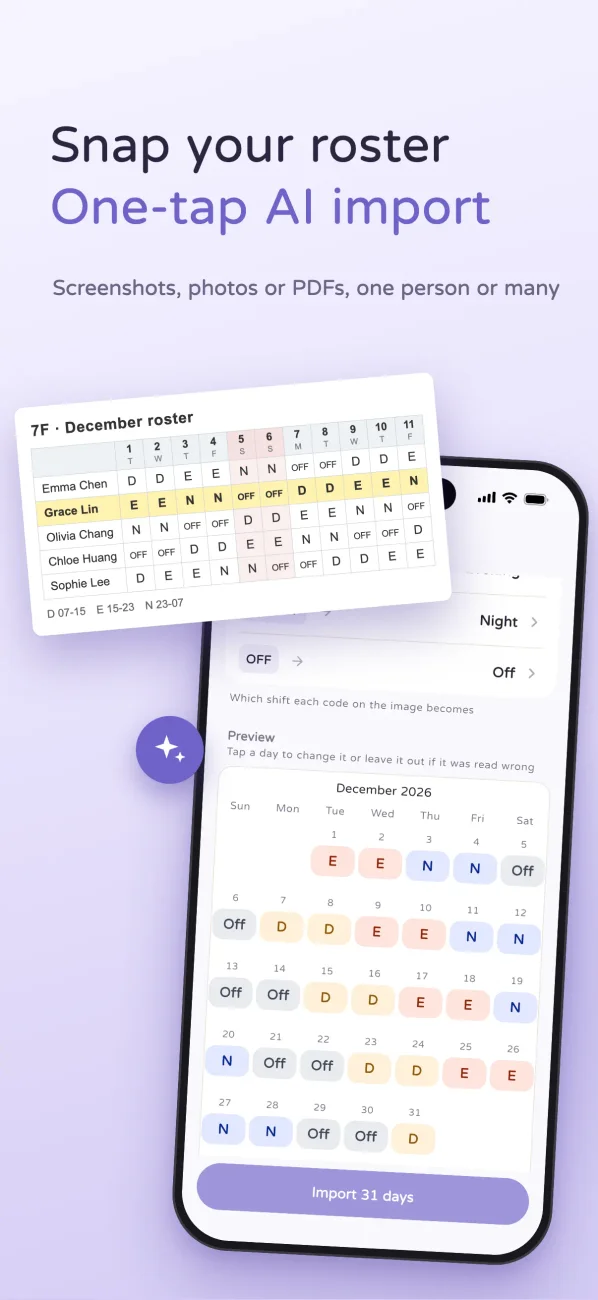
- AI import: set up your whole schedule in one tap
- Convert overtime to comp time, with your own multiplier if it counts double
- Besides push notifications, shifts can now have alarms (iOS 26 and later)
- All group members can now invite friends
- Besides recurring additions & deductions, you can now add one-time items from Estimated this month, for bonuses, late arrivals, birthday gifts and more
- When adding a shift, use Quick fill to copy from an existing shift
We've also polished screens and workflows, and fixed lots of little issues, seen and unseen.
App privacy
What Meng Yuan Lu declares on the App Store about how this app handles data.
-
Data linked to you
May be collected and linked to your identity.
- Identifiers
-
Data not linked to you
May be collected but is not linked to your identity.
- Contact info
- User content
- Usage data
- Diagnostics
Privacy practices may vary, for example with the features you use or your age.
Information
- Seller
- Meng Yuan Lu
- Category
- Productivity
- Version
- 2026.1122.1
- Updated
- Nov 23, 2026
- Released
- Oct 27, 2026
- Size
- 54.8 MB
- Requires
- iOS 17.0 or later
- Age rating
- 4+
- Price
- Free
- In-app purchases
- Yes
- Languages
- English, German, Indonesian, Simplified Chinese, Thai, Traditional Chinese, Vietnamese
- Copyright
- © 2026 Meng Yuan Lu
You might also like
-
 輪班通-輪班班表與鬧鐘Productivity
-
 Meowshift: Shift Work CalendarSchedule, overtime pay, payday
-
 ClockIN: Work Hours&SchedulesTime Clock, Shifts & Pay
-
 HIYORI - Shift CalendarRota & Shift Planner
-
 RotaCell: Shift PlannerOvertime Tracker, PTO & Pay
-
 ShiftProCalendarShift Schedule, Nurse Roster
-
 Cue: Lock Screen Todo, MemoPlans to notes, always in view
-
 KeepNest: Screenshot OrganizerAI Sorts Your Links & Notes
-
 HourLedger: Timesheet & HoursShift Log & Pay Estimates
-
 薪水算算 - 工時記錄、勞基法加班費、薪資計算Productivity