- Age rating4+
- CategoryUtilities
- DeveloperAndrei Achziger
- LanguagesEnglish+ 29 more
- Size39.7 MB
Links to the official App Store page
Download.org hosts no file of MergeKey. The button opens its official App Store page, published by Andrei Achziger. Listing last checked on Nov 21, 2026.
Screenshots


About
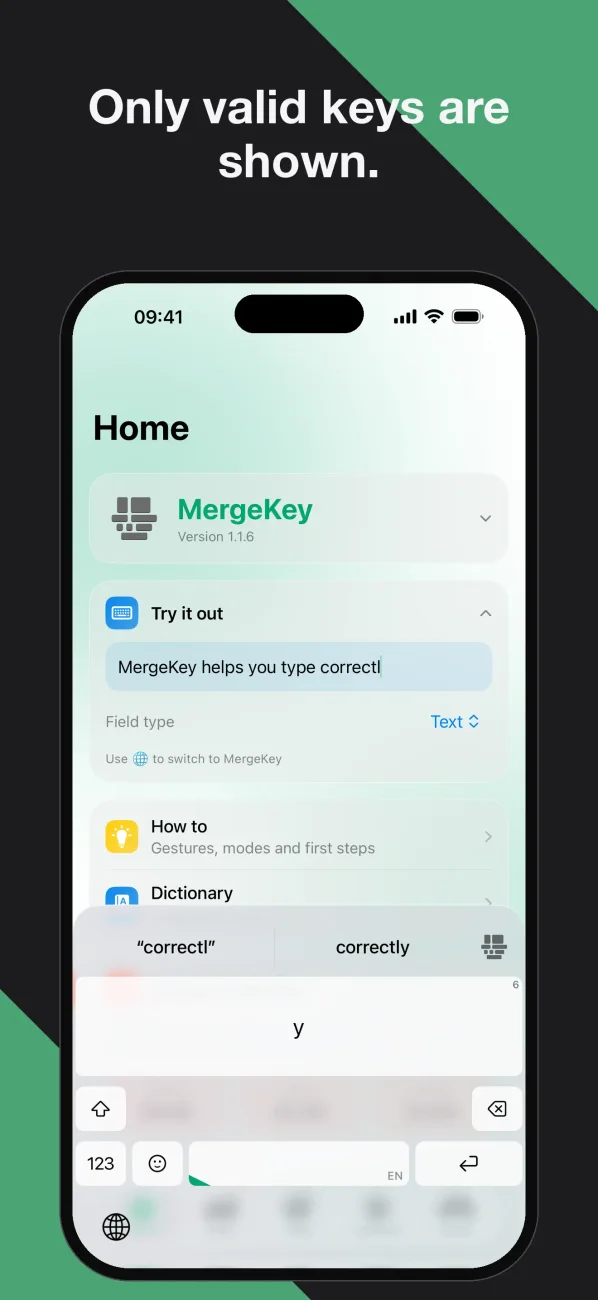
MergeKey — the first keyboard that hides the keys you don't need.
As you type, MergeKey dynamically removes impossible letters and expands the remaining keys, giving you bigger tap targets and fewer typos. It's like autocomplete, but visual — you see your options shrink in real time.
MERGE MODE — UNIQUE TO MERGEKEY
- Keys that can't continue your word disappear instantly
- Remaining keys grow to fill the space — bigger keys, fewer mistakes
- Learns new words you teach it
- Toggle Merge Mode off if you prefer just the disappearing keys without resizing
MADE FOR IPAD
- Full-size layouts on large iPads, a roomier compact layout on smaller ones
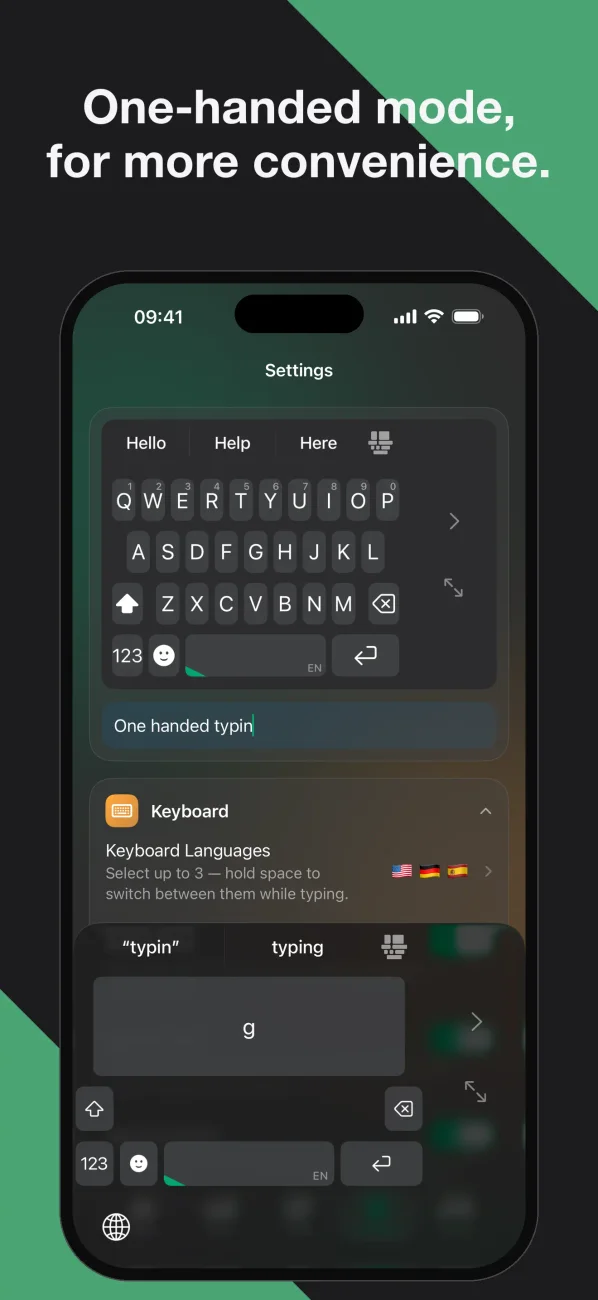
- Pinch to split the keyboard for thumb typing, with adjustable split distance
- Two-finger trackpad: drag across the keys to move the cursor
- Letters Only mode for a clean, focused board
- Split typing on iPhone too, in landscape
31 LANGUAGES
English, German, French, Spanish, Italian, Portuguese, Dutch, Polish, Czech, Slovenian, Greek, Turkish, Bulgarian, Russian, Ukrainian, Indonesian, Vietnamese, Swedish, Finnish, Danish, Norwegian, Icelandic, Lithuanian, Romanian, Hungarian, Irish, Hebrew, Arabic, Urdu (Latin), Bangla and Hindi — each with native prediction and accented character variants. English (US/GB), Spanish (ES/MX) and Portuguese (BR/PT) with correct regional dictionaries.
Hindi, Bangla and Urdu in Latin letters.
SMART FEATURES
- Quick Settings right in the keyboard — tap the MergeKey icon
- Scrolling prediction bar with up to 9 word suggestions
- Long-press for accented letters and symbols
- Character preview bubble on key tap
- Optional dedicated number row
- Double-tap shift for caps lock
- Backspace hold-to-accelerate (characters, then words)
- Hold 123 for a fan of digits; hold the comma key for more signs
CUSTOMIZABLE STYLE
- 14 keyboard styles: Default, Liquid Glass (iOS 26), Classic, Ink on Paper, Typewriter, Keycaps, Sharp, Brick, Pixel, Glossy, Metal, Backlit, Calculator, Neon
- Custom key fill, border, character and accent colors
- Letters that grow with their keys as they merge (optional)
- 6 key fonts
- Keyboard height: Compact, Normal or Tall
- Transparency slider for key fill opacity
- Animation speed control
- Live keyboard preview in Settings and Style
- Own colors for single function keys, a Black and White accent and Reset Style
BUILT FOR LEARNERS
- Swipe up to teach MergeKey a new word
- Swipe down for continuous mode (all keys visible)
- Swipe left to delete whole words
- Swipe right to paste the last thing you copied
- Key heatmap per language shows which letters you type most and where your thumb lands
- Built-in typing game to practice in any language
- Live lessons in How to – every gesture plays on your own keyboard
- 3 mini games: Tennis, Surfing, Penalty Kick
PRIVACY FIRST
MergeKey does not collect or transmit your typing data. Everything stays on your device.
MergeKey never connects to the internet. The only network activity is the App Store handling the optional tips – that's why iOS shows a Mobile Data switch for MergeKey.
The optional clipboard keeps your texts on this device only.
Word lists based on the Leipzig Corpora Collection (CC BY 4.0). AI4Bharat Aksharantar (CC BY).
What’s new
Version 1.2.1 · Nov 15, 2026
- Pick any color: a color picker in every color row
- Gradients across the keys: top to bottom, sideways or diagonal
- Faster quick menu, lower memory use
- Hold shift to change a word's case; swipe left and hold to delete word by word
- Bug fixes
App privacy
What Andrei Achziger declares on the App Store about how this app handles data.
-
Data not collected
The developer does not collect any data from this app.
Privacy practices may vary, for example with the features you use or your age.
Information
- Seller
- Andrei Achziger
- Category
- Utilities
- Version
- 1.2.1
- Updated
- Nov 15, 2026
- Released
- Aug 13, 2024
- Size
- 39.7 MB
- Requires
- iOS 18.0 or later
- Age rating
- 4+
- Price
- Free
- In-app purchases
- Yes
- Languages
- English, Arabic, Bengali, Bulgarian, Czech, Danish, Dutch, Finnish, French, German, Greek, Hebrew + 18 more
- Copyright
- © Andrei Achziger
You might also like
-
 WurstfingerThe Keyboard for Fat Fingers
-
 Keyz KeyboardUtilities
-
 Swipeys KeyboardOne thumb, no row hunting.
-
 VersaKey: Custom iOS KeyboardFlick for numbers and symbols
-
 MessagEase KeyboardUtilities
-
 VariAlarm: Alarm ClockSkip a day, keep your routine
-
 Remote Wake Up MobileControl Devices Remotely
-
 MyKeyboard LegacyClassic Keyboard
-
 NuKeyA keyboard with character
-
 EFKey – Swipe & AI KeyboardTranslate, dictate, gestures