- Age rating4+
- CategoryUtilities
- DeveloperDaniel Witt
- LanguagesEnglish+ 10 more
- Size33.7 MB
Links to the official App Store page
Download.org hosts no file of Remote Wake Up Mobile. The button opens its official App Store page, published by Daniel Witt. Listing last checked on Nov 26, 2026.
Screenshots

About
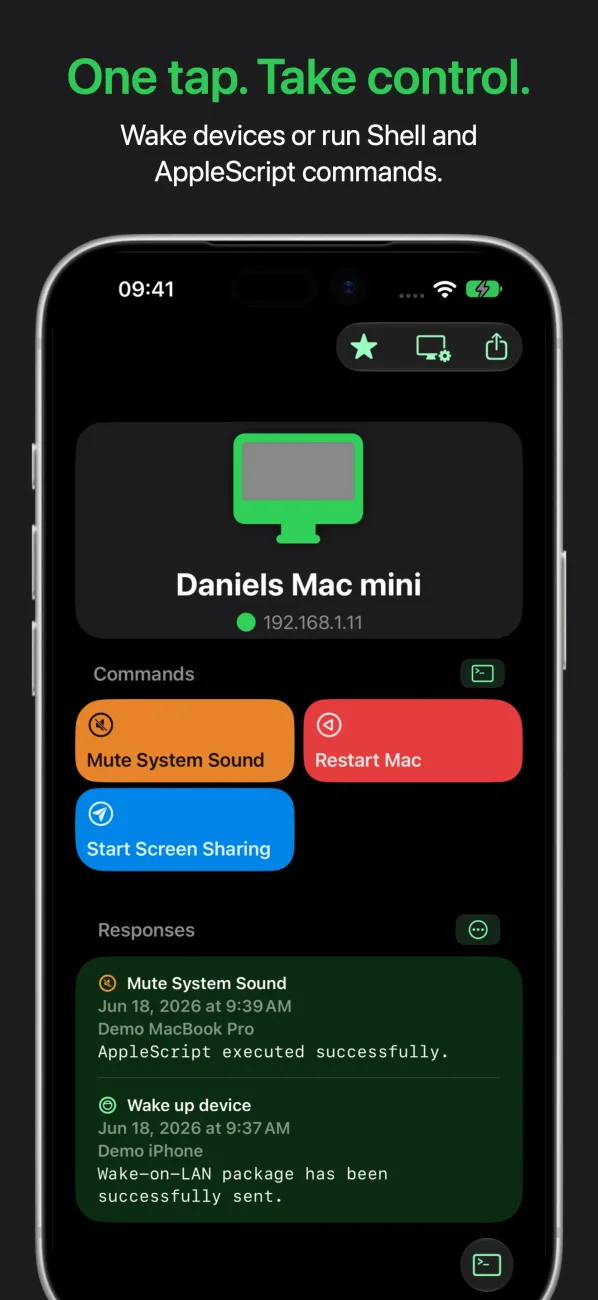
Wake your computer before you sit down. Run maintenance from your phone. Keep your everyday commands a tap away.
Remote Wake Up puts compatible computers and network devices within reach from your iPhone and iPad. Manage your workstation, home server or lab over your local network or the internet.
KEY FEATURES
• Wake Devices with Wake-on-LAN
Wake compatible computers and network devices locally or over the internet with the appropriate network setup.
• Run Commands Remotely
Execute shell commands over SSH or run AppleScripts on Macs. View command output and error logs to see what happened.
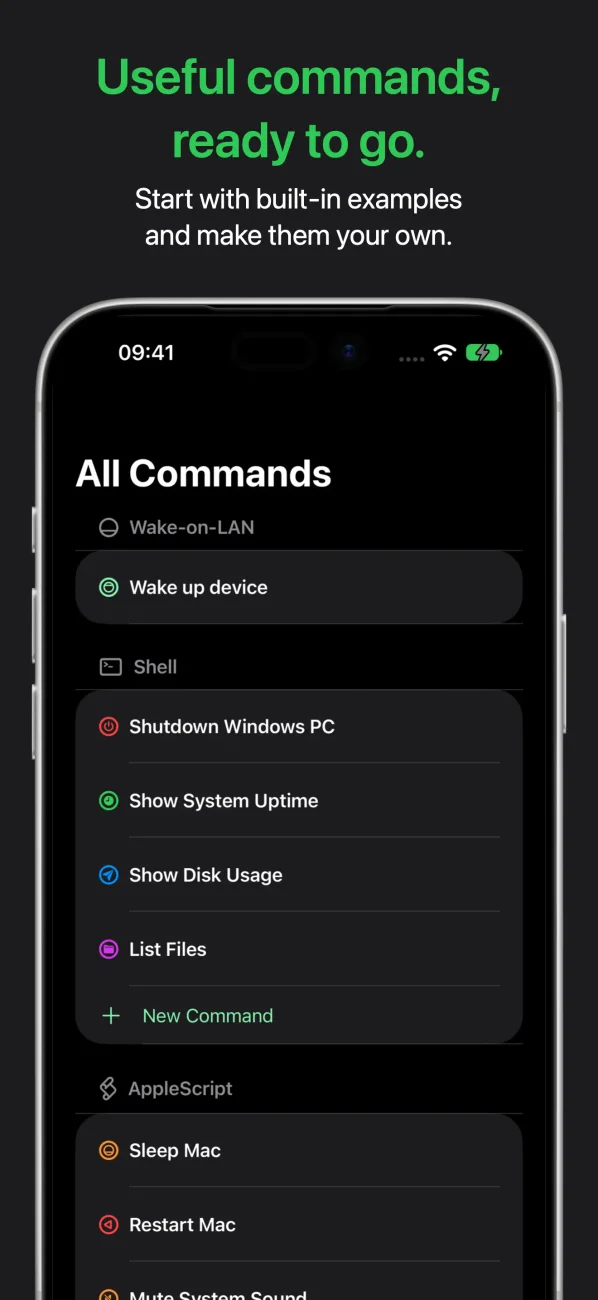
• Start with Built-In Examples
Use practical command examples for macOS, Linux and Windows to check system status, troubleshoot networks and manage devices—or create your own.
• Create Once, Reuse Often
Save commands and assign them to multiple compatible devices. Spend less time repeating the same setup.
• Keep Favorites Close
Mark frequently used devices as favorites for quick access. Organize your devices with labels, icons, search and sorting.
• Discover Local Devices
Find devices on your network with the built-in network browser and add them without manually entering every IP address.
• Sync with iCloud
Keep your saved devices and commands synchronized across iPhone, iPad, Mac and Apple Watch.
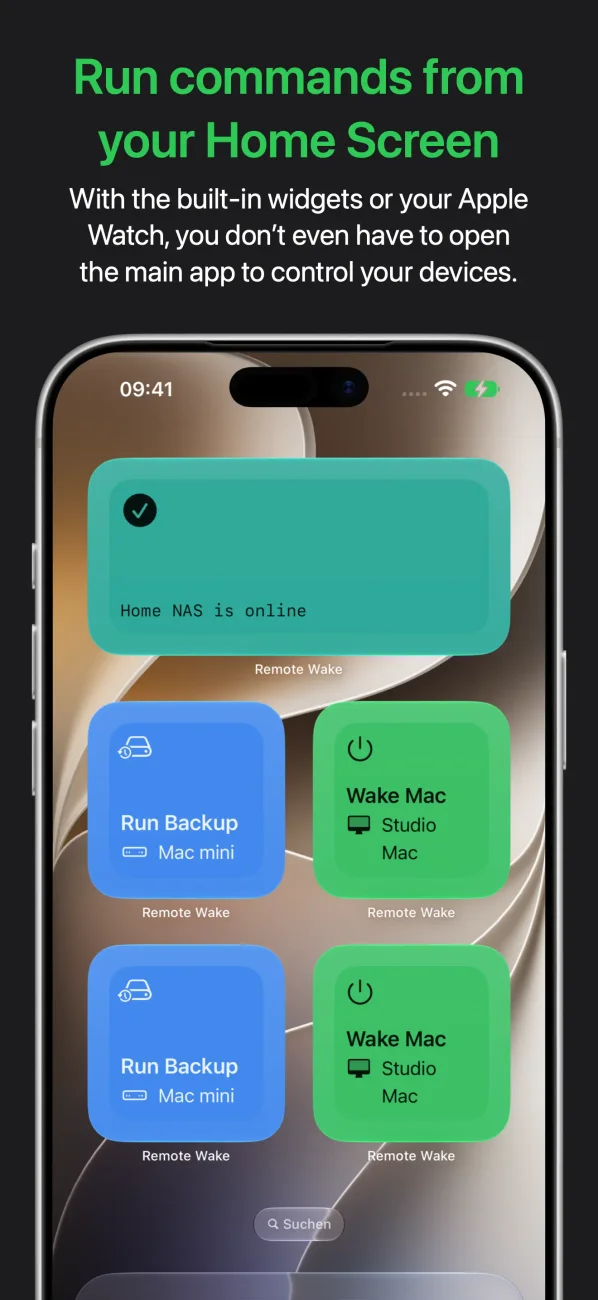
• Use Widgets and Shortcuts
Run saved commands from your Home Screen widgets or through Shortcuts and Siri.
APPLE WATCH
Browse your devices and favorites, run saved commands and read the results from your wrist. Commands run through your paired iPhone, which must be nearby and connected.
MADE FOR YOUR EVERYDAY TASKS
Wake your workstation before connecting remotely, check your server’s status, run maintenance scripts or put a Mac to sleep when you’re finished.
Available in English, German, Spanish, French, Italian, Japanese, Korean, Dutch, Portuguese and Chinese, including regional language variants.
REQUIREMENTS
Wake-on-LAN requires compatible devices and network settings. Remote commands require SSH access on the target device. Access over the internet requires appropriate network configuration.
Remote Wake Up for macOS is sold separately and shares your devices and commands through iCloud.
What’s new
Version 2.2.2 · Nov 24, 2026
NEW: Select multiple hosts on iPhone and iPad to share their configurations, move them to another label, or delete them together.
NEW: The app icon has been improved.
NEW: Confirm before deleting hosts or commands.
NEW: Rename a label directly from its host list title on iPhone and iPad.
NEW: Move an existing host into a label from that label’s add menu.
NEW: Import multiple saved host configurations at once on iPhone and iPad.
NEW: Network Browser now explains when there’s no local network connection and clears stale results when the connection changes.
NEW: Improved dark-mode contrast for selected hosts and commands.
NEW: Prevented repeated taps from running the same command again while it’s still running.
NEW: Improved VoiceOver labels for commands and command examples.
FIX: Fixed Wake-on-LAN on the local network and made failure messages more helpful.
FIX: Fixed incorrect online and offline indicators for saved hosts.
FIX: Fixed command widgets so results from different hosts and commands no longer overwrite each other.
FIX: Fixed clipped host and command icon pickers on iPhone and iPad.
FIX: Fixed the connection timeout stepper’s alignment in host settings.
FIX: Fixed command search and counts for built-in and URL Scheme commands.
FIX: Fixed shared host files using outdated settings or overwriting files for hosts with the same name.
FIX: Fixed „Copy All“ in a host’s response log so it copies only that host’s responses.
FIX: Fixed a crash when accessing SSH passwords for some hosts.
App privacy
What Daniel Witt declares on the App Store about how this app handles data.
-
Data not collected
The developer does not collect any data from this app.
Privacy practices may vary, for example with the features you use or your age.
Information
- Seller
- Daniel Witt
- Category
- Utilities
- Version
- 2.2.2
- Updated
- Nov 24, 2026
- Released
- Jul 3, 2025
- Size
- 33.7 MB
- Requires
- iOS 18.0 or later
- Age rating
- 4+
- Price
- $4.99
- Languages
- English, Dutch, French, German, Italian, Japanese, Korean, Portuguese, Simplified Chinese, Spanish, Traditional Chinese
- Copyright
- © 2015-2026 Daniel Witt
You might also like
-
 NetPulse - Pro Network ToolsPing, MTR, DNS & Traceroute
-
 CirTrackTrack Meals & Habits Daily
-
 TV Presets • Remote ControlFor Samsung TVs
-
 Compress-sanCompress video & create SRTs
-
 Swipe Photo Cleaner - HeroCamera roll, Gallery clean up
-
 Recap - Transcribe VideosOffline, On-Device, Private
-
 SharkZip - Zip with PasswordArchive files with password
-
 Echovo - TTS & Voice CloningOn-device TTS & Voice Cloning
-
 TidyPic: Clean Photo LibraryKeep Your Phone Tidy
-
 Photo Optimizer: Clean StorageResize, Compress Image Size