MetaGrid Pro
Touch Control for Desktop Apps
Designed for iPad, Mac
Free · In-app purchases
- Age rating4+
- CategoryProductivity
- DeveloperMetaSystem Solutions Sp. z o.o.
- LanguagesEnglish
- Size337.7 MB
Links to the official App Store page
Download.org hosts no file of MetaGrid Pro. The button opens its official App Store page, published by MetaSystem Solutions Sp. z o.o. Listing last checked on Nov 14, 2026.
Screenshots




About
Experience a touch-native controller that goes beyond hardware and traditional control apps.
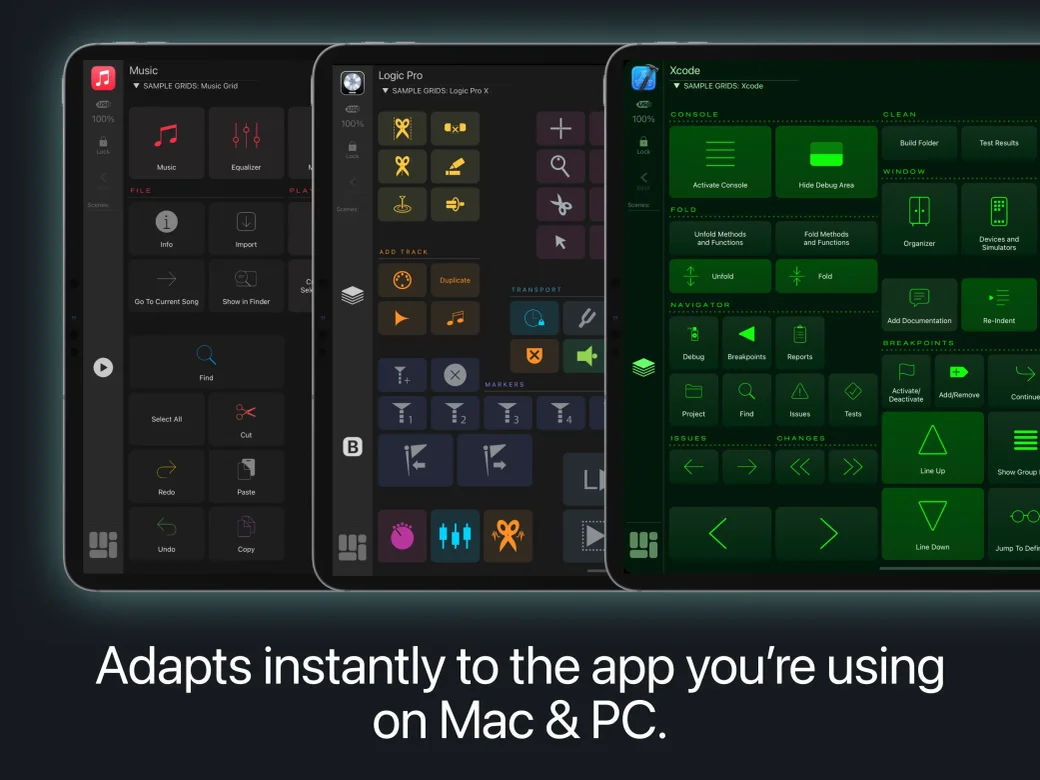
Switch apps, and MetaGrid Pro instantly adapts to show the right tools.
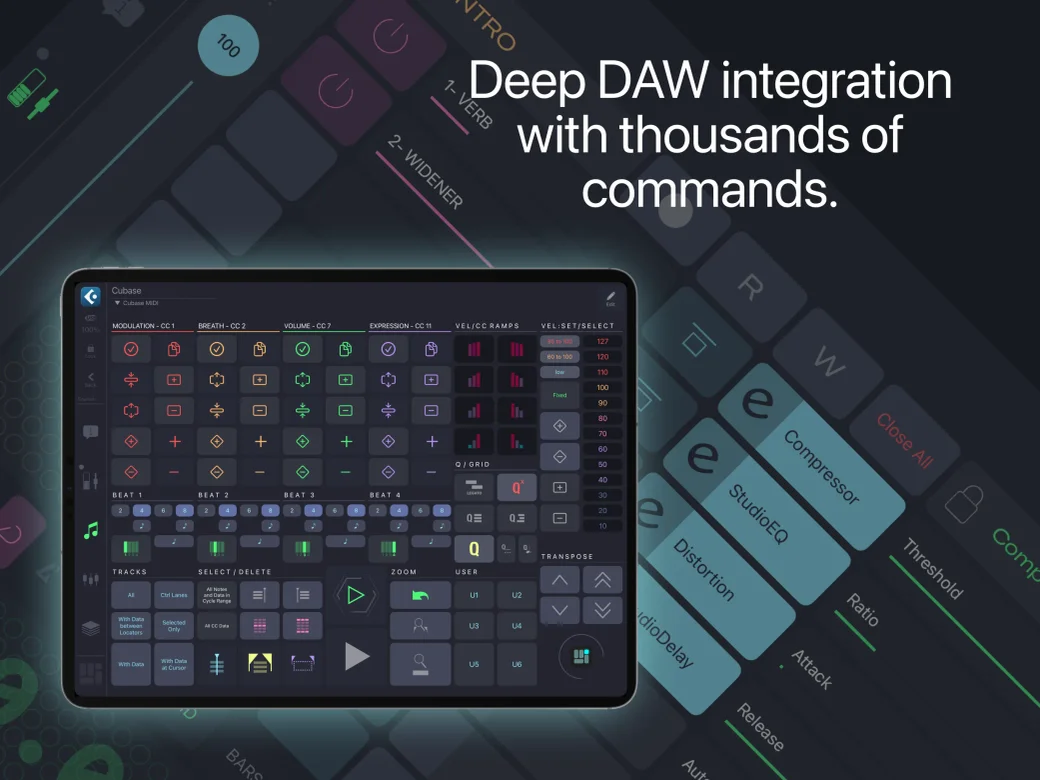
Work faster with deep app integrations, customizable layouts, powerful macros, advanced DAW/MIDI control, and a growing library of ready-to-use presets.
CORE FEATURES:
• Adaptive Interface
Your layouts update the moment you switch apps, windows, or tools. MetaGrid Pro adapts in real time — changing controls based on the active app, frontmost window, incoming MIDI, keyboard shortcuts, or Apple Scripts. For supported DAWs, it can also switch layouts based on track selection to stay in sync with your workflow.
• Deep App Integration
Control creative apps on Mac and PC more efficiently. On macOS, access every menu command in tools like Photoshop, Figma, Blender, and DaVinci Resolve — even ones without shortcuts. Run Apple Shortcuts and Keyboard Maestro macros directly, with no shortcut assignments required.
• Full Customization
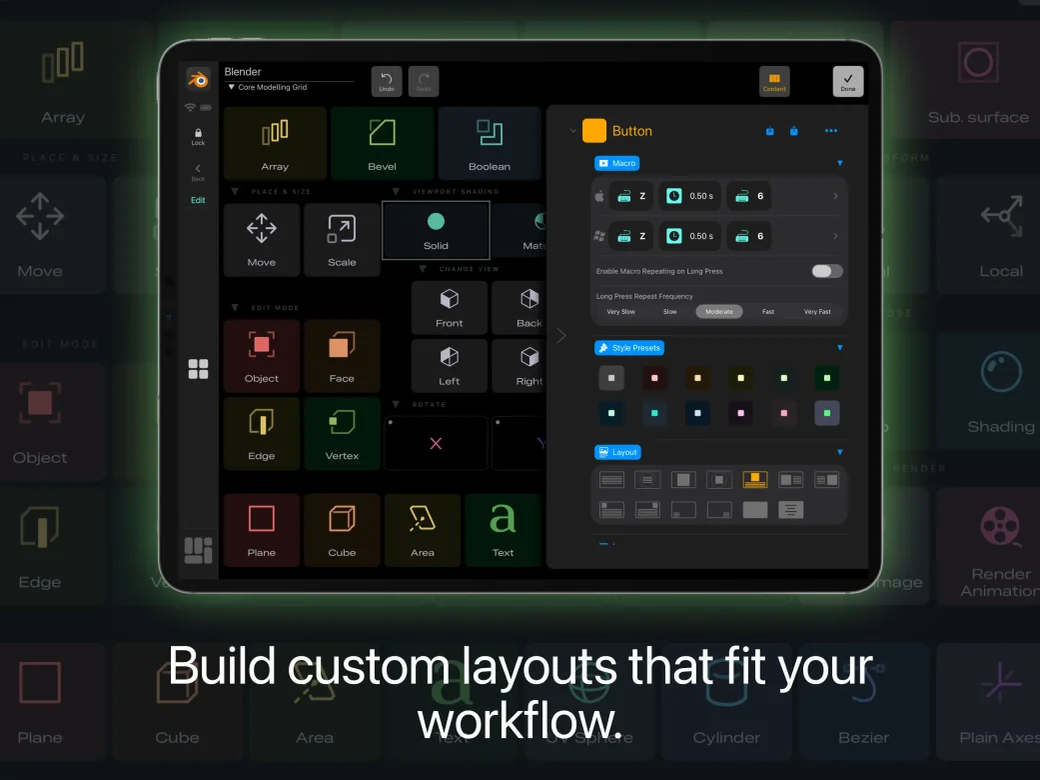
Design every detail of your workspace. Resize any object, arrange flexible layouts, and style each grid with skins, adjustable chrome, and backgrounds — including curated textures and images. Every object is fully customizable with palettes, colors, layout options, thousands of icons, or your own artwork.
• Presets
Start fast with ready-to-use presets for major Apple apps, leading DAWs (Cubase, Ableton Live, Studio One, UAD Luna), audio tools like iZotope RX, design apps like Blender and Figma, and game audio systems like Wwise and FMOD. All presets are editable for Premium users, with optional expert-built multi-grid presets available for advanced workflows.
• Master Control
Turn repetitive tasks into instant actions with multi-step macros. Combine shortcuts, text insertions, menu commands, MIDI messages, pauses, and more — all from a single tap.
• Gesture Pads
Control apps with futuristic, highly responsive gesture pads. Multi-finger taps, swipes, and pans offer fast, intuitive navigation and fluid interaction.
• Advanced Button Types
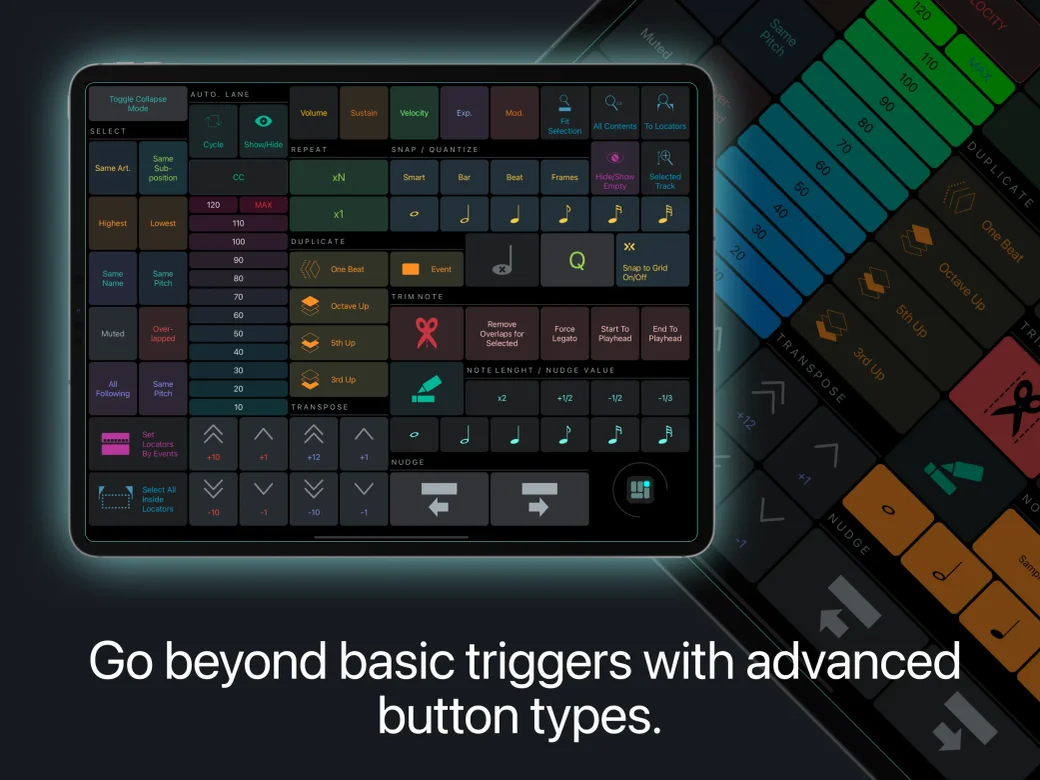
Use momentary and latching switches, menu-driven buttons, multiple button layouts, and interactive switch groups that adapt to your workflow and provide clear feedback.
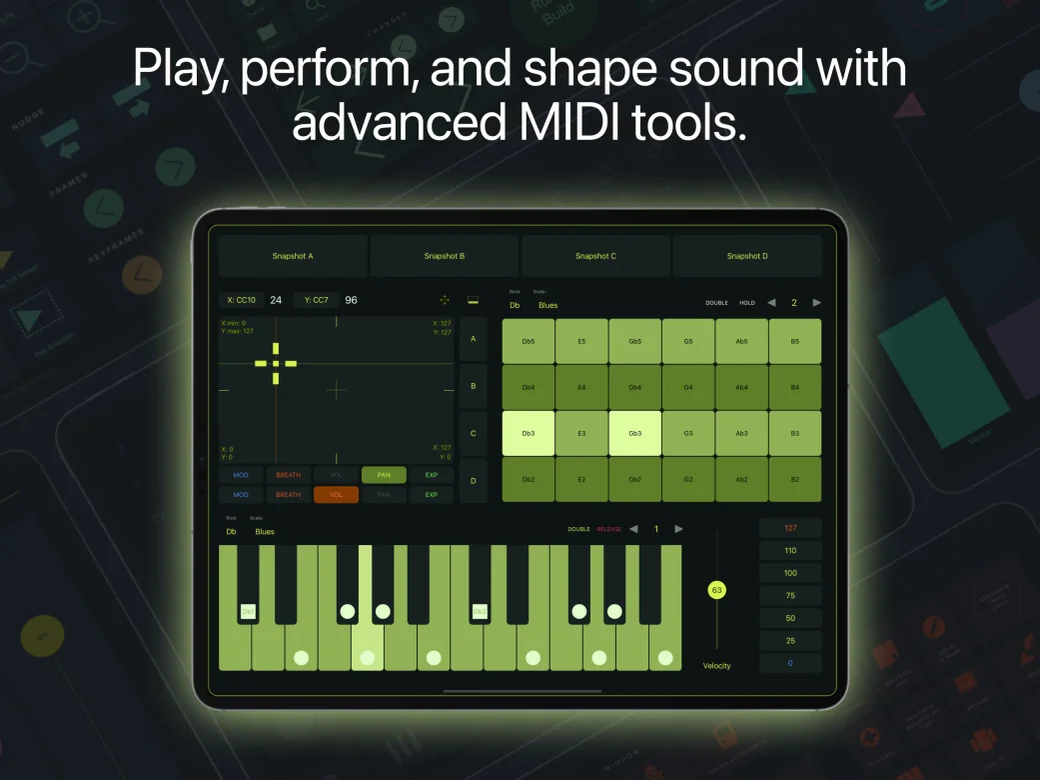
• Advanced DAW / MIDI Tools
Control your DAW with shortcut-free integration. Access extensive command sets in Cubase, Nuendo, Logic Pro, Studio One, and Ableton Live. MetaGrid Pro can switch layouts based on track selection or active editors in supported DAWs. Perform and shape sound with the Piano Keyboard, Drum Pads, and XY Pad — all from a touch-native interface.
GENEROUS FREE VERSION:
• One fully customizable workspace
• Functional MIDI fader grid
• Preview all presets (macros disabled)
GO PREMIUM FOR COMPLETE CONTROL:
• Unlimited workspaces, grids, and profiles
• Macro triggering everywhere
• Fully functional presets for major Apple apps
• Popular presets for leading Mac and PC apps
• Optional expert-made presets for advanced workflows
• Advanced DAW command integration
• Import and export profiles, workspaces, grids, and objects
FROM US TO YOU:
MetaGrid Pro is designed to give you more power, more speed, and more freedom than traditional controller tools. Going Premium helps us push that vision even further.
COMMAND YOUR WORKFLOW. ONE TAP AT A TIME.
Terms of Use (EULA):
https://www.apple.com/legal/internet-services/itunes/dev/stdeula/
What’s new
Version 1.7.7 · Sep 25, 2026
MetaGrid Pro 1.7.7 makes everyday connections and sound feedback more reliable.
• Restores your saved MetaServer connection when you return after the app has been in the background and the previous session has expired.
• Recognizes a removed USB cable promptly and returns to connection discovery instead of leaving the dashboard looking connected.
• Improves sound-feedback responsiveness and resource use, and prevents ordinary feedback sounds from lowering audio playing in other apps.
• Includes additional reliability improvements for audio interruptions, route changes, rapid feedback gestures, and USB recovery.
Recommended companion versions:
• MetaServer 6.1.6 for macOS
• MetaServer 6.0.5 for Windows
App privacy
What MetaSystem Solutions Sp. z o.o. declares on the App Store about how this app handles data.
-
Data not collected
The developer does not collect any data from this app.
Privacy practices may vary, for example with the features you use or your age.
Information
- Seller
- MetaSystem Solutions Sp. z o.o.
- Category
- Productivity
- Version
- 1.7.7
- Updated
- Sep 25, 2026
- Released
- Feb 8, 2022
- Size
- 337.7 MB
- Requires
- iOS 15.6 or later
- Age rating
- 4+
- Price
- Free
- In-app purchases
- Yes
- Languages
- English
- Copyright
- © 2026 MetaSystem Solutions Sp. z o.o.
You might also like
-
 Sibelius KeyPadfor Apple Mac and PC computers
-
 Astropad Slate Pen TabletPen Tablet & Trackpad for Mac
-
 Photon 2: DMX Light ControllerWireless ArtNet DMX Controller
-
 Pure Synth® PlatinumAll-In-One Rompler/Synthesizer
-
 Touch PortalOptimize your workflow!
-
 OverdeckMobile streaming controller
-
 Elgato Stream Deck ConnectControl iPad with Stream Deck
-
 TrinnovProcessor Control
-
 BTT MobileBetterTouchTool Remote Control
-
 DeckPilot - Workflow ControlWorkflows, Macros & Shortcuts