- Age rating4+
- CategoryProductivity
- DeveloperCodeDock s.r.o.
- LanguagesEnglish+ 1 more
- Size2.1 MB
Links to the official App Store page
Download.org hosts no file of MeToDo Task Manager. The button opens its official App Store page, published by CodeDock s.r.o. Listing last checked on Nov 17, 2026.
Screenshots


About
MeToDo Task Manager: Your Ideal Tool for Task Management
MeToDo Task Manager brings a revolutionary approach to managing your daily tasks and projects. Available on both mobile devices and computers, this application ensures that your tasks are always synchronized and within reach, no matter where you are.
Key Features:
- Synchronization Across Devices: With automatic synchronization between devices, MeToDo is perfect for those always on the move. Your tasks and plans remain up-to-date and accessible across all your devices.
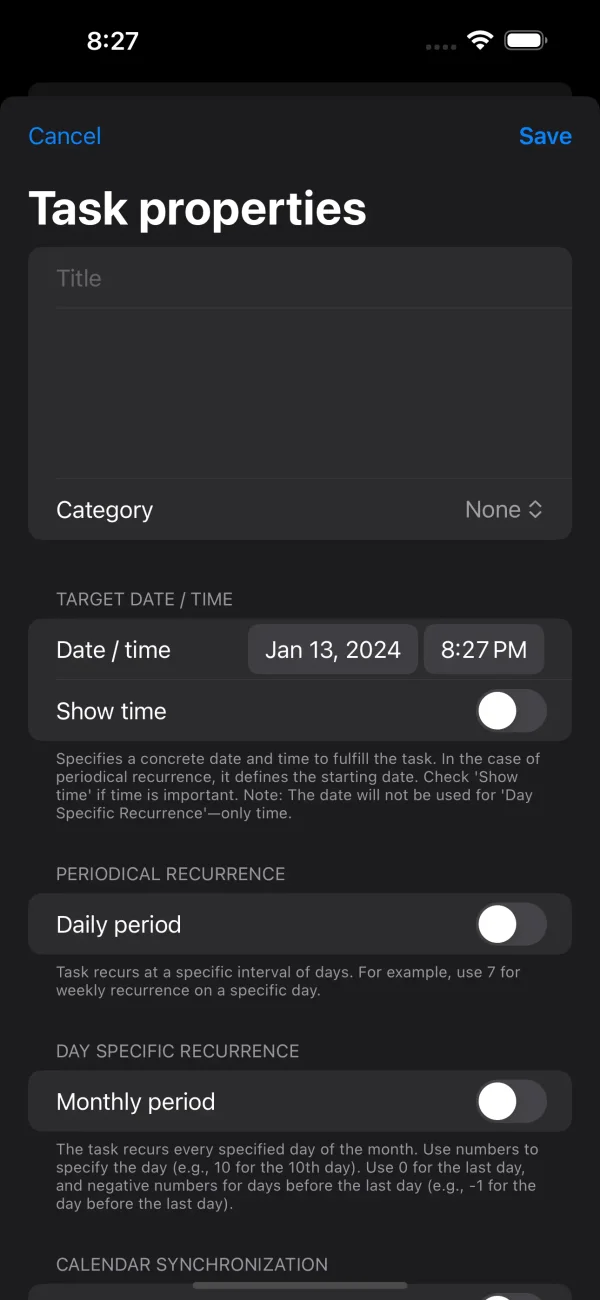
- Advanced Recurring Tasks: Set up regular task repetitions with unparalleled flexibility. MeToDo allows you to schedule tasks daily, weekly, monthly, or according to your own custom pattern, making it ideal for everything from daily routines to complex projects.
- Monthly and Non-Standard Planning: Plan tasks for specific days of the month or for non-standard times, like the day before the month's end. This feature offers exceptional adaptability for those needing to tailor their planning to shifting schedules.
- New Widget Addition: Stay updated with your tasks right from your home screen! The new widget feature provides a quick glance at your daily tasks, ensuring you're always on top of your to-do list.
- Task Notifications: Get timely reminders for your tasks with our new notification system. These alerts keep you informed and on track with all your deadlines and important dates.
Intuitive and User-Friendly Interface: Managing tasks has never been easier. With a straightforward and clear interface, MeToDo lets you effortlessly record, monitor, and complete tasks. From simple reminders to extensive projects, MeToDo has got you covered.
What’s new
Version 1.7 · Jan 14, 2024
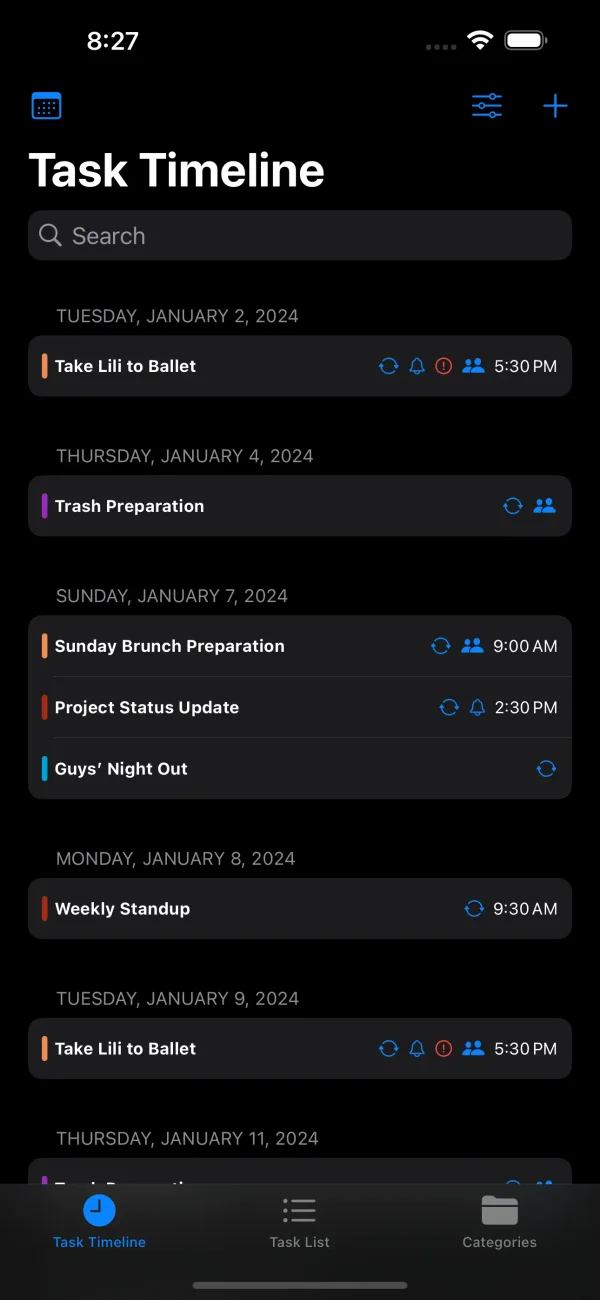
Revamped User Interface: Experience a more organized workflow with our newly divided interface, featuring distinct sections for Task Management and Task Timeline. Navigate effortlessly between managing your tasks and viewing them on a chronological timeline.
Enhanced Recurring Task Planning: We've introduced the ability to specify exceptions in your recurring task schedules. Now, customizing your routine tasks is more flexible than ever, allowing you to skip specific dates without disrupting your overall plan.
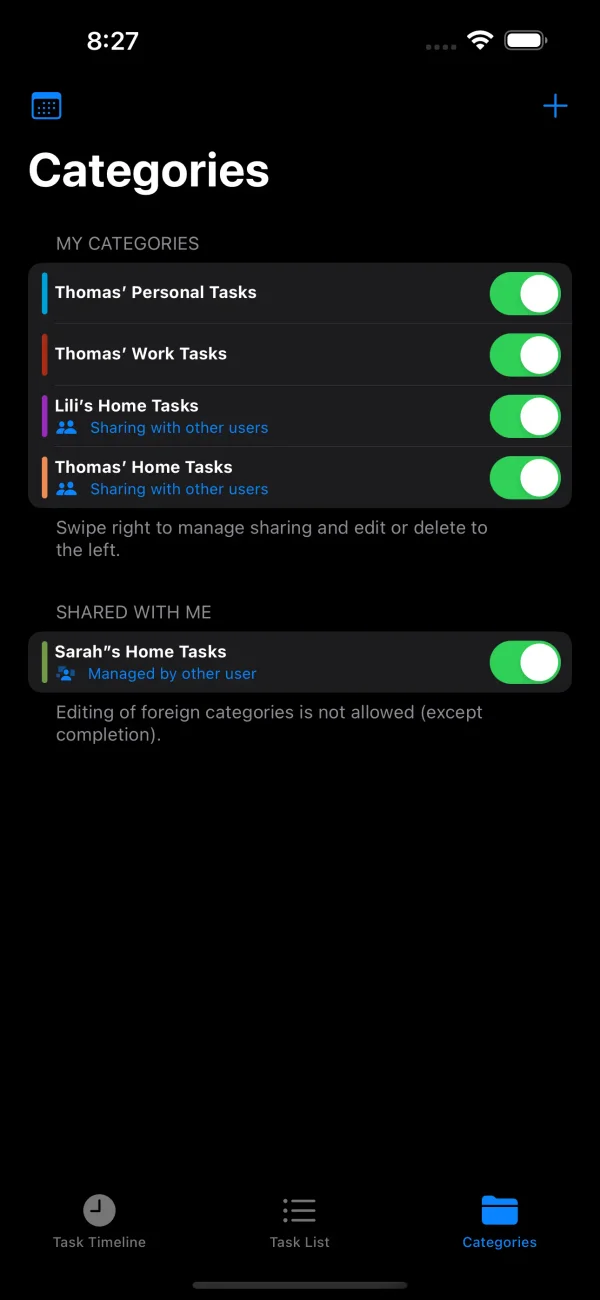
Shareable Task Categories: Collaboration just got easier! You can now share task categories with other users, making it seamless to coordinate and manage shared responsibilities or group projects. Enjoy a more connected and efficient way to work together.
App privacy
What CodeDock s.r.o. declares on the App Store about how this app handles data.
-
Data not collected
The developer does not collect any data from this app.
Privacy practices may vary, for example with the features you use or your age.
Information
- Seller
- CodeDock s.r.o.
- Category
- Productivity
- Version
- 1.7
- Updated
- Jan 14, 2024
- Released
- Dec 11, 2023
- Size
- 2.1 MB
- Requires
- iOS 17.0 or later
- Age rating
- 4+
- Price
- Free
- Languages
- English, Czech
- Copyright
- © CodeDock
You might also like
-
 Flagis: To-do List & NotesSimply organize your tasks
-
 Private Secret Notebook-MemoDaily diary notes
-
 Noteboard for MCAT PracticeSimulate the MCAT experience
-
 Since: Track Your SlipsTrack how long it's been
-
 ittybitixtmicro notes
-
 ZenTimer ProProductivity
-
 TreeNote: Nested NotesOutlines, Markdown & Tasks
-
 TODO! Simple ListProductivity
-
 Sticky Todo AppSort & Bookmark Tasks Easily
-
 PomodoistTasks, planning and focus