
- Age rating4+
- CategoryMusic
- DeveloperSnake Johns
- LanguagesEnglish
- Size5.2 MB
Links to the official App Store page
Download.org hosts no file of MIDI Set Lister. The button opens its official App Store page, published by Snake Johns. Listing last checked on Nov 17, 2026.
Screenshots


About
Build your show. Tap a song. Set your sound.
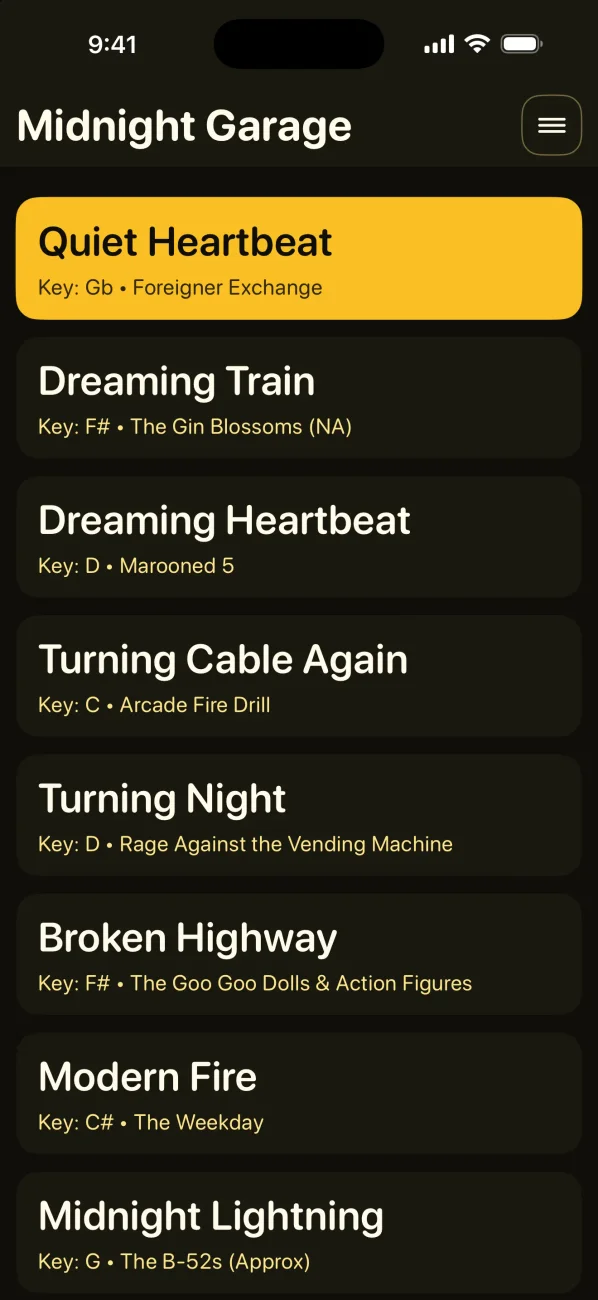
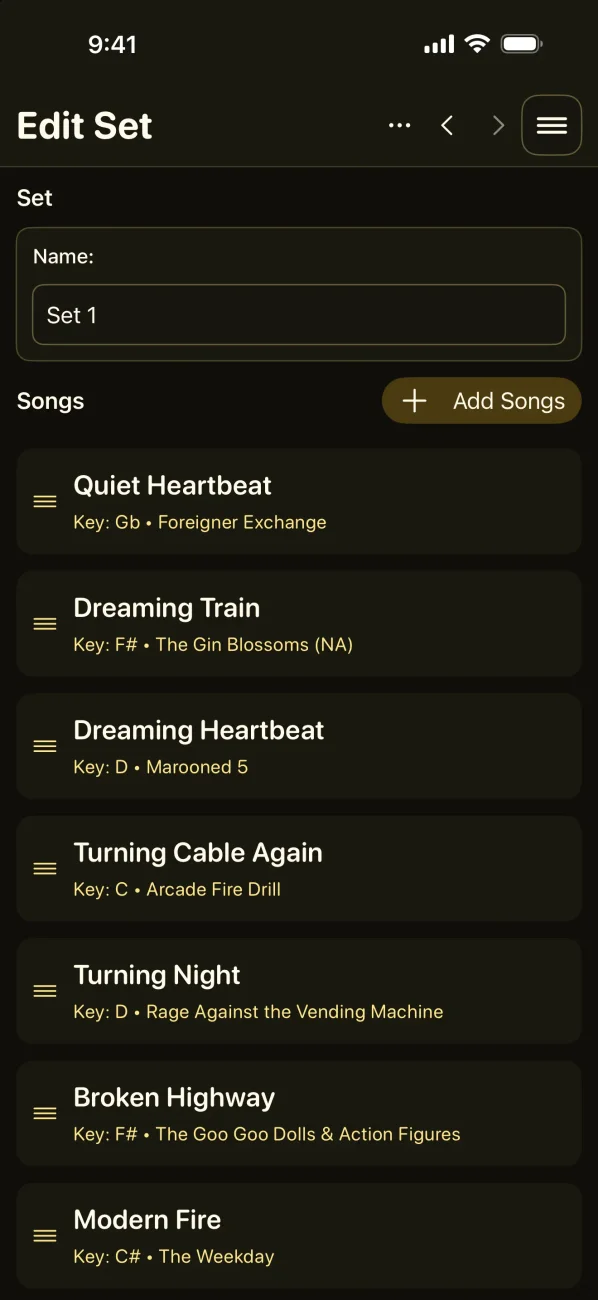
MIDI Set Lister brings your songs, notes, gigs, and MIDI commands together in one place. Prepare a running order before rehearsal, then use the focused Performance view on stage. It works just as well as a set manager when you do not use MIDI.
SONGS AND MIDI
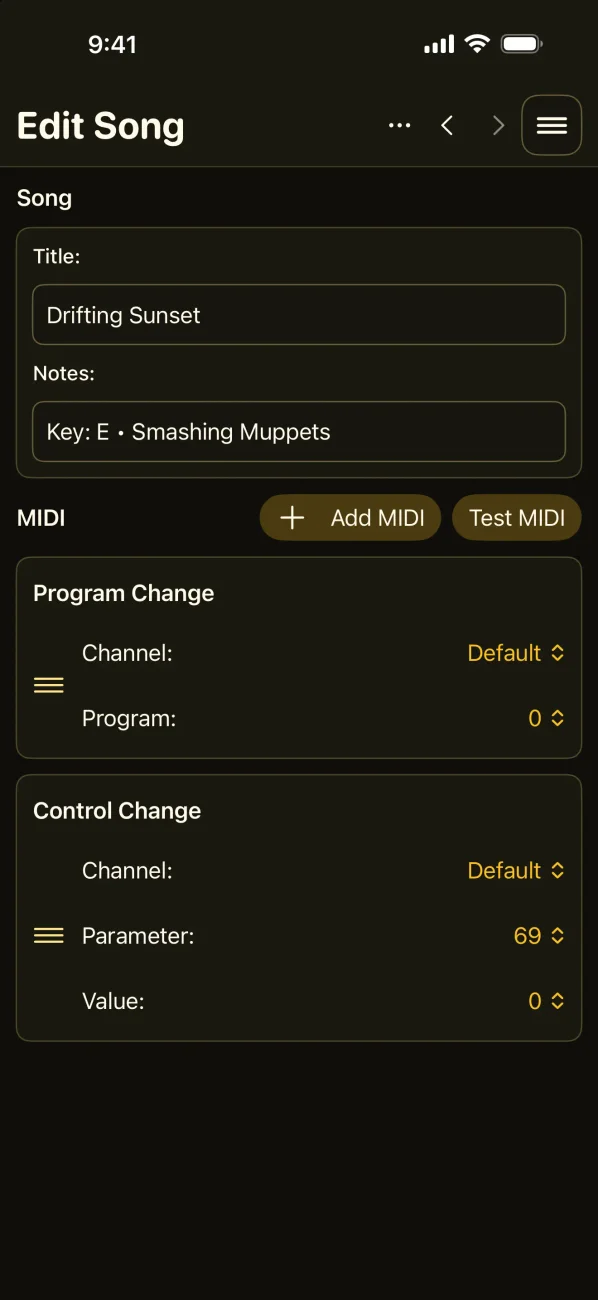
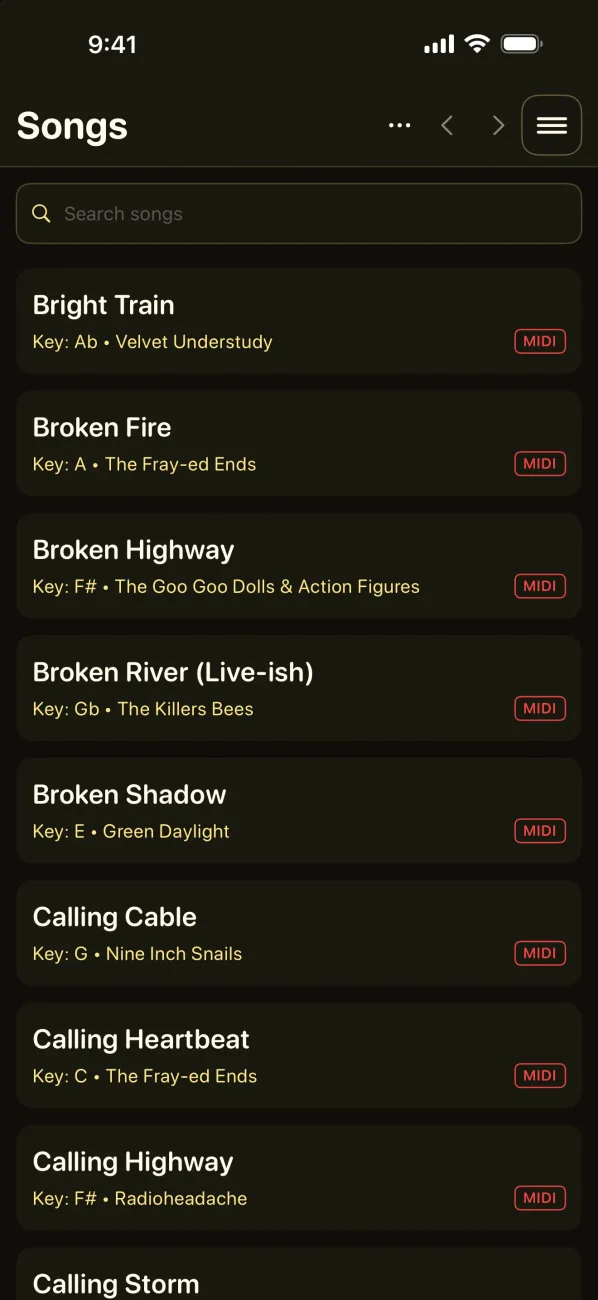
Keep a reusable song library with notes for keys, artists, cues, and reminders. Attach ordered Program Change and Control Change messages, choose channels, and arrange messages with smooth vertical drag and drop.
GIGS AND SETS
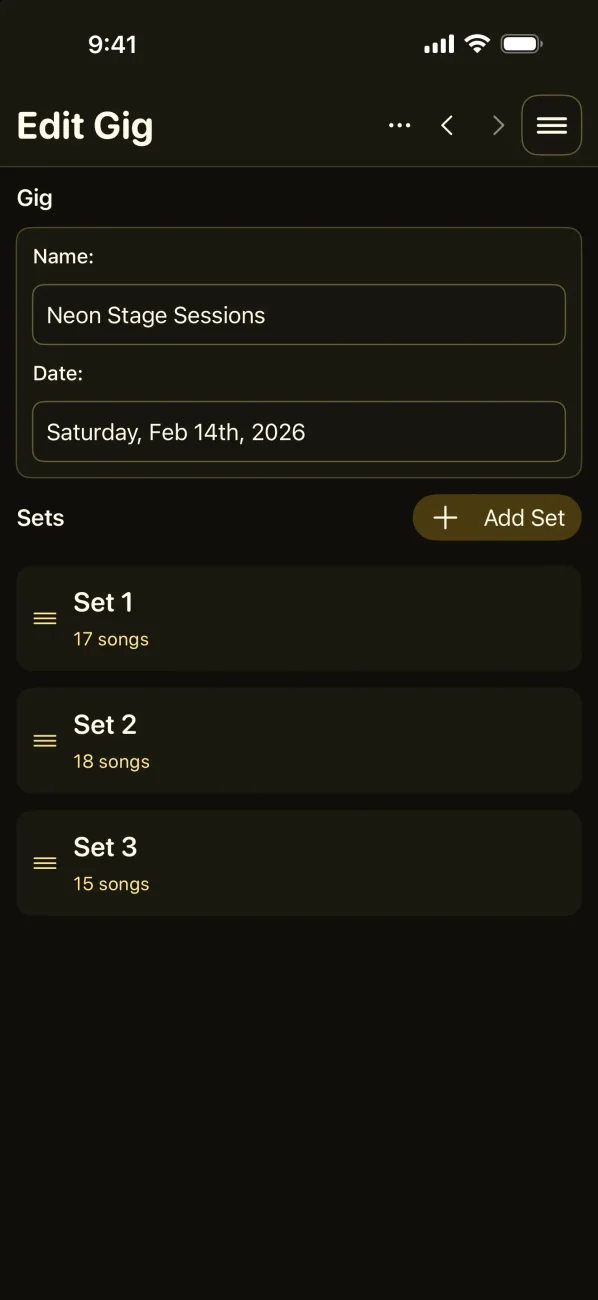
Create dated gigs, organize them into sets, and add songs in the order you want them played. Duplicate, move, and reorder items without rebuilding your show. Search your library and jump from a song in a set directly to its editor. Back and Forward take you through your editing history.
READY FOR THE STAGE
Choose a gig and tap a song to send its MIDI sequence to your connected equipment. Switching to a different set selects its first song and sends its MIDI. Large song titles, useful notes, and selectable themes keep the running order easy to read. MIDI requires a compatible connection and receiving equipment.
KEEP YOUR DEVICES TOGETHER
Optional iCloud sync keeps songs, gigs, MIDI, appearance, and preferences together across devices using the same iCloud account. Work offline and reconcile changes after reconnecting. Performance selection and Web Control stay on each device. Background delivery depends on network availability and the operating system.
EDIT FROM A BROWSER
Web Control lets you prepare Songs and Gigs from a browser on your local network while the iPhone or iPad hosts the session. MIDI is sent by the host device. This keeps browser editing available to people using Windows, Linux, or another computer.
SHARE AND BACK UP
Export an individual gig, import shared gigs with song matching, or save a complete library backup. Gig exports can leave out MIDI so each musician keeps their own setup. Recovery Copies provide another way to recover earlier local work.
DESIGNED FOR YOUR SCREEN
Comfortable multi-column editing on iPad, focused editing on iPhone, and layouts that adapt to both iPhone Duo displays. Swipe to delete or remove items on iPhone, and use the drag handles to reorder.
No subscription. No account to create.
What’s new
Version 2.3.0 · Nov 6, 2026
A refreshed editing experience across iPhone and iPad.
• Multi-column Songs and Gigs editing on iPad.
• Consistent song, gig, set, and MIDI editing with smooth vertical reordering.
• Back and Forward navigation, direct Edit Song actions, and automatic scrolling to newly added or moved items.
• Optional iCloud sync, offline reconciliation, and safer handling of edits arriving from another device.
• A refreshed Web Control workspace for Songs and Gigs.
• Updated Settings, themes, import/export, and Help.
• Layout and editing improvements for both iPhone Duo displays.
App privacy
What Snake Johns declares on the App Store about how this app handles data.
-
Data not collected
The developer does not collect any data from this app.
Privacy practices may vary, for example with the features you use or your age.
Information
- Seller
- Snake Johns
- Category
- Music
- Version
- 2.3.0
- Updated
- Nov 6, 2026
- Released
- Feb 16, 2026
- Size
- 5.2 MB
- Requires
- iOS 16.0 or later
- Age rating
- 4+
- Price
- $4.99
- Languages
- English
- Copyright
- ©2026 Snake Johns. All Rights Reserved.
You might also like
-
 HX NotesHelix Preset Optimization Tool
-
 Bens Toolbox RemoteRemote Control for Logic Pro
-
 Setlist MIDIMusic
-
 junoNATIVEPolyphonic Analog Synthesizer
-
 MIDI Set ListHands-free MIDI gear control
-
 gldMix: Personal Monitor MixerControl A&H GLD mixes via WiFi
-
 Midiflow Splitter (Audiobus)Divide the keyboard into zones
-
 Gospel DrummerVirtual Drummer and Pro Kits
-
 MIDI-Probe: Monitor & TestSniff, send & debug your gear
-
 SongFire - Songbook & SetlistsPowerful & Easy ChordPro & PDF