
Midiary: MIDI File Studio
Practice, convert & see chords
Designed for iPhone, iPad, Mac
$3.99
- Age rating4+
- CategoryMusic
- DeveloperRobert Corbin
- Size7.3 MB
Links to the official App Store page
Download.org hosts no file of Midiary: MIDI File Studio. The button opens its official App Store page, published by Robert Corbin. Listing last checked on Nov 23, 2026.
Screenshots
About
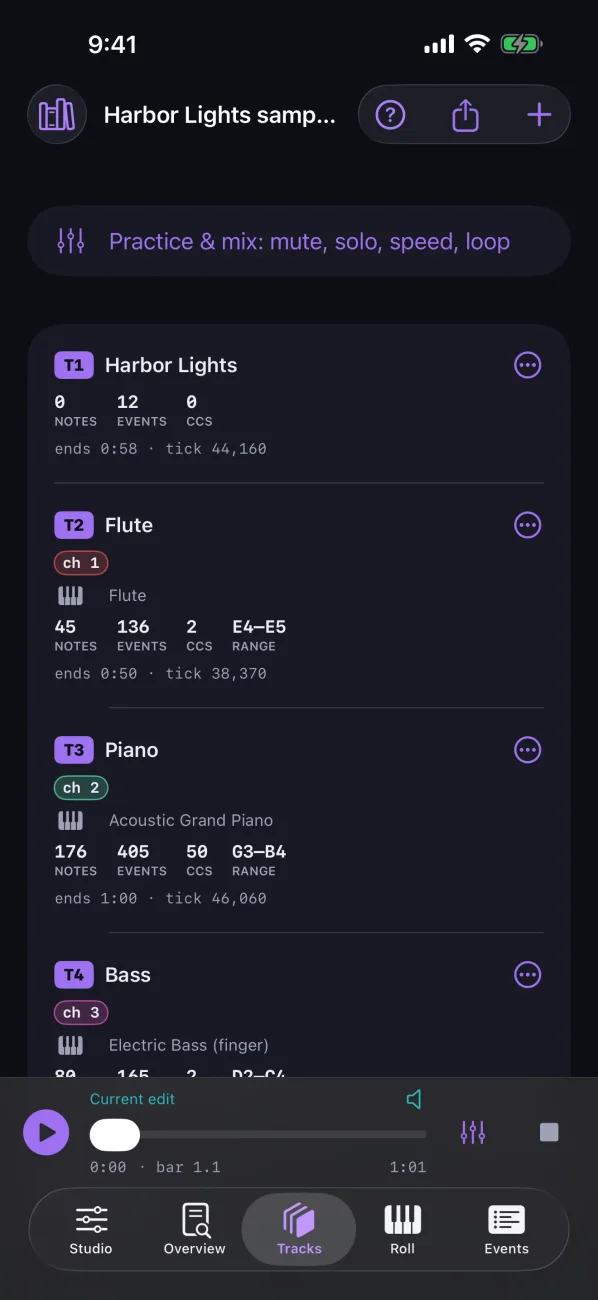
Turn a MIDI file into a focused rehearsal. Slow down a difficult passage, loop its bars, mute your part and practice with the rest of the arrangement. Keep the imported original intact while you explore, edit and export.
YOUR PRACTICE PLAN
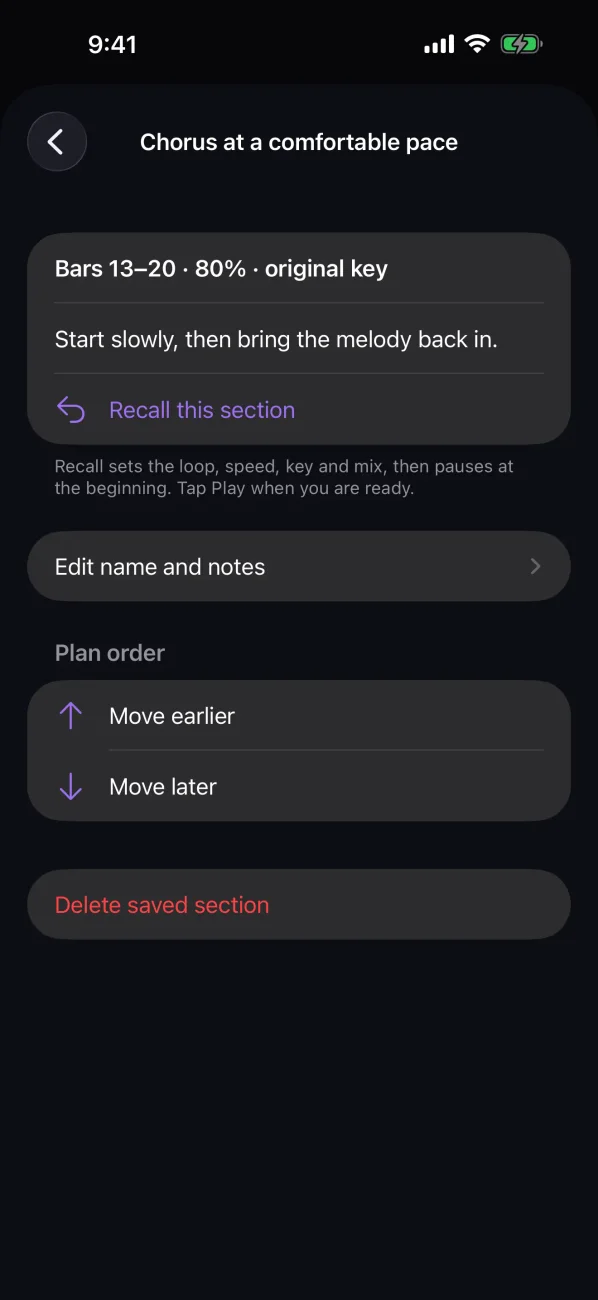
Save named sections with their bar range, speed, key shift, muted and solo parts, and rehearsal notes. Recall a section after reopening the app; it pauses at the beginning, ready when you are. Move to the previous or next passage without shrinking the loop. Reorder your sections and share a text checklist with their settings and notes.
Saved sections stay on this device and belong to the exact musical revision. If you edit the music, return to that revision or save a new section. The shared checklist contains no audio or MIDI and is not a backup.
HEAR AND UNDERSTAND YOUR MUSIC
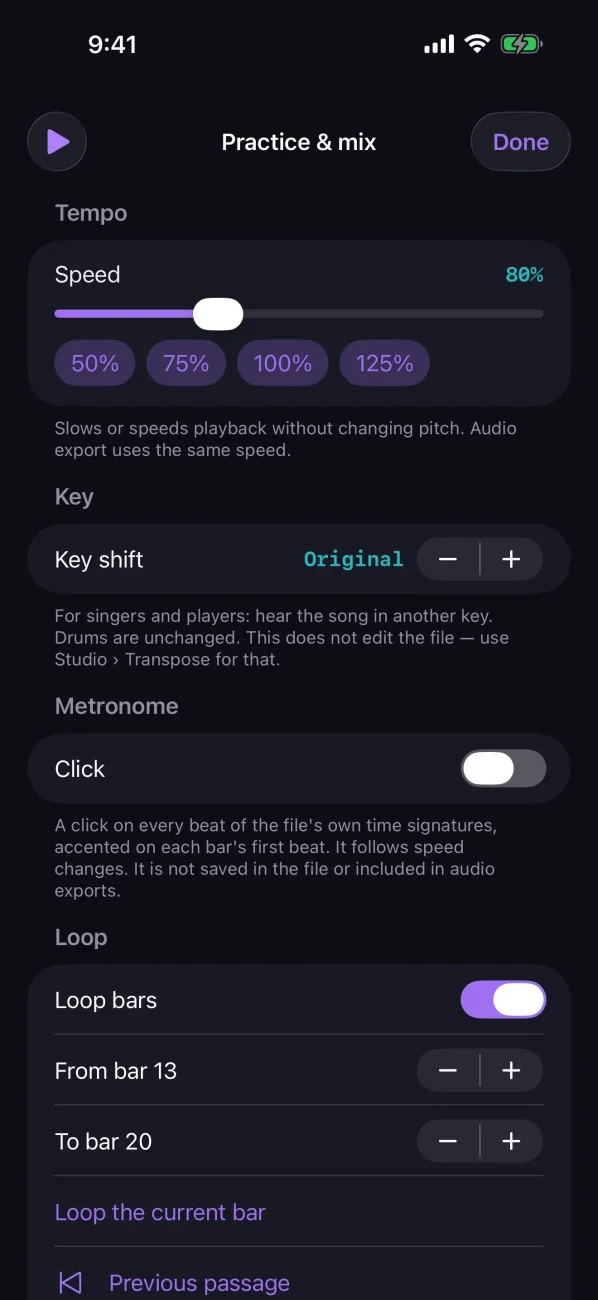
- Practice with a metronome click that follows the file's own time signatures, and a speed trainer that raises a loop's speed step by step.
- Change playback speed from 25% to 200%, shift the key up or down 12 semitones, and mute or solo individual parts. Drums stay untransposed.
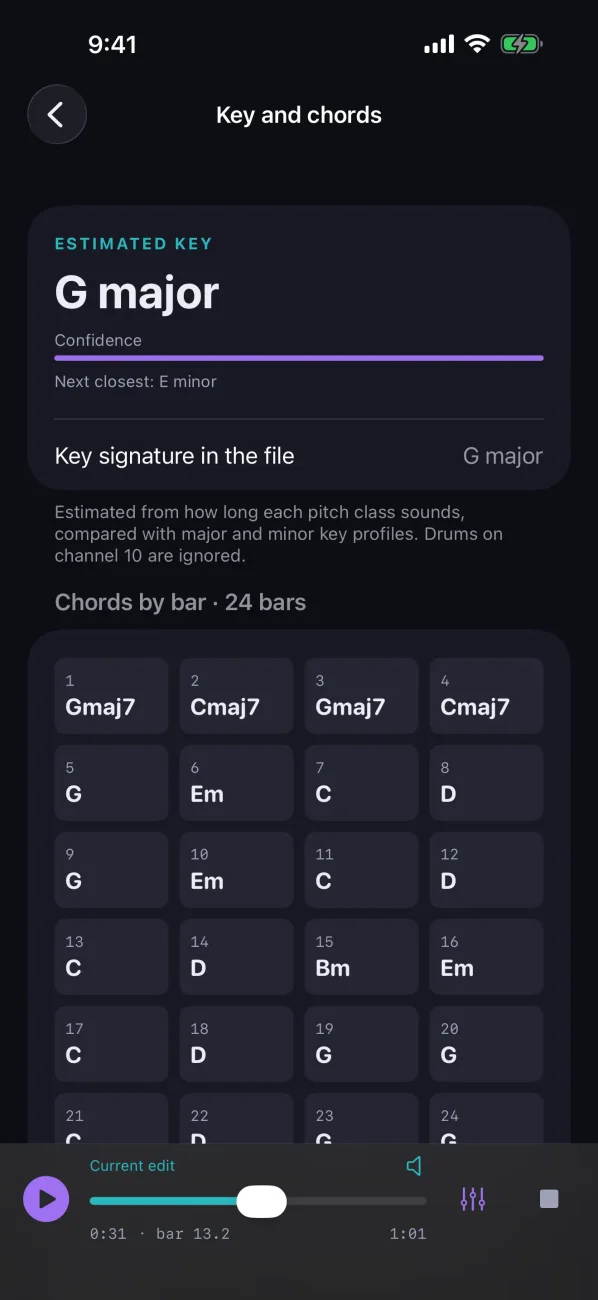
- See an estimated key and chords by bar. Tap a bar to play from it or touch and hold to loop that bar. Share the chord chart.
- Follow embedded lyrics and .kar files during playback.
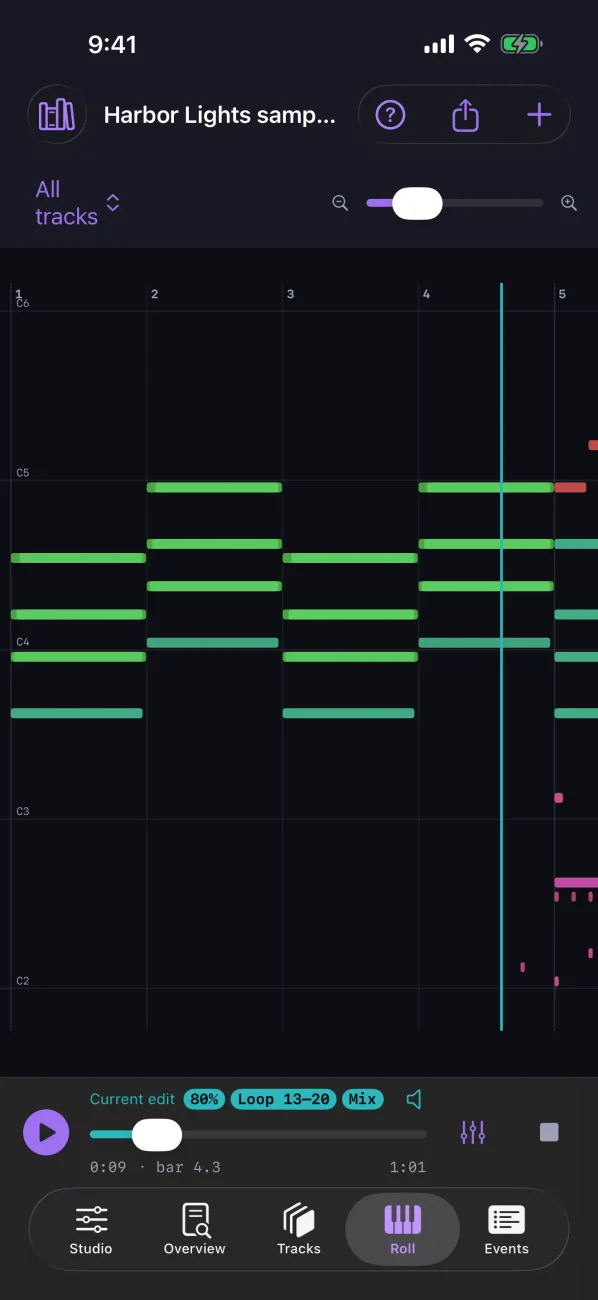
- Inspect tracks, instruments, channels, note ranges, tempo changes, time signatures, markers and MIDI events. Explore a piano roll with bar lines and bar numbers.
EDIT WITHOUT LOSING THE ORIGINAL
Convert format 1 to format 0, split tracks by channel, change tempo or resolution, and set a channel's instrument. Review edits before saving. Select notes, transpose, adjust velocity, quantize timing or edit an individual note. Extract a passage and chosen parts to a new MIDI file. Groove Bench captures timing and velocity from a passage for reuse on another part.
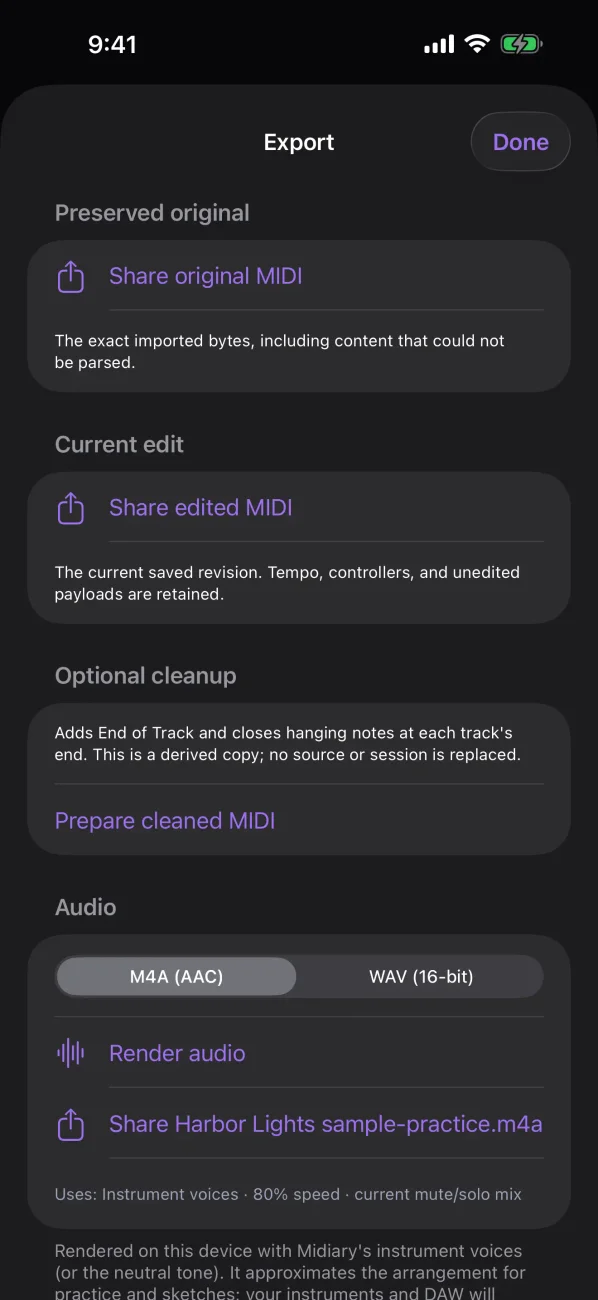
The imported MIDI bytes remain unchanged. Local editing sessions retain undo and redo within their storage limits. Restore the original as an undoable step. Files with container problems, such as an unknown chunk or a missing End of Track, still play, and you can save a repaired copy for editing while the imported file stays unchanged.
PLAY AND EXPORT
Render M4A or WAV with your current speed, key and mix. Share edited MIDI, the untouched original, a cleaned copy or an event CSV. Send MIDI to a compatible USB or Bluetooth instrument; SysEx is off unless you enable it. Shortcuts actions support file information, conversion, transpose and tempo.
KNOW WHAT TO EXPECT
Built-in voices sketch instrument families and drums; they do not reproduce a complete General MIDI sound set. Chords and keys are estimates. Saved bar sections require a metrical, non-sequential file; SMPTE timing and format 2 sequences retain their inspection and playback workflows. Imports support up to 8 MB, 1,024 tracks and 100,000 events. Playback runs in the foreground.
Start with your own .mid, .midi or .kar file, or use the included piano and band samples. Interface and screenshots are in English.
One purchase. No subscription, in-app purchases, advertising or account. Files and practice sections stay on your device unless you export or share them. No microphone recording.
What’s new
Version 7.0 · Nov 18, 2026
- New metronome "Click" that follows the file's own time signatures, for practice playback.
- New "Speed trainer": raises a bar loop's speed step by step, up to your target.
- More files play: an unknown chunk, extra bytes at the end, a missing End of Track or running status after a meta event no longer block playback. "Save a repaired copy" makes an editable copy; the imported file stays unchanged.
- Fixes a crash when pausing after changing a loop or the playback position.
- Text follows your text size setting, mute and solo controls are larger, and buttons have stronger contrast.
App privacy
What Robert Corbin declares on the App Store about how this app handles data.
-
Data not collected
The developer does not collect any data from this app.
Privacy practices may vary, for example with the features you use or your age.
Information
- Seller
- Robert Corbin
- Category
- Music
- Version
- 7.0
- Updated
- Nov 18, 2026
- Released
- Aug 4, 2026
- Size
- 7.3 MB
- Requires
- iOS 17.0 or later
- Age rating
- 4+
- Price
- $3.99
- Copyright
- © 2026 Robert Corbin
You might also like
-
 WavefieldAnimated spectral filter bank
-
 MidiDeep: MIDI FX ChainMIDI Sequencer & Effects
-
 Tandem MIDI CanvasCustom, Shareable MIDI Control
-
 HarmonyKeenHarmonize your melodies
-
 MPC Progression BuilderMusic
-
 MIDI Motif MakerMotif Generator & MIDI Tool
-
 Zoot LinkWind synth for Zoot & MIDI
-
 MIDI ProducerMusic
-
 J.J.Midnight AUv3 PluginElectric guitar FX for AUv3
-
 StellarizerMIDI Sequencer & Pattern Lab