MilliPrint – Exact Size Print
Photos and paper at true size
Designed for iPhone, iPad
Free · In-app purchases
- Age rating4+
- CategoryPhoto & Video
- DeveloperJunmo Lee
- LanguagesEnglish+ 31 more
- Size2.7 MB
Links to the official App Store page
Download.org hosts no file of MilliPrint – Exact Size Print. The button opens its official App Store page, published by Junmo Lee. Listing last checked on Nov 15, 2026.
Screenshots


About
MilliPrint prints images at the exact size you ask for. Not "fits the page" — the size you typed, in millimetres, on paper.
EXACT SIZE, NOT "FIT TO PAGE"
Printers quietly shrink your page to their printable area, and that is what ruins a 35 × 45 mm photo. MilliPrint renders every page at true paper size and hands it to the printer that way.
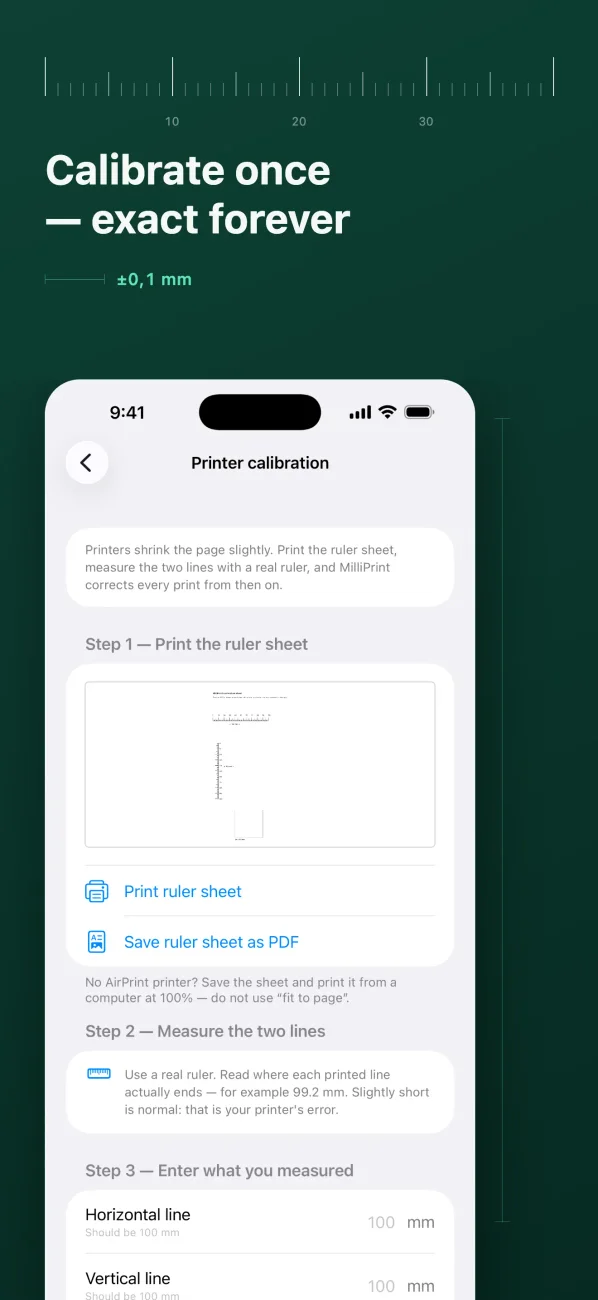
CALIBRATE YOUR PRINTER ONCE
Print the ruler sheet, measure the two lines with any ruler, type in what you measured. From then on MilliPrint corrects every print for your printer. Save a profile for each printer you use. If your printer is already exact, MilliPrint records that too — and stays out of the way.
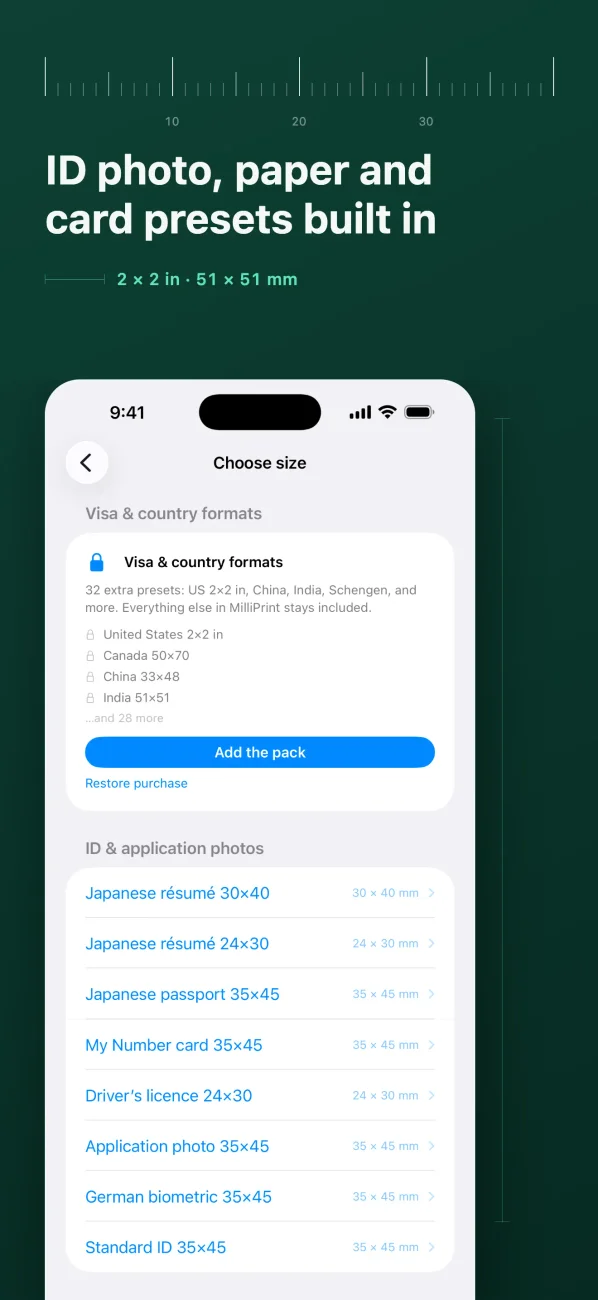
SIZE PRESETS THAT ARE ALREADY THERE
· ID and application photos — Japanese résumé 30 × 40, passport 35 × 45, German Bewerbungsfoto 35 × 45
· Paper at actual size — A4, A5, A6, B5, B6, Letter, L, 2L, KG, postcard
· Cards — business cards and ID-1
· Any custom size in millimetres or inches
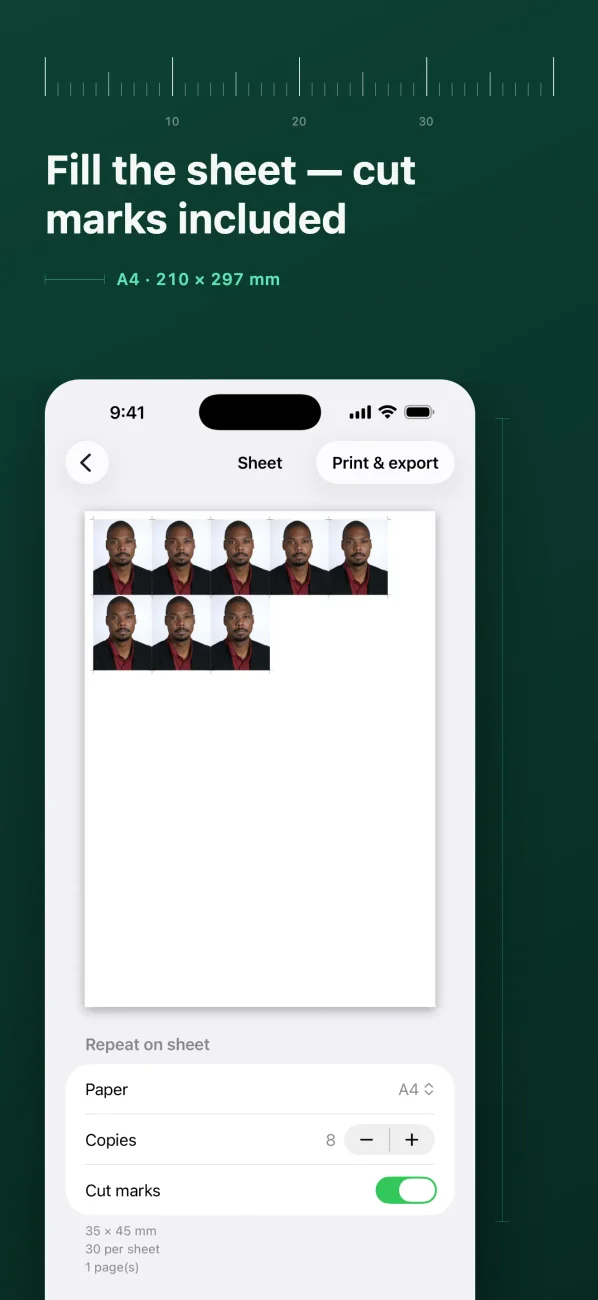
FILL THE SHEET
Set how many copies you want and MilliPrint packs them onto the sheet with cut marks.
PRINT OR PDF
Print over AirPrint or save a PDF at exact dimensions. Both are free.
FACE GUIDE FOR ID PHOTOS
The app finds the face and suggests a starting crop, with a dotted guide for head position. It is a positioning aid — always check the current requirements of the office you are applying to.
NO ACCOUNT, NO SERVER
No account. No analytics. No servers. Your images never leave your device.
FREE, AND TWO OPTIONAL PACKS
Everything above is free: all ID and card formats, cropping, sheet layout, cut marks, printing, PDF, and printer calibration.
Two one-time purchases, no subscription:
· Visa & Country Formats — 32 more presets (United States 2 × 2 in, China, India, Schengen and more)
· Pro Tools — print larger than one sheet (posters, life-size panels, full-scale patterns) and export each sheet as a 300 dpi JPEG
Nothing you unlock is ever locked again. If you bought MilliPrint when it was a paid app, both packs are already yours.
What’s new
Version 1.2.1 · Oct 7, 2026
Updated the links to our support page and privacy policy.
App privacy
What Junmo Lee declares on the App Store about how this app handles data.
-
Data not collected
The developer does not collect any data from this app.
Privacy practices may vary, for example with the features you use or your age.
Information
- Seller
- Junmo Lee
- Category
- Photo & Video
- Version
- 1.2.1
- Updated
- Oct 7, 2026
- Released
- Sep 13, 2026
- Size
- 2.7 MB
- Requires
- iOS 17.0 or later
- Age rating
- 4+
- Price
- Free
- In-app purchases
- Yes
- Languages
- English, Arabic, Catalan, Croatian, Czech, Danish, Dutch, Finnish, French, German, Greek, Hebrew + 20 more
- Copyright
- © 2026 Junmo Lee
You might also like
-
 Print SizingExact-size photos & posters
-
 Photo Printer: Print to SizeAirPrint 4x6 5x7 passport PDF
-
 Folilay: Photo Layout & PrintPhoto layouts, ready to print
-
 Passport & ID Photos: EU, DNINo ads, no tracking, offline
-
 pippi - Picture in PictureYour videos, always in view
-
 Photo Print Size: PrintFitSmart Layouts, Precise PDFs
-
 Print Photos Exact SizePhoto Printer & AirPrinter
-
 かんたん証明写真 - 履歴書・パスポート用写の写真アプリ -Photo & Video
-
 PaperSnips: Photo Print LayoutSmall photos on one A4 page
-
 Photo Print Size: Auto LayoutSet Inches, CM, MM & Copies