- Age rating4+
- CategoryPhoto & Video
- DeveloperAnthony Fox
- LanguagesEnglish
- Size1.0 MB
Links to the official App Store page
Download.org hosts no file of Print Sizing. The button opens its official App Store page, published by Anthony Fox. Listing last checked on Nov 18, 2026.
Screenshots

About
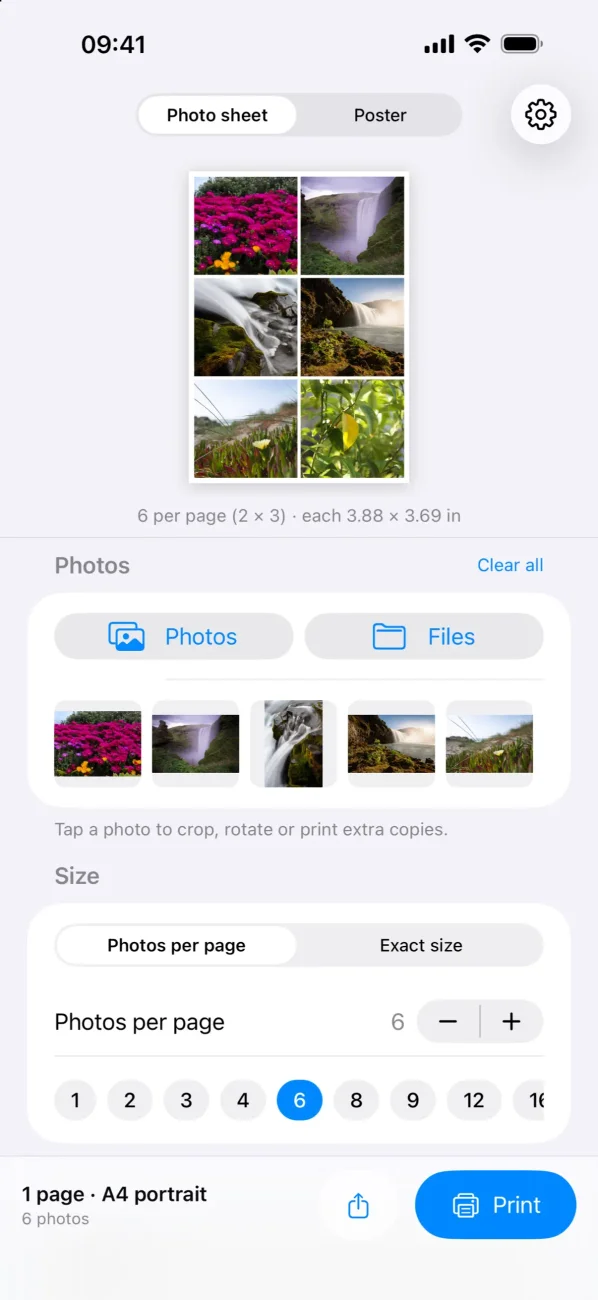
Print your photos the way your printer's own app won't: several to a page, at an exact size, or tiled across sheets into a big poster.
PHOTO SHEETS
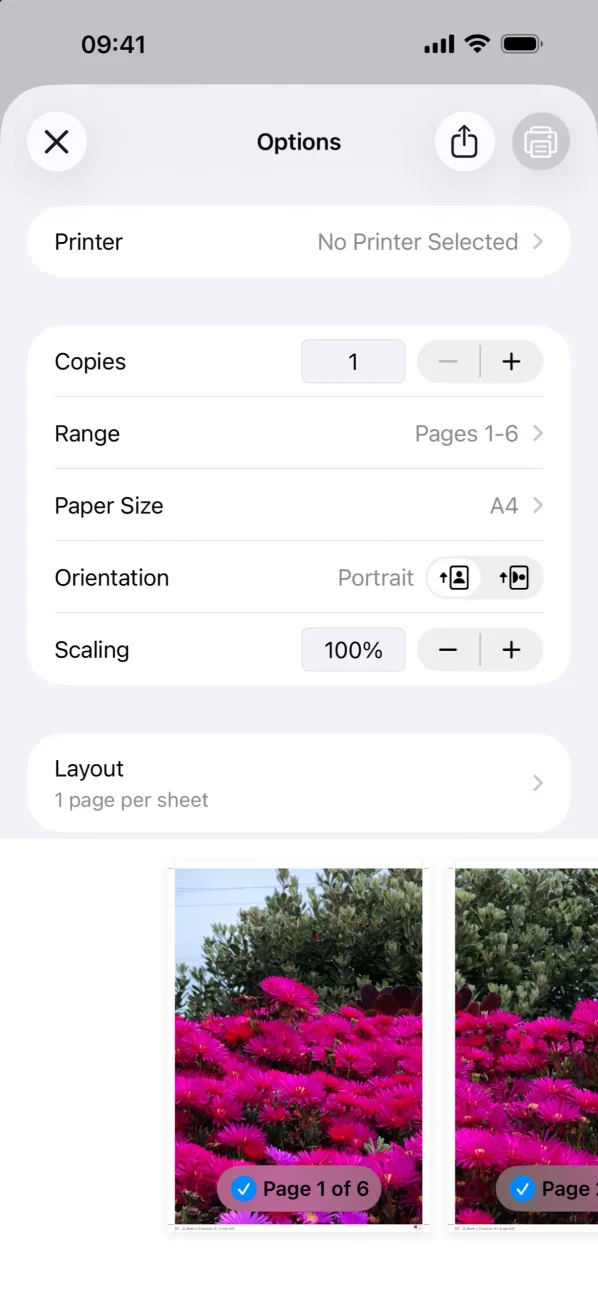
• Put several photos on one page: 6 on A4, 2 on a 6×4, or any number you like. Print Sizing picks the arrangement that shows them largest, turning photos sideways when that makes them bigger.
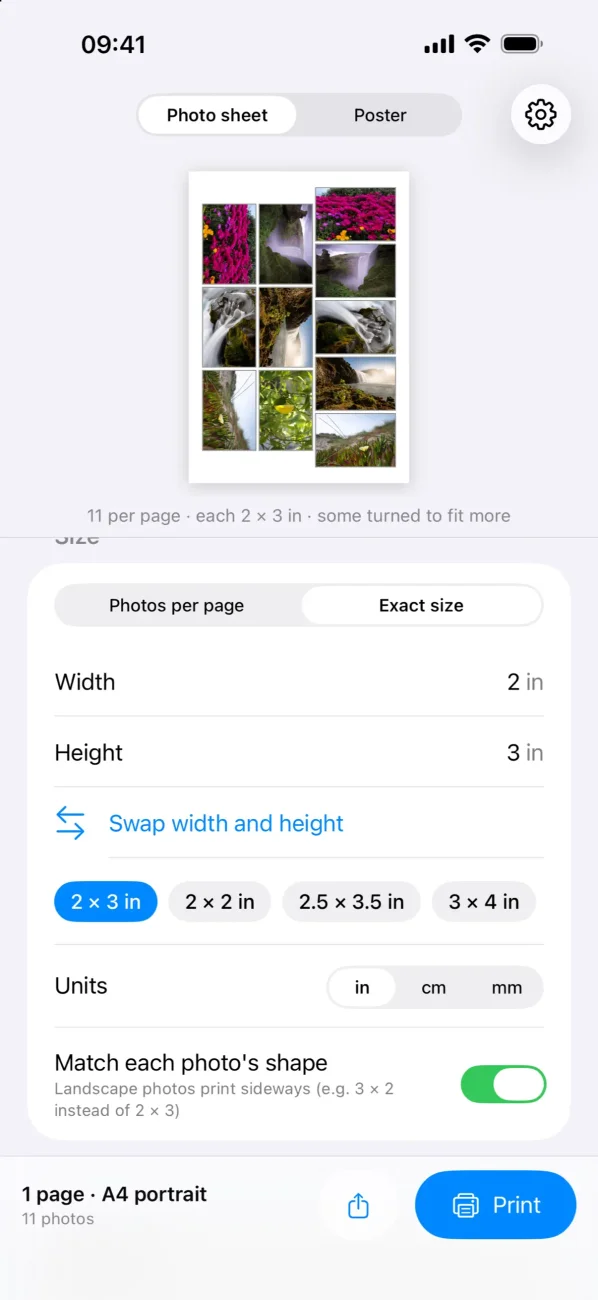
• Or print every photo at an exact size, like 2 × 3 in, 4 × 6 in or a 35 × 45 mm passport photo. It packs as many as will fit on the page.
• Keep the whole photo, or fill and crop each space exactly.
• Add cut guides, as a thin outline or corner marks, to make cutting out easy.
• Fill the page with copies so no paper goes to waste.
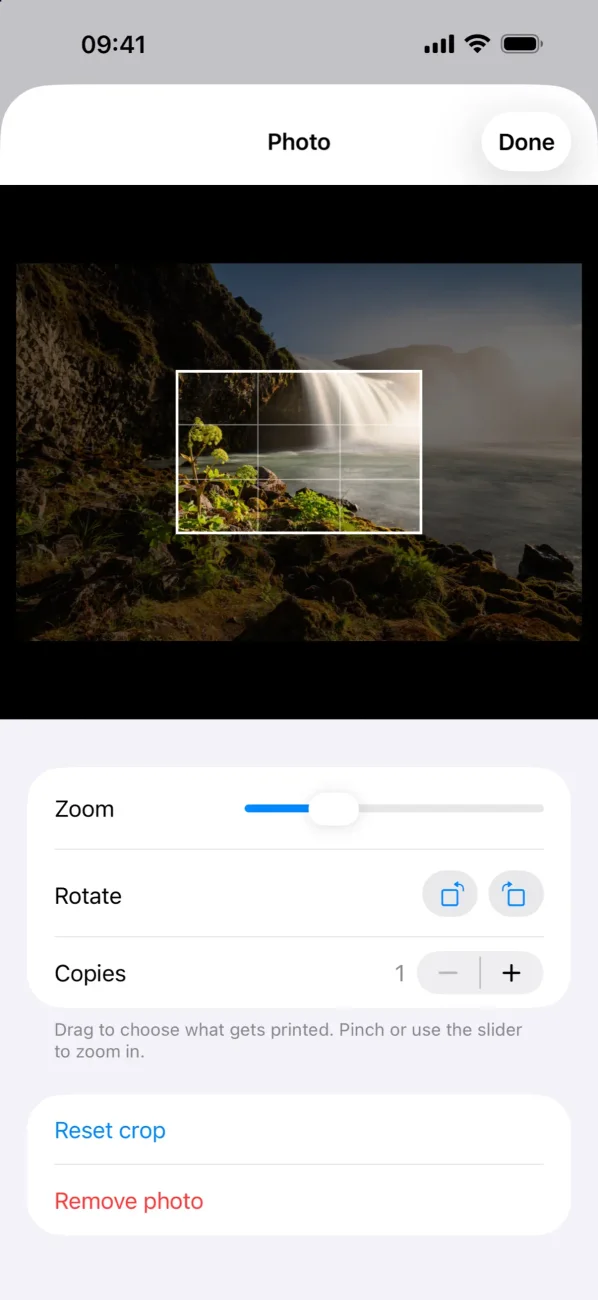
• Tap any photo to move or zoom the crop, rotate it, or print extra copies.
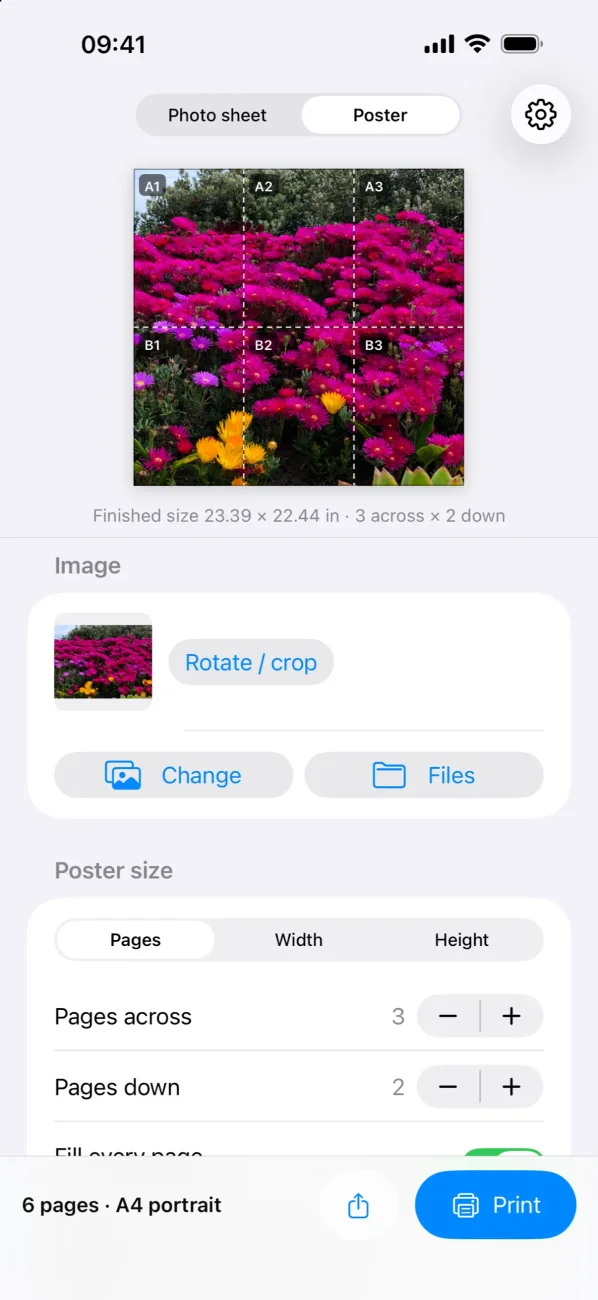
POSTERS
• Tile one image across several pages: choose 3 across × 2 down, or set the finished size, such as exactly 80 cm wide.
• Trim marks and page labels (A1, A2, B1…) show where every sheet goes.
• Add an overlap strip to glue under the next page for a neat join.
TRUE-TO-SIZE PRINTING
• Pages print at actual size, so a 2 × 3 in print comes out 2 × 3 in.
• One tap opens the iPhone print screen with the right paper already chosen.
• Works with AirPrint printers, or share a PDF to save in Files or open in your printer's app.
• A4, A3, A5, A6, US Letter, US Legal, 6 × 4, 7 × 5 and 10 × 8 photo paper, or any custom size, in inches, cm or mm.
PRIVATE BY DESIGN
Your photos never leave your iPhone. No account, no sign-up, no uploads, no ads.
Great for passport and ID photos, wallet prints, scrapbooks, school projects, classroom displays, wall art and party banners.
App privacy
What Anthony Fox declares on the App Store about how this app handles data.
-
Data not collected
The developer does not collect any data from this app.
Privacy practices may vary, for example with the features you use or your age.
Information
- Seller
- Anthony Fox
- Category
- Photo & Video
- Version
- 1.0
- Updated
- Oct 24, 2026
- Released
- Oct 24, 2026
- Size
- 1.0 MB
- Requires
- iOS 17.0 or later
- Age rating
- 4+
- Price
- Free
- Languages
- English
- Copyright
- © 2026 Tony Fox
You might also like
-
 MilliPrint – Exact Size PrintPhotos and paper at true size
-
 Photo Print: Size & Layout4x6, Passport & ID Photos
-
 PrintExact: Print to SizePhoto actual size & posters
-
 Photo Printer: Print to SizeAirPrint 4x6 5x7 passport PDF
-
 Printmira: Photo Print SizeExact Dimensions Inch CM MM
-
 Oopsify: AI Video GeneratorCinematic Photo to Video Maker
-
 Blur photo effect editor appPixelate image pixel filter
-
 inPixio AI Photo EditorRemove background, resize pics
-
 Green Card Visa AI Photo MakerDV Lottery Visa Photo Editor
-
 VIEWFINDRwe guide photographers