- Age rating12+
- CategoryProductivity
- DeveloperJoel Henriques
- LanguagesEnglish
- Size36.5 MB
Links to the official App Store page
Download.org hosts no file of Mini STAXX. The button opens its official App Store page, published by Joel Henriques. Listing last checked on Nov 25, 2026.
Screenshots

About
Build your own team of AI assistants on iPhone and iPad. Mini STAXX brings writing, research, planning and code help into one workspace, with a choice of cloud models and on-device text chat.
YOUR AGENTS, YOUR WAY
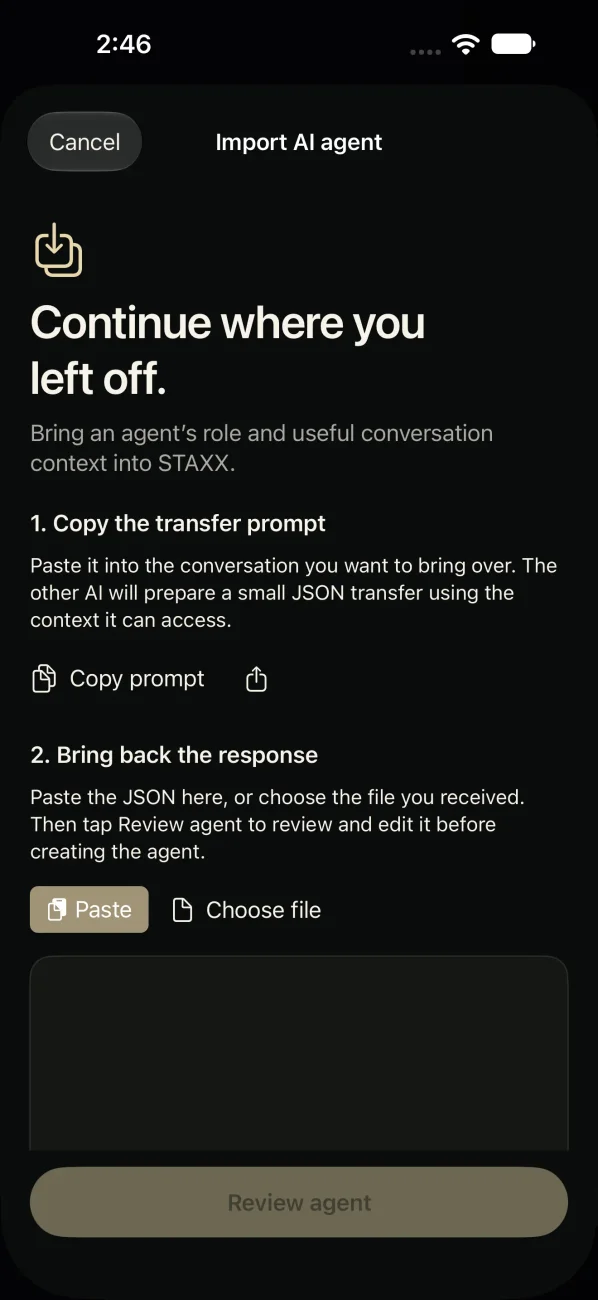
Create saved agents with their own names, instructions, model choices and conversations. Keep a writing assistant, coding partner or planner ready for the next task. Pin favorites and return to earlier work. Import a role and useful conversation context from another assistant using a copyable transfer prompt, then review the JSON before creating your agent.
WORK TOGETHER
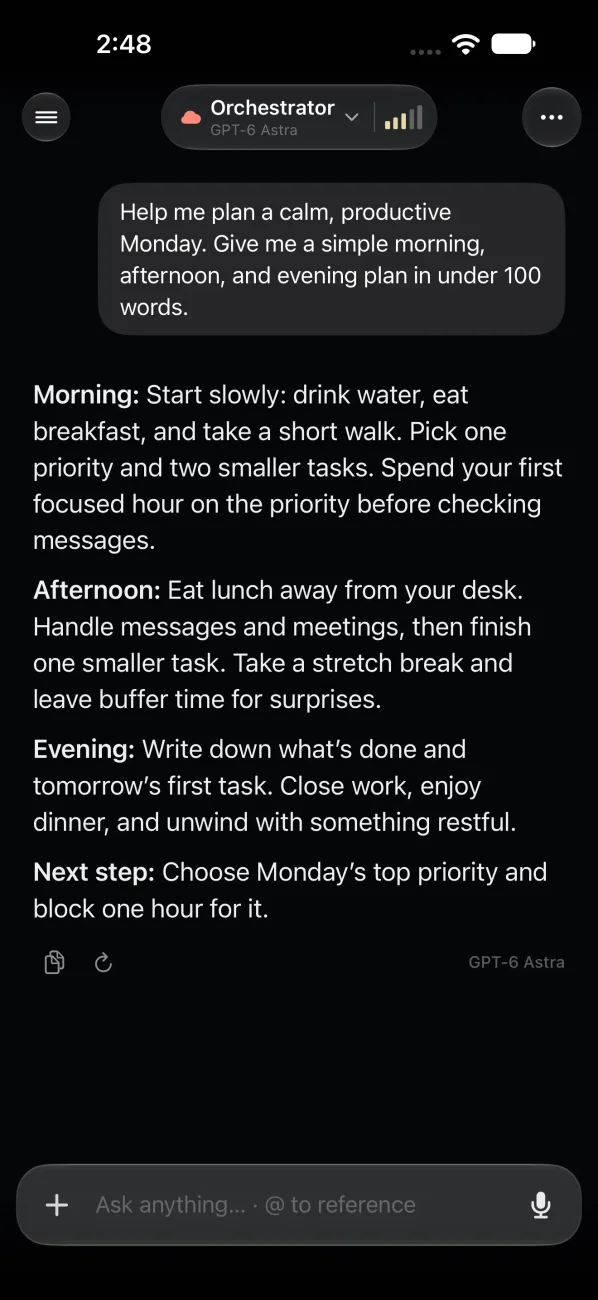
Choose teammates with @ and ask them to work on the same task. Their replies appear in the lead conversation, followed by a combined team answer. Hand a task to one selected agent when you want a different perspective. You choose when a team or handoff starts.
CHOOSE YOUR MODEL
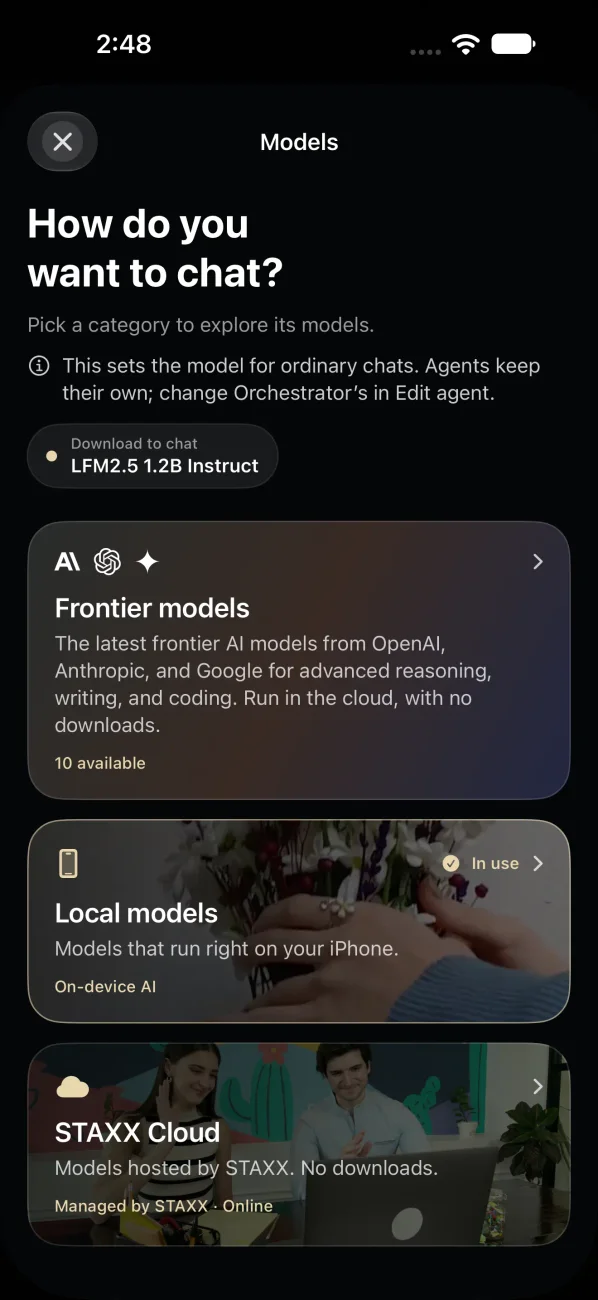
Choose available frontier models from OpenAI, Anthropic and Google for reasoning, writing and coding. STAXX Cloud also offers our hosted models. Set a reasoning level where supported. Cloud model availability can change.
BRING YOUR WORK INTO CONTEXT
Connect accounts you choose and select a source in chat:
• Search and summarize relevant Gmail or Outlook messages with read-only access.
• Ask about relevant Linear tickets without changing them.
• Explore an authorized GitHub repository, review proposed code changes and choose when to publish them to a new branch.
• View Google Calendar or Outlook Calendar events, or ask a saved agent about your schedule after separate sharing permission.
Connections require your own provider accounts and permission. Availability can depend on provider approval or your organization's settings. Calendar previews stay in the app. Asking an agent about your schedule shares relevant event details with the selected model after separate permission. Email and Linear content also require separate sharing permission.
ON YOUR DEVICE
Download a compatible GGUF model for local text chat. With web search off, those replies are generated on your device. Available memory and storage determine which models can run. Sign-in and downloads require internet access.
MAKE ROOM FOR IDEAS
Dictate an editable draft, attach supported documents or photos, and use optional web search with source links. Saved conversations, agent settings and imported context stay on your device. Imported context is included when you send requests through that agent.
YOU CONTROL SHARING
The app identifies cloud recipients and asks permission before sharing content. Optional cloud requests send relevant conversation context and supported attachments through the STAXX gateway to your selected provider. Web search sends a query to external search providers. Review important answers and proposed changes: AI can make mistakes.
Mini STAXX has no subscriptions or in-app purchases. Deleting your STAXX sign-in account does not erase local chats, attachments or downloaded models; manage those separately in the app.
What’s new
Version 1.0.4 · Nov 23, 2026
Create a group chat with any two or more saved agents, or select your whole team. Choose a coordinator, give the group an objective, and follow the assignments and replies in one conversation.
Schedule recurring tasks for a saved agent. Pick a daily, weekday, weekly, or monthly schedule, get reminders, and find results in the agent’s chat.
A new getting-started guide introduces your agents and shows you where to find groups and scheduled tasks.
App privacy
What Joel Henriques declares on the App Store about how this app handles data.
-
Data linked to you
May be collected and linked to your identity.
- Location
- Contact info
- User content
- Search history
- Identifiers
- Usage data
Privacy practices may vary, for example with the features you use or your age.
Information
- Seller
- Joel Henriques
- Category
- Productivity
- Version
- 1.0.4
- Updated
- Nov 23, 2026
- Released
- Sep 21, 2026
- Size
- 36.5 MB
- Requires
- iOS 17.0 or later
- Age rating
- 12+
- Price
- Free
- Languages
- English
- Copyright
- © 2026 Aurora Prep
You might also like
-
 RevascentProductivity
-
 Push to Kindle by MochiRead web articles in peace
-
 +Resident by Concierge PlusCommunity Living Made Easy
-
 MultiLine for IntuneProductivity
-
 Dex - Rolodex and Personal CRMBuild stronger relationships
-
 MLC ChatChat with Open Language Models
-
 Luna DisplayHardware enabled second screen
-
 Superhuman DocsWhere teams and AI work best.
-
 Amie - Todos, calendarJoyful productivity
-
 Copy Me That recipe manager+ shopping list & meal planner