MinuteCue
Visual focus timer & routines
Designed for iPhone, iPad
Free · In-app purchases
- Age rating4+
- CategoryProductivity
- Developerbyeonghoon seo
- LanguagesEnglish+ 6 more
- Size9.0 MB
Links to the official App Store page
Download.org hosts no file of MinuteCue. The button opens its official App Store page, published by byeonghoon seo. Listing last checked on Nov 17, 2026.
Screenshots


About
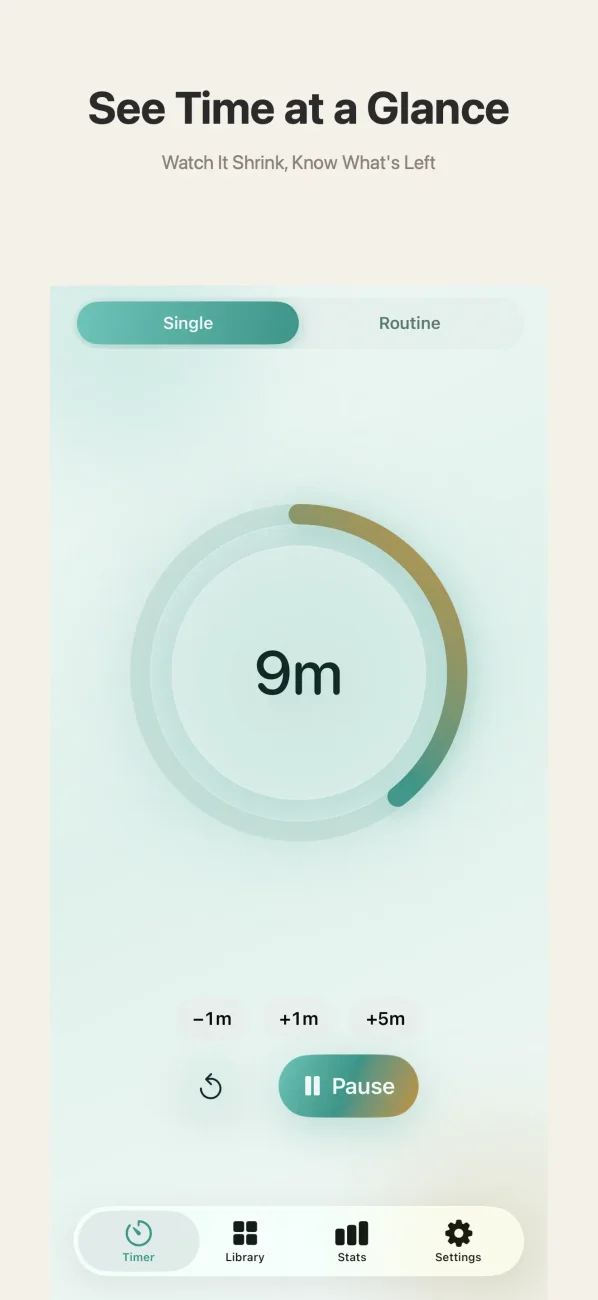
MinuteCue turns abstract minutes into something you can see. A calm, shrinking ring shows exactly how much time is left — no mental math, no squinting at tiny digits.
Whether you're a student budgeting study blocks, a parent helping a child transition between activities, a therapist timing a session, or a remote worker pacing deep-work sprints, MinuteCue keeps you on track without adding noise to your day.
DESIGNED FOR EVERYONE
• At home — chore timers, screen-time limits, and wind-down routines your kids can read at a glance.
• At school — transition timers, quiet time, and group-activity pacing.
• At work — Pomodoro sessions, meeting caps, and focused deep-work blocks.
• For accessibility — a visual cue for learners with ADHD, autism, or anyone who finds numeric clocks hard to read.
THREE VISUAL MODES, ONE CALM AESTHETIC
• Halo Ring — a circular ring that smoothly drains down.
• Sweep Arc — a fan-shaped arc that quietly disappears.
• Calm Bar — a horizontal bar for a steady, predictable feel.
All three use a soft Teal & Sand palette — low saturation, high contrast, easy on the eyes in any lighting.
WORKS WITH YOUR APPLE GEAR
• iPhone & iPad — the home base, with Live Activities on the Lock Screen and Dynamic Island.
• Apple Watch — set a timer with a twist of the Digital Crown, feel the haptic on completion.
• Home Screen widgets — see the running timer or launch a favorite preset instantly.
FREE TO START
Run a single visual timer, save a handful of presets, and use widgets and Live Activities. No account, no daily-use limits — the free tier is ad-supported.
MINUTECUE PREMIUM
A monthly auto-renewing subscription that unlocks:
• No ads — enjoy a distraction-free MinuteCue.
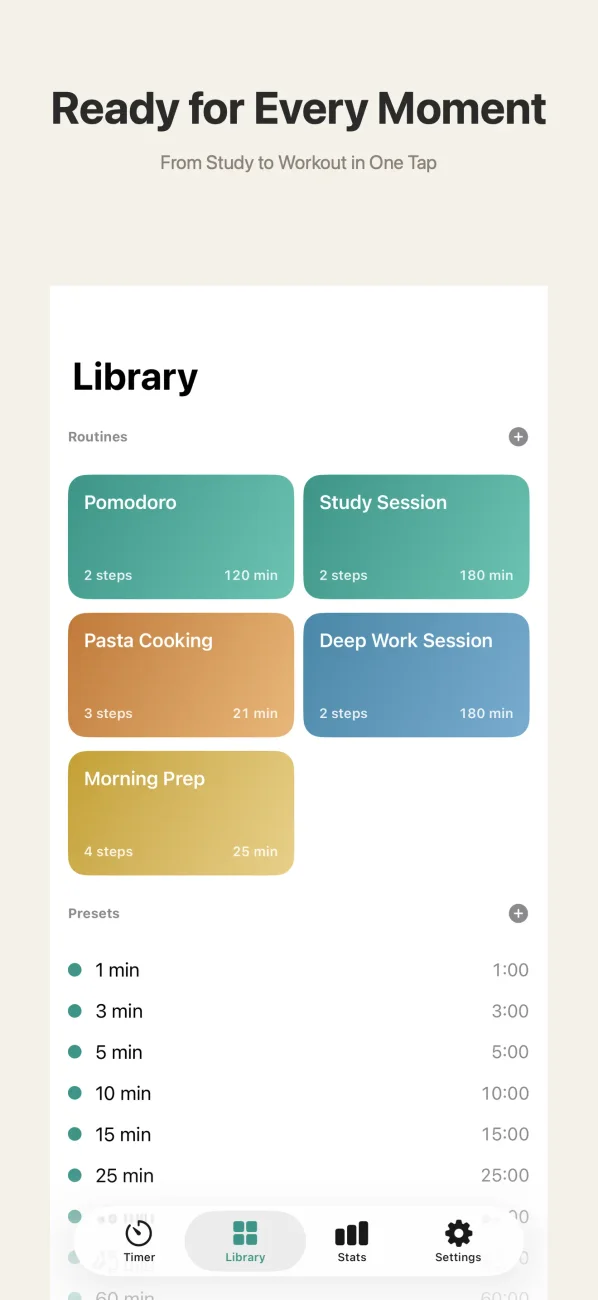
• Routines — chain multi-step timers (study → break → study) with repeats and loops.
• Unlimited custom presets — save every timer you actually use.
• Focus statistics — a daily bar chart and 30-day history of completed sessions.
• Daily Focus Review — a gentle summary of how your day went.
• iCloud sync — presets, routines, and stats follow you across every Apple device.
Subscription auto-renews monthly. Manage or cancel anytime in iOS Settings → your name → Subscriptions.
Terms of Use (EULA): https://www.apple.com/legal/internet-services/itunes/dev/stdeula/
What’s new
Version 1.0.1 · Apr 27, 2026
We perform regular updates for a better service.
App privacy
What byeonghoon seo declares on the App Store about how this app handles data.
-
Data used to track you
May be used to track you across apps and websites owned by other companies.
- Location
- Identifiers
- Usage data
-
Data linked to you
May be collected and linked to your identity.
- Purchases
-
Data not linked to you
May be collected but is not linked to your identity.
- Location
- Identifiers
- Usage data
Privacy practices may vary, for example with the features you use or your age.
Information
- Seller
- byeonghoon seo
- Category
- Productivity
- Version
- 1.0.1
- Updated
- Apr 27, 2026
- Released
- Apr 22, 2026
- Size
- 9.0 MB
- Requires
- iOS 17.0 or later
- Age rating
- 4+
- Price
- Free
- In-app purchases
- Yes
- Languages
- English, Indonesian, Japanese, Korean, Malay, Thai, Vietnamese
- Copyright
- © 2026 Soopoly
You might also like
-
 FeltimeFeel time pass. Pay once.
-
 FlexPomo: Focus Timer & RingsADHD-Friendly Pomodoro & Study
-
 Focal: Visual Timer & RoutineSee time. One thing at a time.
-
 Nagi: Calm Focus TimerPomodoro & Deep Work Sessions
-
 TimeSee: Visual Timer for ADHDBeat Time Blindness & Focus
-
 PassforAllProductivity
-
 Cozy Focus - Visual TimerStudy Planner & Lofi Music
-
 なじむタイマー:端末内で学習するポモドーロProductivity
-
 Mèo Dev: Focus & GrowProductivity
-
 iTrack: MeTrack anything you like