- Age rating9+
- CategoryUtilities
- DeveloperShenzhen Xianzhi Wulian Technology Co., Ltd.
- LanguagesEnglish+ 6 more
- Size2.8 MB
Links to the official App Store page
Download.org hosts no file of Mirroring - helper. The button opens its official App Store page, published by Shenzhen Xianzhi Wulian Technology Co., Ltd. Listing last checked on Nov 23, 2026.
Screenshots
About
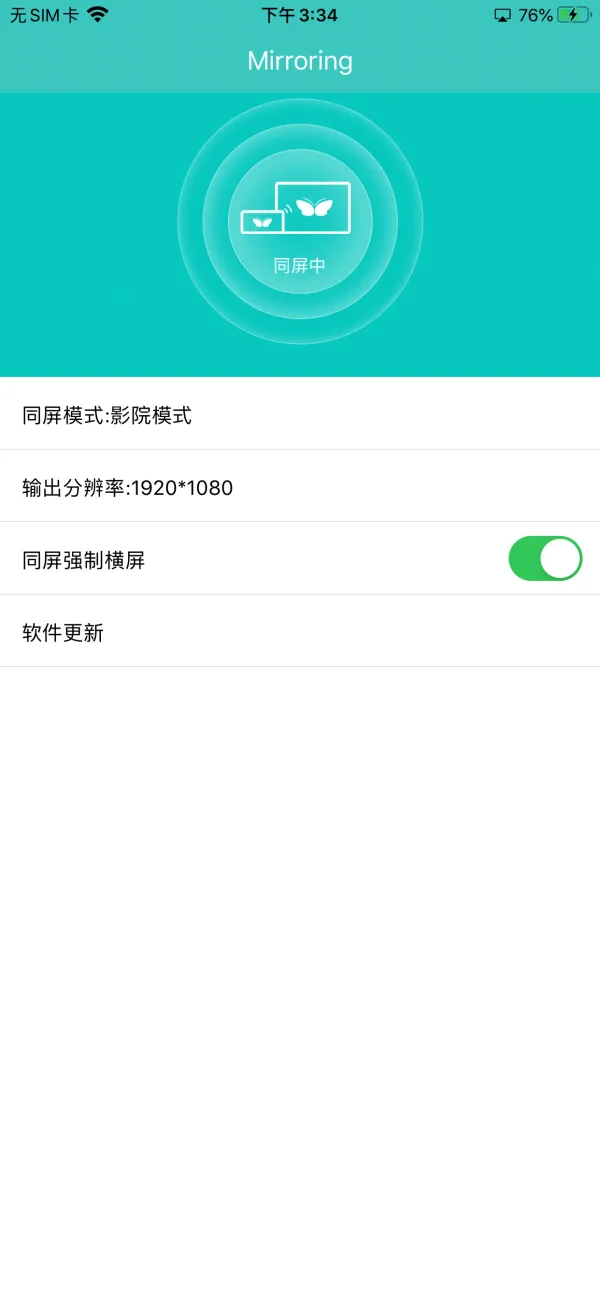
This app provides the device management function of our Mirror series products. Using the Mirror series products, you can easily project your phone screen to a big TV, monitor or projector. The equipment is plug and play, convenient and fast.
This app supports the following features:
1. Set the same screen mode.
2. Set the picture quality.
3. Set the output resolution to the monitor.
4. Set the portrait mode.
5. Support online upgrade of equipment.
What’s new
Version 1.3.5 · Feb 3, 2026
Optimize the firmware download sequence during equipment upgrade.
App privacy
What Shenzhen Xianzhi Wulian Technology Co., Ltd. declares on the App Store about how this app handles data.
-
Data not collected
The developer does not collect any data from this app.
Privacy practices may vary, for example with the features you use or your age.
Information
- Seller
- Shenzhen Xianzhi Wulian Technology Co., Ltd.
- Category
- Utilities
- Version
- 1.3.5
- Updated
- Feb 3, 2026
- Released
- Jul 30, 2020
- Size
- 2.8 MB
- Requires
- iOS 11.0 or later
- Age rating
- 9+
- Price
- Free
- Languages
- English, French, German, Italian, Japanese, Simplified Chinese, Spanish
- Copyright
- © 1.0.1
You might also like
-
 Drong CastUtilities
-
 DrongscreenUtilities
-
 HDMIDisplay for your device
-
 MiraplugUtilities
-
 CarLink: Car Sync Play ConnectAutolink, Car Widgets & Pass
-
 Screen Mirroring ®Smart TV Mirror, Cast & Share
-
 Screen Mirroring – ChromecastScreen Mirroring Cast Share TV
-
 AirDroid Cast-screen mirroringCross-network mirror to pc
-
 ApowerMirror- Screen MirroringCast Phone to PC&TV
-
 Fast Cast - Screen MirrorEasy to cast, Record Screen