
MITO EDIT - Auto Video Editor
Silence Remover, Auto Captions
Designed for iPhone, iPad
Free · In-app purchases
- Age rating4+
- CategoryPhoto & Video
- DeveloperJAEBAEK LEE
- LanguagesEnglish+ 14 more
- Size113.1 MB
Links to the official App Store page
Download.org hosts no file of MITO EDIT - Auto Video Editor. The button opens its official App Store page, published by JAEBAEK LEE. Listing last checked on Nov 28, 2026.
Screenshots

About
Cut to the Point: your talking videos, down to the point
Talk to the camera and you get "um"s, stumbles, sentences started twice and side stories. Pick one talking video and the app takes those out and keeps the point, with captions of what you said.
- Say in one line what it's about and it finds the parts that wander off. Or leave it empty.
- Fit it to 30 s, 1 min, 1.5 min or 2 min, a whole sentence at a time. It never cuts in the middle of a word.
- Before anything is cut you see every line it would take out, and tap to keep any of them.
- Shop promos, lessons, reviews, vlogs: anything you say to the camera.
Hi, I'm a barber with a one-chair shop in Korea. Every day I film haircuts and my evening workouts, and editing always took longer than the filming. So I made the editor I wanted to use.
Auto edit
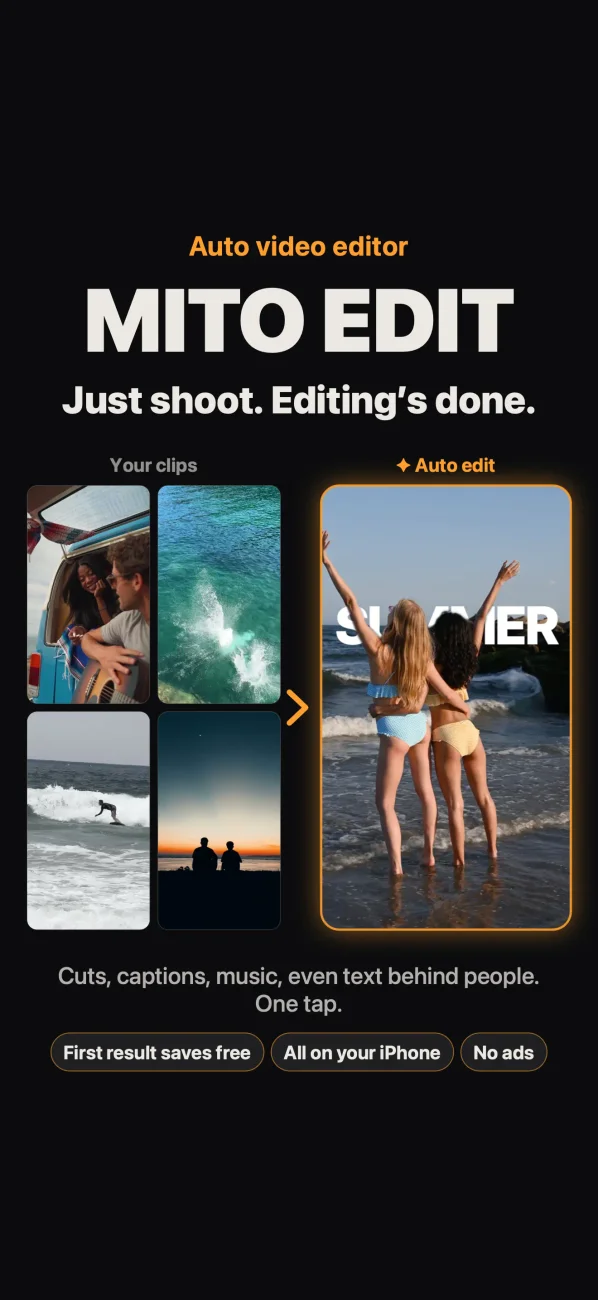
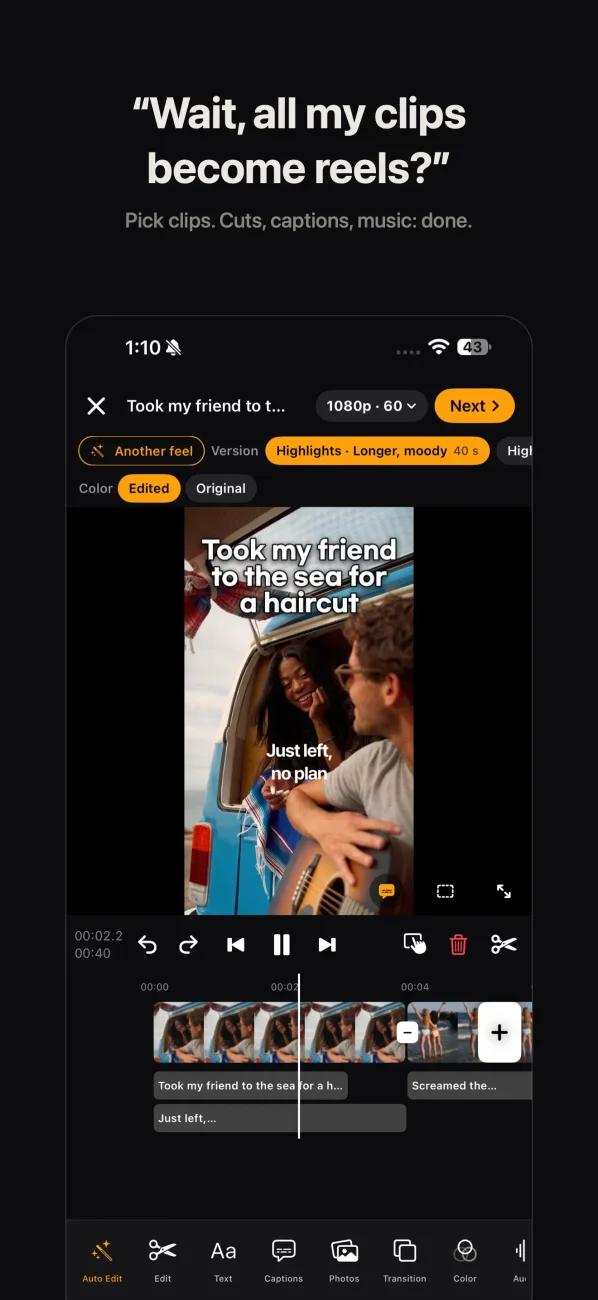
Pick your clips. MITO EDIT edits them.
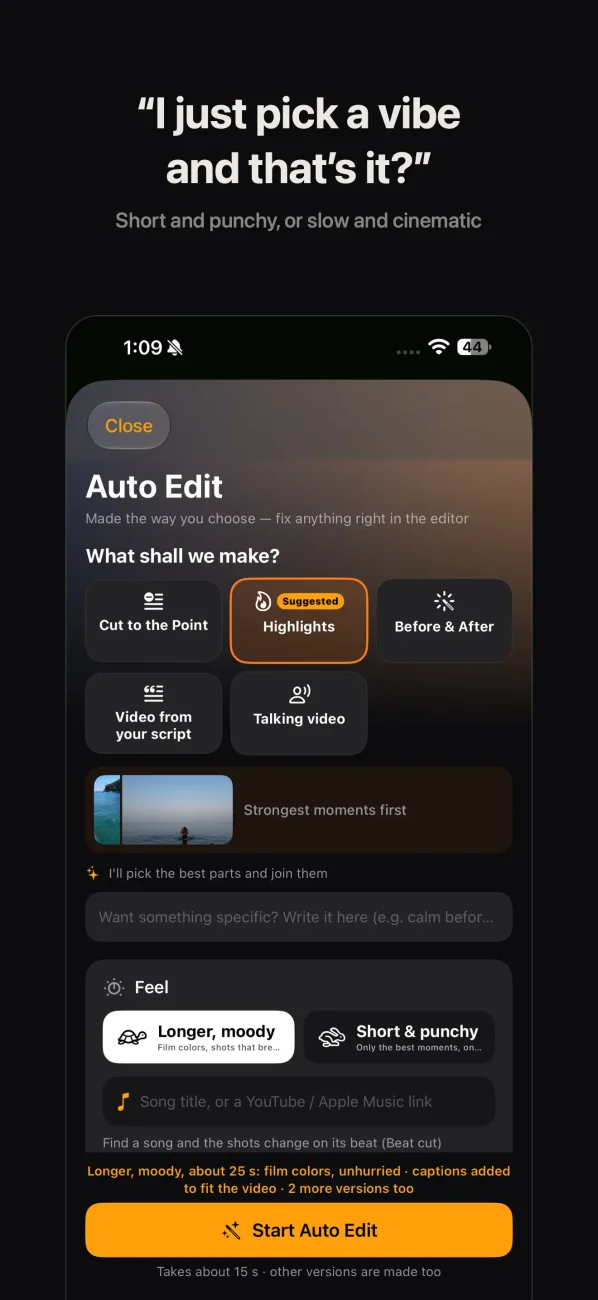
- Choose a feel: Short & punchy keeps only the best moments on the beat; Longer, moody holds each shot with a film look.
- Choose a length: auto, 15 s, 30 s, 1 min, or type any number of seconds.
- A day of clips is told in order, morning to evening.
- Add everything you shot: when a scene was filmed several times, it keeps the best take and tells it in story order.
- One long take (styling, a haircut, a workout set) is cut to before → the steps → the finished look.
- Changed outfits on the same spot? It makes a Change: the same move, only the clothes or the place switch.
- Type a song title or paste a YouTube / Apple Music link and the edit cuts to that song's beat (Beat cut), with the biggest moment where the song drops.
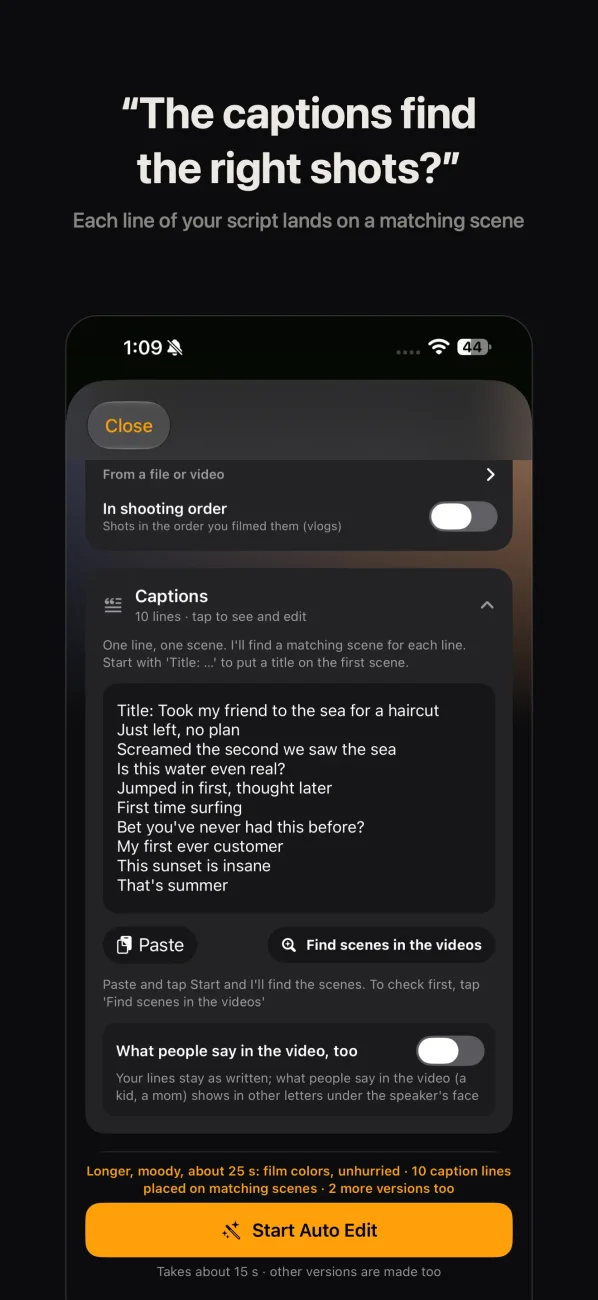
Captions, done for you
- Paste a script and each line is matched to the scene that fits: write "wax in your palm" and it lands on the wax shot.
- Talking videos get captions from what's said, and other shots cover a sentence now and then to match it .
- Talking videos lose their dead air: silences and pauses are cut, never the words (a jump cut edit in one tap).
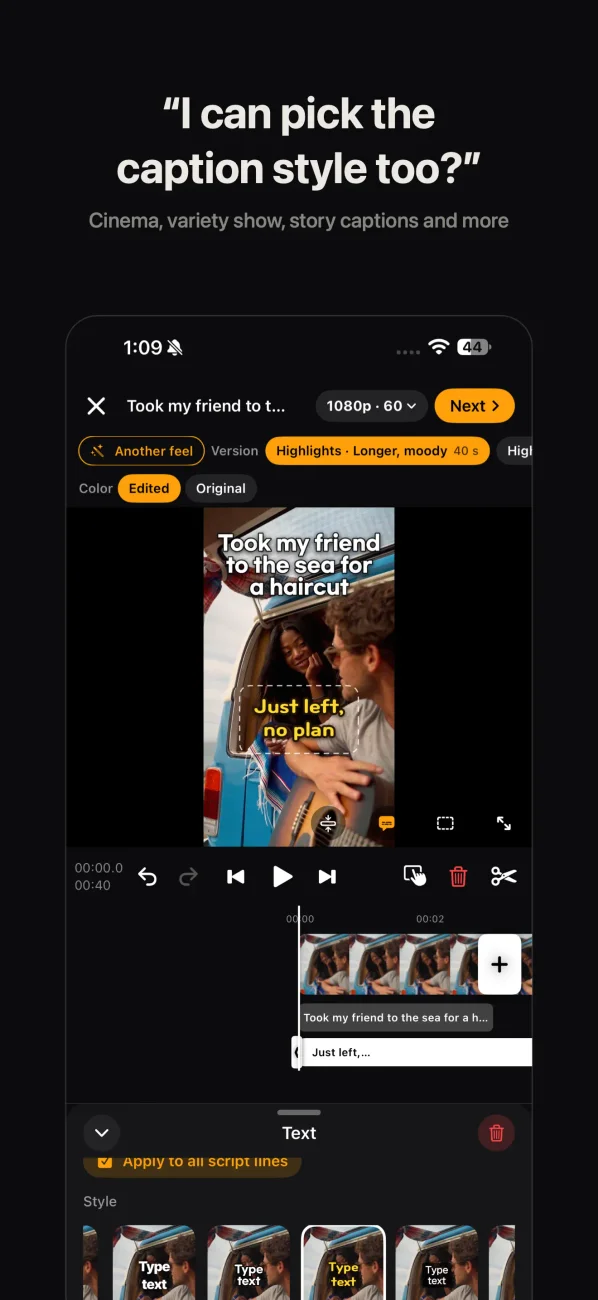
- Pick a caption style: cinema subtitles, film, story captions and more.
- Hair dryer, AC, street noise: it takes the noise away and keeps just your voice, clear.
Easy to touch up
- Change cut lengths, captions, color, transitions and music right away.
- Don't like a shot? Tap "Another moment" to swap it for a different part of the same clip.
- Sound effects, voice-over, video over video, freeze frame and a blurred background behind people are all in.
- Works on iPad and Mac too, with keyboard shortcuts (space to play, ⌘B split, ⌘Z undo).
Everything stays on your iPhone
- Your videos are never uploaded. Customers' faces never leave the phone.
- No sign-up. No ads.
Free and Pro
- Your first project is a free trial of everything: the other versions, 3 more tries, captions from speech. An automatic result saves free once (720p, small mark).
- After that, watch and touch up what the auto edit makes, for free (once per project).
- Videos you edit by hand save free at 720p (with a small corner mark and a short end card).
- The other versions are free to watch too.
- Saving the auto edit, 1080p/4K, saving the other versions, making the auto edit again and captions from speech are Pro.
- The yearly plan starts with a 7-day free trial.
Subscriptions
- The yearly plan's 7-day free trial is once per Apple ID. Cancel at least 24 hours before it ends and you won't be charged.
- MITO EDIT Pro Monthly and Yearly renew automatically unless cancelled at least 24 hours before the end of the period. Payment is charged to your Apple ID.
- Cancel anytime in Settings > Apple ID > Subscriptions.
- Lifetime is a one-time purchase.
- Terms of Use (EULA): https://www.apple.com/legal/internet-services/itunes/dev/stdeula/
- Privacy Policy: https://monoonlabs.com/mito-edit/privacy/
What’s new
Version 2026.11.27 · Nov 27, 2026
• Outfit changes become a 'Change' edit: same move, new outfit in a snap
• iPhone HDR videos that looked too bright now save in natural colors
• 'My Brand' is now 'My Template': title, captions and logo in one set
• A brand-new icon
App privacy
What JAEBAEK LEE declares on the App Store about how this app handles data.
-
Data not linked to you
May be collected but is not linked to your identity.
- Purchases
- Location
- Identifiers
- Usage data
- Diagnostics
Privacy practices may vary, for example with the features you use or your age.
Information
- Seller
- JAEBAEK LEE
- Category
- Photo & Video
- Version
- 2026.11.27
- Updated
- Nov 27, 2026
- Released
- Oct 16, 2026
- Size
- 113.1 MB
- Requires
- iOS 18.0 or later
- Age rating
- 4+
- Price
- Free
- In-app purchases
- Yes
- Languages
- English, French, German, Hindi, Indonesian, Italian, Japanese, Korean, Portuguese, Simplified Chinese, Spanish, Thai + 3 more
- Copyright
- © 2026 MONOON LABS
You might also like
-
 AutoEditCut videos to the beat
-
 MemCutOn-Device Video Stories
-
 Malcut - Auto CaptionsCaptions in 3s. No watermark.
-
 PhotoFix - Restore ImagesRepair Old Photos
-
 JemBooth - Photo Booth StripsPhoto strips made for print
-
 Waifu2x - AI Image UpscalerAI Image Upscaler & Enhancer
-
 Quick Cut Pro - Video EditorAuto montage from your clips
-
 Cutaway: Video Editor with AIAI makes the cut. You edit it.
-
 Moments: Smart Video EditorAuto Captions & Smart Cuts
-
 Exif Remover: Clean MetadataStrip GPS, AI Labels & More