
- Age rating4+
- CategoryPhoto & Video
- Developeromer argin
- LanguagesEnglish
- Size8.8 MB
Links to the official App Store page
Download.org hosts no file of MMAP Cam. The button opens its official App Store page, published by omer argin. Listing last checked on Nov 17, 2026.
Screenshots



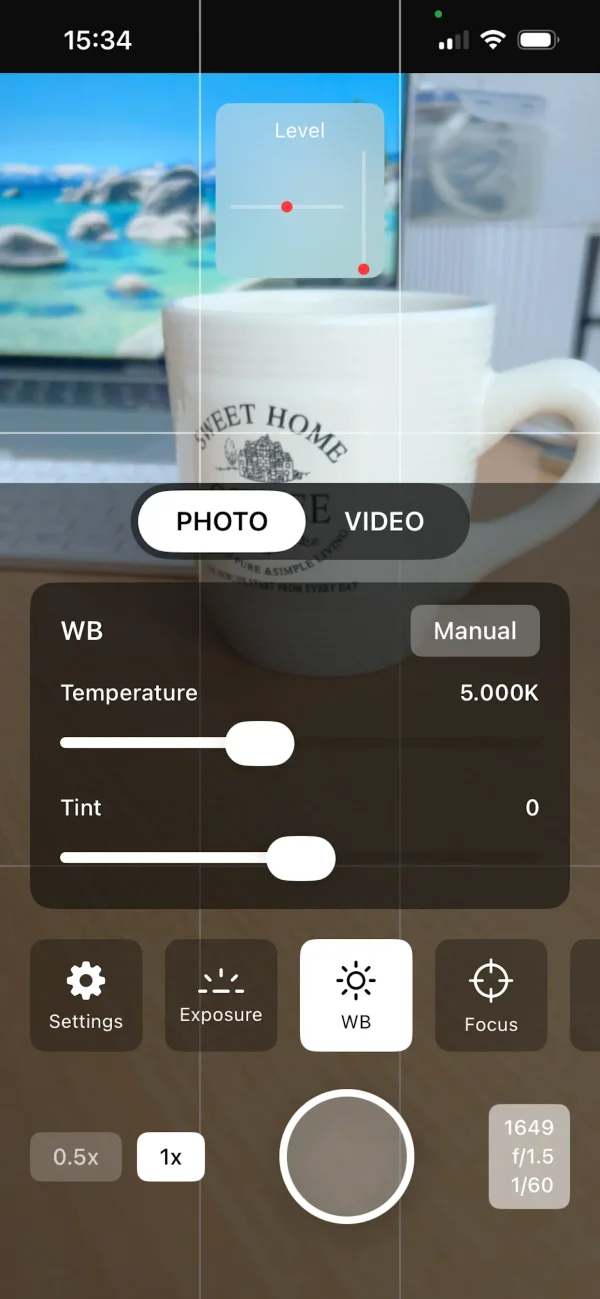

About
MMAP Cam - Take Control of Professional Camera Features
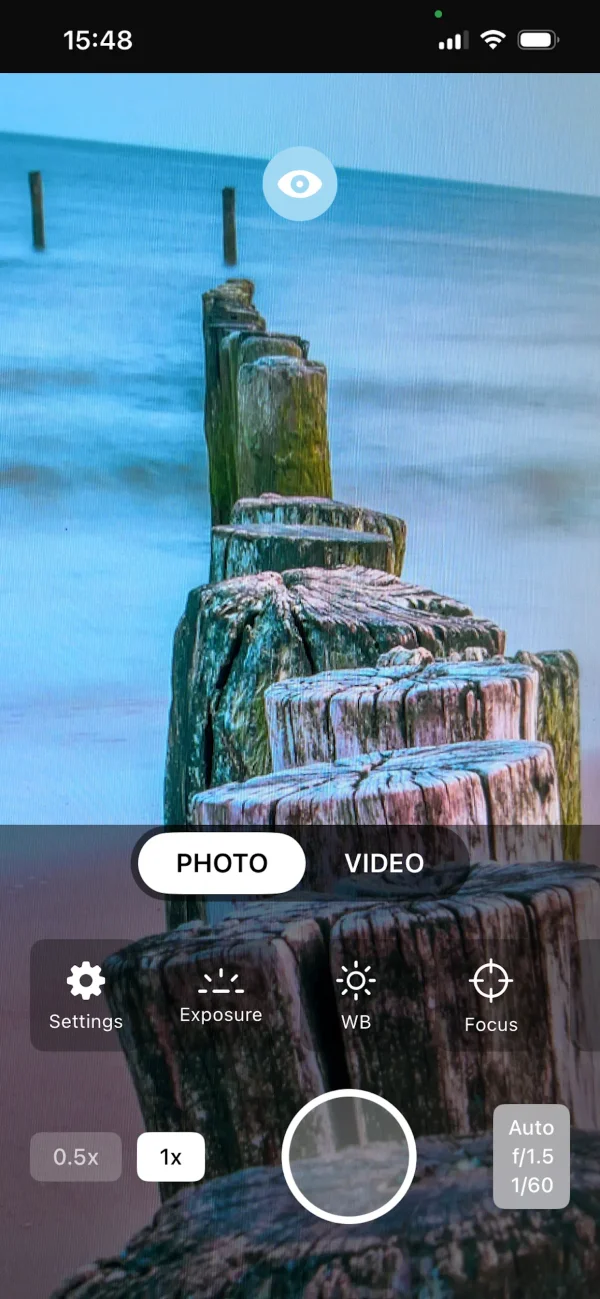
MMAP Cam is a professional camera app designed for photography enthusiasts. Capture the photo of your dreams with manual controls, advanced viewing tools, and 35+ creative filters.
WHY MMAP CAM?
• Full Manual Control: Complete control over ISO, shutter speed, white balance, and focus
• Professional Tools: Perfect exposure with histogram, focus peaking, and zebra stripes
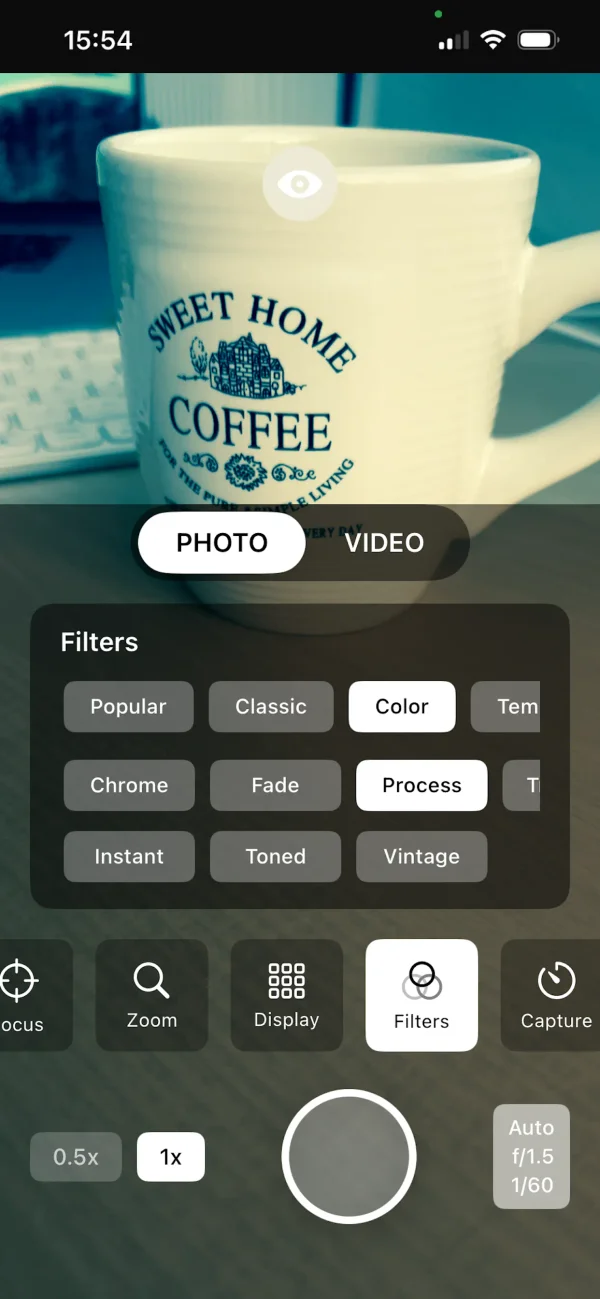
• 35+ Creative Filters: From classic to artistic, filters for every style
• Optical Zoom: Get closer without losing quality
FREE FEATURES
Camera Controls:
• Auto exposure and white balance
• Auto and manual focus
• Digital zoom (1x-10x)
• Focus lock and tap-to-focus
Shooting Tools:
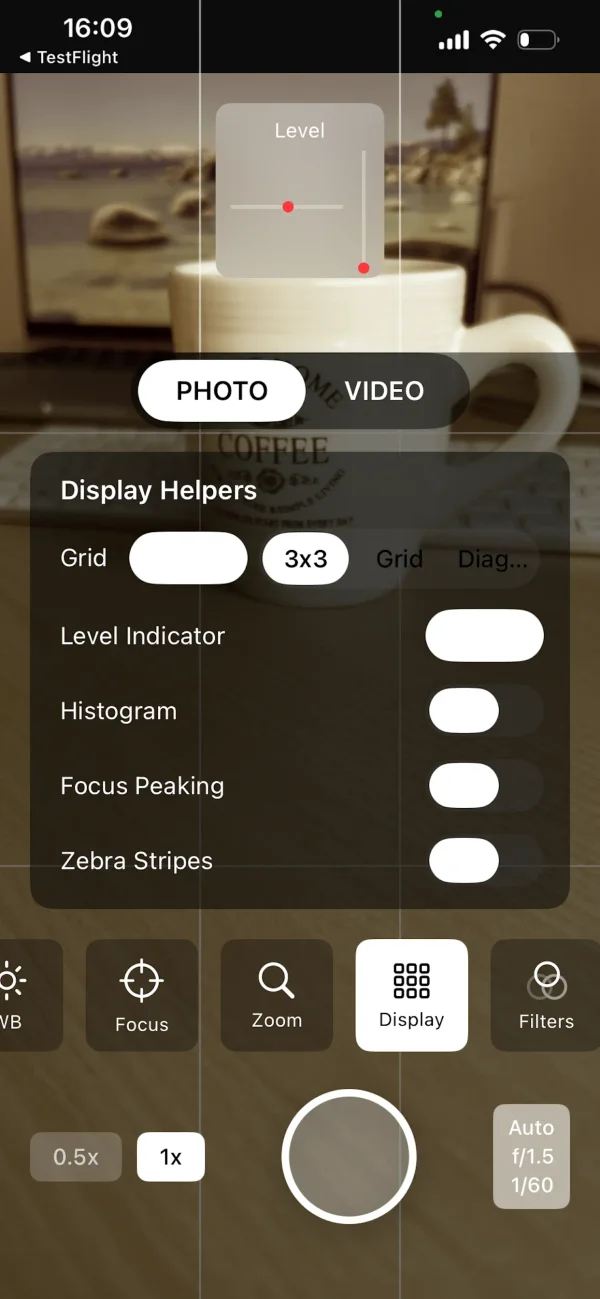
• Grid overlay (3x3, Golden Ratio, Center)
• Level indicator
• Burst mode
Filters:
• 12 popular filters (HDR, Sketch, Pixellate, Kaleidoscope, and more)
• Real-time filter preview
• Classic filters (Black & White, Sepia, Noir)
Gallery:
• Photo preview and sharing
• Detailed EXIF information
• Quick access gallery view
PREMIUM FEATURES
Manual Exposure Control:
• ISO adjustment (full control from min to max)
• Shutter speed control (1/8000 - 1 second)
• Exposure compensation (-2 EV to +2 EV)
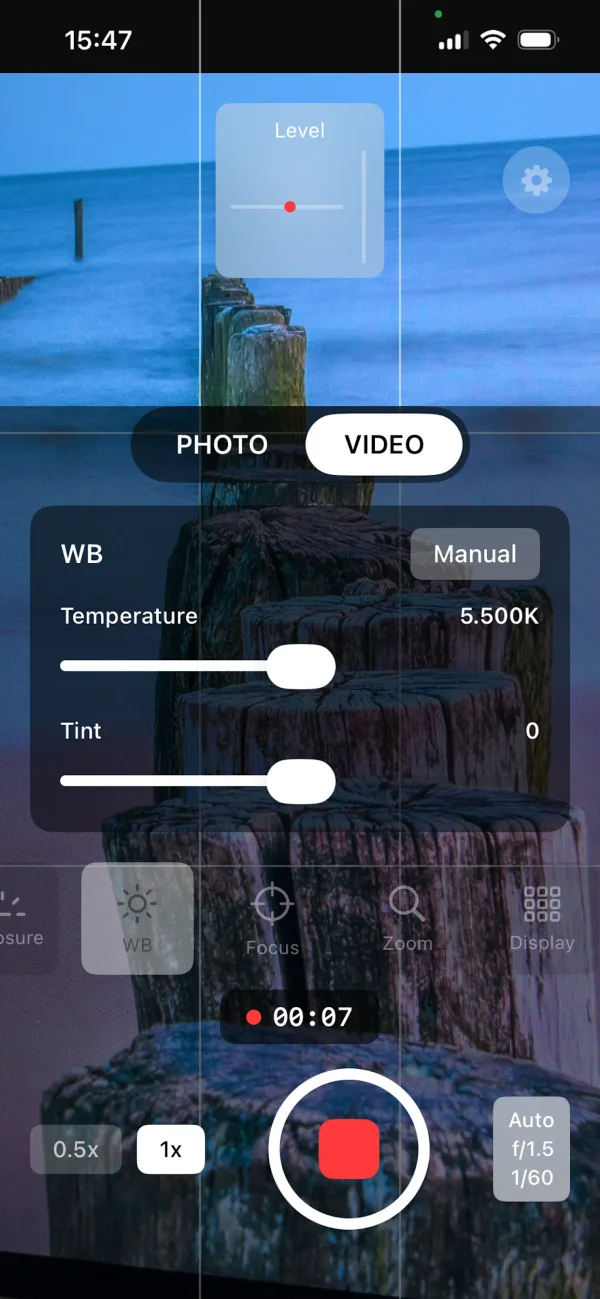
Manual White Balance:
• Color temperature control (2000K - 10000K)
• Tint adjustment (-150 to +150)
• Custom white balance profiles
Professional Viewing Tools:
• Histogram: Real-time exposure analysis with RGB and Luma histogram
• Focus Peaking: Highlights in-focus areas for manual focusing
• Zebra Stripes: Visually shows overexposed areas
Advanced Filters:
• 23+ premium filters (Chrome, Fade, Transfer, Instant, and more)
• Artistic filters (Comic, Posterize, Crystallize)
• Light effects (Bloom, Gloom, Vignette)
• Color effects (Warm, Cool, Dramatic)
Shooting Features:
• Timer (3, 5, 10 seconds)
• Optical zoom support
• Advanced focus controls
Bonus:
• Ad-free experience
• All future premium features
PROFESSIONAL FEATURES
• Full Manual Mode: DSLR-like controls
• EXIF Data: Detailed shooting information
• Quick Access: One-tap access to your favorite settings
• Dark Interface: Eye-friendly black theme
WHO IS IT FOR?
• Photography enthusiasts
• Content creators
• Social media influencers
• Professional photographers
• Mobile photography students
• Creative artists
YOUR PRIVACY MATTERS
MMAP Cam respects your privacy:
• No data collection
• All photos stay on your device
• No internet connection required
• No third-party tracking
HOW TO USE
1. Open the app and grant camera permission
2. Explore the control buttons at the bottom
3. Adjust exposure, white balance, and focus settings
4. Select your desired filter
5. Capture the photo and review in gallery view
UPGRADE TO PREMIUM
Unlock all premium features with a one-time purchase:
• Lifetime access
• All future updates
• Ad-free experience
• Priority support
SUPPORT
Have questions or suggestions? Contact us:
Email: omer.argin@gmail.com
Privacy Policy and Terms of Service available in-app.
Take your mobile photography to the next level with MMAP Cam. Download now and unleash your creativity!
What’s new
Version 3.1 · Feb 12, 2026
French, Dutch, and Norwegian languages have been added.
App privacy
What omer argin declares on the App Store about how this app handles data.
-
Data not linked to you
May be collected but is not linked to your identity.
- Identifiers
Privacy practices may vary, for example with the features you use or your age.
Information
- Seller
- omer argin
- Category
- Photo & Video
- Version
- 3.1
- Updated
- Feb 12, 2026
- Released
- Dec 27, 2025
- Size
- 8.8 MB
- Requires
- iOS 18.6 or later
- Age rating
- 4+
- In-app purchases
- Yes
- Languages
- English
- Copyright
- © 2025 Mikarex
You might also like
-
 MyPhotoCameraPhoto and Video Camera Filters
-
 lilocamCamera and digital darkroom
-
 Cameo Waves: Pro CameraRAW photos & manual controls
-
 ManualCam – Pro CameraLearn manual photo & video
-
 Blur Video · BlurroCensor Moving Objects & Plates
-
 WyKub: Photo HDR & PresetsOne-tap HDR & Presets
-
 Digital Zoom Camera4K Photos, HD Video Zoom
-
 Nostalgia CamFilm & Disposable Camera
-
 ROVEWORKS CAMERAManual camera with film like
-
 TapeCam 8mmVHS & 8mm Camera