Mobile PDF Scanner
Document Editor, OCR & Sign
Designed for iPhone, iPad
In-app purchases
- Age rating4+
- CategoryUtilities
- DeveloperStepan Maksymov
- LanguagesGerman+ 37 more
- Size104.2 MB
Links to the official App Store page
Download.org hosts no file of Mobile PDF Scanner. The button opens its official App Store page, published by Stepan Maksymov. Listing last checked on Nov 23, 2026.
Screenshots



About
Mobile PDF Scanner turns your iPhone and iPad into a document scanner and PDF editor. Scan documents to PDF, compress PDF files, sign and fill out PDF forms, edit scanned text, merge PDFs, delete pages and print.
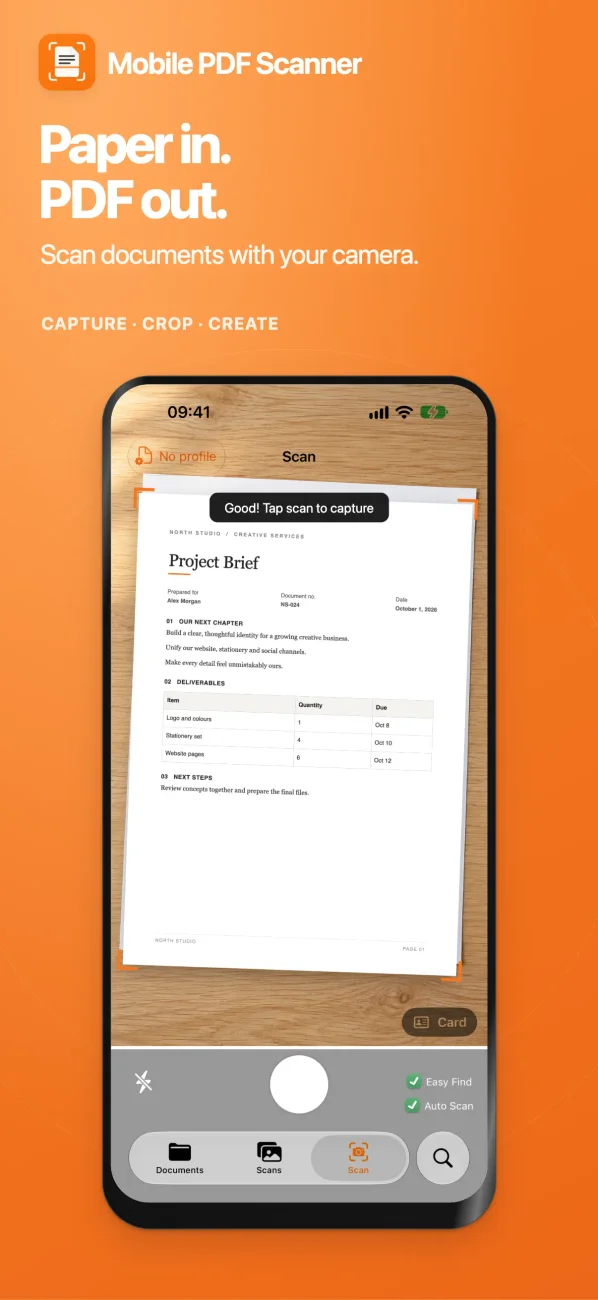
SCAN DOCUMENTS TO PDF
Scan multiple pages into one PDF with live edge tracking and automatic capture. Remove shadows with an on-device machine learning model, straighten pages and clean them up with filters such as White Paper. Card mode puts the front and back of an ID or bank card on one page. Import photos and files from other apps, or pages from a compatible network scanner.
EDIT SCANNED DOCUMENTS
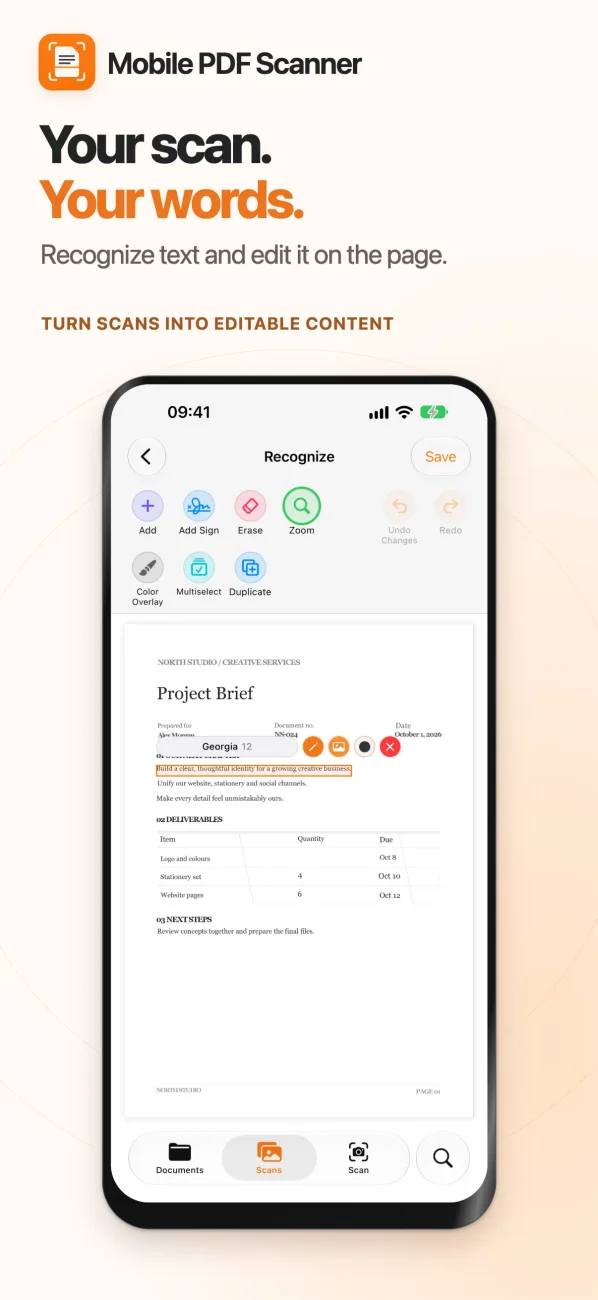
Free unlimited on-device text recognition (OCR) turns printed text into editable text. Correct words, change fonts and colours, edit tables, or rebuild a page as a clean document. Create searchable PDFs that keep the original scan. Rebuild document works with an on-device model, offline: your pages never leave your device.
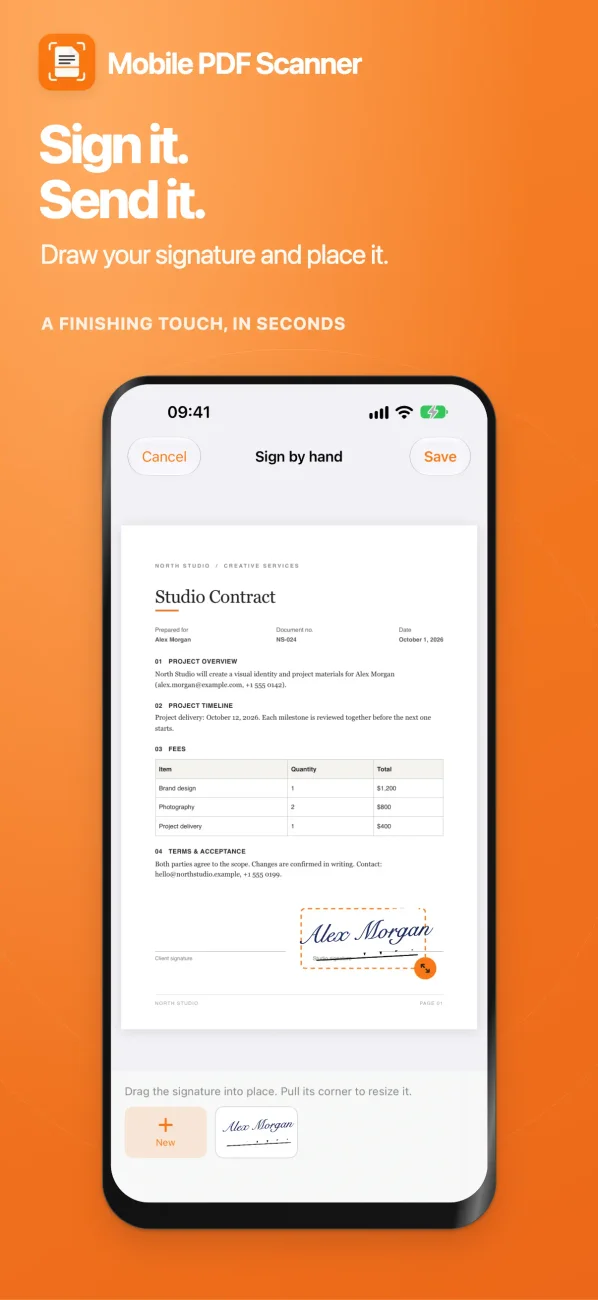
SIGN AND FILL OUT PDF FORMS
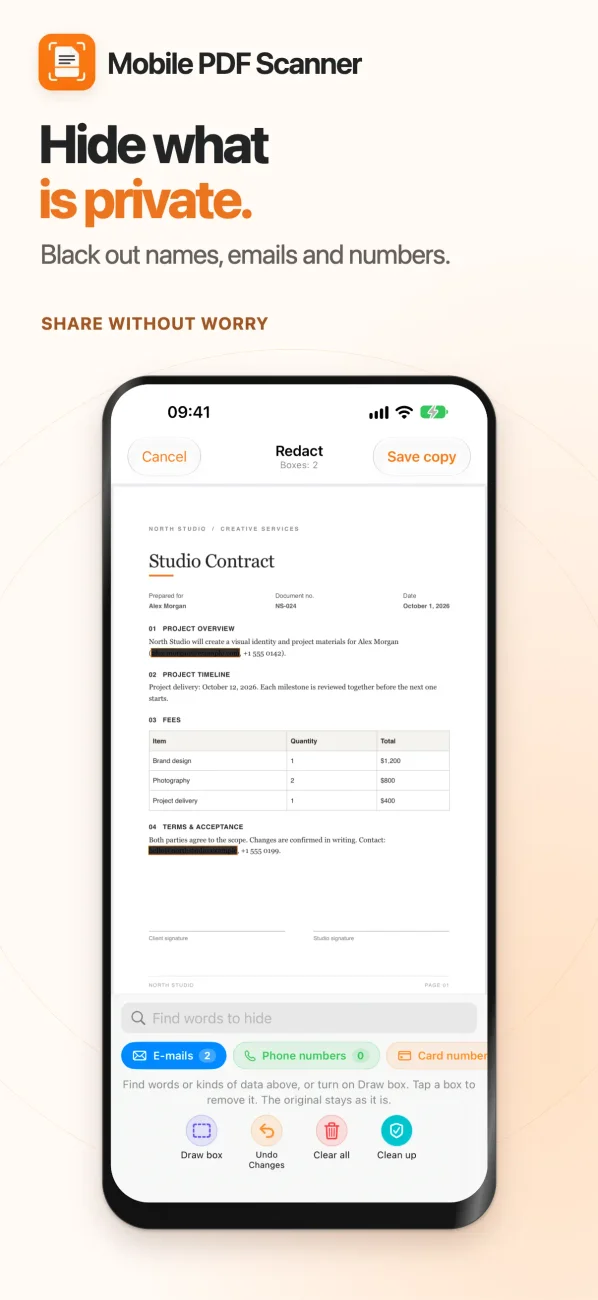
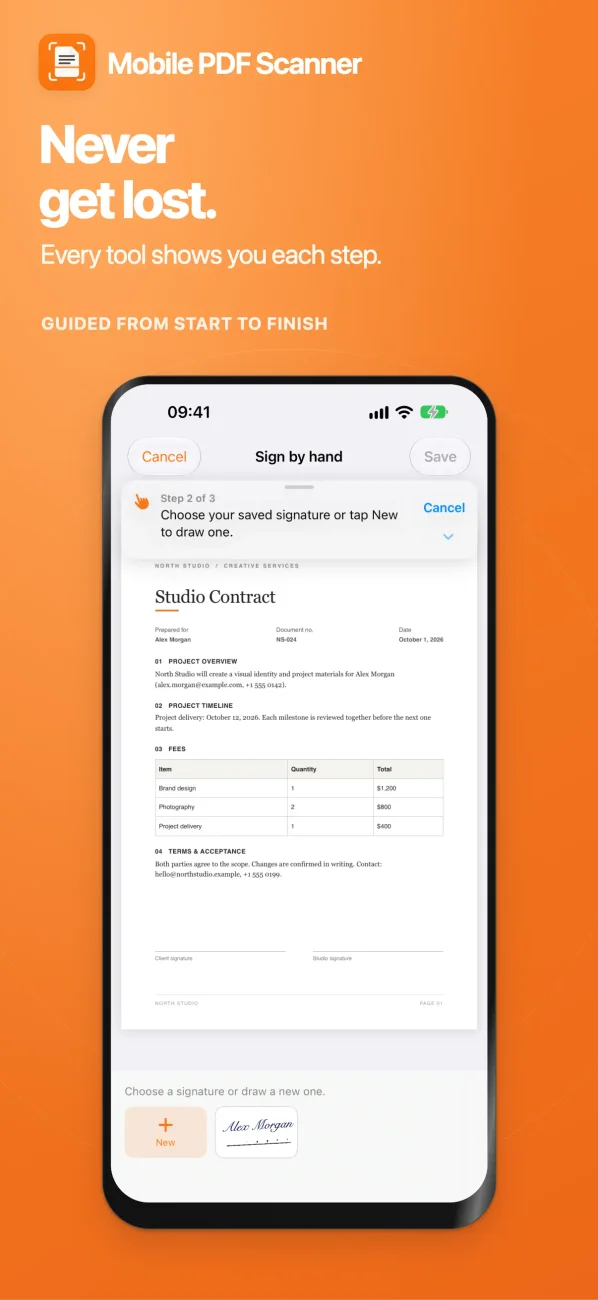
Draw your signature or capture it from paper, then add it to a PDF. Fill out PDF forms, including fields detected on scanned pages. Redact sensitive content in a separate copy. New PDF editor: draw and add text, notes, dates, stamps, pictures and signatures to any PDF, or change its own text.
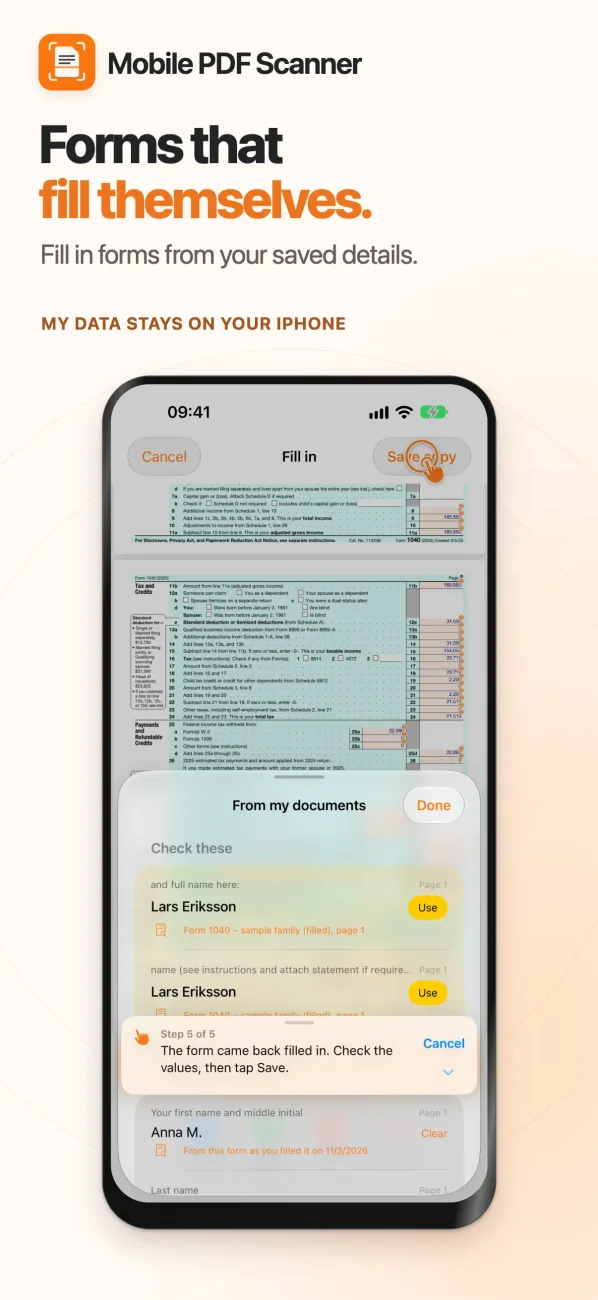
FILL FORMS FROM YOUR DOCUMENTS
Turn on My data and the app learns your details from your own passports, ID cards, licences, residence permits and the forms you have filled. It stays on this device, encrypted. One tap then fills a new form for you or a family member, and you check each value before saving.
COMPRESS PDF AND EDIT PAGES
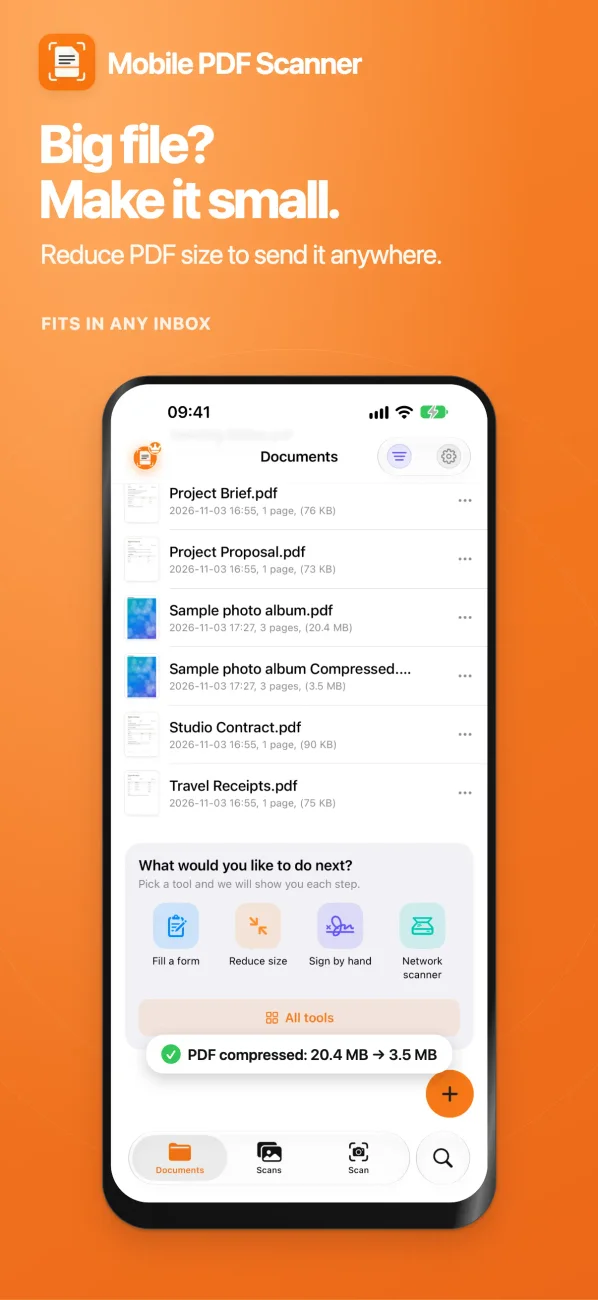
Reduce PDF size for email and messaging apps. Merge scans, photos and PDFs; reorder, rotate, delete or split pages. Add page numbers, a date or a watermark.
CONVERT, PRINT AND SHARE
Export to PDF, Word, PowerPoint, Excel, CSV or TXT; tables become spreadsheets. Protect PDFs with a password, print, and share anywhere.
FIND AND ORGANISE
Search for words inside documents and scans, also from Spotlight. Use folders, coloured tags and automatic names. Free iCloud sync, app lock with Face ID, Shortcuts, widgets, Control Centre and the Action button.
PREMIUM
• Digital signature: sign PDFs with your certificate in a standard format that PDF readers can verify.
• Translate documents on your device and save a translated copy that keeps the layout.
• Handwriting to text: turn a handwritten page into editable text.
• Smart folders sort personal documents, invoices, receipts and contracts automatically.
• Ask the document: answers with links to the right pages, on iPhones with Apple Intelligence in a supported language.
• Fill from my documents and Translate: three times free, then unlimited with Premium.
• Unlimited saved signatures, custom filters and no ads.
Premium is an auto-renewable subscription; prices are shown in the app.
Terms of Use: https://mobilepdfscanner.com/term-of-use/
Privacy Policy: https://mobilepdfscanner.com/privacy-policy/
Text recognition, translation and answers depend on document quality, language and device support. Certificate signing requires a compatible certificate file.
What’s new
Version 2.7.0 · Nov 16, 2026
New in 2.7.0
• Rebuild document with on-device models
The page model sees headings, paragraphs, tables and photos and sets the page again as a real document: true font sizes, tables with coloured headers, clean photos without print dots. You see each step as it happens. Runs on your iPhone without the internet. Your pages never leave it.
• PDF editor
Mark up, draw, add text, notes, dates, checkmarks, stamps, pictures and signatures, turn marks and change the document's own text. Changes are saved to a copy; the original stays as it was.
• Fill in any form
Forms with drawn boxes and tables, even photographed ones, now fill in from My data. A form you have filled in once remembers your values for next time.
• Cleaner recognition
Pages with photos, colour panels and headings on colour, and tables with faint lines come out tidier, and photos are cut out clean.
App privacy
What Stepan Maksymov declares on the App Store about how this app handles data.
-
Data used to track you
May be used to track you across apps and websites owned by other companies.
- Identifiers
- Usage data
-
Data linked to you
May be collected and linked to your identity.
- Location
- Identifiers
- Usage data
-
Data not linked to you
May be collected but is not linked to your identity.
- Purchases
- Diagnostics
- Other data
Privacy practices may vary, for example with the features you use or your age.
Information
- Seller
- Stepan Maksymov
- Category
- Utilities
- Version
- 2.7.0
- Updated
- Nov 16, 2026
- Released
- May 11, 2020
- Size
- 104.2 MB
- Requires
- iOS 26.0 or later
- Age rating
- 4+
- In-app purchases
- Yes
- Languages
- German, Afrikaans, Arabic, Belarusian, Bulgarian, Danish, English, Estonian, Finnish, French, Georgian, Greek + 26 more
- Copyright
- © 2020-2026 Stepan Maksymov
You might also like
-
 Photo to PDF: Merge, CompressScan, split, organise, offline
-
 PDF Scanner & Editor: SignMerge, Compress, OCR & Fill
-
 PDF Scanner: Image to PDFScan, OCR, Sign & Merge Docs
-
 CanScan: PDF and Doc ScannerScan PDFs & Share instantly
-
 Bade: Günlük Üretim ListesiUtilities
-
 simple.STT - Transcription AppAI speech to text & transcribe
-
 Ruijie CybreyUtilities
-
 XPS Viewer - XPS to PDFOpen OXPS, Reader & Converter
-
 Cosmetic & Food ScannerProduct & Ingredient Checker
-
 Voice Recorder+ AI TranscribeRecord, Edit & Transcribe