MockTimer Pro - Future Now
Train Like It’s the Real Exam
Designed for iPhone, iPad
$0.99
- Age rating4+
- CategoryProductivity
- DeveloperBeijing Qiezhui Technology Co., Ltd.
- LanguagesEnglish+ 8 more
- Size48.5 MB
Links to the official App Store page
Download.org hosts no file of MockTimer Pro - Future Now. The button opens its official App Store page, published by Beijing Qiezhui Technology Co., Ltd. Listing last checked on Nov 17, 2026.
Screenshots

About
MockTimer Pro is an immersive exam simulation app designed for high-stakes exam preparation.
Not only for school exams, but also for:
public service exams, certification tests, graduate entrance exams, bar exams, medical exams, language tests, and other pressure-driven assessments.
Many people don’t struggle because they lack knowledge.
They struggle because they’ve never truly practiced performing under realistic exam pressure.
Even when preparation is sufficient, real exam environments can still cause:
pacing issues,
anxiety under time pressure,
distraction sensitivity,
focus instability,
performance inconsistency,
MockTimer Pro helps you rehearse the real exam experience before exam day arrives.
[Key Features]
• Realistic Exam Time Simulation
Train using actual exam schedules and countdown timing to build pacing awareness.
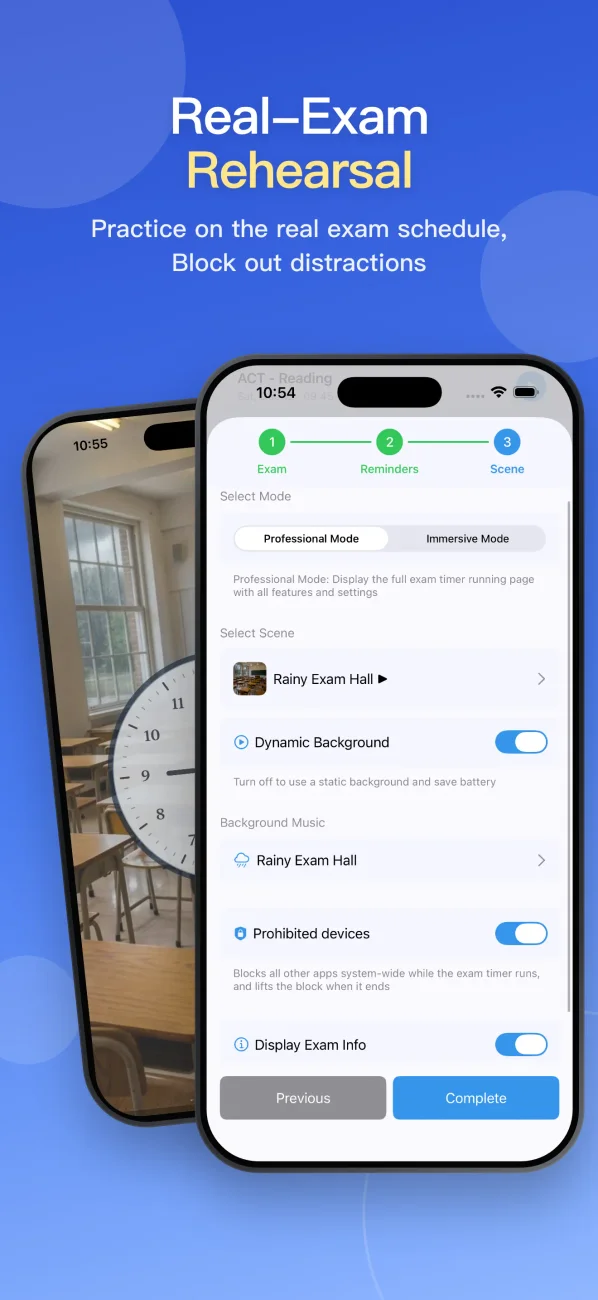
• Immersive Exam Environments
Simulate realistic exam halls with changing daylight, weather, and atmosphere.
• Distraction Resistance Training
Practice focus stability with realistic ambient interruptions such as coughing, footsteps, paper sounds, and chair movement.
• Original Traffic-Light Progress Ring
Visually understand remaining time and improve answer pacing strategy.
• History & Progress Tracking
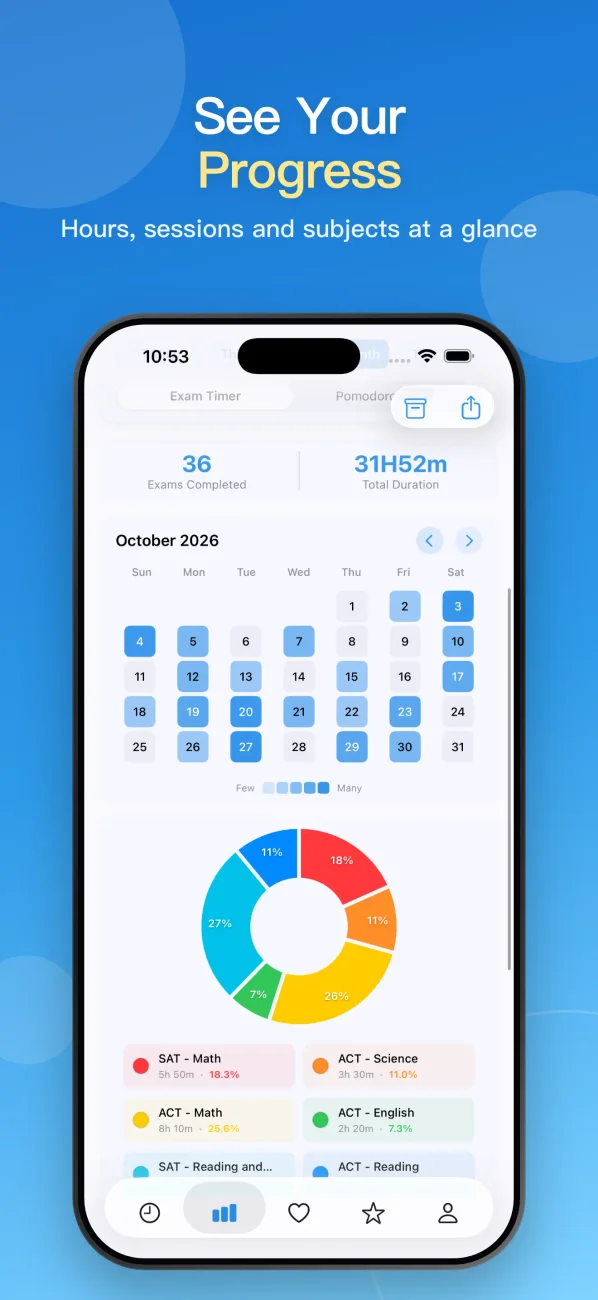
Record every simulation and practice session, support viewing score trends by subject, and track changes in performance and your growth trajectory.
• Focus Modes & Pomodoro Sessions
Exam simulations are set up like the real exam with devices disabled, and Pomodoro study sessions use a whitelist of apps to help you stay efficient and disciplined and enter deep focus.
• Pomodoro Exam Preparation Plan
Set up different Pomodoro daily study plans for your exams and track your daily learning progress.
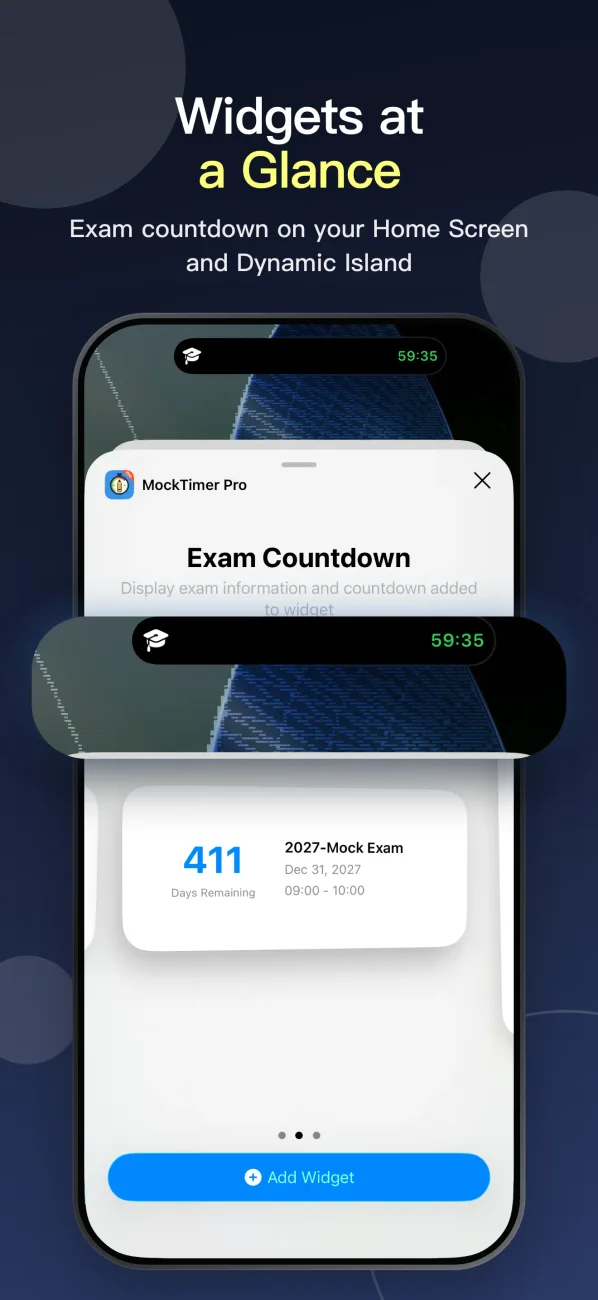
• Lock Screen timer and countdown widgets
The timer supports Lock Screen and Dynamic Island; the exam countdown offers Home Screen and Lock Screen widgets.
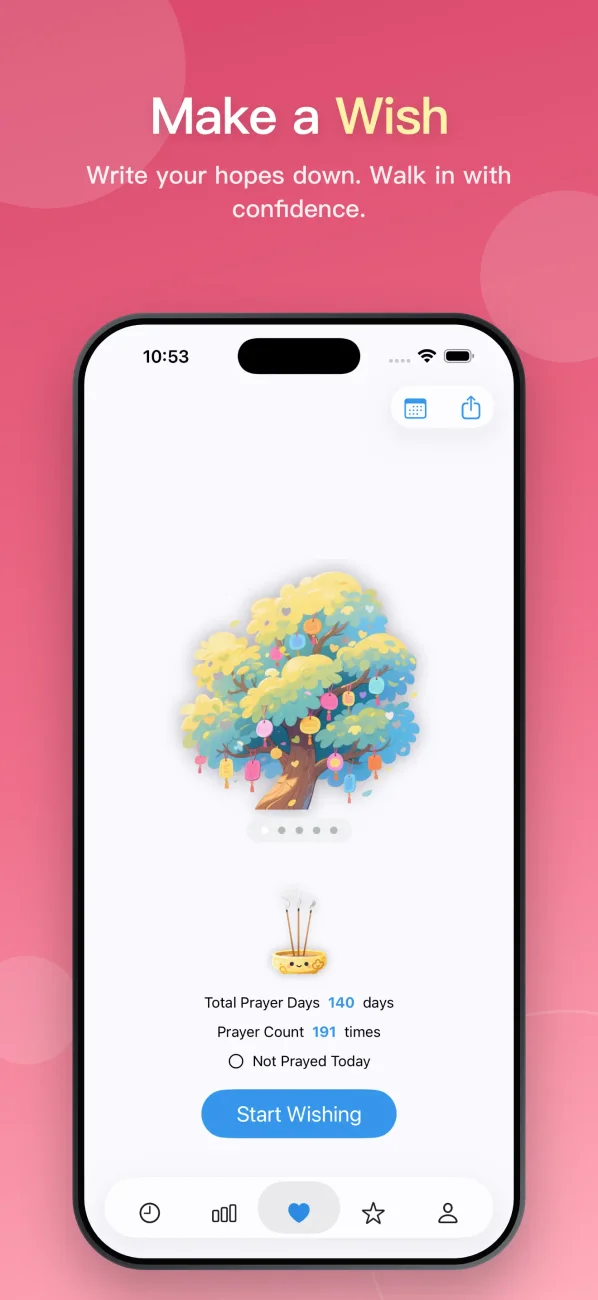
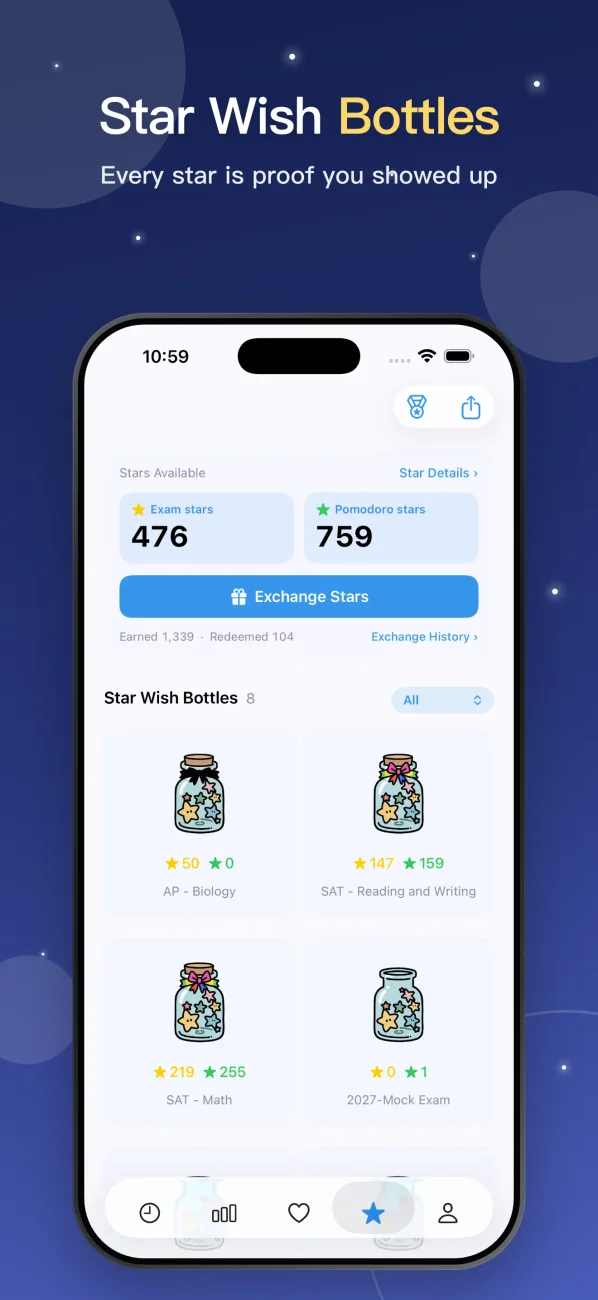
• Wish Bottle & Motivation System
Record goals, encouragement, and milestones throughout your preparation journey.
• Exam Archive
Take a photo of your exam score reports or certificates to keep them on file. Both the journey of hard work and its outcomes are worth remembering.
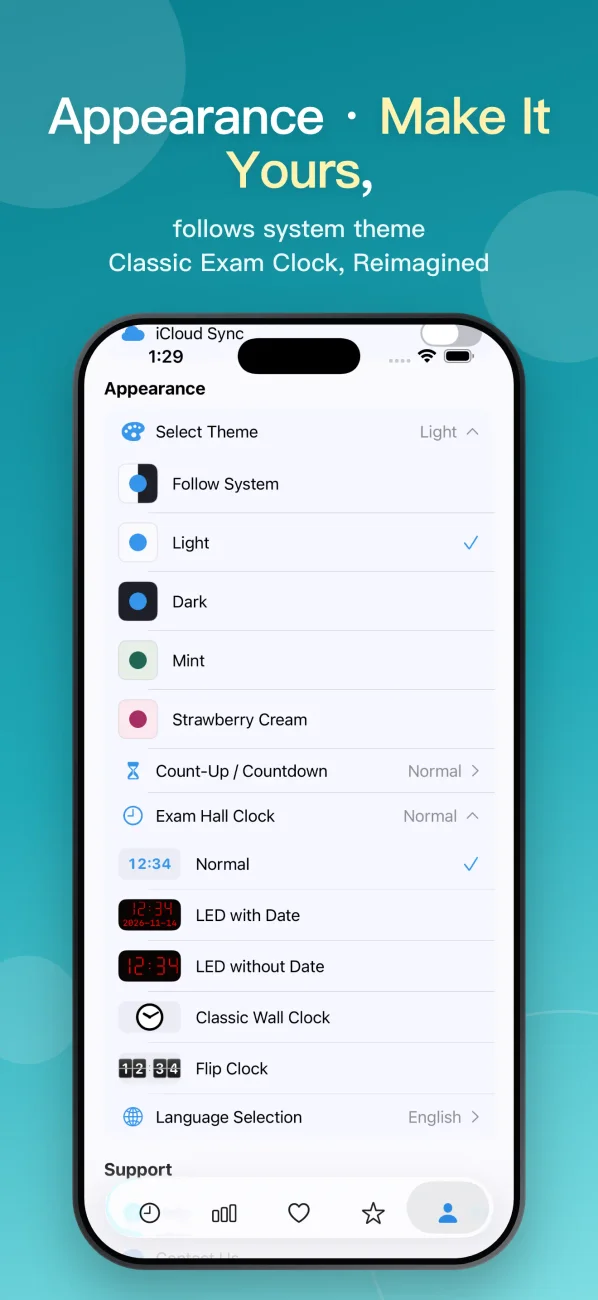
• Clock and timer appearance
Replicate the classic exam room clock, with freely configurable themes such as the regular style, digital watch style, and flip clock style.
Real exams are never pressure-free.
The purpose of simulation training is not to remove pressure,
but to help you perform steadily under it.
Experience Exam Day Before It Happens.
「MockTimer Pro」 is more than just a timer—it's a gentle companion on your journey to your dreams. Let every effort be seen, and let every exam become a shining moment in your
life. Download now and start Time Witness immediately!More thoughtfully designed features are ready for you to explore!
Welcome feedback:feedback@mocktimer.pro
What’s new
Version 7.0.0 · Nov 16, 2026
#39 MTP Update
MockTimer Pro - Travel through the future, start the exam instantly!
This update brings a comprehensive and meticulous polish and upgrade to the product, including dozens of changes across features, UI and UX, stability, performance, and more. First, when creating an exam, you can now enable device restrictions to simulate a real exam environment so you won't be interrupted or disturbed. Also, when creating a Pomodoro timer based on the exam action menu, it will be automatically linked, and the Pomodoro timer now supports setting a whitelist of apps. We've also slimmed down the product, for example by removing the gradient background image setting and removing redundant text titles next to icons in multiple places. We've also unified the UI and redesigned the home page layout. A new score trend feature lets you view changes in exam scores by subject. In addition, we've specifically optimized the start and end handling logic of the timer, improving system stability. To enhance your experience, we strongly recommend updating immediately. By the way, the key formula of MTP (the developer's love) has not changed at all, so please use it with confidence :)
[New]
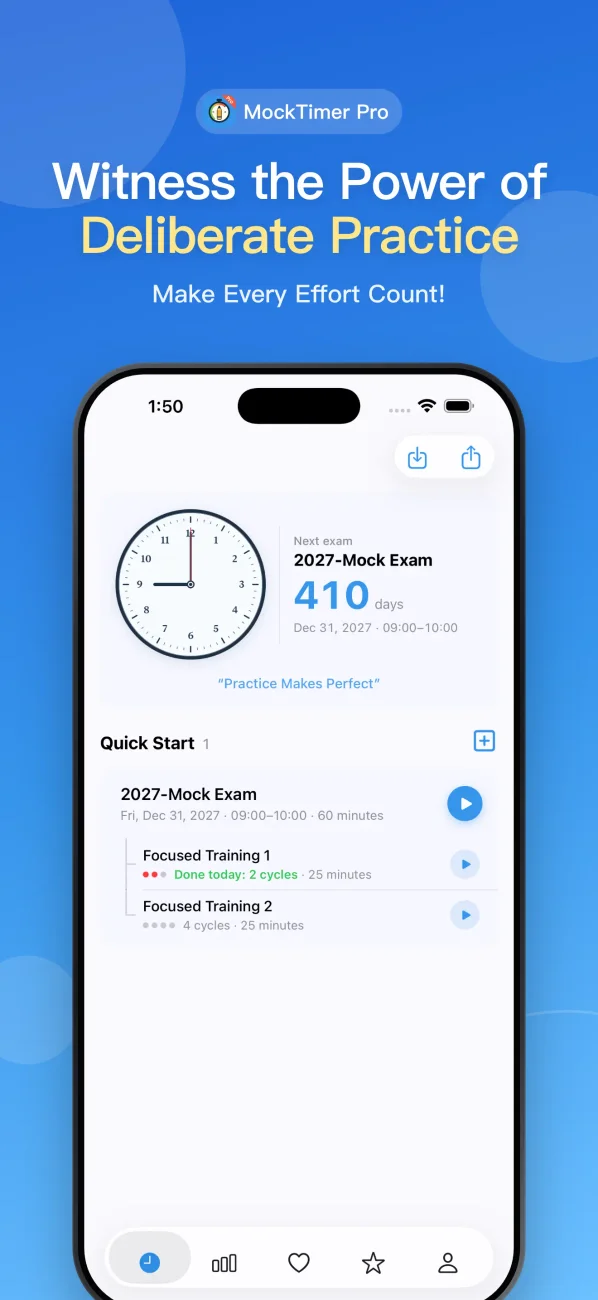
• Home page now shows a countdown to the next exam
• Home page exam menu now supports reordering
• Home page exam menu now includes Pomodoro timing
• Exam templates now support US exams
• Exam timing now includes a device restriction switch
• Exam timing now includes a count-up progress ring
• Professional mode now includes exam date and time
• Pomodoro timer now includes whitelist app settings
• Exam history notes now include a score field
• Exam history now includes score trends by subject
• Added top-right buttons on pages other than the Profile page
• Added two new themes: Strawberry and Mint
• Exam room clock now includes an LED version without the date
[Improvements]
• Improved the default text on the splash screen for first-time installation
• Improved and unified the main menu display and color scheme
• Improved and unified the visual design of the classic wall clock
• Improved by removing legacy code logic from the home page
• Improved the pinned icon for Quick Start on the home page
• Improved by moving the exam template entry to the top-right corner
• Improved the today's completed count display for the Pomodoro timer
• Improved the Pomodoro icon progress bar in the Pomodoro timer
• Improved the time-travel animation when an exam starts
• Improved the traffic light progress ring for exam timing
• Improved by removing the exam timing status display
• Improved by moving the exam archive entry to the history page
• Improved the quick search display for history records
• Improved the display scope of historical exam records
• Improved the default display of the Star Wish Bottle on the rewards page
• Improved the medal system, including acquisition reminders
• Improved by moving the wish calendar entry to the top-right corner
• Improved Focus Mode with customization by scenario
• Improved by removing the Focus Mode settings from the Profile page
• Improved by removing the background image settings from the Mine page
• Improved theme switching to automatically follow the system
• Improved by removing four items from the theme list
• Improved timer and query performance
• Improved localization and translation of some text
[Bug Fixes]
• Fixed a potential crash issue
Every update is meant to help MTP accompany you to see a better version of yourself at your next exam. Every improvement to MTP is made possible by everyone who enthusiastically reports issues, sincerely offers suggestions, and carefully writes reviews.
PS: Special thanks this time to cc***86 for their issue feedback and suggestions about focus mode settings. May MTP accompany you to pass every exam!
App privacy
What Beijing Qiezhui Technology Co., Ltd. declares on the App Store about how this app handles data.
-
Data not collected
The developer does not collect any data from this app.
Privacy practices may vary, for example with the features you use or your age.
Information
- Seller
- Beijing Qiezhui Technology Co., Ltd.
- Category
- Productivity
- Version
- 7.0.0
- Updated
- Nov 16, 2026
- Released
- May 1, 2025
- Size
- 48.5 MB
- Requires
- iOS 17 or later
- Age rating
- 4+
- Price
- $0.99
- Languages
- English, French, German, Italian, Japanese, Korean, Simplified Chinese, Spanish, Traditional Chinese
- Copyright
- © 2025 QieZhui Tech
You might also like
-
 Appoint - Smart CalendarNo subscription. One-time Pro.
-
 DaySparkTime Visualization Widget
-
 DigWords - Image-to-TextOffline Image-to-Text tool
-
 STAKD Arcs: Life Habit TrackerStreaks, Tasks & Life Stats
-
 Morphis: Focus Timer & SoundsWhite Noise, Sleep & Pomodoro
-
 daily reflections : Resetdaily journal , journaling
-
 Remical:calendar widgetCalendar & Reminders Widgets
-
 WorldClock - 世界时钟,世界时间转换器Productivity
-
 Enflo - Visual Focus TimerYour flow, made visible.
-
 Focus Timer - FocusMindPomodoro & Study Timer