
Mokutori: Document Scanner
Fast OCR, Direct to AI Agents
Designed for iPhone, iPad
Free
- Age rating4+
- CategoryProductivity
- Developerchekusu Inc
- LanguagesEnglish+ 15 more
- Size4.4 MB
Links to the official App Store page
Download.org hosts no file of Mokutori: Document Scanner. The button opens its official App Store page, published by chekusu Inc. Listing last checked on Nov 12, 2026.
Screenshots



About
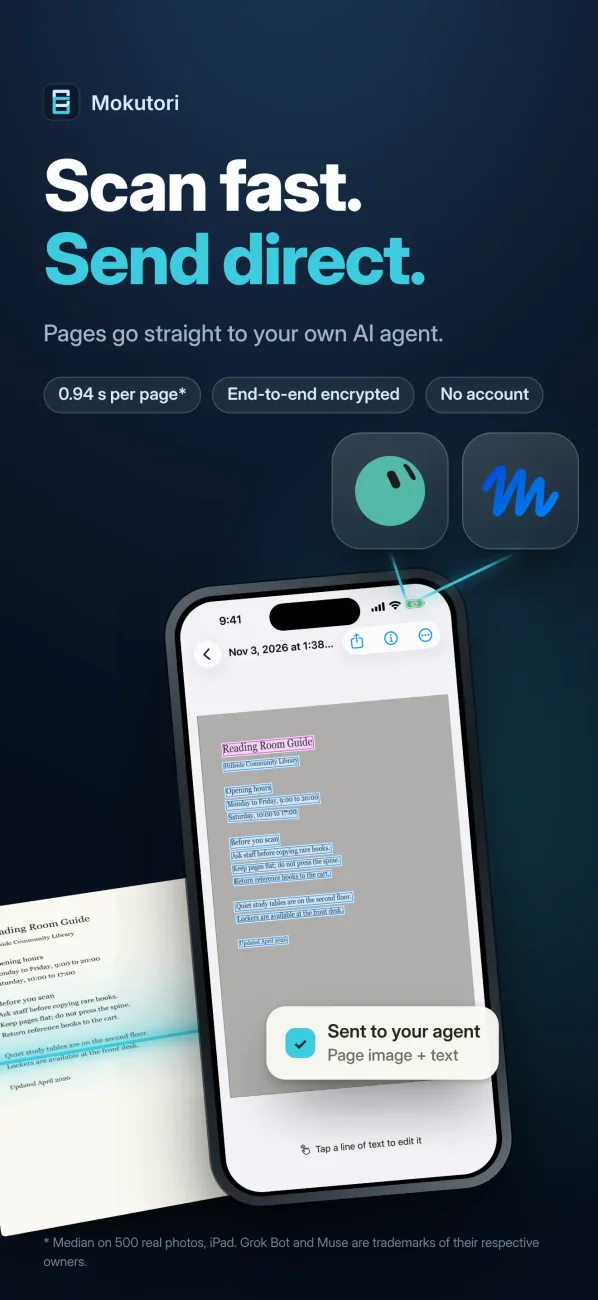
Mokutori is a fast document scanner for iPhone and iPad that can send every page straight to your own AI agent, such as Grok Bot or Muse. Capture book pages, documents and receipts: Mokutori straightens them and recognizes the text on your device, and your agent receives the page images and text.
FAST SCANNING
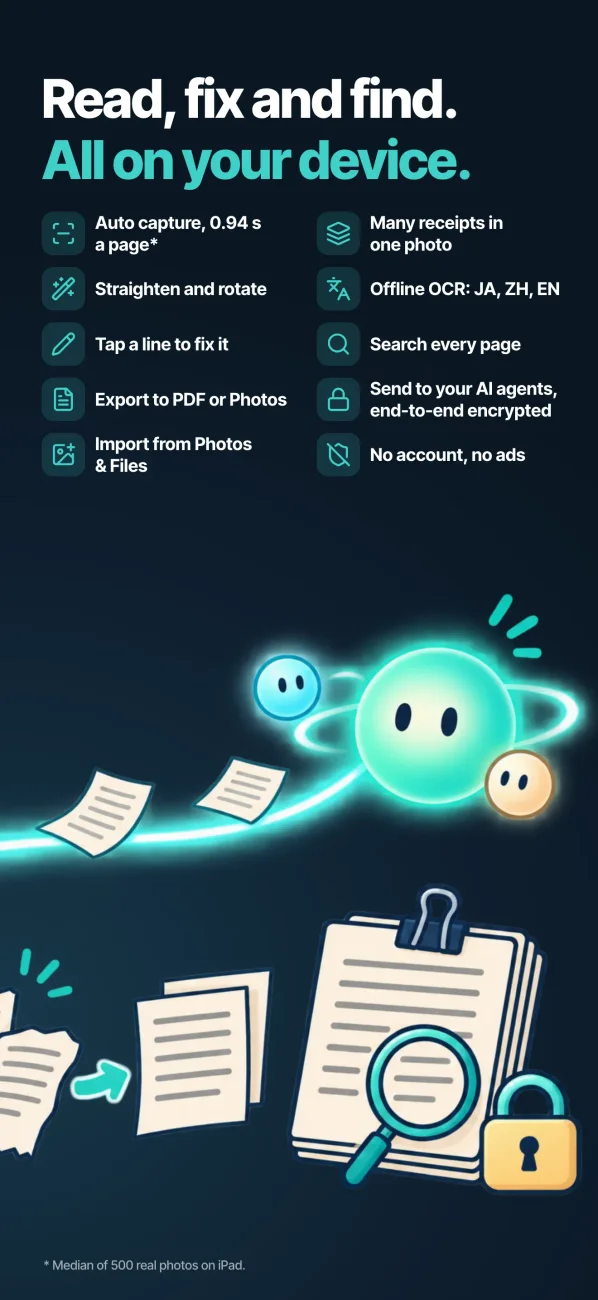
• Automatic capture waits for a steady page and for your hand to move away, then takes the photo. The manual shutter is always there.
• A page is ready in a median 0.94 seconds, measured on 500 real photos on iPad.
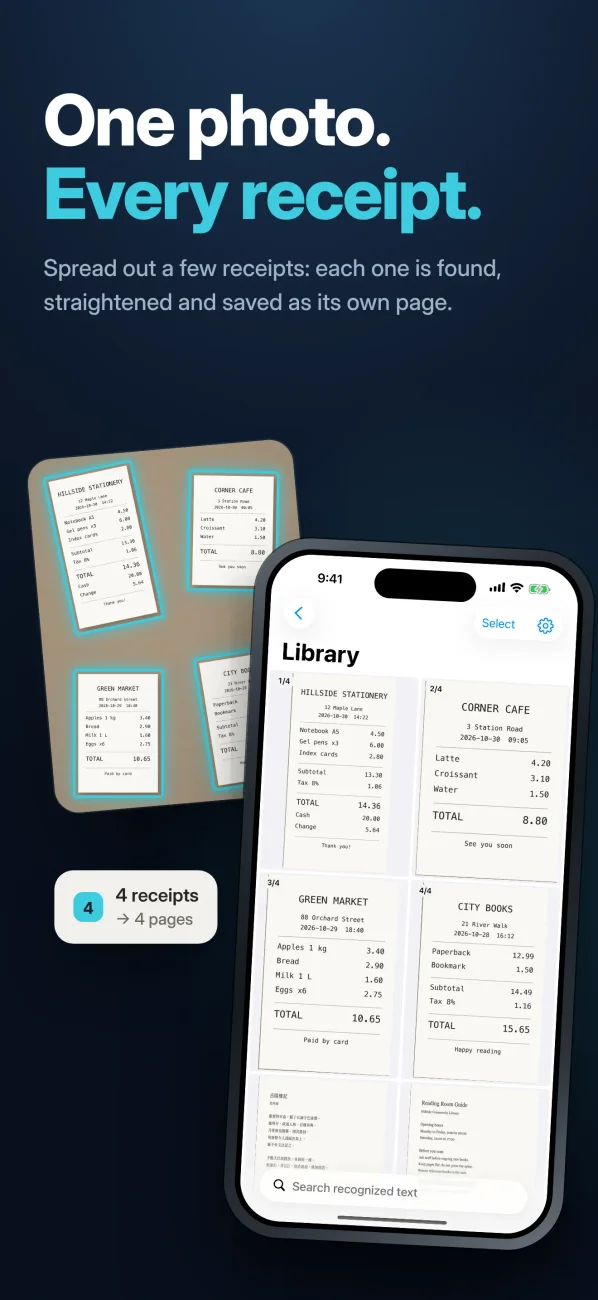
• Spread several receipts or cards out and take one photo: Mokutori finds each one, straightens it and saves it as its own page.
• Import images from Photos or Files.
• The light can turn on by itself in low light.
STRAIGHT TO YOUR PERSONAL AGENT
• Pair your own AI agent, such as Grok Bot or Muse, by scanning its QR code and confirming. New scans can then be sent automatically as page images and recognized text, encrypted end to end for that agent.
• Pair several agents and choose which one receives your pages. Unpair whenever you like; your scans stay on your device.
• Setup guide and the open-source agent plugin: mokutori.com
CORRECT AND READ
• Perspective correction and rotation run on the device. Drag the four corners to adjust a crop at any time; the original photo is always kept.
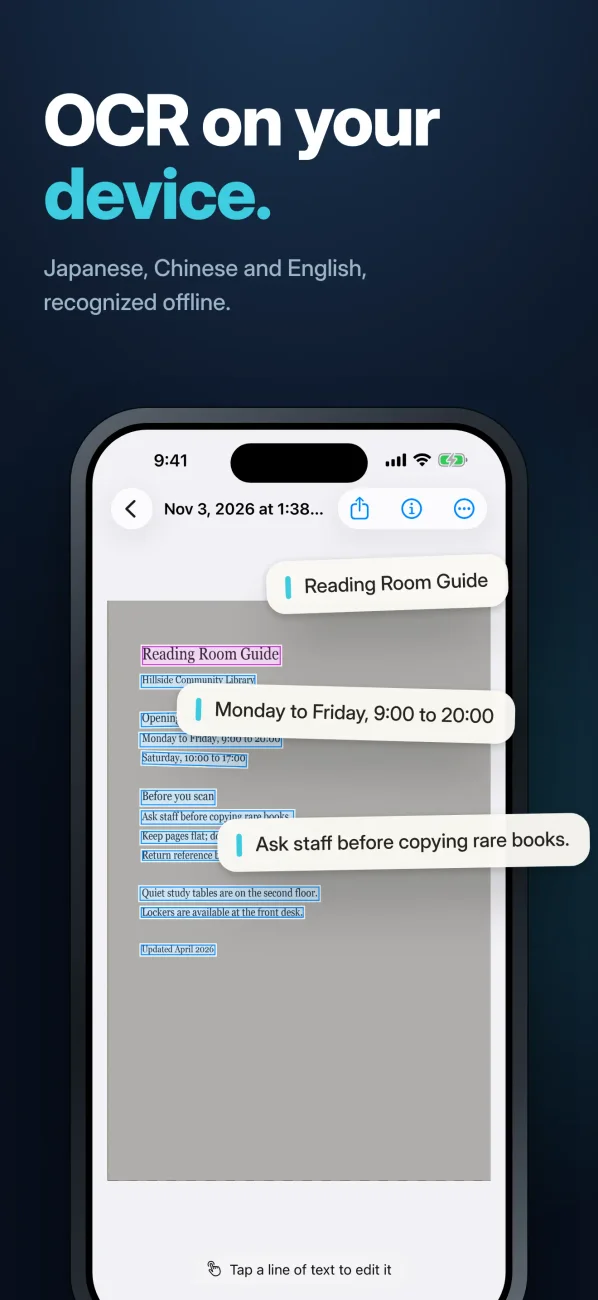
• On-device OCR for Japanese, Chinese and English, with no cloud OCR service.
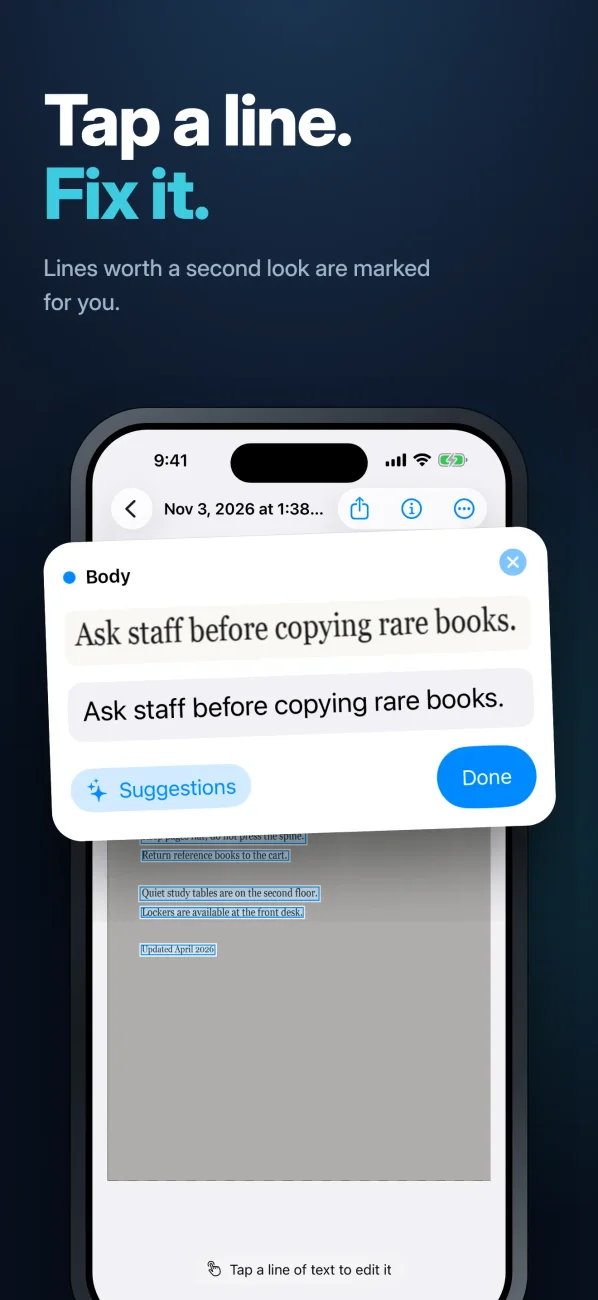
• Lines that may need a check are marked. Tap a line to compare it with the page and fix it.
• Search the recognized text across your library.
SHARE AND EXPORT
• Share corrected images or text, combine pages into one PDF, or save pages to Photos.
• Export a data package with originals, corrected images, text and source details for your own tools.
PRIVATE BY DESIGN
• No account, no ads, no analytics.
• Scanning, correction and OCR work offline.
• Pages leave your device only when you share them or after you pair an agent.
Available in 16 languages. Requires iOS or iPadOS 18 or later.
Grok Bot and Muse are trademarks of their respective owners. Mokutori is independent and not affiliated with them.
What’s new
Version 1.0.1 · Nov 4, 2026
Small improvements. After you have scanned a few pages, Mokutori may ask once, when you open the Library, whether you would like to rate it.
App privacy
What chekusu Inc declares on the App Store about how this app handles data.
-
Data linked to you
May be collected and linked to your identity.
- User content
- Identifiers
- Usage data
- Diagnostics
Privacy practices may vary, for example with the features you use or your age.
Information
- Seller
- CHEKUSU INC.
- Category
- Productivity
- Version
- 1.0.1
- Updated
- Nov 4, 2026
- Released
- Nov 3, 2026
- Size
- 4.4 MB
- Requires
- iOS 18.0 or later
- Age rating
- 4+
- Price
- Free
- Languages
- English, Arabic, Dutch, French, German, Hindi, Indonesian, Italian, Japanese, Korean, Polish, Portuguese + 4 more
- Copyright
- © 2026 CHEKUSU INC.
You might also like
-
 Cindy - AI AssistantYour AI agent, in your pocket
-
 Pastok: AI Recap & Note TakerCapture Meetings, Ideas & More
-
 FavPicks:bookmarks saverManage Favorites & Reminders !
-
 Soulo: Multi-Search BrowserSearch Web, Social & AI
-
 Yore - AI Notes & RemindersNotes, To-Dos, Tickets & More
-
 NexPaste - Clipboard ManagerEverything you copy, in reach
-
 OpenDisplayUse your iPad as a Mac Monitor
-
 MiiTrans - AI TranslateText Voice Camera Photo PDF
-
 FiloMail - AI Email & TodoInbox to Done with AI