
Monlet
Network & System Monitor
Designed for iPhone, iPad, Mac
Free · In-app purchases
- Age rating4+
- CategoryUtilities
- DeveloperMICHAEL OLSEN
- LanguagesEnglish
- Size55.0 MB
Links to the official App Store page
Download.org hosts no file of Monlet. The button opens its official App Store page, published by MICHAEL OLSEN. Listing last checked on Nov 23, 2026.
Screenshots

About
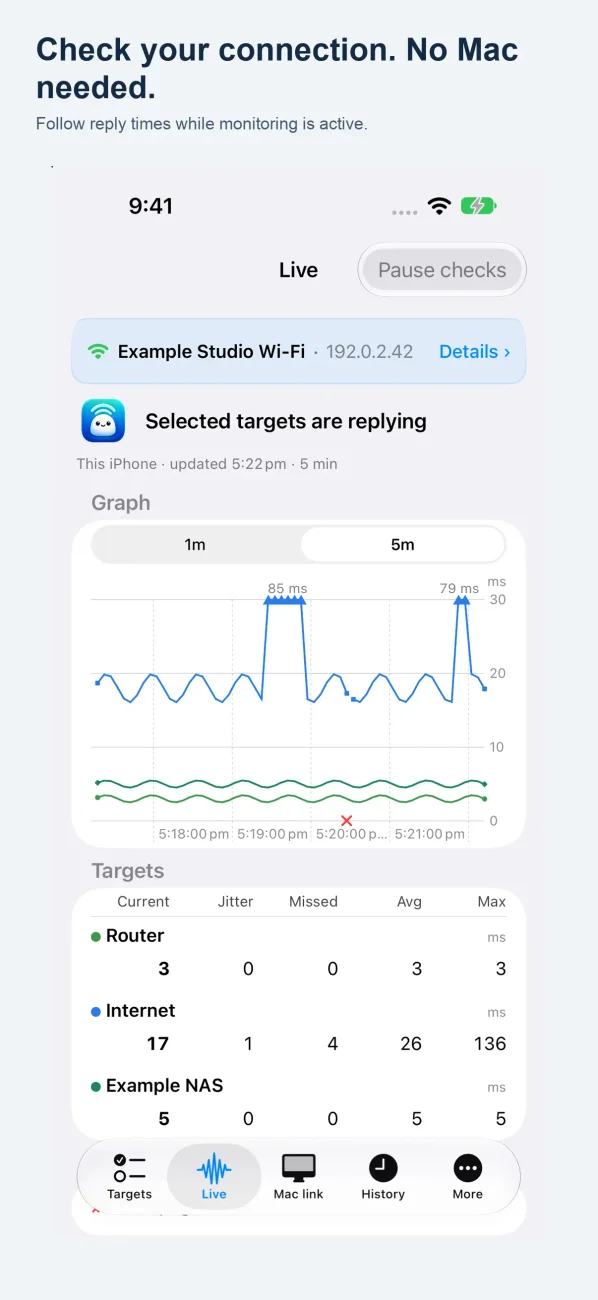
Connection playing up? Check it on your iPhone or iPad. No Mac needed.
All features are free. No subscriptions or paid upgrades. Optional tips simply support Monlet.
CHECK YOUR CONNECTION
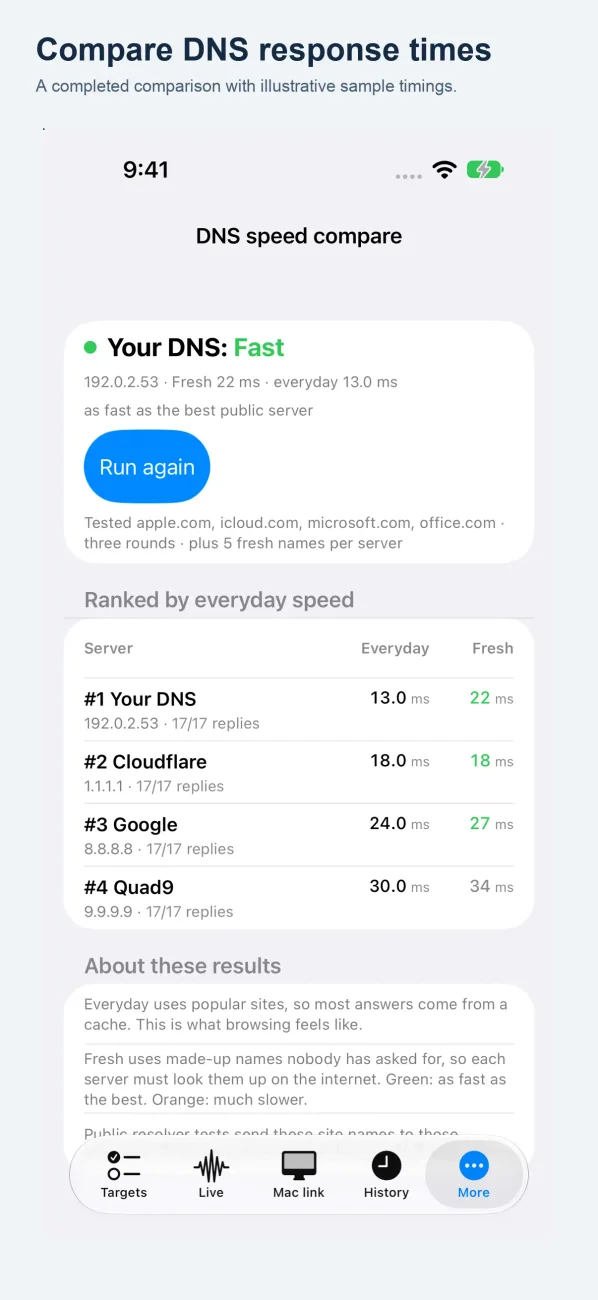
Check your router, internet connection or custom targets. See ping replies and graphs, run DNS and HTTPS checks, and read plain-language explanations of detected problems. Local checks run in the foreground and stop when you leave the app.
COMPARE ROOMS
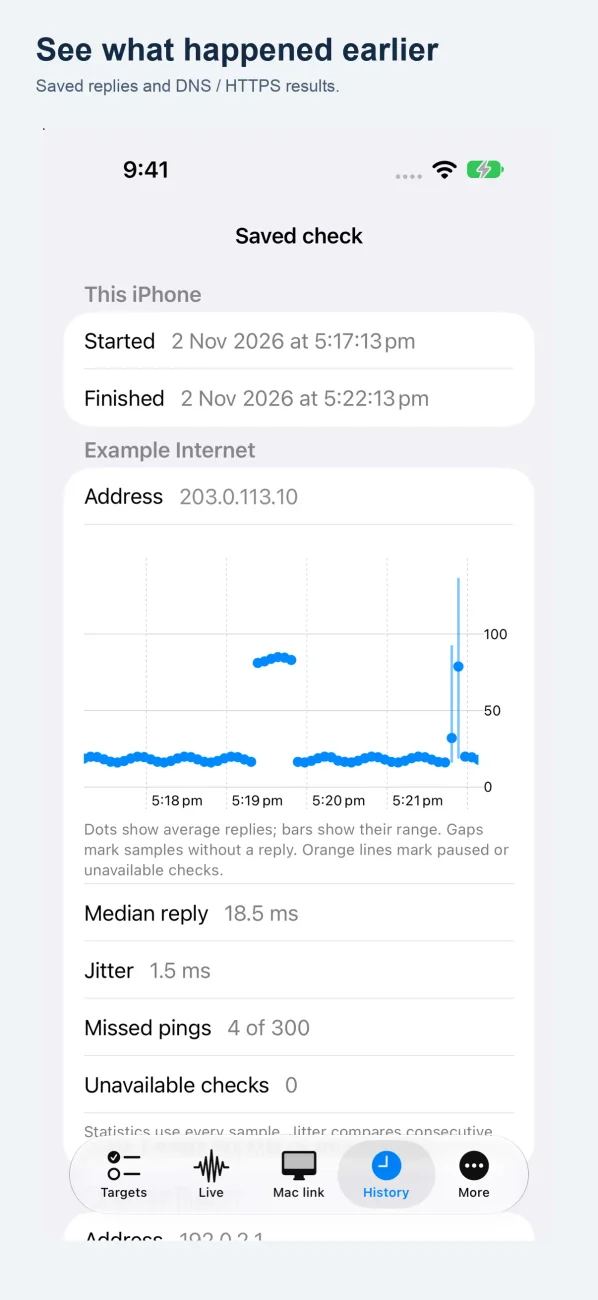
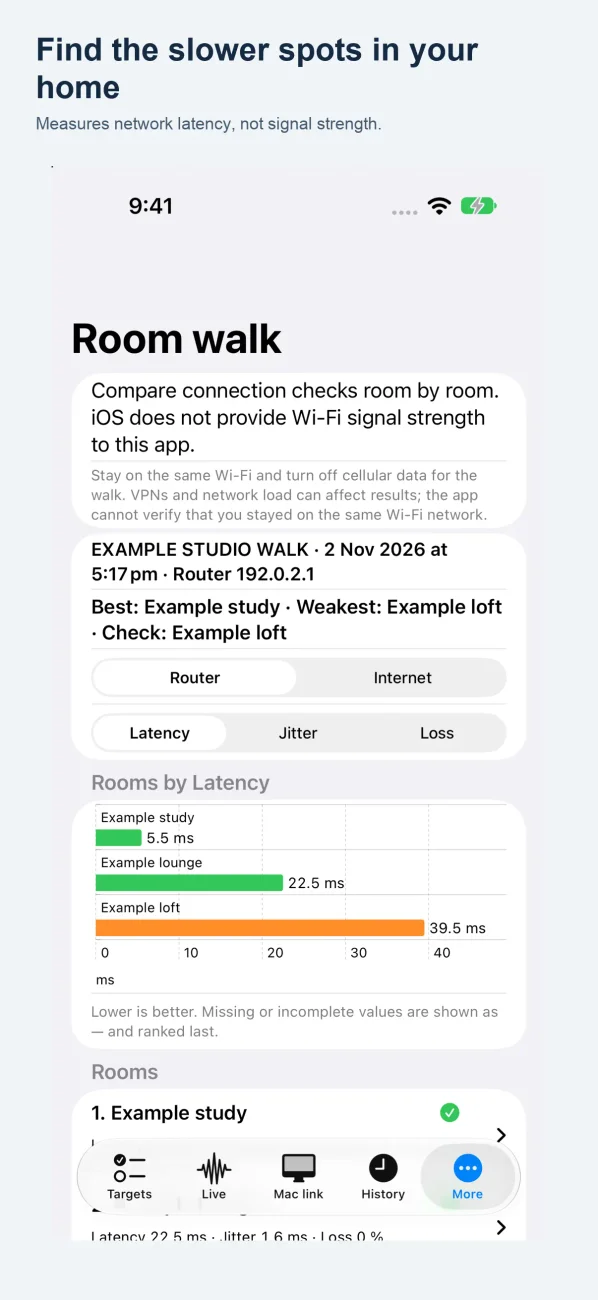
Use Room Walk to compare latency, jitter and packet loss around your home. It does not measure Wi-Fi signal strength. Save sessions and revisit graphs and results in History.
DIG DEEPER
Discover local devices and use tools for DNS, traceroute, ports and Bonjour. Test download speed and lag when you need a closer look.
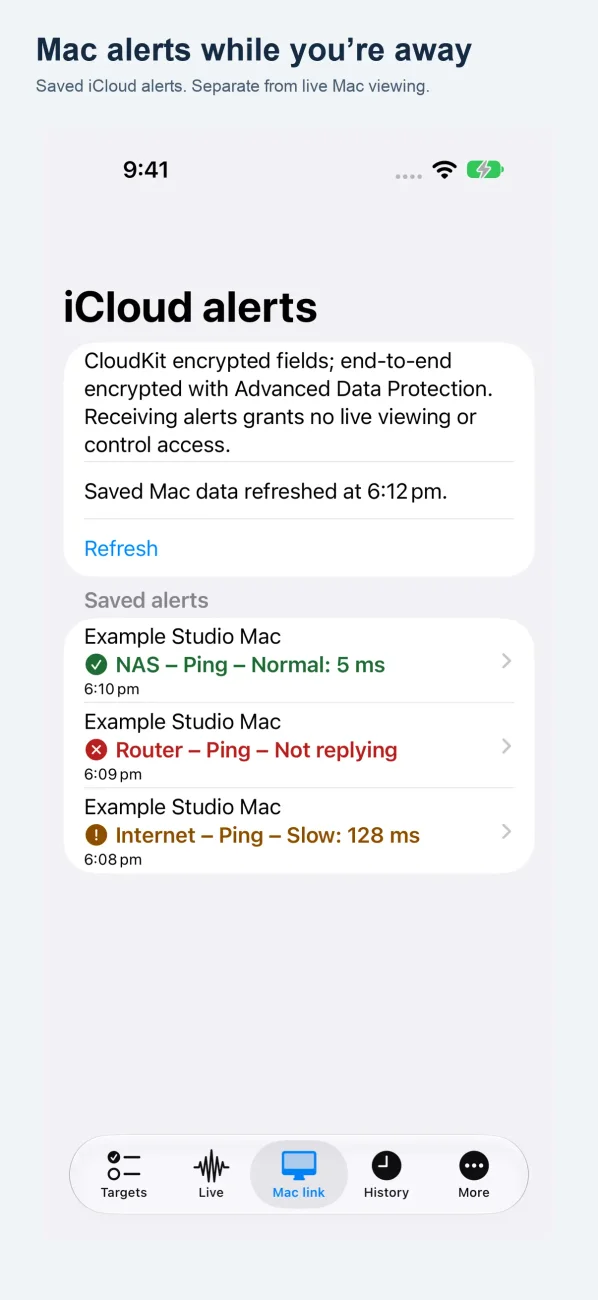
GET MAC ALERTS WHILE AWAY
Receive alerts from Monlet for Mac through iCloud, even with the iPhone or iPad app closed. Use the same Apple Account, keep Monlet running on the Mac with iCloud alerts enabled, and allow notifications on your iPhone or iPad. No pairing needed. Disk-space alerts stay on the Mac.
OPEN YOUR MAC'S LIVE PANEL
Separately, pair with a Mac your device can reach to see live status, diagnosis and requested History. If you grant full control on the Mac, you can pause checks, snooze alerts and change the main target.
No Monlet account, ads or analytics.
What’s new
Version 1.0.2 · Nov 20, 2026
Pair and reconnect to your Mac more smoothly, with clearer messages when the device list is full or the network is blocking pairing. Two iPhones or iPads with the same name can now stay paired to the same Mac.
Mac Link Live brings your Mac’s graph, network checks and recent alerts together. The event key sits beneath the graph, range buttons fill the row, and you can tap alerts to expand them.
Live graphs draw faster, the 60-minute view no longer gets stuck on “Loading”, and switching ranges no longer makes the page jump. When the view isn’t live, you’ll see “Last received from your Mac”.
Insights tell you when completed checks didn’t return enough data, and Room Walk offers “Try again” if saved walks can’t load.
Network scans group devices more accurately, VoiceOver describes more colours, selections and graph values, and you’ll get fewer repeat alerts when a connection keeps dropping.
Your settings are preserved across updates, including options this version doesn’t recognise.
App privacy
What MICHAEL OLSEN declares on the App Store about how this app handles data.
-
Data not collected
The developer does not collect any data from this app.
Privacy practices may vary, for example with the features you use or your age.
Information
- Seller
- MICHAEL OLSEN
- Category
- Utilities
- Version
- 1.0.2
- Updated
- Nov 20, 2026
- Released
- Nov 10, 2026
- Size
- 55.0 MB
- Requires
- iOS 27.0 or later
- Age rating
- 4+
- Price
- Free
- In-app purchases
- Yes
- Languages
- English
- Copyright
- © 2026 Michael Olsen
You might also like
-
 WrenchTime: Car MaintenanceFuel, Mileage & OBD2 Scanner
-
 Clean Links: URL CleanerStrip trackers · QR scanner
-
 Construction CalculatorCarpentry & Stair Trigonometry
-
 LiDAR Room Scanner: Floor PlanLaser Tape Measure & 3D Scan
-
 Screens 5: VNC Remote DesktopFast & Secure Computer Access
-
 RAR ZIP 7z File ExtractorUnzip Unrar Archive Opener
-
 Any TV Remote ControlUniversal Smart TV Remote
-
 Universal TV Remote Control #Smart Remote for Any TV
-
 Opensignal Speed Test Ad Free5G 4G & WiFi Signal Speed Test
-
 QR Pro - Code Reader & CreatorBarcode Scanner & Generator