
Moray: SSH Client & SFTP
Shell, File Transfer & Tunnels
Designed for iPhone, iPad, Mac
Free · In-app purchases
- Age rating4+
- CategoryDeveloper Tools
- DeveloperBartlomiej Zabicki Mobile Developer
- LanguagesEnglish
- Size47.5 MB
Links to the official App Store page
Download.org hosts no file of Moray: SSH Client & SFTP. The button opens its official App Store page, published by Bartlomiej Zabicki Mobile Developer. Listing last checked on Nov 25, 2026.
Screenshots



About
Moray is a native SSH, SFTP, and terminal client for iPhone, iPad, and Mac — with a real terminal, a dual-pane file manager, port-forwarding tunnels, and on-device key security. With Moray Pro, your hosts and snippets sync through your own iCloud; your keys and passwords never leave the Keychain unless you choose. No account, no vendor server.
▸ A REAL TERMINAL
A full terminal powered by SwiftTerm — rich color, a fast keyboard, and smooth scrollback. Open several sessions as tabs, name them, switch between them from the keyboard, search the scrollback, and run commands automatically on connect. Moray remembers what you typed on each server — never a password — so you can search it and re-run. The Smart Bar puts arrows, Esc, Tab, Ctrl, and paste one tap away.
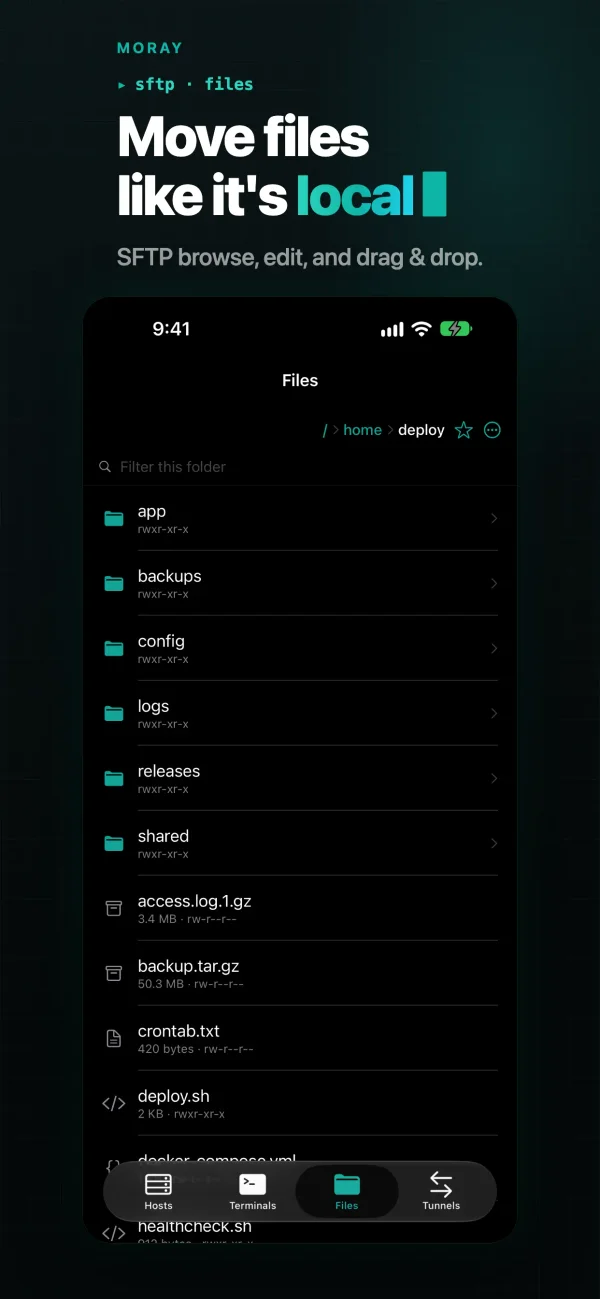
▸ SFTP FILE MANAGER
Browse, upload, download, rename, and delete over SFTP, reopening in the folder you left. Preview with Quick Look, edit text files in place, or pick which app opens each file type. On iPad and Mac, a dual-pane manager copies files and folders between servers — or to your computer — with drag and drop, and a file pane can sit beside the terminal.
▸ YOUR SERVERS IN THE FILES APP
On iPhone and iPad, mount a host and it appears in Files next to iCloud Drive — open a remote file straight into any app that uses the document picker, and save back to it.
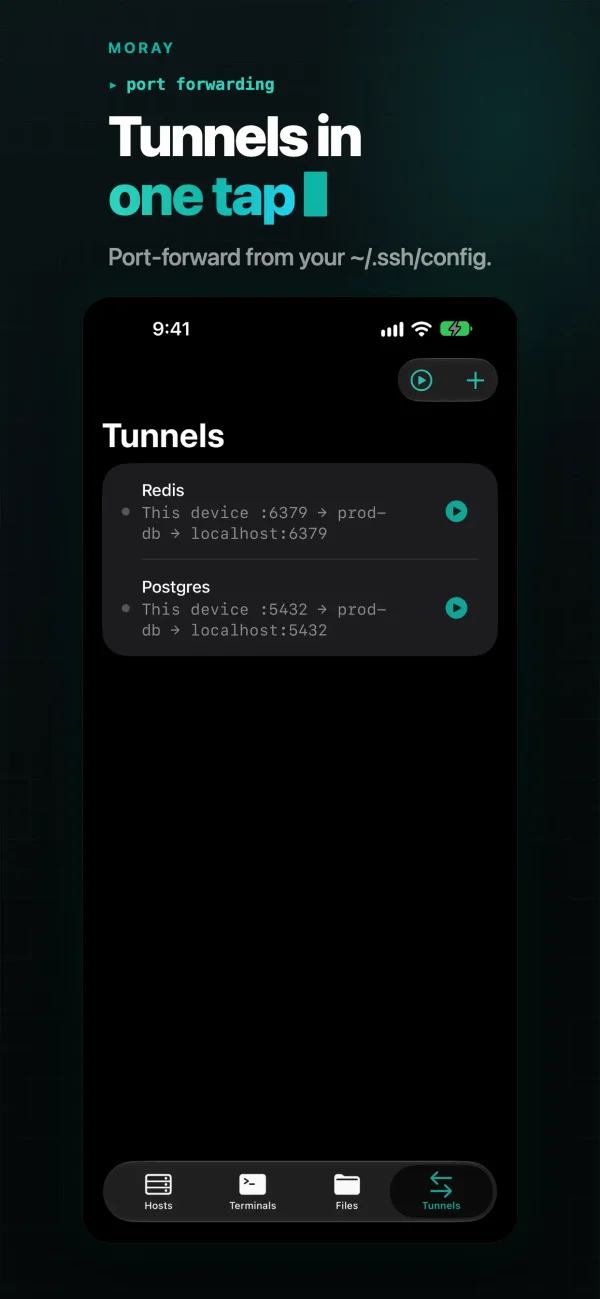
▸ PORT-FORWARDING TUNNELS
Forward a local port to a database or dashboard behind your server. Import LocalForward lines from ~/.ssh/config, start every tunnel with one tap, and keep them running with a Live Activity.
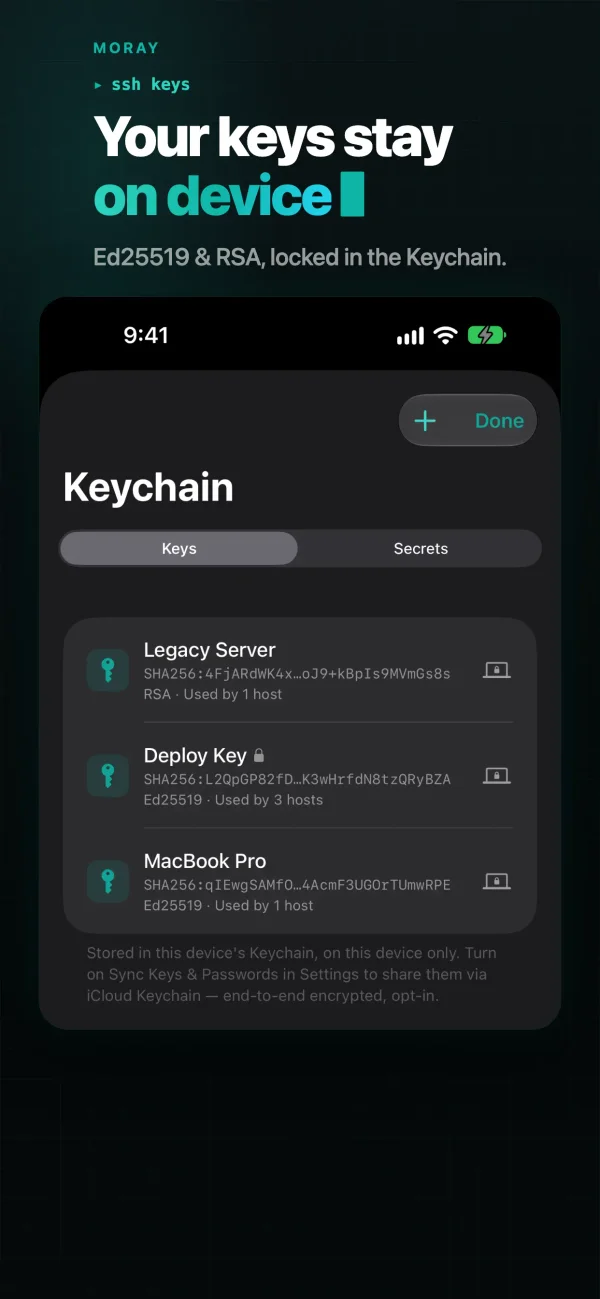
▸ KEYS DONE RIGHT
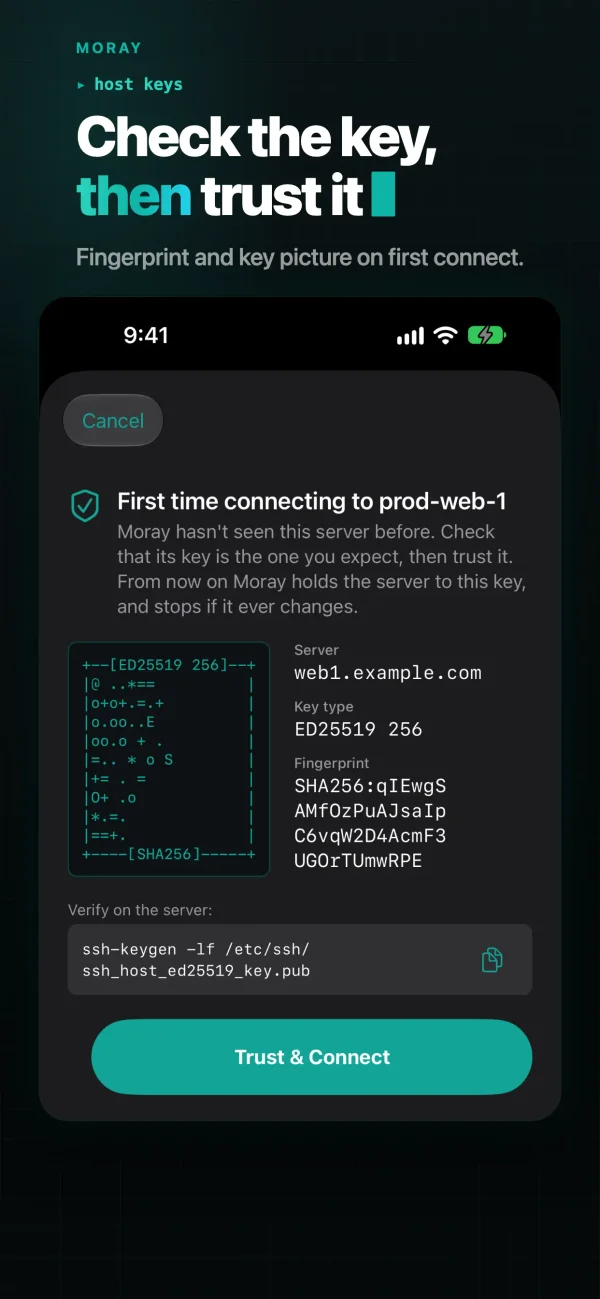
Generate Ed25519 keys, or import Ed25519 and RSA keys. Keys and saved passwords live in the device Keychain — encrypted, never synced unless you opt in, and behind an optional biometric app lock. A new server's fingerprint and key picture are shown before you trust it; a key that later changes stops the connection, with both keys side by side.
▸ SMART AUTOFILL
Moray spots sudo, login and passphrase prompts and offers a Face ID– or Touch ID–gated fill — enter your password once, not every time.
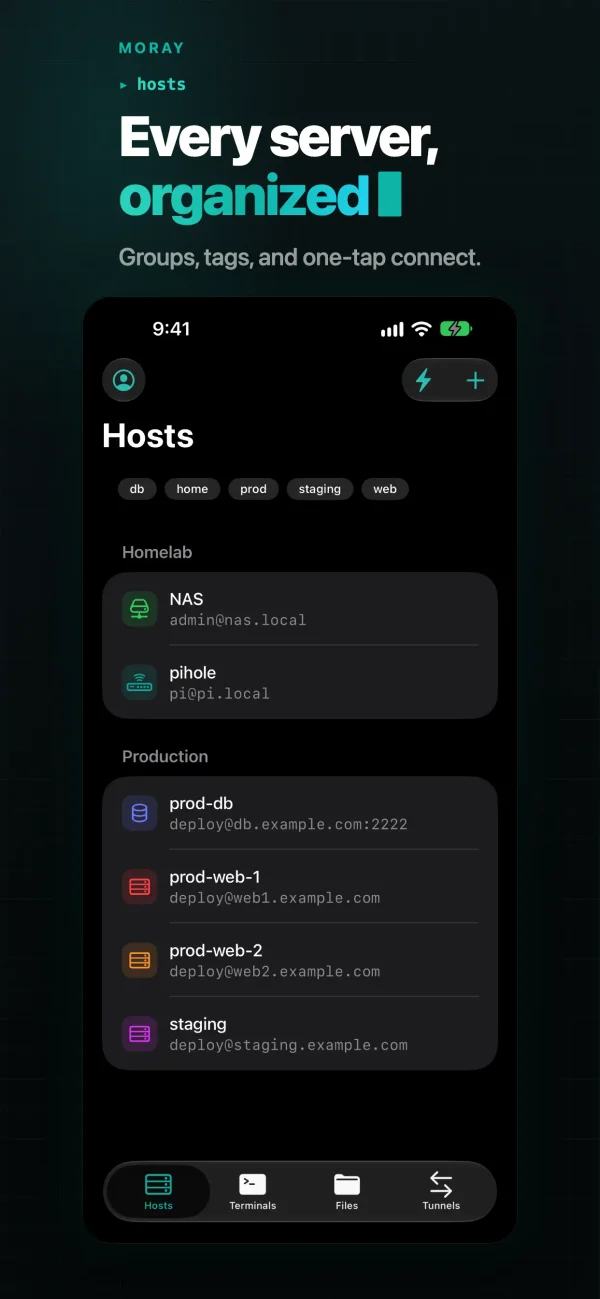
▸ ORGANIZED HOSTS
Group and tag your servers, with an icon and color each. Quick Connect (⇧⌘K) and Siri Shortcuts connect you in seconds; jump hosts reach servers behind a bastion.
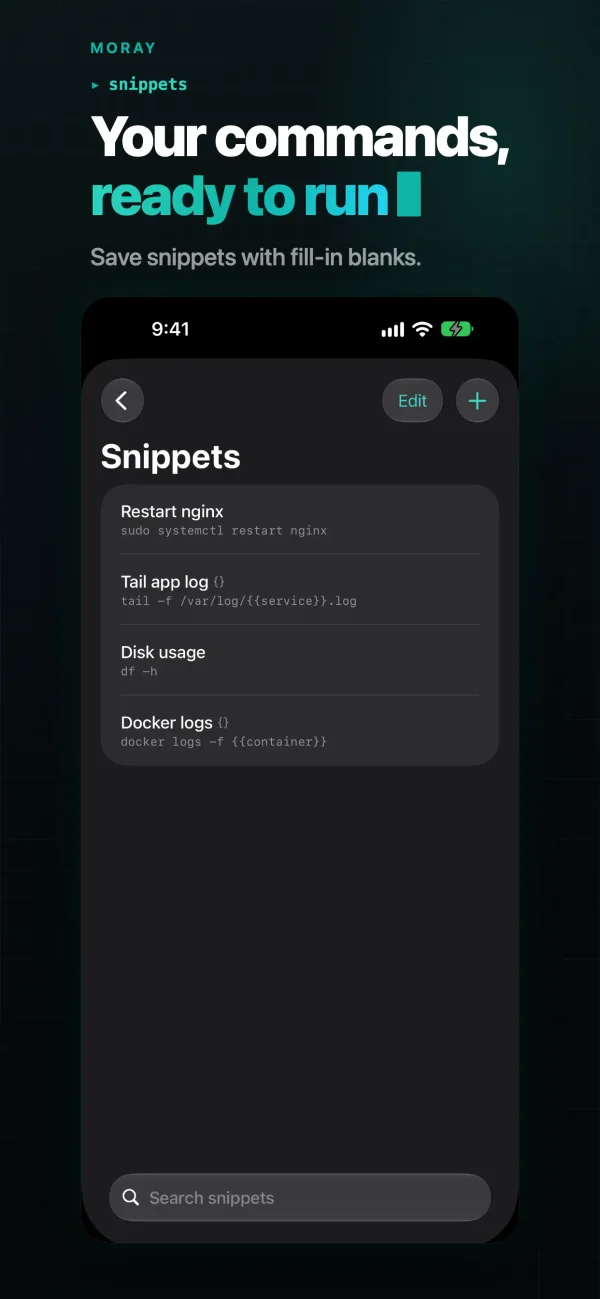
▸ SNIPPETS
Save the commands you run all the time — with fill-in placeholders — and run or paste them into any session.
▸ MAKE IT YOURS
Start from built-in terminal themes or design your own with a full color editor. Choose your font — SF Mono, Menlo, or any monospaced font you've installed — plus size, line height and cursor style.
▸ SYNC, YOUR WAY (MORAY PRO)
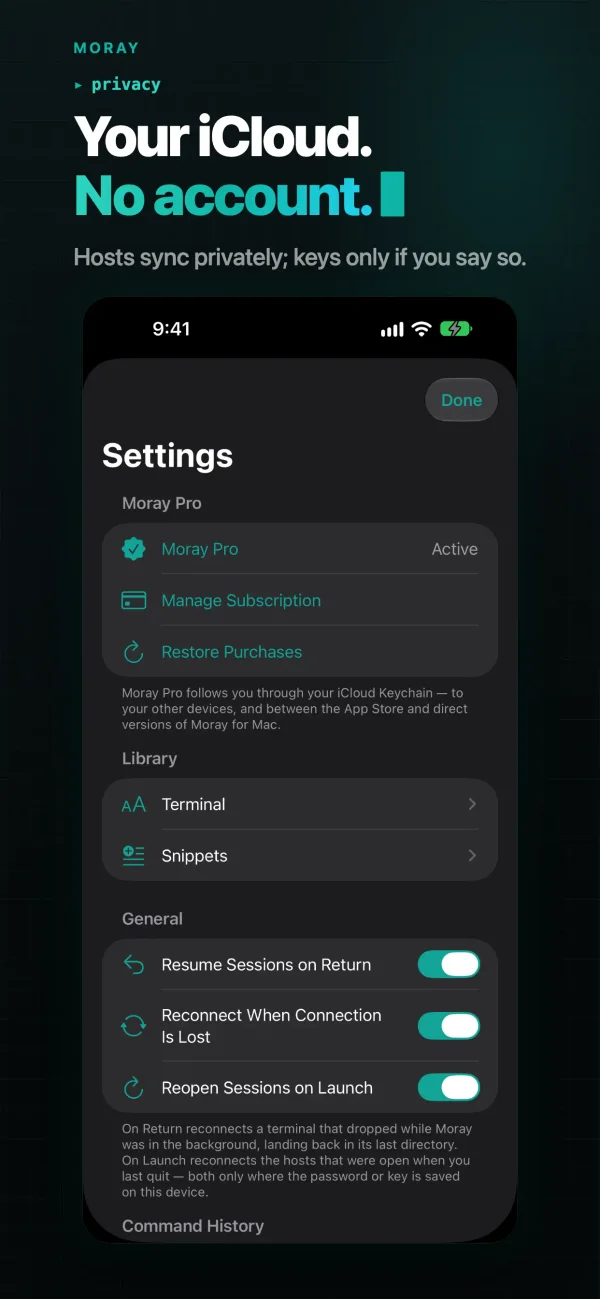
With Moray Pro, hosts, groups, snippets and host keys sync through your own iCloud — no Moray account, ever. Keys stay on the device unless you turn on iCloud Keychain sync.
▸ APPLE-NATIVE THROUGHOUT
Siri and Spotlight, recent-hosts widgets (Moray Pro), a keyboard-driven Mac app with a menu-bar extra, a biometric app lock, and JSON backup.
________________
FREE & PRO
Free: unlimited hosts, the terminal (up to three sessions at once), a single-pane SFTP file manager, the remote editor, key management, autofill, command history, SSH config import, and Quick Connect. Moray Pro adds iCloud sync, port-forwarding tunnels, jump hosts, automatic key auth, dual-pane transfers and server-to-server copy, Files app mounts, unlimited terminal tabs, custom themes, unlimited snippets, and widgets — as a monthly or yearly subscription, or a one-time lifetime purchase.
________________
PRIVATE BY DESIGN
• No account and no vendor servers — sync (Moray Pro) is your iCloud, or nothing
• Private keys and passwords stay in the Keychain, device-local by default
• Host-key checks you can see: a new server's fingerprint is shown before it's trusted, and a changed key stops the connection until you decide
________________
Privacy Policy: https://moray.bartstudio.io/privacy/
Terms of Use (EULA): https://www.apple.com/legal/internet-services/itunes/dev/stdeula/
What’s new
Version 1.2.2 · Nov 24, 2026
Moray 1.2.2 fixes a handful of things you told us about.
• WRONG PASSWORD IN FILES — A mistyped password now offers Enter Password…, instead of a Reconnect that sent the same password again.
• TERMINAL SIZE STAYS IN STEP — Rotating, resizing a window on iPad or opening the snippets panel could leave the server thinking the terminal was a different width, so full-screen programs and progress bars drew wrongly until a moment later. The server now always has the current size.
• FILES KEEPS UP — Moving on before a big folder had finished loading could put that folder back on screen. You now see the folder you opened last.
• THE RIGHT ACCOUNT — Where a server has several logins (shared hosting often does), Open in Terminal and tunnels now use the right one, not the first one at that address.
• SMALLER FIXES — A host's startup command no longer runs twice after a quick reconnect. Dropping files on a terminal no longer opens an extra connection each time. Clearer VoiceOver labels in the editor and host editor.
• SEND FEEDBACK — Settings ▸ About ▸ Send Feedback opens an email to us with your app version and device already filled in. Never your servers or usernames.
Thanks to everyone who wrote in. Hit a bug or have an idea? Send it from Settings ▸ About ▸ Send Feedback — we read every message.
App privacy
What Bartlomiej Zabicki Mobile Developer declares on the App Store about how this app handles data.
-
Data linked to you
May be collected and linked to your identity.
- Purchases
- Identifiers
-
Data not linked to you
May be collected but is not linked to your identity.
- Identifiers
- Usage data
- Diagnostics
Privacy practices may vary, for example with the features you use or your age.
Information
- Seller
- Bartlomiej Zabicki Mobile Developer
- Category
- Developer Tools
- Version
- 1.2.2
- Updated
- Nov 24, 2026
- Released
- Aug 2, 2026
- Size
- 47.5 MB
- Requires
- iOS 26.5 or later
- Age rating
- 4+
- Price
- Free
- In-app purchases
- Yes
- Languages
- English
- Copyright
- © 2026 Bartłomiej Żabicki
You might also like
-
 Cmdora: Remote Mac DevAI tasks, builds, terminal
-
 SSH AppSSH with tmux -CC support.
-
 ClusterEyeDatabase fleet on call
-
 D1Explorer - Database ManagerCloudflare D1 & SQLite editor
-
 InMobi Exchange Test AppDeveloper Tools
-
 SigilTTY: AI SSH TerminalAgents, SFTP, Tunnels & Keys
-
 Server ConnectFull Server Control
-
 PocktermSmart SSH and SFTP client
-
 Conchshell: SSH, SFTP & RDPTerminal, files, FTP and VNC
-
 Tailscode: Claude Code RemoteCodex, opencode, Hermes agents