
Morlet: Spectrum & Wavelets
Live sound and pitch analyzer
Designed for iPhone, iPad
Free · In-app purchases
- Age rating4+
- CategoryMusic
- DeveloperEVAN DAVID WELLMEYER
- LanguagesEnglish
- Size1.5 MB
Links to the official App Store page
Download.org hosts no file of Morlet: Spectrum & Wavelets. The button opens its official App Store page, published by EVAN DAVID WELLMEYER. Listing last checked on Nov 23, 2026.
Screenshots

About
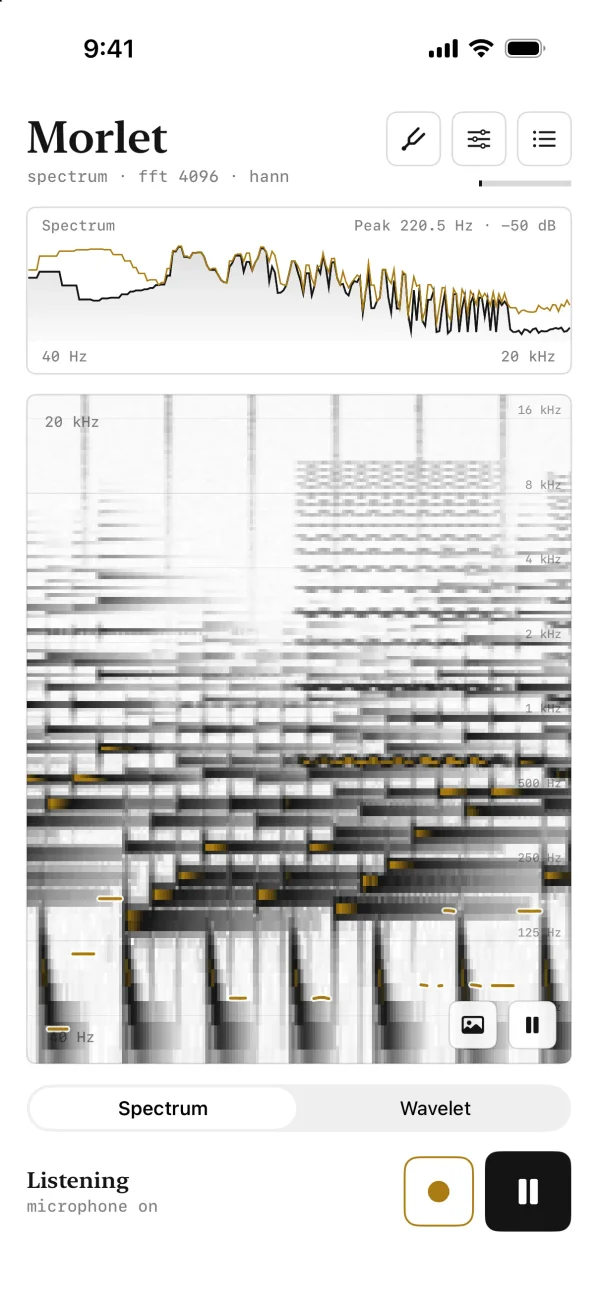
Morlet shows the sound around you as a live, scrolling picture of frequency over time. Sing, play, whistle or just listen to a room, and watch notes, harmonics, rhythm and noise appear as they happen.
TWO WAYS TO SEE SOUND
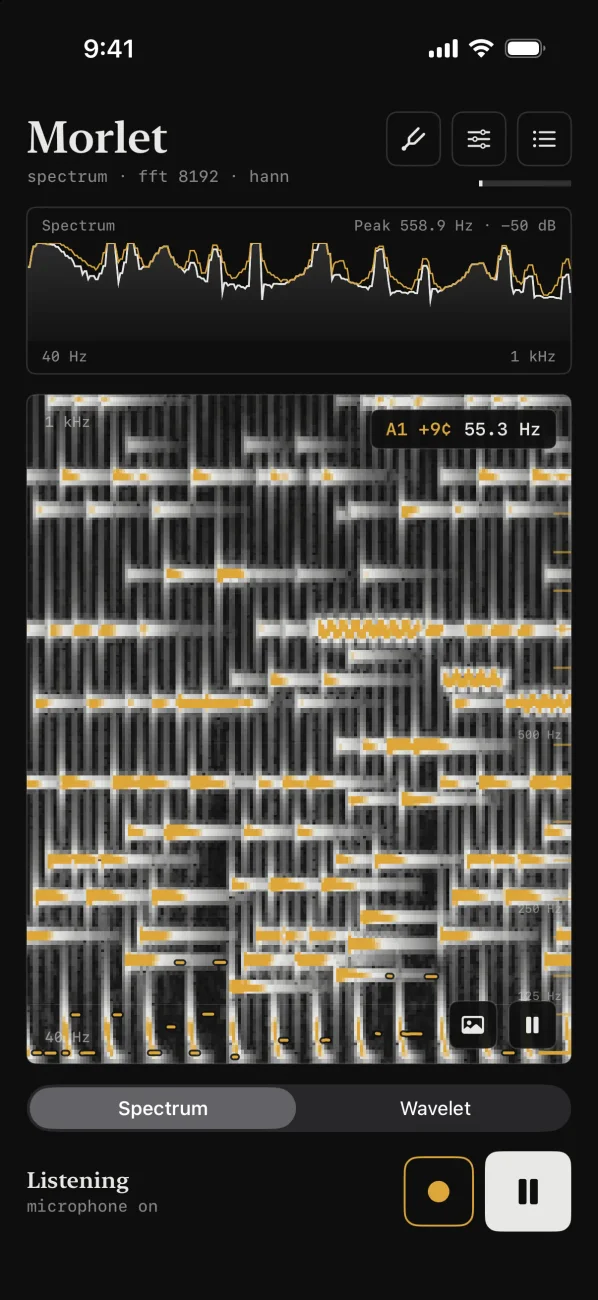
• Spectrum: a fast Fourier transform with up to 288 rows and 8,192-sample frequency detail, on a log or linear axis.
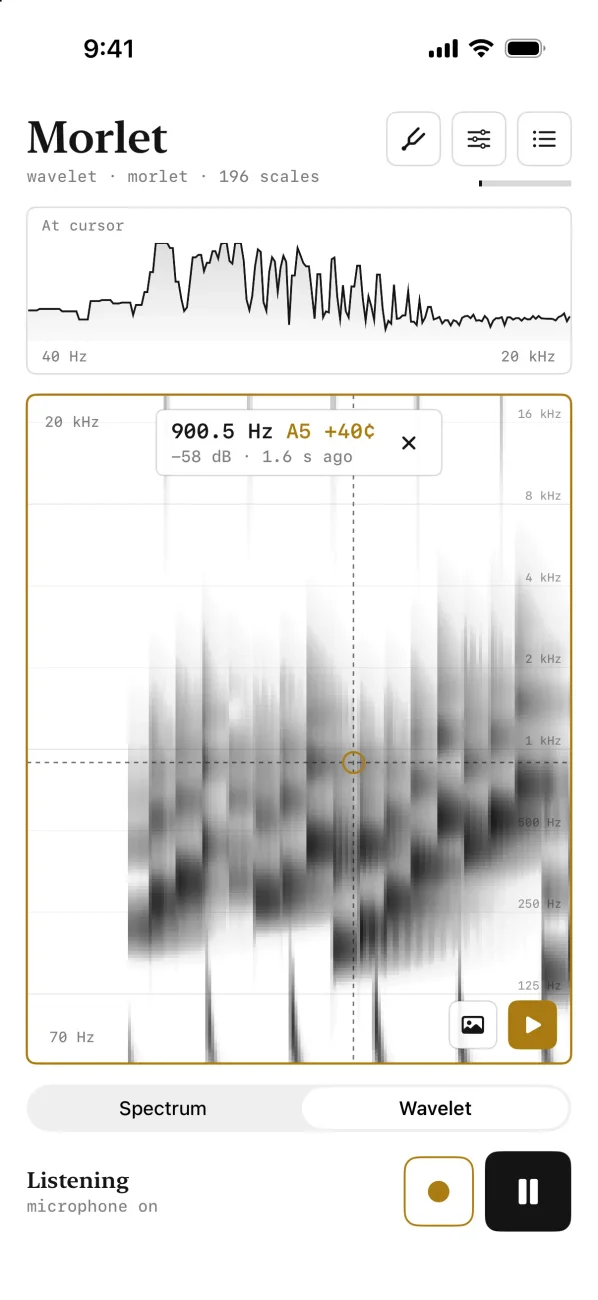
• Wavelet: a continuous Morlet scalogram with up to 48 scales per octave, giving low notes precise pitch and high sounds precise timing. Mexican Hat, Haar and Daubechies 8 wavelets are included too.
OPEN ANY AUDIO
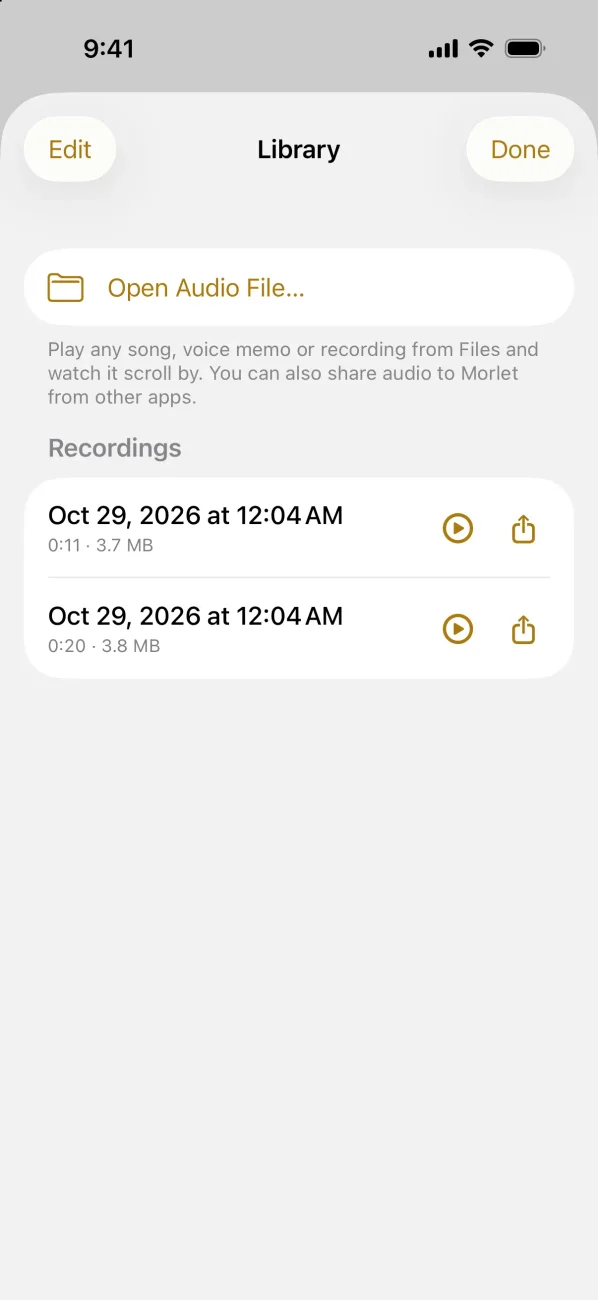
• Play songs, voice memos and recordings from Files, or share audio to Morlet from other apps, with the graph scrolling in sync and a slider to jump around.
READ ANY MOMENT
• Tap or drag on the graph to read the frequency, nearest note with cents, level and time at that point.
• Freeze the picture to study a moment while the microphone keeps running.
• A pitch line traces the note across the graph with markers at its harmonics, and the tuner shows the note and cents.
• A spectrum curve above the graph shows the current spectrum with averaging and peak hold, or octave and third-octave bars.
• Save any view as an image to share.
MEASURE AND COMPARE
• Wavelet Zoom re-analyzes any moment at every sample, showing the order of events inside a click, a consonant or a drum hit.
• A harmonic cursor marks a note's overtones and reads their levels and total distortion.
• Pin the spectrum curve and compare the live sound against it.
• Drop numbered markers on a time ruler; they are saved with your recordings.
• Watch overall level over time, with average and maximum, in dBFS or calibrated dB SPL.
• A Lock Screen and Dynamic Island tuner shows the note while your hands are on the instrument.
TUNE IT TO WHAT YOU HEAR
• One-tap setups for music and singing, speech, drums, hum and machinery, and birdsong.
• Set the lowest and highest frequency to put every row where you need it.
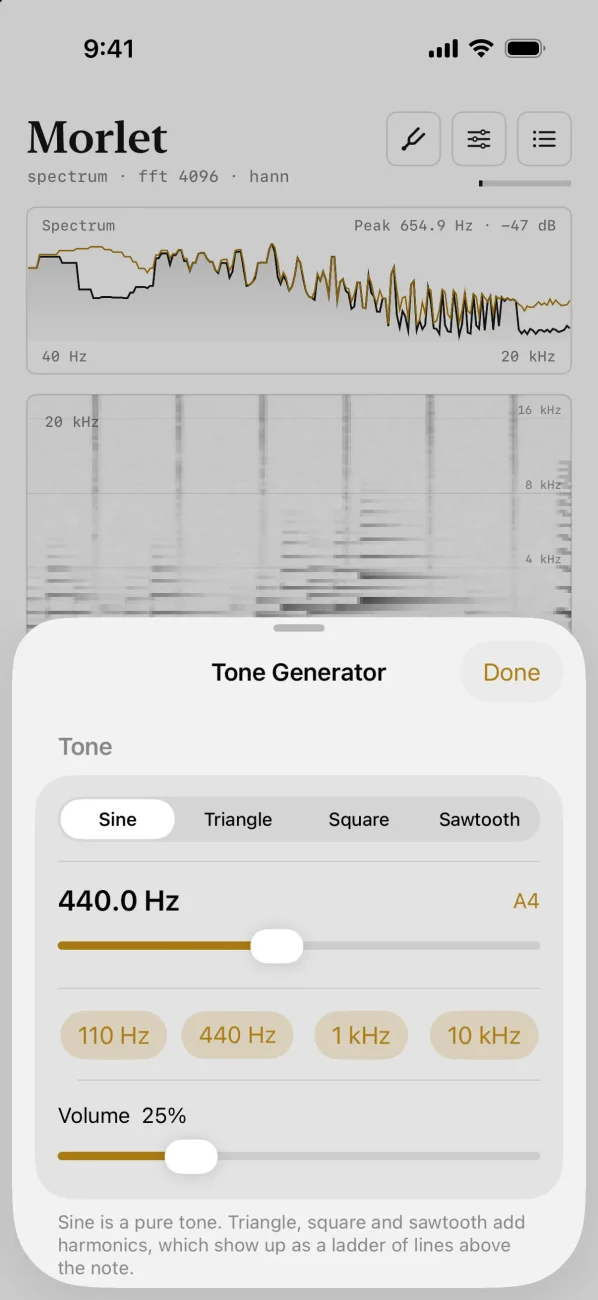
• Choose the window shape and A or C frequency weighting, and generate sine, triangle, square and sawtooth tones or a full-range sweep.
• Adjust frequency detail, time overlap, brightness and contrast.
MAKE IT YOURS
• A lab-notebook design in ink on white, or matte black for night use.
• Choose your accent color and graph colors, including Ink, Sepia, Inferno, Grayscale and fully custom colors.
• A built-in guide explains what each setting is for.
RECORD AND EXPORT
• Record sessions and share them as uncompressed WAV audio, CSV analysis data in decibels, and JSON metadata describing the settings used.
• Recordings stay on your device until you share them.
ON IPAD
• A larger graph with every analysis setting open beside it, in portrait or landscape.
TRY IT FREE
Every feature is free for 7 days. After that, keep Morlet with a single one-time purchase, with no subscription. Recordings you made can always be exported.
PRIVATE BY DESIGN
Morlet has no accounts, ads or tracking, and collects no data. Audio is analyzed on your device and never leaves it unless you share a recording.
Good for musicians, singers, sound designers, students, teachers, audio engineers, bird lovers, and anyone curious about what they are hearing.
What’s new
Version 1.3 · Nov 21, 2026
• Wavelet Zoom: tap any moment, then the magnifier, to see inside a click, a consonant or a drum hit at a fraction of a millisecond.
• Harmonic cursor: the inspector marks a note's overtones and reads their levels and total distortion.
• Compare: pin the spectrum curve and watch the live one against it.
• Markers and a time ruler: flag moments as they happen; marker times are saved with recordings.
• Sound level: a level-over-time view with average and maximum, and optional calibrated dB SPL.
• Lock Screen tuner: see the note on the Lock Screen and in the Dynamic Island.
• Recording now continues when you leave the app.
• Try everything free for 7 days, then keep Morlet with one purchase. No subscription.
• Already have Morlet? Nothing changes for you: every feature stays unlocked.
App privacy
What EVAN DAVID WELLMEYER declares on the App Store about how this app handles data.
-
Data not collected
The developer does not collect any data from this app.
Privacy practices may vary, for example with the features you use or your age.
Information
- Seller
- EVAN DAVID WELLMEYER
- Category
- Music
- Version
- 1.3
- Updated
- Nov 21, 2026
- Released
- Oct 16, 2026
- Size
- 1.5 MB
- Requires
- iOS 17.0 or later
- Age rating
- 4+
- Price
- Free
- In-app purchases
- Yes
- Languages
- English
- Copyright
- © 2026 Evan Wellmeyer
You might also like
-
 DecibelRTASPL Meter & Spectrum Analyzer
-
 QUARK PlayMusic
-
 Wind Fingering MasterWoodwind & Brass Charts
-
 DFTM Audio ToolsMusic
-
 SoundCoachMusic
-
 OmniRTAReal-Time Audio Analyzer
-
 Noume. MetronomeMusic
-
 FFT Spectrogram Music PlayerFourier Spectogram Player
-
 Metronome: DrumTickLearn and Practice Drum
-
 Syn-Waves: Audio EditorRecord, Edit, Sing, Podcast