
MovieFrame - Video Editor
Add Text, Images, Sound
Designed for iPhone, iPad, iPod touch
Free
- Age rating4+
- CategoryPhoto & Video
- DeveloperMykhailo Dovhyi
- LanguagesEnglish
- Size10.4 MB
Links to the official App Store page
Download.org hosts no file of MovieFrame - Video Editor. The button opens its official App Store page, published by Mykhailo Dovhyi. Listing last checked on Nov 18, 2026.
Screenshots

About
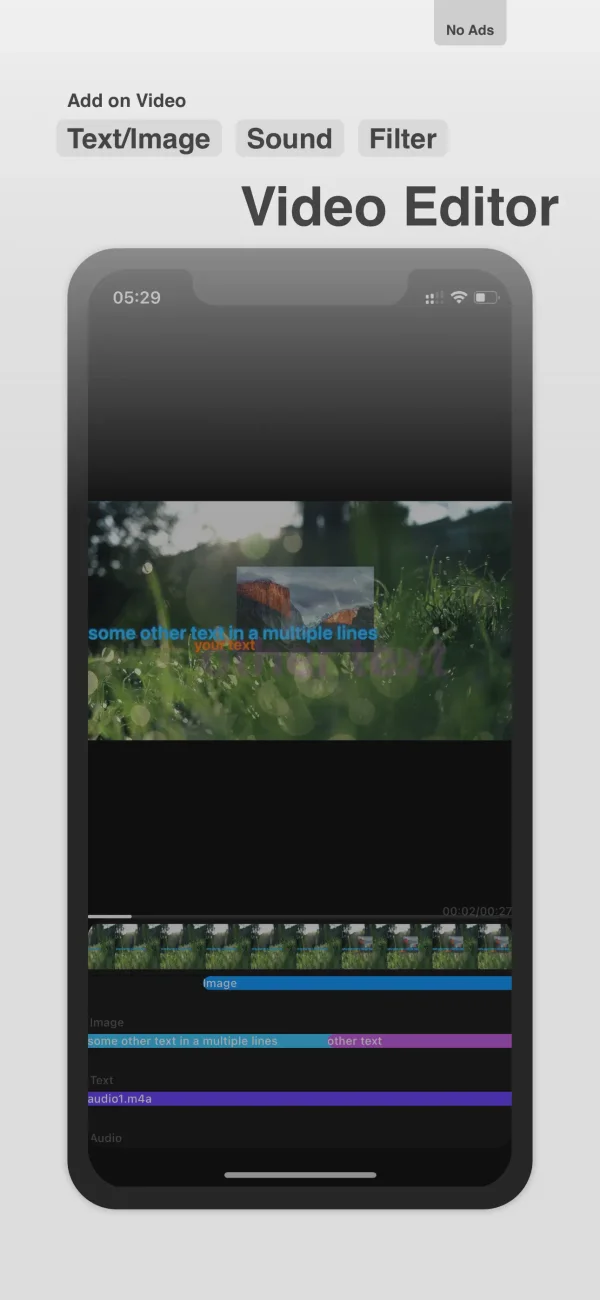
Unlock your creativity with our versatile video editing app! Whether you're a seasoned content creator or just starting out, our intuitive tools empower you to transform your videos into captivating masterpieces. Add text, overlay images, integrate soundtracks, and merge multiple clips effortlessly with our user-friendly interface.
KEY FEATURES:
- TEXT OVERLAY:
Personalize your videos with custom text overlays. Choose from a variety of colors, and styles to make your message pop. Customize and set: alpha, text color, background color, corner radius, border colors and width, shadows
- IMAGE INTEGRATION:
Enhance your videos by overlaying images. From logos and watermarks to stickers and decorative elements, unleash your imagination and add visual flair. Customize and set: alpha, background color, corner radius, border colors and width, shadows
- SOUNDTRACK SELECTION:
Elevate your videos with the perfect soundtrack. Import your own audio files to set the mood and enhance the viewing experience. Import from: Files or Music library
- SEAMLESS VIDEO MERGE:
Combine multiple videos seamlessly into a single cohesive masterpiece. Whether you're stitching together clips for a vlog or creating a montage, our editing tools make the process smooth and hassle-free.
- TRIM AND SPLIT:
Fine-tune your videos with precision. Trim unwanted sections or split clips to rearrange scenes effortlessly, ensuring your content flows seamlessly from start to finish.
- ADJUSTMENT TOOLS:
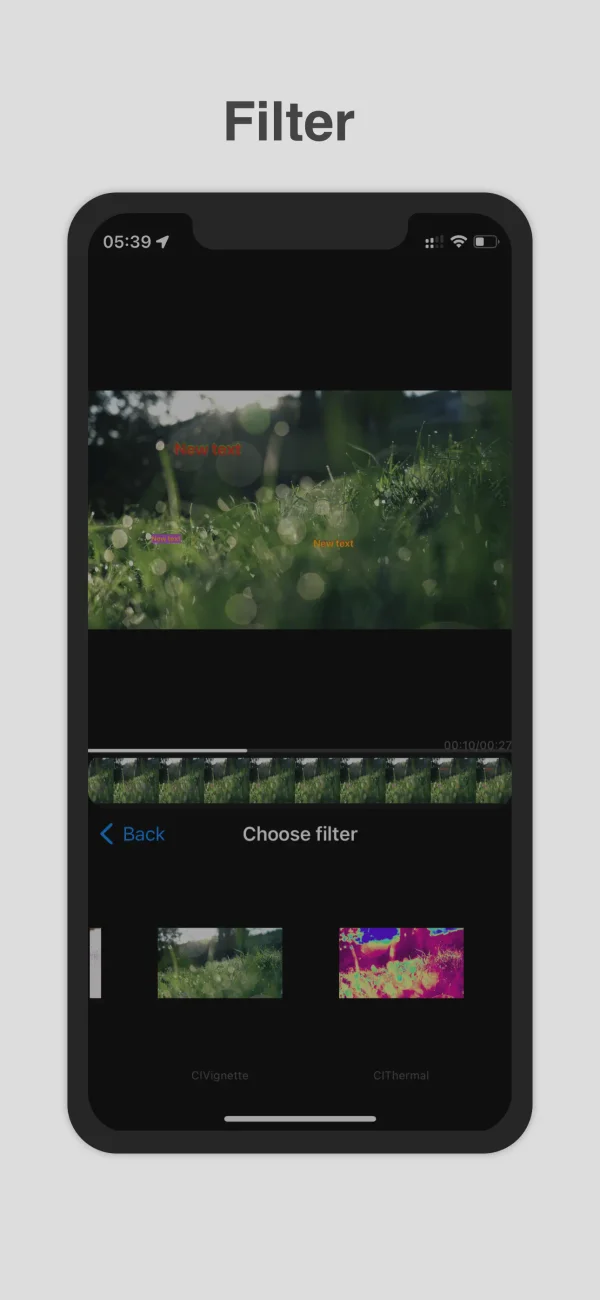
Customize your videos with a range of adjustment tools. Set video filters
- EXPORT IN HD:
Share your creations in stunning high definition. Export your edited videos in HD resolution, ensuring they look impeccable across all devices and platforms. Set export quality (setting video quality also changes the video editing format)
- USER-FRIENDLY INTERFACE:
Designed with simplicity in mind, our intuitive interface makes video editing accessible to users of all skill levels. Dive in and start creating without any steep learning curves.
Unlock your creative potential and bring your vision to life with our feature-rich video editor. Download now and start crafting captivating videos that stand out from the crowd!
What’s new
Version 2 · Sep 24, 2024
offline rendering: adding attachments (image, text) faster
App privacy
What Mykhailo Dovhyi declares on the App Store about how this app handles data.
-
Data not collected
The developer does not collect any data from this app.
Privacy practices may vary, for example with the features you use or your age.
Information
- Seller
- Mykhailo Dovhyi
- Category
- Photo & Video
- Version
- 2
- Updated
- Sep 24, 2024
- Released
- Mar 25, 2024
- Size
- 10.4 MB
- Requires
- iOS 13.0 or later
- Age rating
- 4+
- Price
- Free
- Languages
- English
- Copyright
- © 2024 Mykhailo Dovhyi
You might also like
-
 Video Editor ToolsPro Video Editor Tools
-
 Watermarker - Watermark VideosAdd text and images to videos
-
 AI Photo Generator ProA.I. profile headshots avatar
-
 Matte ViewerView & export photo mattes
-
 Evoke AI Photo EnhancerGenerator, Enhancer, Restore
-
 Spatial ConverterSpatial Video & Photo in 3D
-
 Cleanify: Duplicate PhotoDelete duplicate photo & video
-
 Change Video Background EditorVideo background editor
-
 LockBox: Secret Photo VaultHide Pictures with PIN Lock
-
 Pix - Photos for WatchPhoto Complications on Wrist