
MoviNota
Blur, Stickers & Auto Tracking
Designed for iPhone, iPad, Mac
In-app purchases
- Age rating4+
- CategoryPhoto & Video
- DeveloperAZ Software
- LanguagesJapanese
- Size13.0 MB
Links to the official App Store page
Download.org hosts no file of MoviNota. The button opens its official App Store page, published by AZ Software. Listing last checked on Nov 22, 2026.
Screenshots

About
MoviNota is a video annotation app that makes it easy to add mosaic, blur, stickers, shapes, text, and more to short videos.
Its standout feature is the ability to automatically track moving objects and keep annotations attached to them throughout the video.
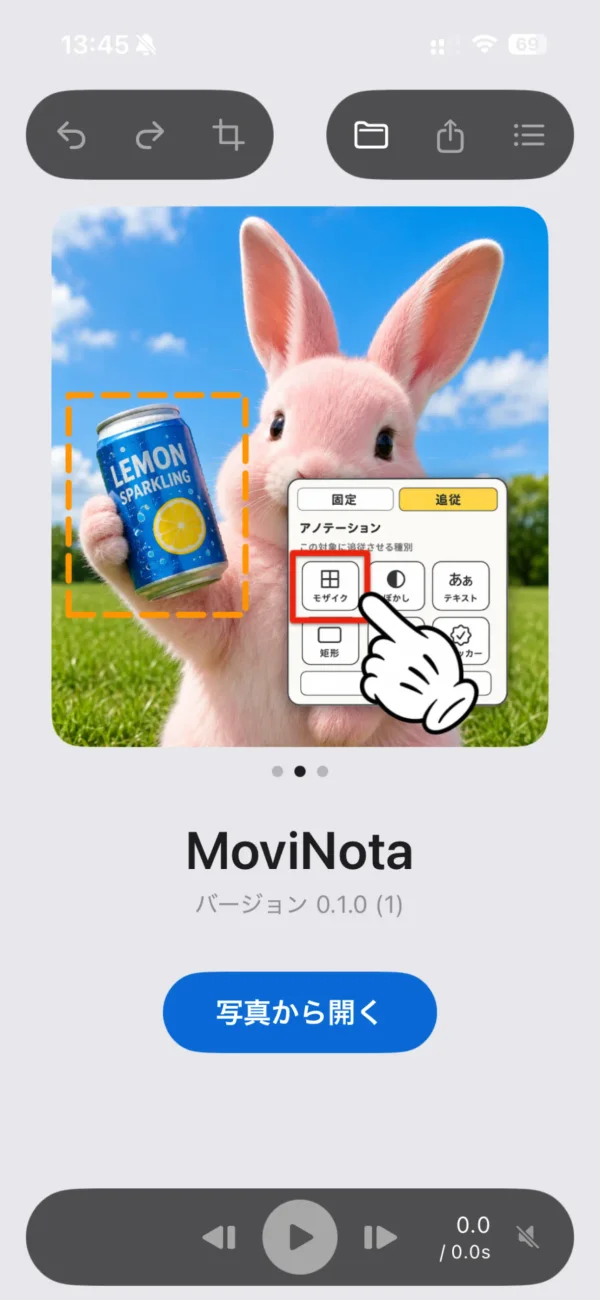
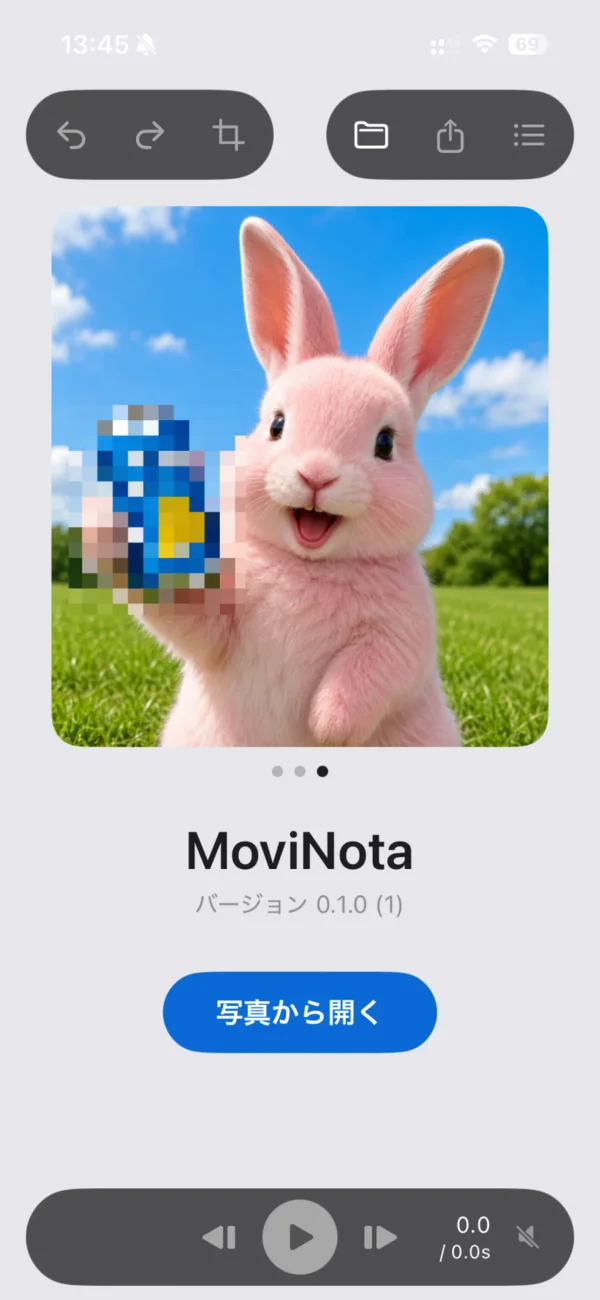
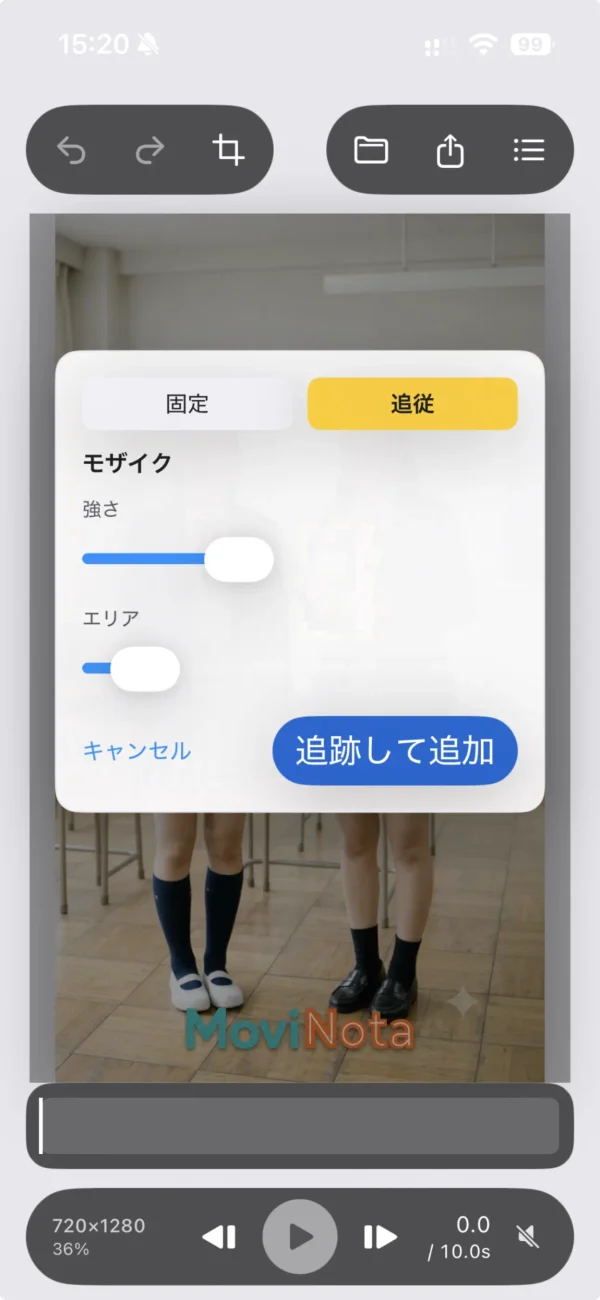
Simply drag to select a face, license plate, or anything else you want to hide, then choose mosaic or blur. MoviNota tracks the object automatically, keeping the effect in place as it moves.
You can also attach arrows and stickers to moving objects, making it easy to highlight exactly what you want viewers to notice.
■ AUTOMATICALLY TRACK MOVING OBJECTS
Select an object in your video and choose tracking. MoviNota automatically follows its movement.
Mosaic, blur, rectangles, circles, stickers, and text can all follow moving objects.
You can also place annotations at a fixed position when tracking isn't needed.
■ 6 TYPES OF ANNOTATIONS
• Rectangle
• Circle
• Sticker
• Mosaic
• Gaussian Blur
• Text
Built-in stickers include an arrow, exclamation mark, OK, and heart. You can also import up to 12 of your own PNG images as custom stickers.
■ TRACKING MOSAIC & BLUR
Need to obscure a moving face, license plate, or other object? There's no need to adjust the effect frame by frame.
Just select the object and let MoviNota track it automatically.
You can also adjust the mosaic intensity and blur strength.
■ EDIT UP TO 30 SECONDS AT A TIME
MoviNota is designed for quickly annotating short videos.
If you open a video longer than 30 seconds, simply select the 30-second section you want to edit. You can also readjust the trim range while editing.
■ HDR VIDEO SUPPORT
MoviNota supports HLG and HDR video as well as SDR.
You can export HDR video in HEVC while preserving HDR, or convert it to SDR and export it as H.264/MP4.
The original resolution and frame rate are preserved.
■ CHANGE VOICES FOR ADDED PRIVACY
When exporting, you can keep the original audio, shift voices higher or lower, or export the video without an audio track.
This helps protect privacy when a person's voice could reveal their identity.
■ SAVE PROJECTS AND CONTINUE EDITING LATER
Export your finished video as an MP4, or save your work as a MoviNota project (.movinota).
Your source video and annotations are saved together, so you can reopen the project and continue editing later.
■ YOUR VIDEOS STAY ON YOUR DEVICE
Video analysis, object tracking, annotation compositing, and exporting are all processed on your device.
MoviNota does not upload your videos to an external server.
Edit privacy-sensitive videos without sending them to the cloud.
■ ABOUT MOVINOTA PRO
All core editing features are available for free.
Videos exported with the free version include the MoviNota logo. Subscribe to MoviNota Pro to export videos without the logo.
—
Hide what moves.
Highlight what moves.
With MoviNota, just select an object and choose your annotation.
A simpler way to annotate short videos.
MoviNota is the video version of PictNota.
Terms of Use (EULA):
https://www.apple.com/legal/internet-services/itunes/dev/stdeula/
What’s new
Version 1.0.2 · Oct 21, 2026
Optimized the layout for iPhone Duo.
App privacy
What AZ Software declares on the App Store about how this app handles data.
-
Data not collected
The developer does not collect any data from this app.
Privacy practices may vary, for example with the features you use or your age.
Information
- Seller
- Tetsuya Wada
- Category
- Photo & Video
- Version
- 1.0.2
- Updated
- Oct 21, 2026
- Released
- Sep 3, 2026
- Size
- 13.0 MB
- Requires
- iOS 18.0 or later
- Age rating
- 4+
- In-app purchases
- Yes
- Languages
- Japanese
- Copyright
- © 2026 AZ Software
You might also like
-
 MosaicMachine – Video BlurFaces & pets, 100% on-device
-
 Bystander Video BlurAuto AI Small Face Blur
-
 MosaicPro - Batch BlurProfessional Auto Mosaic App
-
 めかくし猫|写真・動画の顔隠しモザイクPhoto & Video
-
 VRoom StudioPhoto & Video
-
 Blur Video · BlurroCensor Moving Objects & Plates
-
 らくらくモザイク- 自動モザイク&ぼかしペンPhoto & Video
-
 FaceRedact VideoBlur Faces in Videos
-
 ぴったりトリミングPhoto & Video
-
 StickToGifGIF Meme Maker & Face Blur