
- Age rating4+
- CategoryPhoto & Video
- DeveloperTran Thanh
- LanguagesEnglish+ 7 more
- Size15.9 MB
Links to the official App Store page
Download.org hosts no file of mSeal - Batch Watermark. The button opens its official App Store page, published by Tran Thanh. Listing last checked on Nov 23, 2026.
Screenshots

About
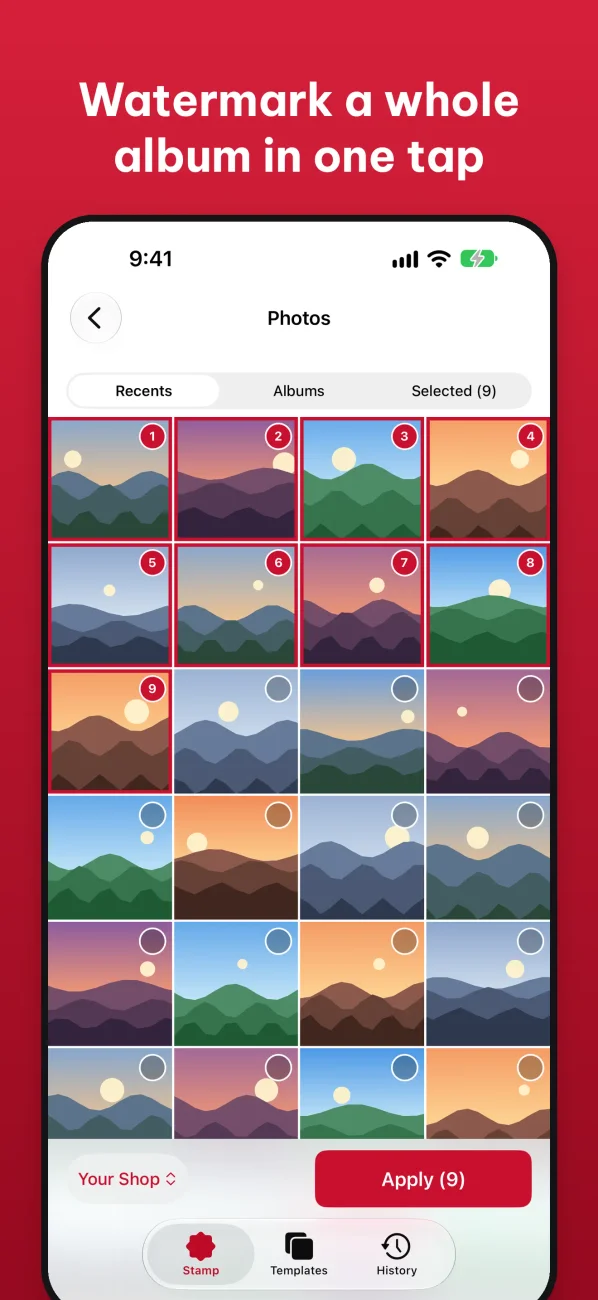
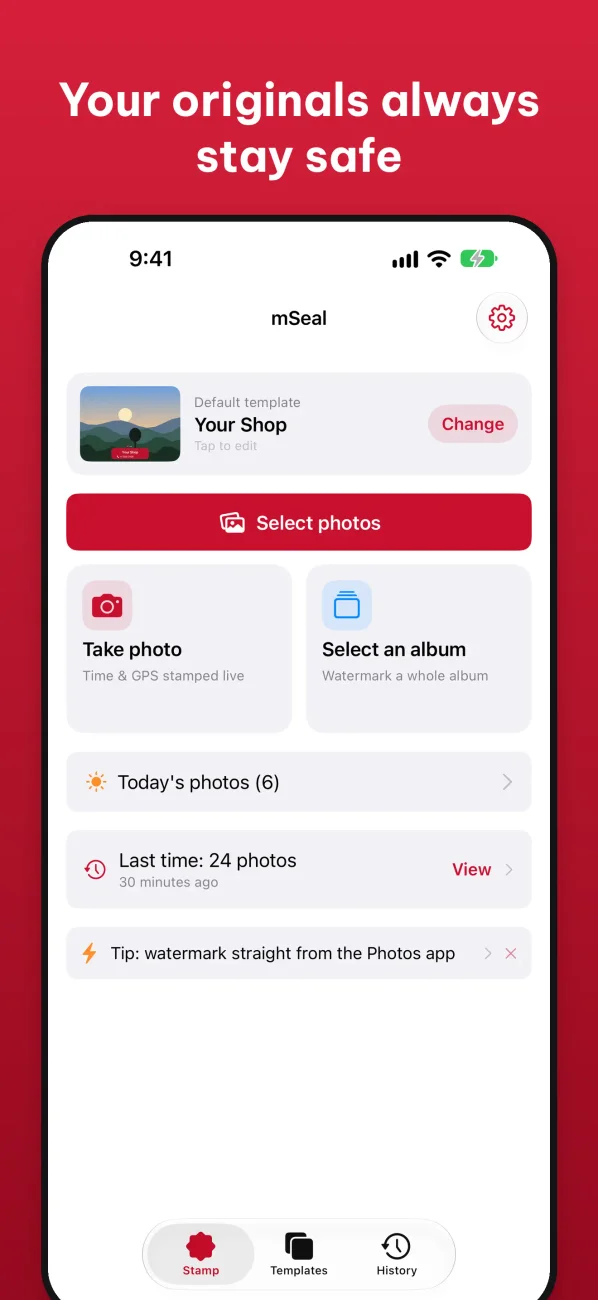
Protect your photos before you post them. mSeal adds your name, shop info or logo to one photo, a hundred photos, or a whole album with a single tap on Apply.
ONE TAP, ANY NUMBER OF PHOTOS
• Pick photos or a whole album, tap Apply, done
• Watermark straight from the Photos app via the share sheet
• Automate it with Shortcuts and Siri
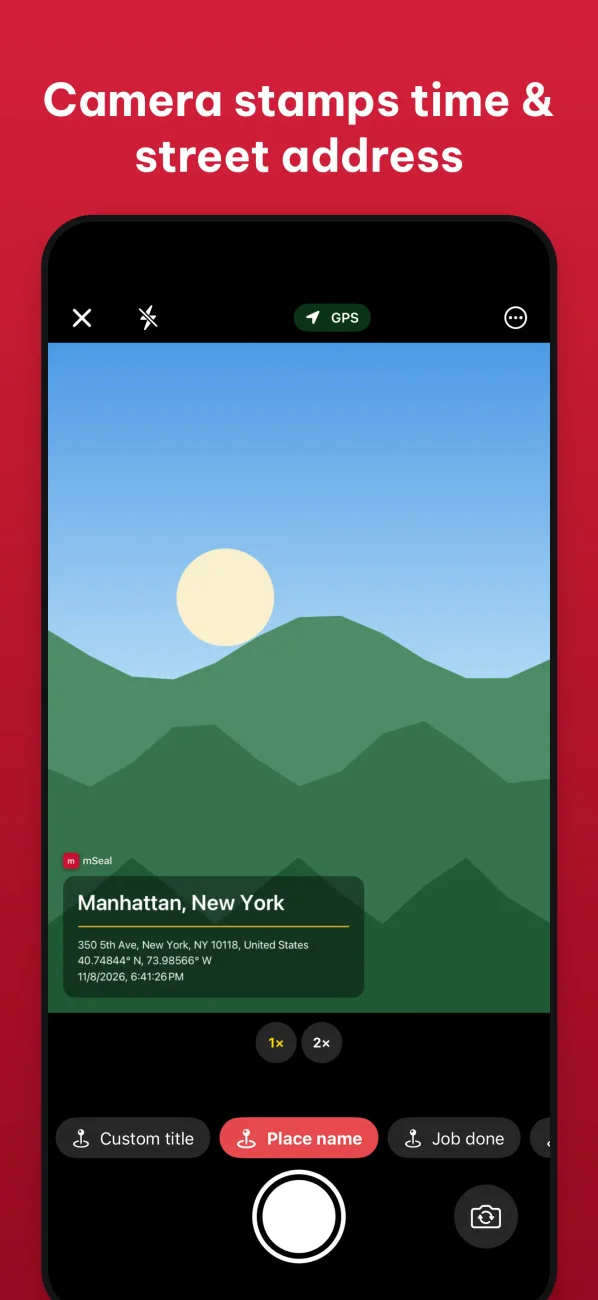
TIMESTAMP CAMERA
• Take photos with the time, date, street address and GPS stamped live in the viewfinder
• The address goes down to the house number and street
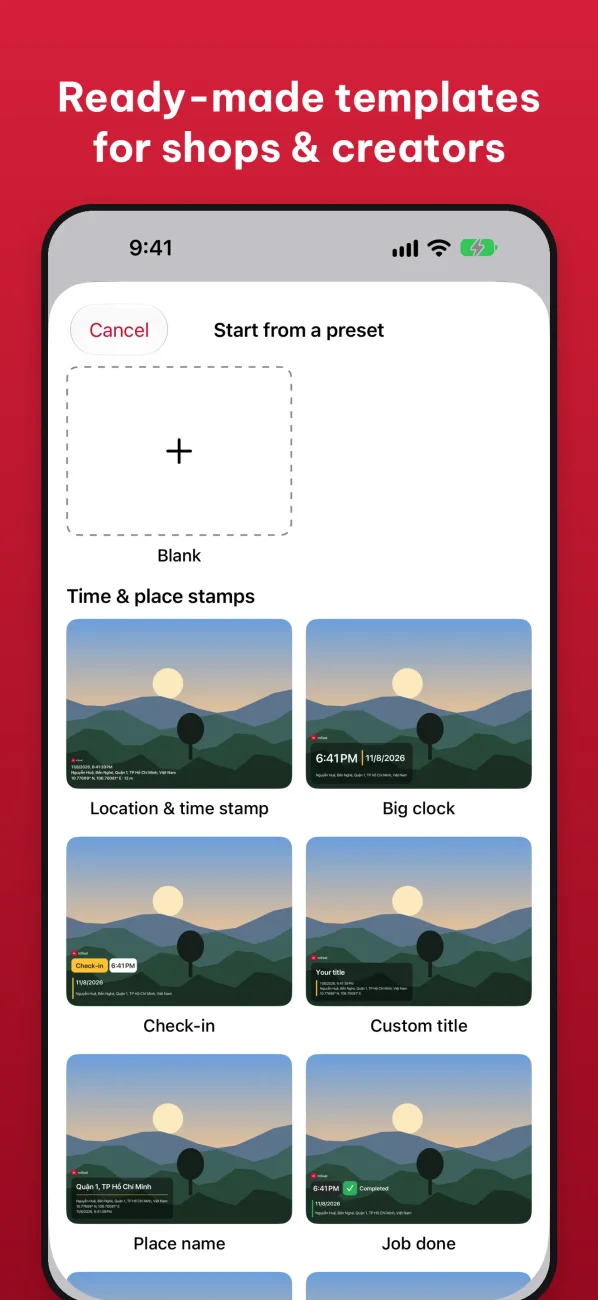
• 9 ready-made stamps: check-in, patrol, site inspection, work log, job done and more
YOUR ORIGINALS STAY SAFE
• mSeal never edits your original photos
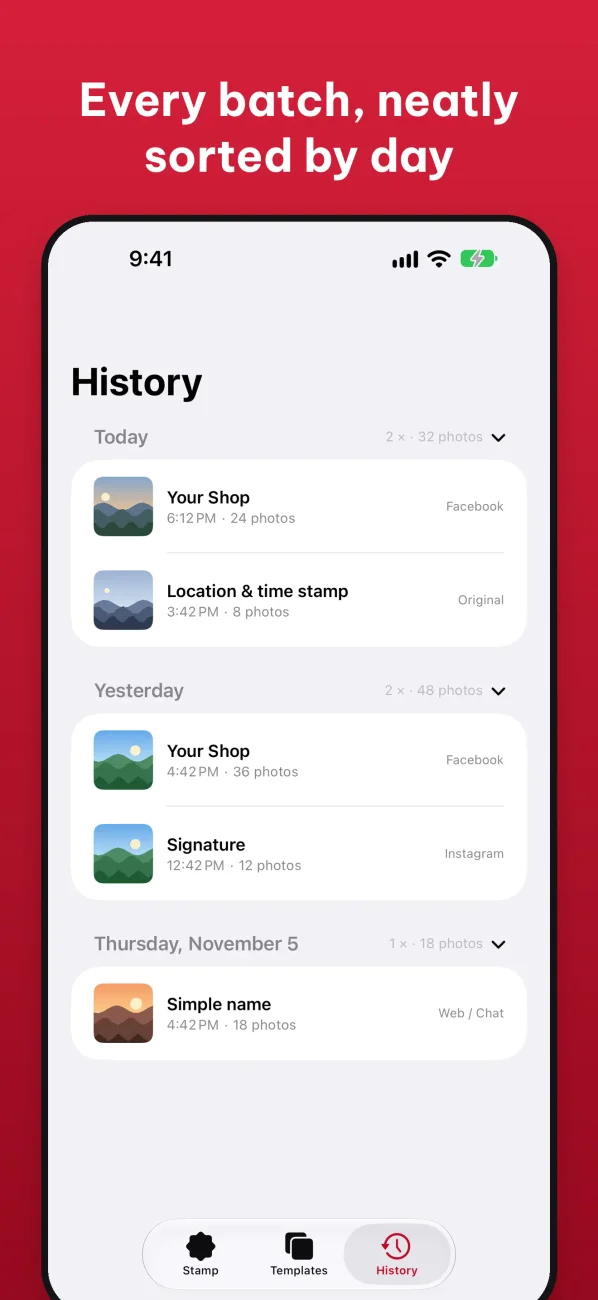
• Watermarked copies are saved into a separate "mSeal" album, one folder per batch
LOOKS RIGHT ON EVERY PHOTO
• Sizes scale with each photo, so one template looks the same on portrait, landscape and square shots
• Smart Placement moves the watermark away from faces and the main subject
• Export presets for Facebook, Instagram and chat apps keep text sharp after compression
MADE FOR SHOPS AND CREATORS
• Ready-made templates: shop name + hotline, product numbers (SP001, SP002…), signature, copyright, anti-theft tile, camera info frame
• Date, time and GPS location stamps
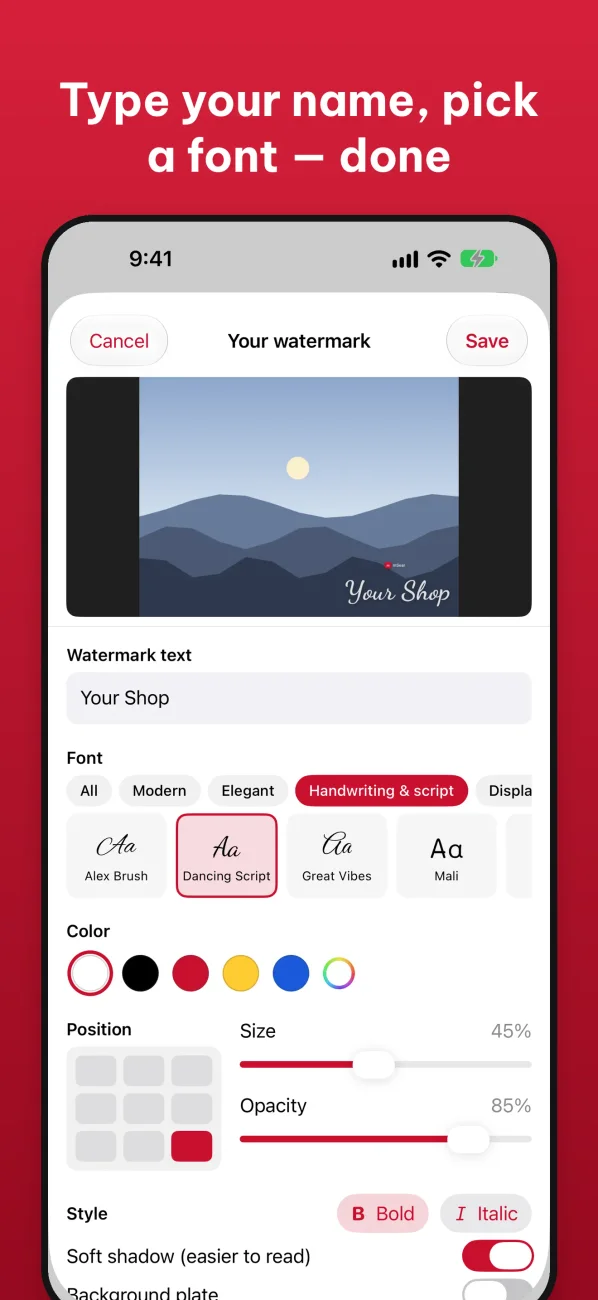
• 13 beautiful fonts including handwriting and script styles, or import your own
• Text, logo (PNG with transparency, white-background removal) and a simple multi-layer designer
• Single, tile, multi-corner and border layouts
PRIVATE BY DESIGN
• Everything runs on your device — your photos are never uploaded
• Remove GPS data from exported photos with one switch
MSEAL PRO (ONE-TIME PURCHASE)
• Unlimited photos per batch and unlimited templates
• Tile, multi-corner and border layouts, Smart Placement
• All dynamic tokens (product numbers, EXIF, GPS), Shortcuts, custom fonts
• No ads
The free version shows ads and is limited to 10 photos per batch and 2 templates.
Terms of Use: https://www.apple.com/legal/internet-services/itunes/dev/stdeula/
Privacy Policy: https://www.monikstudio.com/privacy-policy
What’s new
Version 1.1 · Nov 9, 2026
NEW: Timestamp camera
• Shoot photos stamped live with the time, street address (down to the house number) and GPS
• 9 new time & location stamps: check-in, patrol, site inspection, work log, job done…
• Clearer template names, and the mSeal mark now lines up with your text
• Smoother design and many small fixes
App privacy
What Tran Thanh declares on the App Store about how this app handles data.
-
Data used to track you
May be used to track you across apps and websites owned by other companies.
- Location
- Identifiers
- Usage data
-
Data not linked to you
May be collected but is not linked to your identity.
- Location
- Identifiers
- Usage data
- Diagnostics
Privacy practices may vary, for example with the features you use or your age.
Information
- Seller
- Tran Thanh
- Category
- Photo & Video
- Version
- 1.1
- Updated
- Nov 9, 2026
- Released
- Oct 14, 2026
- Size
- 15.9 MB
- Requires
- iOS 17.0 or later
- Age rating
- 4+
- Price
- Free
- In-app purchases
- Yes
- Languages
- English, French, German, Japanese, Korean, Portuguese, Spanish, Vietnamese
- Copyright
- © Monik Studio
You might also like
-
 NayraPhoto & Video
-
 Photo Watermark: MarklixBatch Images, Logo & Signature
-
 ChooseYourPicturesYour photos, delivered
-
 Watermark Photo Video BatchBatch marks for photos & video
-
 Easy Watermark - Photo & LogoBatch stamp, original quality
-
 Markora: Watermark Photo VideoBatch, Logo, Text & QR Stamp
-
 BiyoreeFilm-Like Camera
-
 Vlogger Studio: Live StreamLive Streaming made simple
-
 Watermark Stamp: Photo & VideoAdd watermarks in bulk, fast
-
 Watermark: Photo, Video & FileAdd logo, text, batch protect