
MT - Mosh Terminal
SSH for AI agents, on the move
Designed for iPhone, iPad
Free · In-app purchases
- Age rating4+
- CategoryDeveloper Tools
- DeveloperJaga Studio
- LanguagesEnglish+ 5 more
- Size57.1 MB
Links to the official App Store page
Download.org hosts no file of MT - Mosh Terminal. The button opens its official App Store page, published by Jaga Studio. Listing last checked on Nov 28, 2026.
Screenshots



About
Never miss an AI agent prompt again.
Ever stepped away from your Mac, checked your phone, and
realized Claude Code had been waiting for you to approve
a change for 20 minutes? That's the frustration MT fixes.
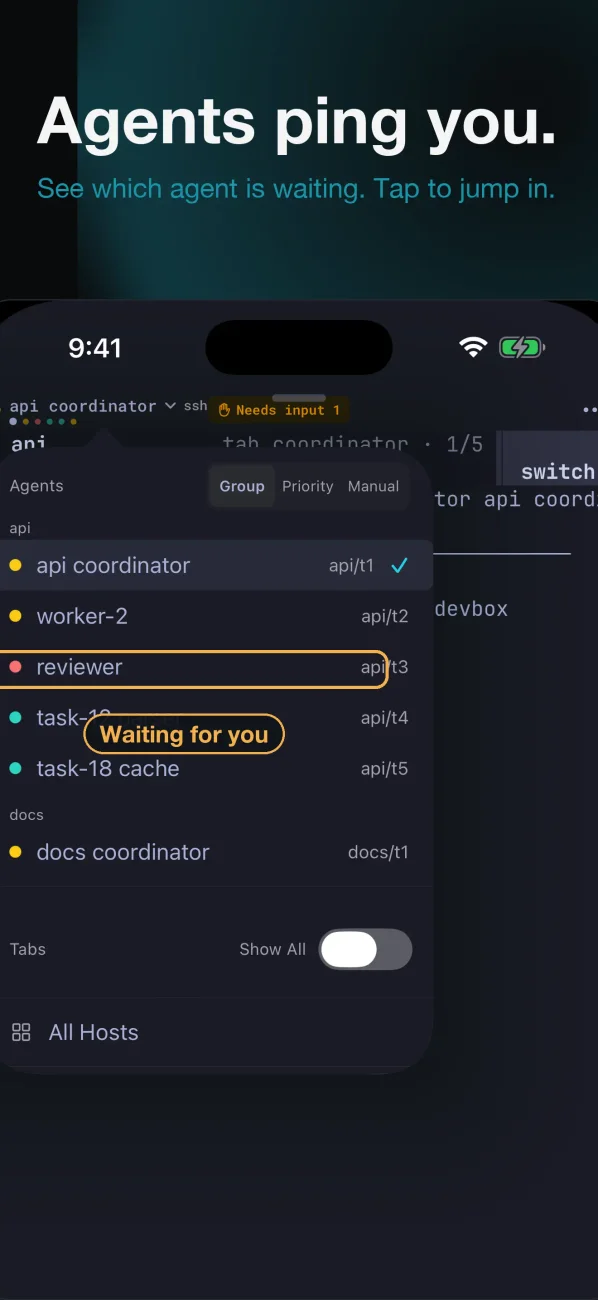
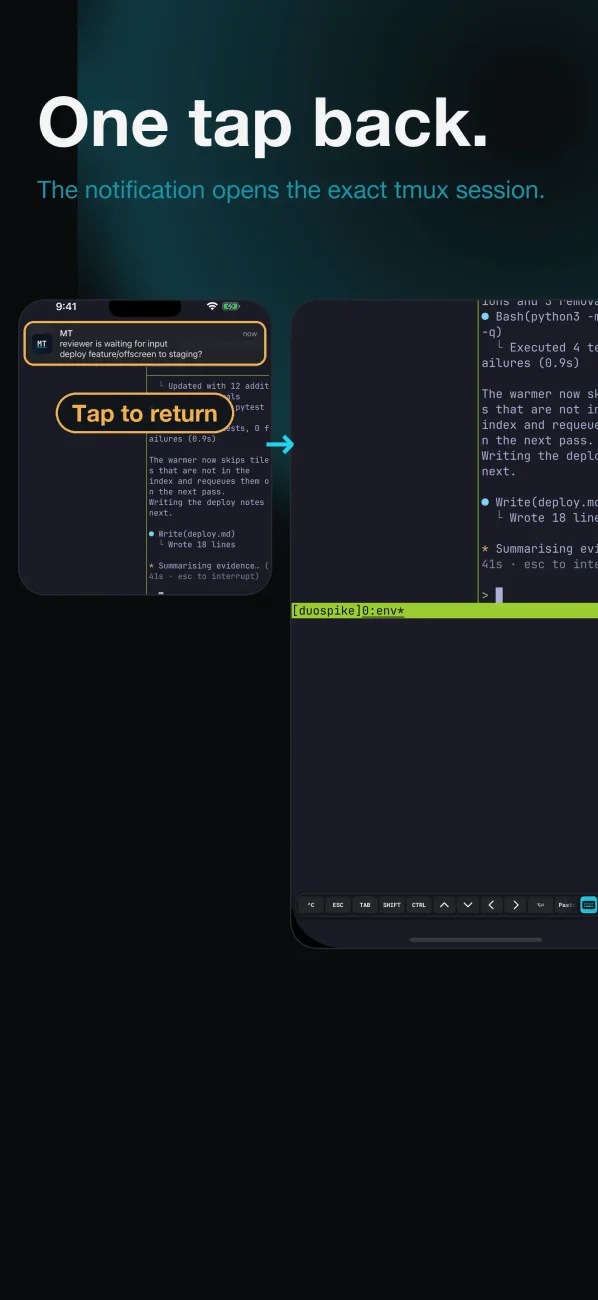
MT - Mosh Terminal is the mobile companion for AI coding agents such as Claude Code and Codex, running in tmux or Herdr. The moment an agent needs input, a push notification reaches your iPhone. Tap it — MT instantly resumes the exact tmux session over Mosh. With Herdr, you can also see every agent at a glance and jump straight to the one that is waiting.
Not just SSH — a pro terminal for mobile developers. With an external keyboard, iPad becomes a Mac-level terminal experience.
AI AGENT MONITORING
• Herdr support: see your agents across Herdr workspaces, which ones are waiting for you, and jump to the right pane
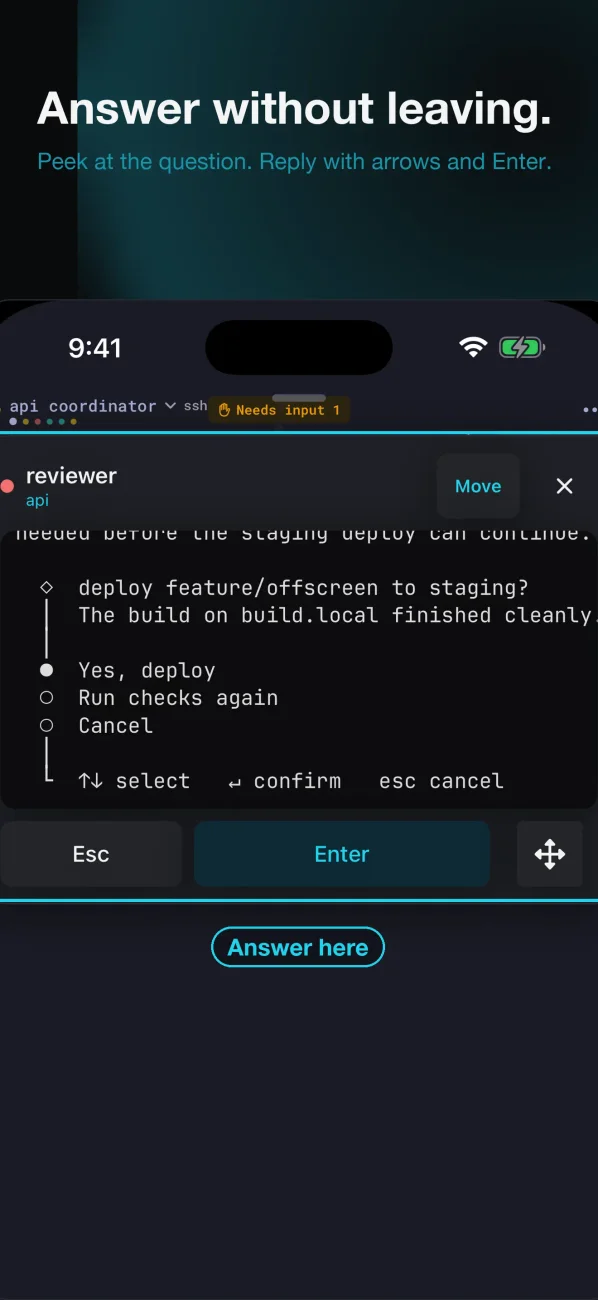
• Check button on a waiting agent: peek at what it is asking and answer with arrow keys, Enter, and Esc without leaving your current screen
• System-level push notifications via Claude Code and Codex CLI hooks
• Task completion and permission requests reach your iPhone and Apple Watch instantly
• Tap a notification → MT auto-resumes the exact tmux session (host, user, and session name are matched automatically)
• Paste two hook entries and you're done — no CLAUDE.md hacks
• Self-hosted push relay supported — no vendor lock-in
CONNECT ANYWHERE
• SSH — Secure shell connections to any remote server
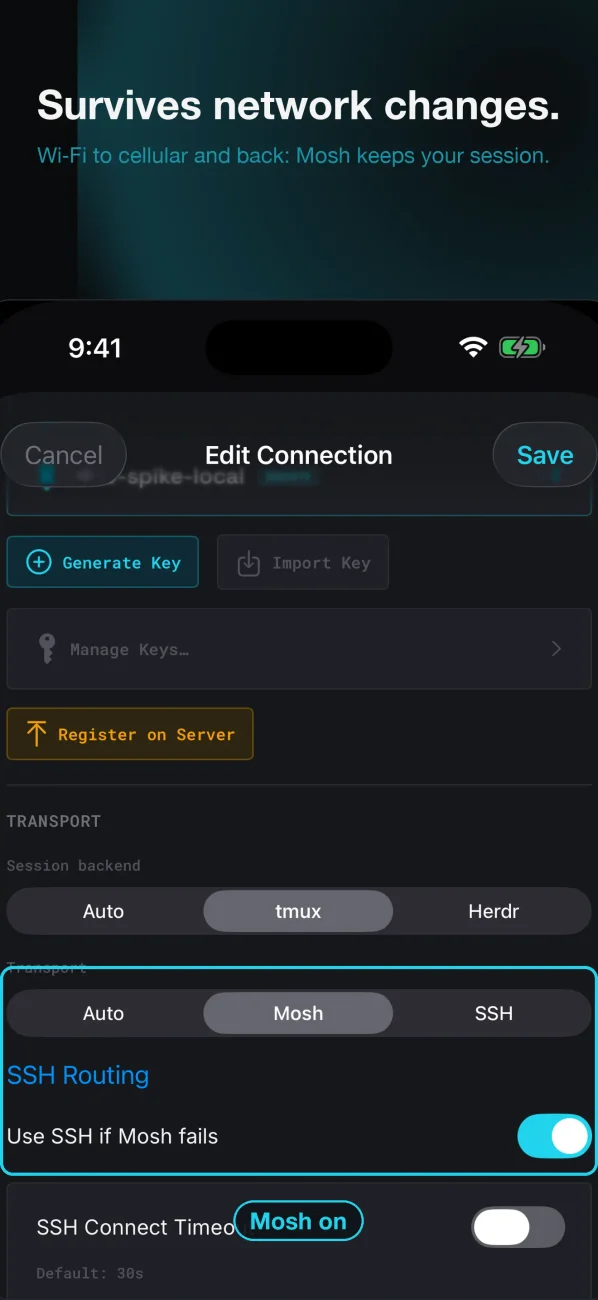
• Mosh — Mobile-optimized sessions built to survive network changes, Wi-Fi handoffs, and sleep/wake cycles
• Automatic SSH fallback when Mosh UDP is blocked
• Configurable connection timeout and quick-connect mode
POWERFUL ON IPAD
• Stage Manager multi-window support — resize and run multiple terminals side by side
• External keyboard, mouse, and trackpad support
• Multi-pane tmux layouts on the large screen
KEYBOARD-FIRST DESIGN
• Full keyboard-only operation with Magic Keyboard, split ergonomic boards, or custom ZMK builds
• Software key bar auto-minimizes when an external keyboard is detected
• Keyboard shortcuts: ⌘1-9 tab switch, ⌘N new connection, ⌘W close, ⌘D split pane
• JIS keyboard auto-detection with ¥→\ conversion
• Full CJK input: Japanese, Chinese, and Korean IME with inline pre-edit composition
ONE-TAP TMUX
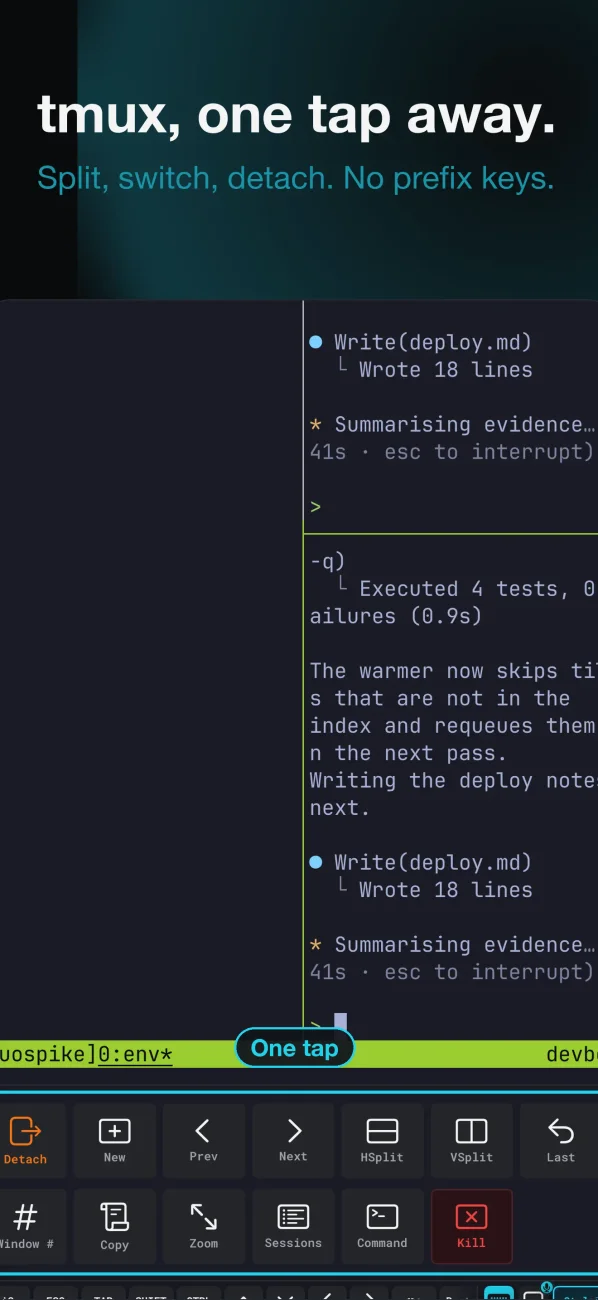
• Split panes, switch windows, and manage sessions from the bottom action bar
• No need to memorize prefix key combos — tmux power, mobile simplicity
• Your server's tmux config (prefix key and key bindings) is automatically imported
• 15+ built-in actions with customizable ordering and visibility
FILE TRANSFER & COMMANDS
• SFTP remote browser — walk directories and pick files, no hand-typed paths
• SFTP upload and download using the connection profile you are already on
• Command Library — save and search frequent commands, insert from the key bar
• Custom key bar keys — assign any text or escape sequence you need
BEAUTIFUL & CUSTOMIZABLE
• Built-in themes: Dracula, Tokyo Night, Gruvbox, Catppuccin, Solarized, and more
• Custom fonts: Built-in Menlo, JetBrains Mono. Import your own .ttf/.otf
• Pinch-to-zoom font size adjustment
SECURE BY DESIGN
• SSH keys stored in iOS Keychain, protected by Secure Enclave
• Face ID / Touch ID protection for SSH keys
• Host key verification (TOFU) with fingerprint display
• iCloud Sync with end-to-end encryption (optional, off by default)
• No analytics, no tracking, no ads. All data stays on your device
GPU-RENDERED
• Metal-accelerated terminal rendering powered by Ghostty
• Smooth scrolling at 60fps
• Touch, trackpad, and mouse scroll support
NETWORKING
MT connects directly to your servers via SSH (TCP port 22) and Mosh (UDP ports 60000-61000). This app does NOT function as a VPN, proxy, or network tunnel. All connections are direct terminal sessions to servers you configure.
Available in English, Japanese, Chinese (Simplified & Traditional), and Korean.
Requires iOS 18 or later. iPhone and iPad.
What’s new
Version 1.7.1 · Nov 26, 2026
The bottom controls are more flexible, and Duo, keyboard, Herdr and resize behavior are more reliable.
• L1 can be an island
On iPhone and a closed Duo, gather the bottom bar into a small floating island that stays clear of terminal text. It folds into a dot while output flows and expands to the familiar bar when the keyboard opens. New installations use the island; existing installations keep the current bar until you change it in Bar settings.
• Easier composer keyboard dismissal
With the composer open, tap the terminal once to hide its keyboard while keeping the composer and your draft.
• Duo and keyboard fixes
The software keyboard now survives Control Center and app-switch returns, rotating with the keyboard shown reveals the settled screen once, split-view keyboards from other apps are avoided correctly, and hardware keyboard input is preserved after sleep.
• Herdr improvements
After moving a pane, MT takes you to its newest output. MT no longer fights another client for the shared pane size until you type, and remote wheel momentum is shorter and easier to control.
• Smoother resizing
Pinch zoom and Duo transitions send fewer duplicate size updates to the host.
• More complete languages
Korean and Chinese localization has been filled in, and German localization has been added across the app.
App privacy
What Jaga Studio declares on the App Store about how this app handles data.
-
Data not linked to you
May be collected but is not linked to your identity.
- Purchases
- Identifiers
- Diagnostics
Privacy practices may vary, for example with the features you use or your age.
Information
- Seller
- Jaga Studio
- Category
- Developer Tools
- Version
- 1.7.1
- Updated
- Nov 26, 2026
- Released
- Apr 6, 2026
- Size
- 57.1 MB
- Requires
- iOS 18.0 or later
- Age rating
- 4+
- Price
- Free
- In-app purchases
- Yes
- Languages
- English, German, Japanese, Korean, Simplified Chinese, Traditional Chinese
- Copyright
- © 2026 Jaga Studio
You might also like
-
 Mosh TerminalResponsive SSH Mosh client
-
 MTerm - SSH TerminalAI Dev Terminal for iOS
-
 SharkTTY: SSH & MoshSSH/Mosh + Remote Desktop
-
 Kex - SSH & Mosh ClientSSH Mosh Telnet SFTP Terminal
-
 Redock - SSH / Mosh Terminaltmux & AI coding agents
-
 CatClaw TerminalAI Terminal + SSH + Dev Tools
-
 AgenTTY: SSH ClientCodex & Claude Code on the go
-
 Conduit: SSH, Mosh & SFTPSSH, Mosh and SFTP client
-
 NetShell - SSH TerminalTerminal , Net & SFTP Client
-
 VibeTermVibe Coding Terminal with AI