
Mull: Pause Before You Spend
Private budget & savings goals
Designed for iPhone
Free
- Age rating4+
- CategoryFinance
- DeveloperAdhel AJ Corpuz
- LanguagesEnglish
- Size2.6 MB
Links to the official App Store page
Download.org hosts no file of Mull: Pause Before You Spend. The button opens its official App Store page, published by Adhel AJ Corpuz. Listing last checked on Nov 25, 2026.
Screenshots

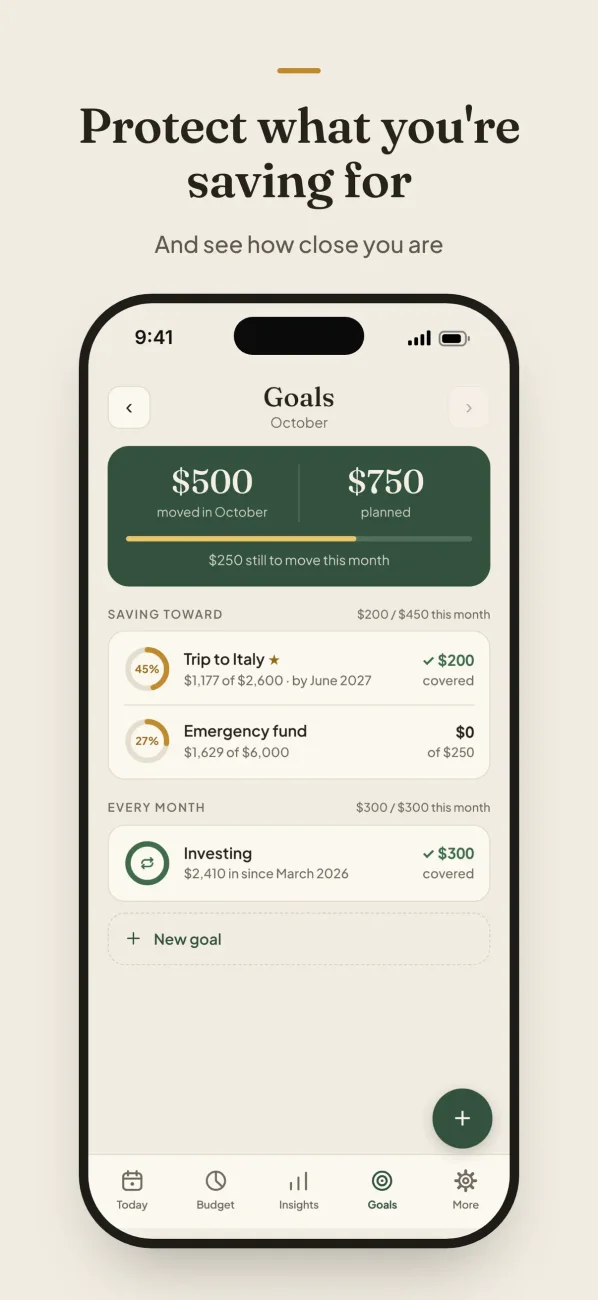
About
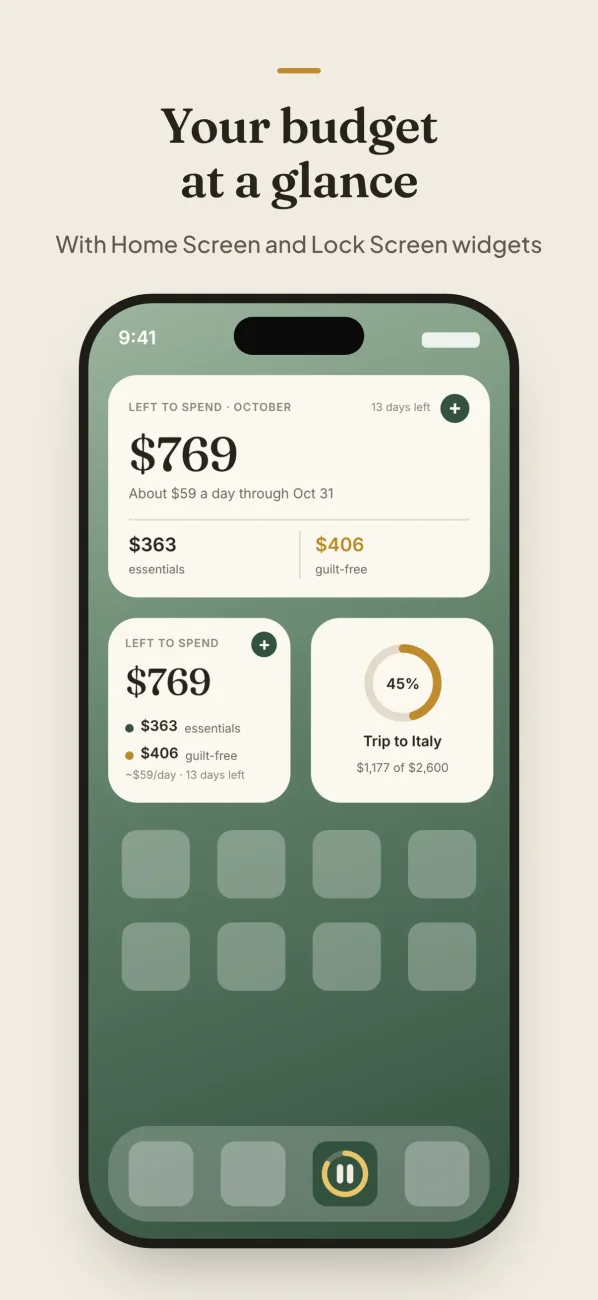
Most budget apps tell you what you already spent. Mull steps in before you spend.
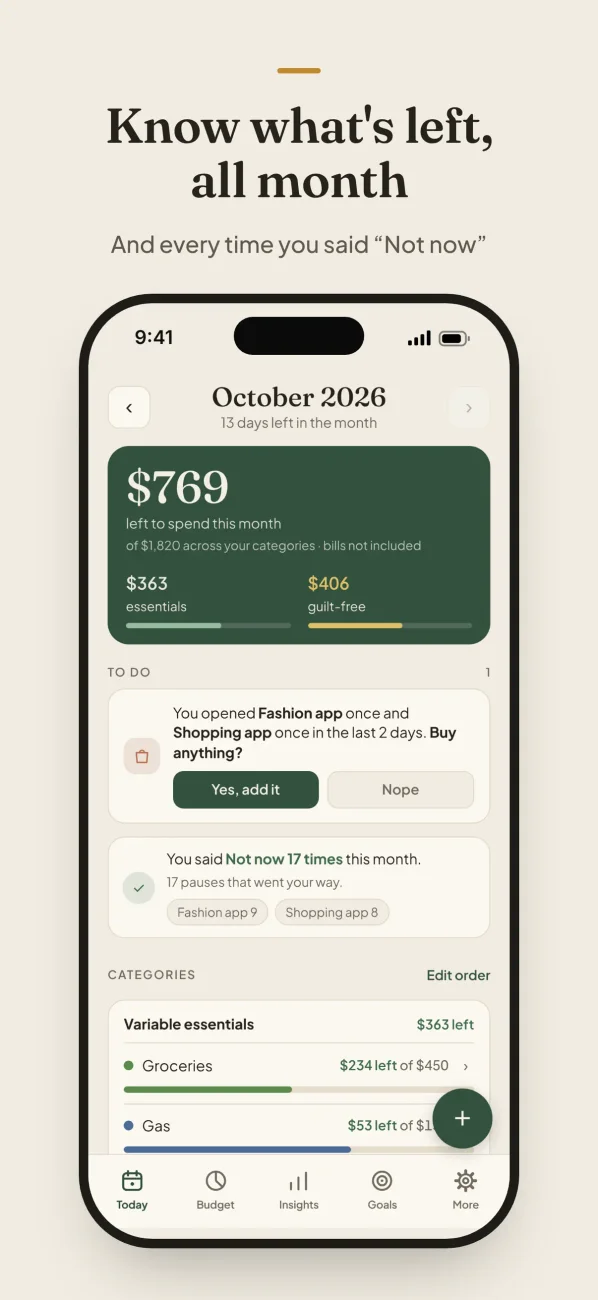
PAUSE BEFORE YOU SHOP
Pick the apps where your money slips away: your shopping apps, payment apps, even your bank app. When you open one, Mull shows a quick pause screen first: what's left this month for fun and for essentials, and how close you are to your savings goal. Tap "Not now" to close the app, or "Open anyway" to go in. You're never locked out. Mull keeps count of every "Not now," so you can see how often you chose your goal.
A SIMPLE MONTHLY BUDGET
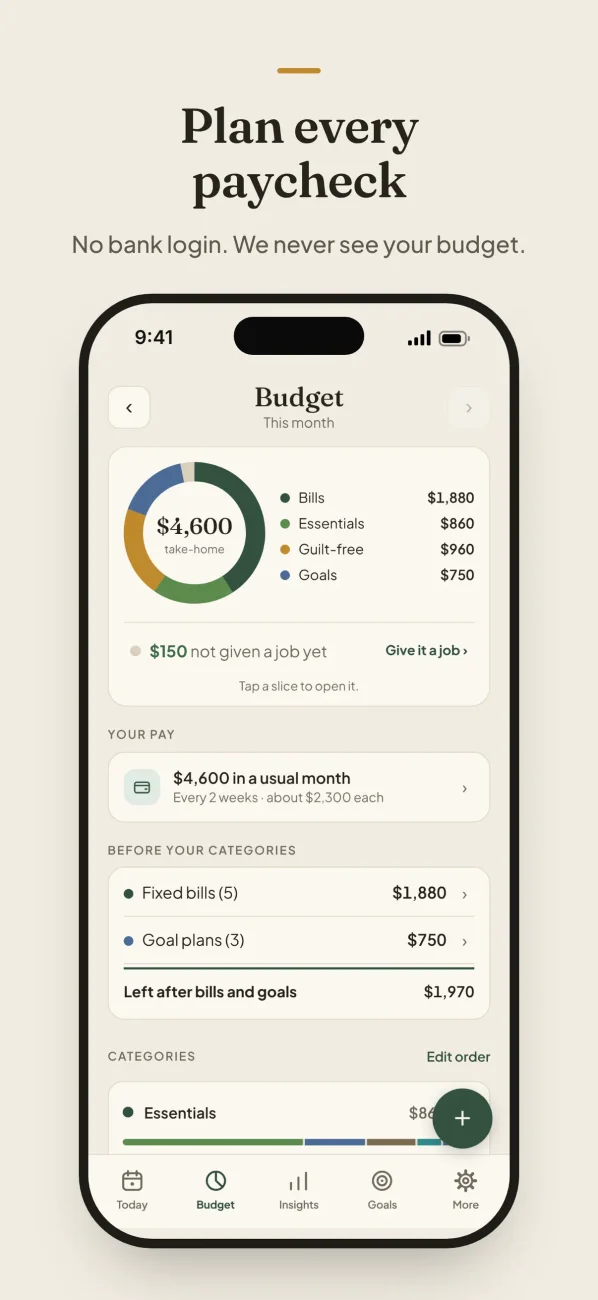
- Start with your pay. Take out bills and savings. Mull shows what's left to spend.
- Split it into needs (groceries, gas) and fun (dining out, shopping).
- Add each paycheck as it comes in, and decide where any extra goes.
- Set goals, like a trip or an emergency fund, and see how close you are.
- Each month, see how the last one went, then start fresh.
EASY TO KEEP UP
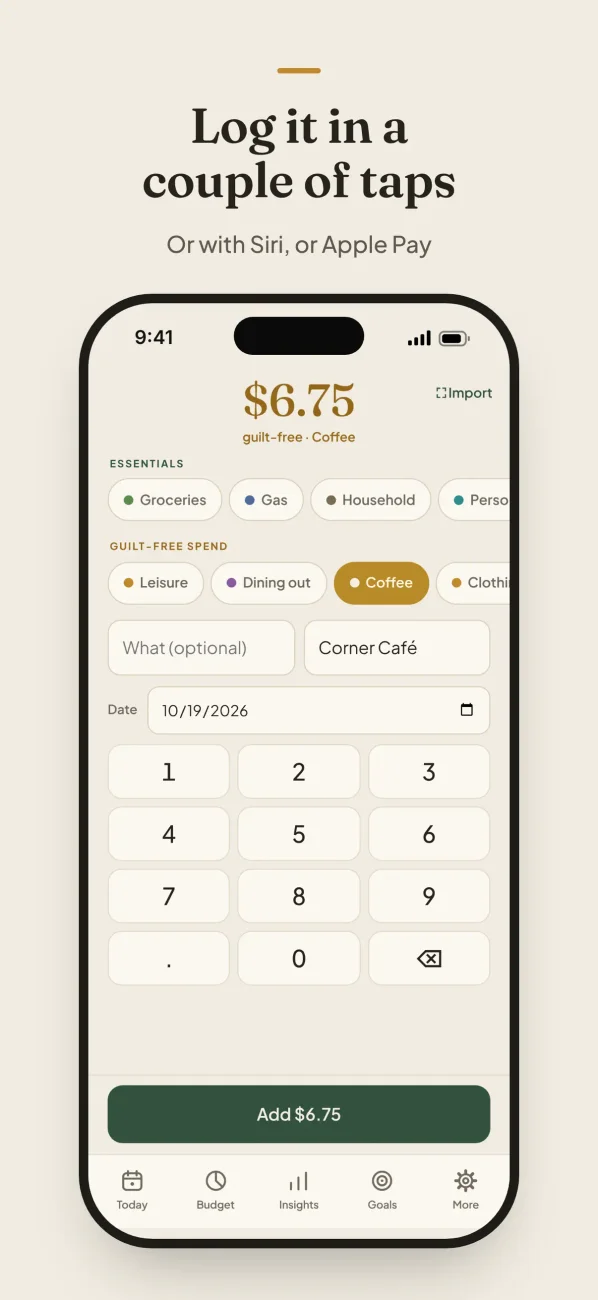
- Add a purchase in a couple of taps, or tell Siri: "Log a purchase in Mull."
- Apple Pay taps log themselves after a one-time setup.
- Import a screenshot or PDF from your bank. Mull reads it on your phone, and you check everything before it's saved.
- Turn on gentle reminders, every evening or on Sundays, so nothing slips through. They stay quiet on days you've already logged.
UNDERSTAND WHAT'S HAPPENING TO YOUR MONEY
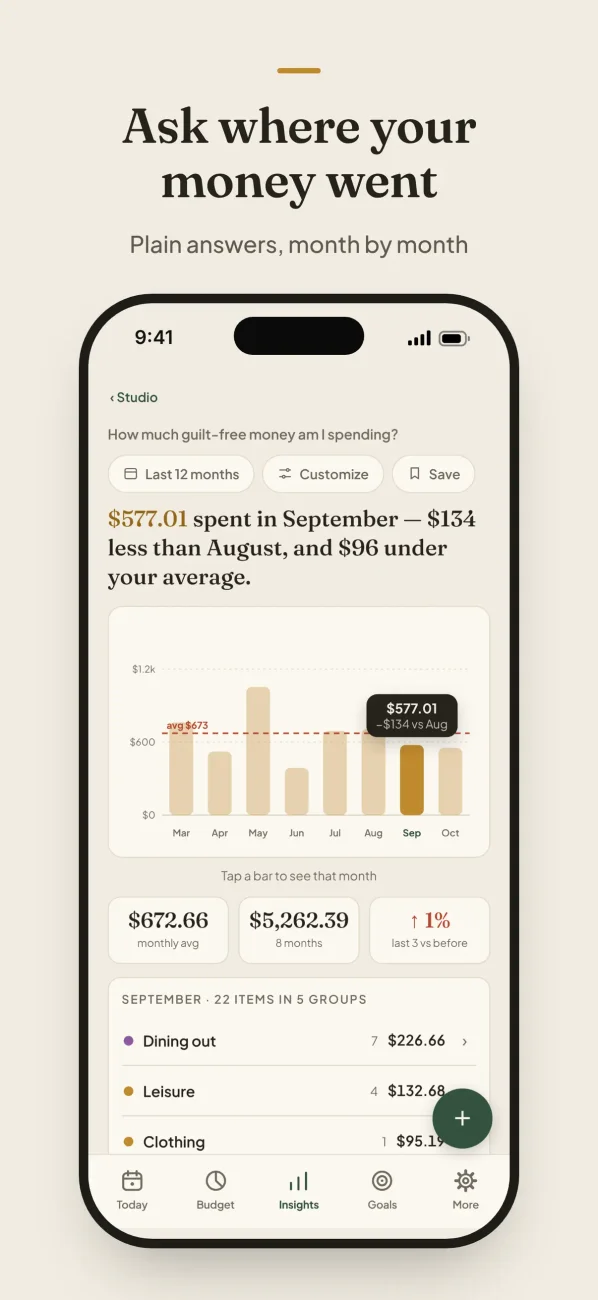
- Trends shows every month side by side, against your take-home, so you can see at a glance which months ran over.
- Studio lets you dive deeper. Ask plain questions like "Where did my money go?" or "When do I spend the most?" and get a straight answer with a chart.
- Or build your own view in Studio: group your spending by month, day of the week, category or store, and save the ones you use most.
PRIVATE BY DESIGN
No account. No bank login. No ads. We never see your data. Your budget stays on your iPhone and backs up to your own iCloud Drive, so a new phone can bring it all back. Lock it with Face ID if you like.
Terms of Use: https://trymull.com/terms/
Privacy Policy: https://trymull.com/privacy/
What’s new
Version 1.1.0 · Nov 24, 2026
New in 1.1
• Accounts: track your savings accounts and credit cards on Budget. You type the balances; Mull never connects to your bank. Cards get a reminder 3 days before the due date.
• Refunds: imports now find refunds, and Add has a Refund switch. Choose where the money goes: back to its category, somewhere else, or into savings.
• Take money out of a goal when you pay the bill you were saving for. Your budget stays the same.
• Simpler goal recording: one amount box and fewer questions.
• The monthly check-in can update your accounts and move leftover money to savings.
• Fixes and polish.
App privacy
What Adhel AJ Corpuz declares on the App Store about how this app handles data.
-
Data not collected
The developer does not collect any data from this app.
Privacy practices may vary, for example with the features you use or your age.
Information
- Seller
- Adhel AJ Corpuz
- Category
- Finance
- Version
- 1.1.0
- Updated
- Nov 24, 2026
- Released
- Oct 28, 2026
- Size
- 2.6 MB
- Requires
- iOS 17.0 or later
- Age rating
- 4+
- Price
- Free
- Languages
- English
- Copyright
- © 2026 Adhel AJ Corpuz
You might also like
-
 Budget - Simple and SharableTrack your spending together
-
 Grownix: Weekly BudgetSave first. Spend what's left
-
 Weekly SpendBudget by the week, together
-
 Swift Budget - Weekly SpendingStop monthly. Budget weekly.
-
 Almie: Budget by PaycheckWeekly, Biweekly, Monthly
-
 Temper: Money & Budget PlannerAI Expense & Spending Tracker
-
 Monaza: Budget PlannerSpending tracker by voice
-
 frugl: Budget & GrowA friendlier way to budget
-
 Pennio: Weekly Budget PlannerSpending & Money Tracker
-
 Budget Planner & Money TrackerExpense Log & Money Manager