
- Age rating4+
- CategoryFinance
- DeveloperAndrew Ovens
- LanguagesEnglish+ 18 more
- Size1.8 MB
Links to the official App Store page
Download.org hosts no file of Weekly Spend. The button opens its official App Store page, published by Andrew Ovens. Listing last checked on Nov 17, 2026.
Screenshots

About
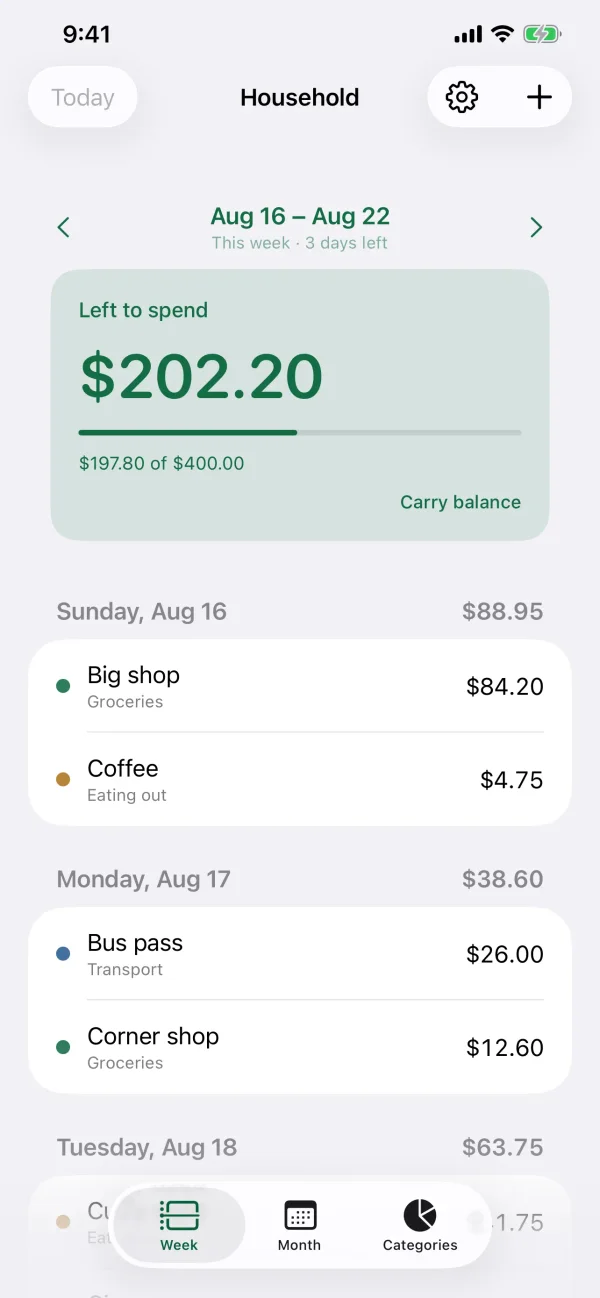
Weekly Spend answers one question: how much is left to spend this week?
Work out what you have after the bills that never change — rent, insurance, subscriptions — split it across the weeks in the month, and that is your weekly target. Add expenses as you go and watch the number come down. That is the whole idea.
Not sure what that target should be? The app works it out with you: answer as many of the prompts as you know — pay, rent, insurance, groceries — and it does the arithmetic.
WHAT IT DELIBERATELY DOES NOT DO
There is nowhere to enter your salary, your rent, or any other recurring amount. Those numbers are already decided, and putting them in an app does not change them. Leaving them out is what keeps this on the one figure that actually moves day to day. If money arrives mid-week — a refund, a gift, cash back — add it as an expense with a minus sign.
No budgets to rebalance every month. No charts to interpret. No lectures.
SHARED, PROPERLY
One budget can live on as many devices as you like. Copy the budget ID, enter it on your partner's phone, and you both see the same running total within seconds — add a coffee on the way home and it is there before you are.
The same budget opens on other phones and at budget.andrewovens.com, so a household running a mix of phones is not a problem, and neither is checking it from a laptop.
WORKS WITHOUT A SIGNAL
Everything lives on the device and syncs when it can. Add an expense in a basement car park and it is saved; it reaches the other devices when you surface. Nothing is lost waiting for a connection.
WHAT YOU GET
• One clear number: what is left this week
• Expenses grouped by day, with a running total for each
• Categories, and a breakdown by week or month
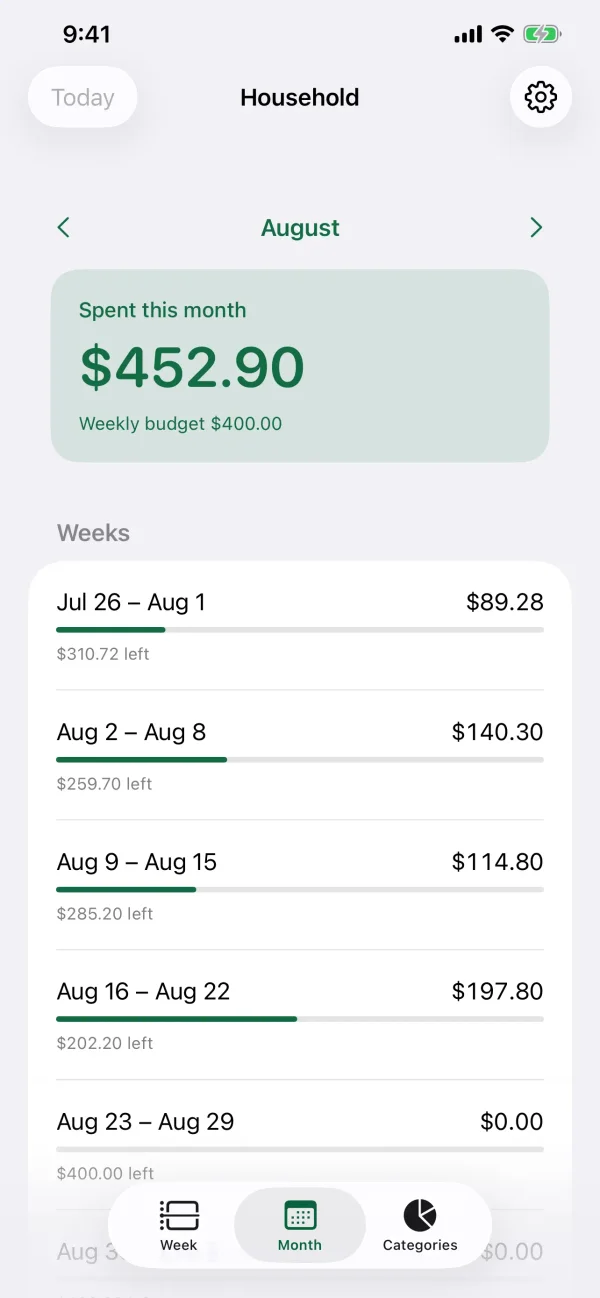
• A month view showing every week against your target
• Carry an unspent balance forward into next week
• Copy a repeating expense to next week in one tap
NO ACCOUNTS, NO ADVERTISING, NO TRACKING
There is nothing to sign up for and no password to forget. No advertising, no analytics SDKs, no third-party services of any kind. There is no name, email address or phone number collected, because there is nowhere to enter one — a budget is identified by a random ID that only you and the people you share it with have.
Built and run by one person, not a company with an exit strategy.
What’s new
Version 1.3 · Oct 13, 2026
Added a setting to allow automatically carrying balances forward
App privacy
What Andrew Ovens declares on the App Store about how this app handles data.
-
Data not linked to you
May be collected but is not linked to your identity.
- Usage data
- Diagnostics
Privacy practices may vary, for example with the features you use or your age.
Information
- Seller
- Andrew Ovens
- Category
- Finance
- Version
- 1.3
- Updated
- Oct 13, 2026
- Released
- Aug 26, 2026
- Size
- 1.8 MB
- Requires
- iOS 17.0 or later
- Age rating
- 4+
- Price
- Free
- Languages
- English, Arabic, Dutch, French, German, Hindi, Indonesian, Italian, Japanese, Korean, Polish, Portuguese + 7 more
- Copyright
- © 2026 Andrew Ovens
You might also like
-
 Grownix: Weekly BudgetSave first. Spend what's left
-
 Swift Budget - Weekly SpendingStop monthly. Budget weekly.
-
 Weekly Budget CountdownManual weekly budget tracker
-
 Mull: Pause Before You SpendPrivate budget & savings goals
-
 Sable BudgetPrivate, no subscription.
-
 Weekly Budget: Planner & BillsDebt Payoff & Expense Tracker
-
 ExpenseSnap Budget TrackerTrack Spending & Finances
-
 ReceiptsBox: Receipt ScannerWarranty & Return Reminders
-
 Budget - Simple and SharableTrack your spending together
-
 Envilo BudgetBudgeting made easy and fun!