MultiRoll: Shared Camera Roll
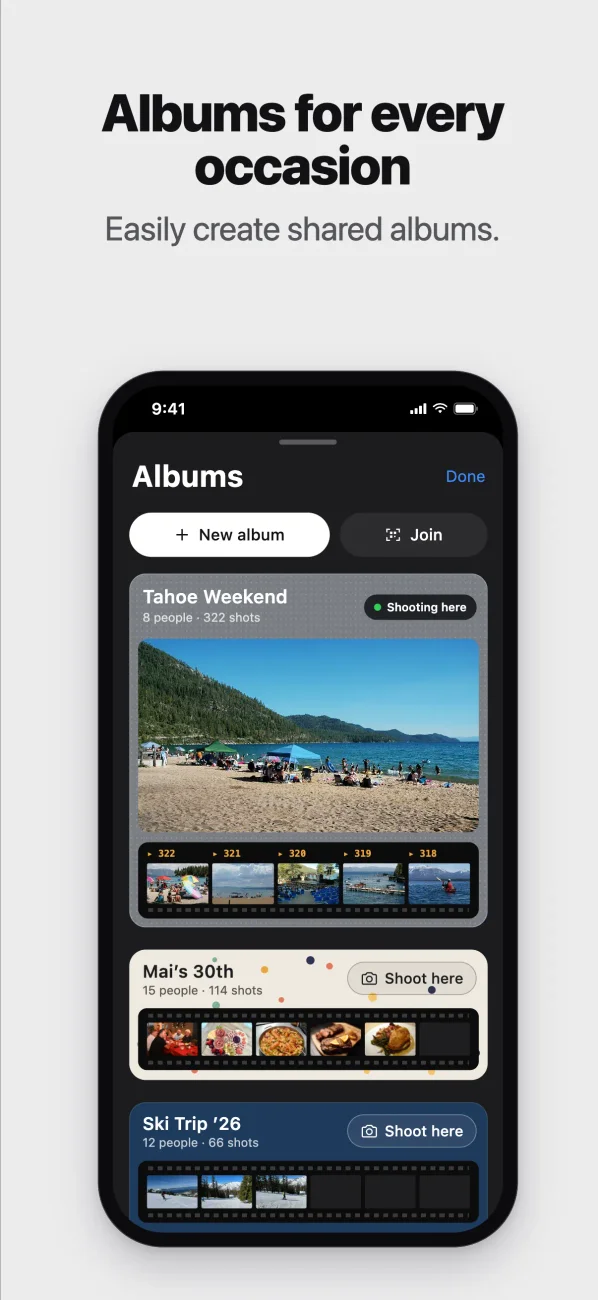
Easily create shared albums.
Designed for iPhone
Free
- Age rating17+
- CategoryPhoto & Video
- DeveloperOV, LLC
- LanguagesEnglish
- Size11.2 MB
Links to the official App Store page
Download.org hosts no file of MultiRoll: Shared Camera Roll. The button opens its official App Store page, published by OV, LLC. Listing last checked on Nov 7, 2026.
Screenshots

About
See the moments you missed.
You can't be everywhere at once. MultiRoll lets everyone at your wedding, trip, birthday or party shoot into one shared album, so you can see the whole event — not just the moments you happened to capture.
No more chasing down photos. No more asking, "Can you send me those?"
ONE SHARED CAMERA
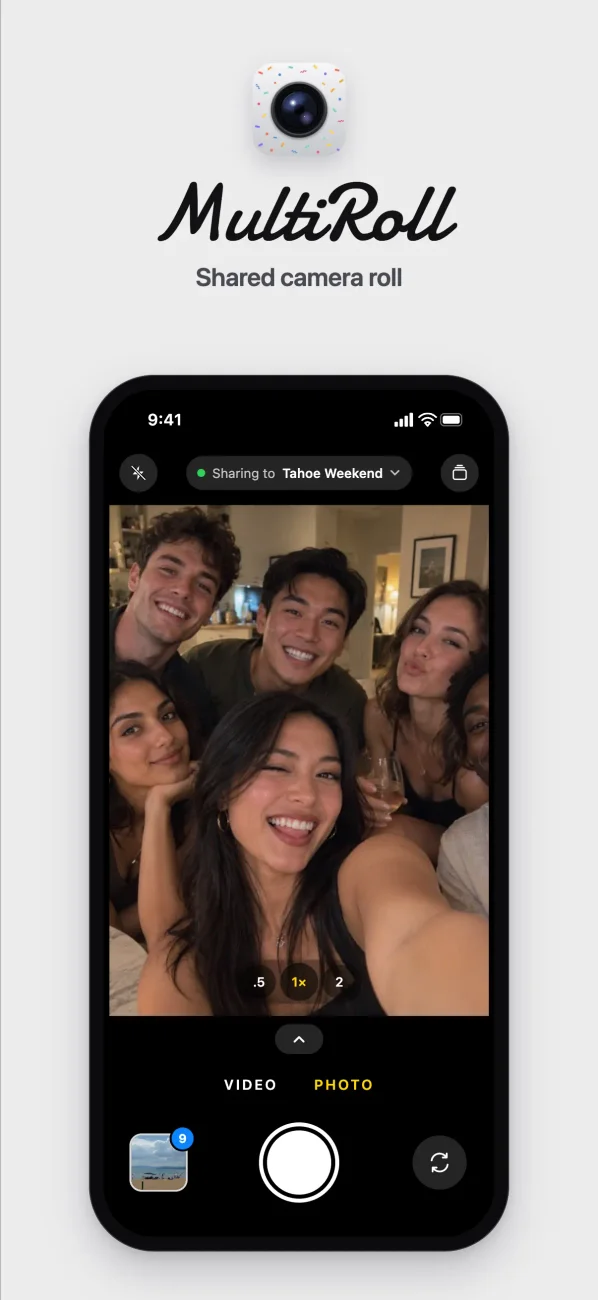
Start an album and invite your crew with a QR code or 6-character code. Once they join, anything they shoot is shared with everyone in the album in seconds.
Photos from other people arrive live, right on the camera screen. Keep shooting and watch the story of the event come together around you.
CAPTURE IT YOUR WAY
MultiRoll opens straight to a real camera with:
• Photo and video
• Front and back cameras
• Flash
• 0.5x, 1x and 2x zoom
• Tap to focus
• 12 built-in looks
• An album-wide look chosen by the host
Choose from natural, film-inspired, black-and-white and camera-style looks. Some looks add a little extra character, including Disposable with a date stamp and Instant with a frame.
SEE THE WHOLE EVENT
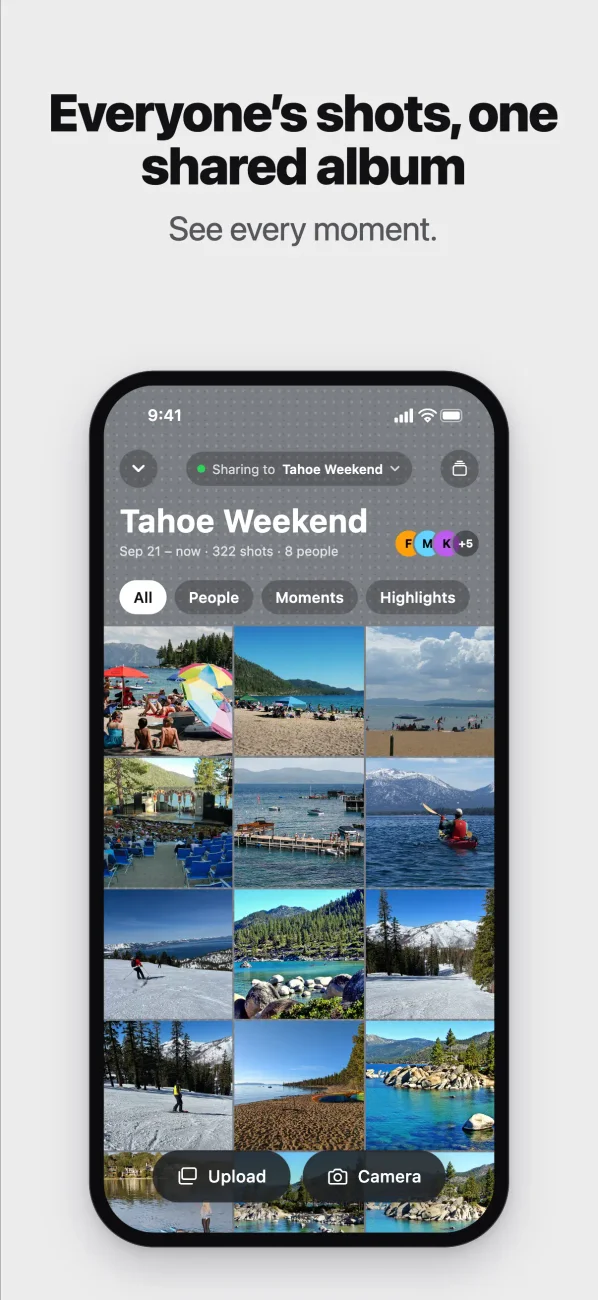
The shared album brings everyone's shots together in one place.
Browse the full grid or explore views like People, Moments and Highlights. Open photos full-screen, pinch to zoom, like your favorites and leave comments.
Because the best photo from the night might be one you weren't there to take.
MAKE IT YOUR ALBUM
Give each album its own identity with custom covers featuring patterns, colors, title fonts and up to three cover photos.
Create a printable poster with the album's QR code so guests can join easily.
SHARE ONLY WHAT YOU CHOOSE
Save any shot to your Photos, or turn on automatic saving for your own shots.
You can also upload specific photos and videos from your library. MultiRoll never reads your photo library or automatically shares anything from it. You choose exactly what to upload.
WORKS OFFLINE
Keep shooting without a connection. Your shots stay on your phone and send automatically when you’re back online. You can also choose to upload only over Wi-Fi.
PRIVATE BY DEFAULT
Albums are private. Only people in the album can see what’s shared.
YOUR EVENT, FROM EVERYONE’S POINT OF VIEW
The photos you take are only one version of what happened.
MultiRoll gives you the rest of the story.
App privacy
What OV, LLC declares on the App Store about how this app handles data.
-
Data linked to you
May be collected and linked to your identity.
- Contact info
- User content
- Identifiers
- Usage data
Privacy practices may vary, for example with the features you use or your age.
Information
- Seller
- OV, LLC
- Category
- Photo & Video
- Version
- 1.0
- Updated
- Oct 16, 2026
- Released
- Oct 16, 2026
- Size
- 11.2 MB
- Requires
- iOS 18.0 or later
- Age rating
- 17+
- Price
- Free
- Languages
- English
- Copyright
- © 2026 OV, LLC
You might also like
-
 Candid: Two CamerasFront and back camera at once
-
 Voxel Camera 1Turn the world into voxels
-
 Campose: AI Composition CameraFrame Better Photos with AI
-
 StatSnap — Photo Stats CameraStamp GPS, compass & altitude
-
 Dual Camera - TwoCamFront & Back at Once
-
 ShutterLabPro Camera for iPhone
-
 VHS Cam - Retro Video Filter80s 90s Vintage Camcorder
-
 warm.snap - Warm Snap CameraTake it easy. Keep it natural.
-
 Timestamp GPS CameraAdd Date, Location to Camera
-
 POP Camera PrinterPhoto & Video